The Invisible Language of Your Smart Home
When most people begin building a smart home, they focus on brands, aesthetics, and app features. However, the true foundation of any reliable smart home lies beneath the surface: the wireless communication protocols that allow your devices to talk to each other, your router, and the cloud. Think of a protocol as the language your devices speak. If your smart lock speaks Z-Wave and your hub only understands Wi-Fi, they cannot communicate without a translator.
Understanding these protocols is the difference between a smart home that feels like magic and one that feels like a constant troubleshooting exercise. In this deep explainer, we will dissect the core smart home protocols—Wi-Fi, Zigbee, Z-Wave, Thread, and the new Matter standard—examining their technical architectures, real-world performance, and how to strategically deploy them in your home.
Why Protocols Matter More Than Brands
A smart home ecosystem is only as strong as its network topology. When you buy a smart plug or a motion sensor, it relies on a specific radio frequency and networking topology to transmit data. The wrong choice can lead to network congestion, latency (the delay between pressing a button and the light turning on), and rapid battery drain.
Key Takeaway: Brand loyalty should take a backseat to protocol compatibility. A mix of Aqara, Philips, and Aeotec devices can work seamlessly together if they share a compatible protocol and hub, whereas identical brands using conflicting protocols will require multiple apps and hubs.
The Core Smart Home Protocols: A Deep Dive
Wi-Fi: The High-Bandwidth Heavyweight
Wi-Fi is the most ubiquitous protocol in the modern home, operating primarily on the 2.4 GHz and 5 GHz bands. In the context of the Internet of Things (IoT), almost all Wi-Fi smart devices use the 2.4 GHz band because it offers better range and wall penetration than 5 GHz.
How it Works: Wi-Fi IoT devices connect directly to your home’s wireless router in a 'star' topology. Each device maintains an individual, high-bandwidth connection to the router and, by extension, the cloud.
Best Use Cases: High-bandwidth devices like video doorbells (Ring, Nest), smart displays, and media streamers. It is also suitable for simple, plug-in devices like smart plugs (e.g., TP-Link Kasa) where battery life is not a concern.
The Drawbacks: Wi-Fi is incredibly power-hungry, making it unsuitable for battery-operated sensors. Furthermore, consumer routers typically begin to struggle with packet loss and latency when more than 30 to 50 IoT devices are connected simultaneously, leading to the dreaded 'device offline' errors.
Zigbee: The Low-Power Mesh Pioneer
Zigbee is a low-power, low-bandwidth mesh networking protocol based on the IEEE 802.15.4 standard. Operating on the 2.4 GHz frequency globally, it was designed specifically for IoT devices that need to run on coin-cell batteries for months or years.
How it Works: Unlike Wi-Fi’s star topology, Zigbee uses a 'mesh' network. It requires a central Coordinator (the hub), but every mains-powered Zigbee device (like a smart plug or hardwired light switch) acts as a Router, repeating the signal for battery-powered End Devices (like door sensors). This allows the network to extend far beyond the hub's direct range.
Best Use Cases: Smart lighting (Philips Hue, Sengled), door/window sensors (Aqara), and smart switches. Zigbee networks can easily handle 100+ devices without congesting your primary Wi-Fi network.
The Drawbacks: Because it operates on 2.4 GHz, it can occasionally interfere with crowded Wi-Fi channels. Additionally, if you unplug a mains-powered router device, battery-powered devices routed through it may temporarily drop offline until the network 'heals' itself.
Z-Wave: The Reliable Sub-GHz Veteran
Z-Wave is a proprietary, highly regulated mesh protocol that operates on sub-GHz frequencies (908.42 MHz in the US, 868.42 MHz in Europe). Because it is strictly licensed and certified by the Z-Wave Alliance, interoperability between different generations and brands is nearly flawless.
How it Works: Like Zigbee, it uses a mesh topology. However, its sub-GHz frequency means it easily penetrates thick walls, floors, and concrete, offering superior indoor range compared to Zigbee. The latest Z-Wave Plus v2 (800-series) chips offer massive improvements in battery life and security (S2 authentication).
Best Use Cases: Critical security and access devices. Smart locks (Yale, Schlage), garage door controllers, and whole-home security systems (Ring Alarm) rely heavily on Z-Wave for its rock-solid reliability and lack of 2.4 GHz interference.
The Drawbacks: Z-Wave devices are generally 30% to 50% more expensive than their Zigbee counterparts due to licensing fees and higher manufacturing costs. Furthermore, regional frequency differences mean a Z-Wave device bought in Europe will not work in the US.
Thread and Matter: The Future-Proof Unifiers
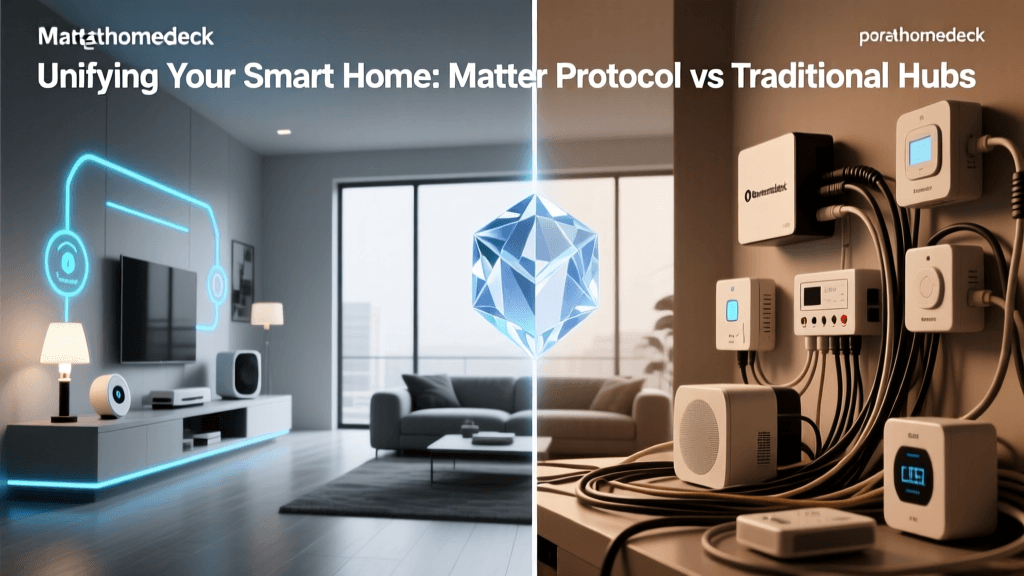
To understand the future of smart homes, you must understand the distinction between Thread (the transport protocol) and Matter (the application layer).
Thread: Thread is an IP-based, low-power mesh networking protocol (also based on IEEE 802.15.4). Unlike Zigbee, Thread has no single point of failure; it uses multiple 'Border Routers' (like an Apple HomePod Mini or Nest Hub) to bridge the Thread mesh to your Wi-Fi network. If one Border Router goes offline, the network seamlessly routes through another. Thread natively supports IPv6, meaning every lightbulb and sensor gets its own IP address on your network.
Matter: Matter is not a radio protocol; it is a unified application layer built by the Connectivity Standards Alliance (CSA). Matter runs over Thread, Wi-Fi, and Ethernet. It dictates how devices are discovered, authenticated, and controlled, ensuring that a Matter-certified smart lock will work natively with Apple Home, Amazon Alexa, Google Home, and Samsung SmartThings simultaneously, without requiring custom cloud integrations.
Best Use Cases: Any new smart home purchase. Matter-over-Thread is rapidly becoming the gold standard for sensors, lighting, and smart blinds, offering local control, zero cloud dependency, and instant response times.
Protocol Comparison Matrix
The following table breaks down the technical specifications and practical applications of each protocol to help you map out your home's infrastructure.
| Feature | Wi-Fi (2.4GHz) | Zigbee | Z-Wave (800-Series) | Thread / Matter |
|---|---|---|---|---|
| Topology | Star (Direct to Router) | Mesh (Requires Coordinator) | Mesh (Requires Controller) | Mesh (Decentralized Border Routers) |
| Frequency | 2.4 GHz / 5 GHz | 2.4 GHz | Sub-GHz (908.42 MHz US) | 2.4 GHz (802.15.4) |
| Power Draw | High (Mains power mostly) | Very Low (Battery friendly) | Ultra-Low (Years on CR123A) | Very Low (Battery friendly) |
| Max Device Limit | ~30-50 per consumer router | ~250+ per network | 232 nodes per network | Technically unlimited (IPv6) |
| Best For | Cameras, Displays, Plugs | Lighting, Sensors, Budget Hubs | Locks, Security, Thick Walls | Future-proofing, Cross-Ecosystem |
| Avg. Device Cost | $15 - $150+ | $15 - $50 | $35 - $100+ | $25 - $80 |
Visualizing Protocol Performance
When designing your network, balancing range and power consumption is critical. The chart below illustrates the trade-offs between line-of-sight range and relative power consumption across the primary smart home protocols.
The Role of the Hub and Border Routers
A common misconception is that 'hubless' smart homes are superior. In reality, relying solely on Wi-Fi for dozens of devices will cripple your network's performance. Dedicated hubs and border routers are essential for offloading traffic from your primary Wi-Fi router and enabling local processing.
- Zigbee Coordinators: Devices like the Home Assistant SkyConnect or Samsung SmartThings Station act as the brain of a Zigbee network, managing routing tables and security keys locally.
- Z-Wave Controllers: The HomeSeer SmartStick+ or the built-in Z-Wave radios in the Hubitat Elevation manage the strict routing and S2 security handshakes required by Z-Wave locks and sensors.
- Thread Border Routers: You likely already own one. The Apple TV 4K (3rd Gen), Apple HomePod Mini, and Google Nest Hub (2nd Gen) all contain Thread radios. By placing one on each floor of your home, you create a robust, self-healing Thread mesh that bridges seamlessly to your Wi-Fi.
For advanced users, platforms like Thread Group certified routers allow for multi-admin setups, meaning a single Thread-based Eve or Nanoleaf device can be controlled by both an iPhone and an Android tablet simultaneously without complex cloud bridging.
How to Choose the Right Protocol for Your Home
Building a cohesive smart home requires a strategic, hybrid approach. No single protocol is perfect for every use case. Here is an actionable blueprint for outfitting your home based on its size and your specific needs.
Scenario 1: The Apartment or Small Condo (Under 1,000 Sq Ft)
In a small space with thin walls, you do not need the extreme range of sub-GHz Z-Wave. The Strategy: Utilize a hybrid of Wi-Fi and Zigbee. Use Wi-Fi for your video doorbell and smart TV. Purchase a single Zigbee hub (like the Aqara M2) and outfit the apartment with Zigbee lighting and sensors. The 2.4 GHz mesh will easily cover the space, and you will keep your Wi-Fi router free of congestion.
Scenario 2: The Multi-Story Family Home (2,000+ Sq Ft)
Large homes with multiple floors, concrete basements, and exterior walls require robust signal penetration and high device capacity. The Strategy: Embrace Thread and Z-Wave. Deploy Thread Border Routers (like HomePods) on every floor to create a dense, self-healing mesh for interior sensors and lighting. For exterior devices—such as smart garage door openers, perimeter floodlights, and front door deadbolts—use Z-Wave 800-series devices. The sub-GHz frequency will punch through exterior brick and siding where 2.4 GHz signals fail.
Scenario 3: The Renter's Budget Setup
If you cannot replace hardwired switches and need to take your smart home with you when you move. The Strategy: Focus entirely on Wi-Fi and battery-powered Zigbee. Wi-Fi smart plugs and smart bulbs require no hub and can be packed in a box. Battery-powered Zigbee door sensors and motion detectors can be mounted with removable adhesive strips and paired to a portable USB Zigbee dongle plugged into a laptop or cheap hub.
Future-Proofing Your Smart Home Ecosystem
The smart home industry is currently undergoing a massive paradigm shift toward local control and interoperability. The era of relying on distant cloud servers to turn on your living room lamp is ending. When shopping for new devices, look for the Matter logo on the packaging. While legacy Zigbee and Z-Wave devices will remain functional for years (and can often be bridged into Matter via hubs like SmartThings or Home Assistant), purchasing native Matter-over-Thread devices ensures your home is compatible with whatever voice assistant or operating system you choose to use in the future.
By understanding the invisible languages your devices speak, you transition from a passive consumer of gadgets to an active architect of a resilient, intelligent, and truly automated living space.