Introduction to Smart Home Energy Management
The modern smart home is no longer just about convenience and voice commands; it has evolved into a powerful tool for resource conservation and financial savings. According to the U.S. Energy Information Administration (EIA), the average American household spends thousands of dollars annually on electricity, with space heating, cooling, and water heating accounting for the largest share of this consumption. As utility rates continue to climb globally, homeowners are turning to smart home manager apps to monitor, analyze, and automate their energy usage.
However, not all smart home ecosystems are created equal when it comes to energy tracking. While some apps offer basic on/off scheduling, others provide granular, circuit-level data, predictive AI analytics, and integration with local solar grids. In this comprehensive guide, we compare the best smart home manager apps for energy management, evaluating their hardware compatibility, automation capabilities, and overall effectiveness in reducing your carbon footprint and monthly utility bills.
Why Your Smart Home App Matters for Energy Savings
The smart home manager app acts as the central nervous system of your connected devices. When it comes to energy management, the app's ability to aggregate data from disparate sources—such as smart thermostats, smart plugs, and whole-home energy monitors—is critical. A robust energy dashboard translates raw kilowatt-hour (kWh) data into actionable insights.
Furthermore, the transition toward Time-of-Use (TOU) electricity pricing by many utility companies means that when you use power is just as important as how much you use. Advanced smart home apps allow you to build automations that shift heavy energy loads (like running the dishwasher or charging an EV) to off-peak hours when electricity rates are lowest. The American Council for an Energy-Efficient Economy (ACEEE) frequently highlights that automated load-shifting and smart HVAC management are among the most effective residential strategies for grid relief and consumer savings.
Top Smart Home Manager Apps for Energy Tracking
1. Samsung SmartThings (Best for Mainstream Ecosystems)
Samsung SmartThings remains one of the most accessible and widely supported smart home platforms, and its dedicated "SmartThings Energy" dashboard is a standout feature for everyday users. The app aggregates data from compatible smart plugs, energy-monitoring switches, and smart appliances (like Samsung washers, dryers, and refrigerators).
Key Energy Features:
- AI Energy Mode: SmartThings uses AI to learn your usage patterns and automatically adjusts compatible appliances (like lowering the brightness of a TV or adjusting the compressor on a fridge) to save up to 30% on energy consumption.
- Vampire Power Alerts: The app can notify you when devices are drawing standby power and allow you to cut power to smart plugs remotely.
- Hardware Compatibility: Works seamlessly with Aeotec Home Energy Meters, Shelly smart relays, and Samsung's own Smart Plugs.
Cost: The app is free. Hardware costs range from $20 for a basic smart plug to $120 for a Z-Wave Aeotec energy monitor.
2. Home Assistant (Best for Advanced Users & Privacy)
For tech-savvy users who prioritize data privacy and granular control, Home Assistant is the undisputed king of smart home energy management. Because it runs locally on your own hardware (like a Raspberry Pi or Intel NUC), your energy data never leaves your home network.
Key Energy Features:
- The Energy Dashboard: Home Assistant features a beautifully detailed, built-in Energy Dashboard that tracks solar production, battery storage (like Tesla Powerwall), grid consumption, and individual circuit usage.
- Utility Meter Integration: You can input your exact utility rate plans, including complex TOU tariffs, to see exactly how much money you are spending in real-time.
- Hardware Compatibility: Unmatched compatibility via integrations. Supports Emporia Vue, Shelly EM, Sense, SolarEdge, Enphase, and virtually any MQTT-enabled sensor.
Cost: Software is 100% free and open-source. A dedicated Home Assistant Green hub costs around $99, while whole-home monitoring hardware like the Emporia Vue 2 costs roughly $120.
3. Sense Energy Monitor App (Best for Granular Circuit Data)
Unlike SmartThings or Home Assistant, which rely on third-party hardware for energy data, the Sense app is paired exclusively with the Sense Home Energy Monitor. This device installs directly into your electrical panel and uses machine learning to identify the unique electrical "signatures" of individual devices in your home.
Key Energy Features:
- Device-Level Detection: Sense's AI can differentiate between the microwave, the HVAC blower, and the toaster without needing individual smart plugs on every outlet.
- Solar Integration: Accurately tracks solar production versus home consumption, helping you maximize self-consumption of your renewable energy.
- Always-On Tracking: Identifies baseline "always-on" phantom loads, which often account for 20% or more of a home's electricity bill.
Cost: The Sense monitor hardware costs between $250 and $300 (including professional installation requirements). The app subscription is generally included with the hardware purchase, though premium solar add-ons may require a one-time fee.
4. Google Home & Nest Ecosystem (Best for HVAC Optimization)
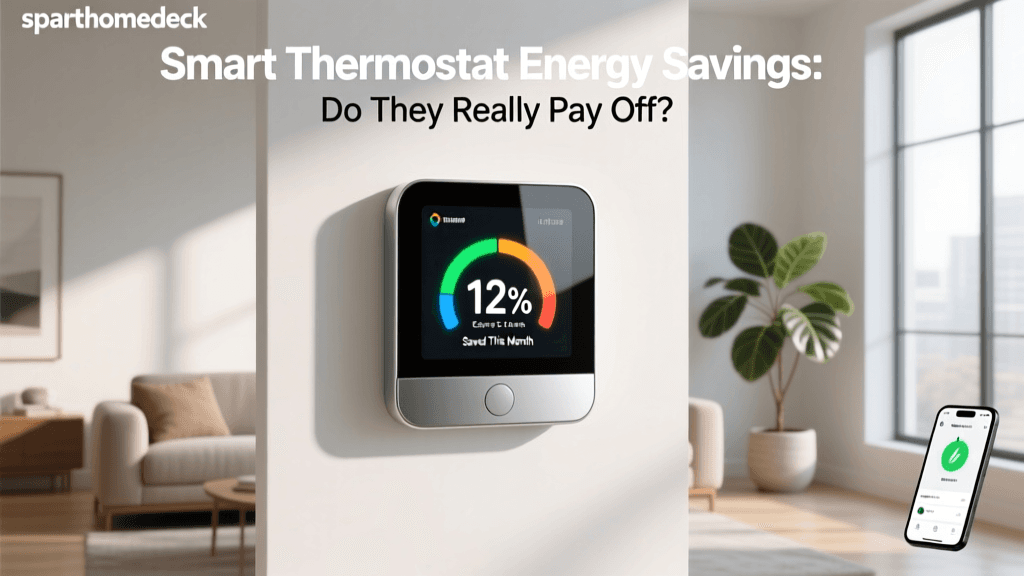
While Google Home's native energy tracking for third-party devices is somewhat limited compared to Home Assistant, its synergy with Nest products makes it a powerhouse for climate-related energy savings. Space heating and cooling represent nearly half of a typical home's energy use, making HVAC optimization the lowest-hanging fruit for savings.
Key Energy Features:
- Nest Renew: This feature (available in select regions) automatically shifts your Nest Thermostat's temperature adjustments to times when the local grid is using cleaner, more renewable energy.
- Eco Temperatures: Uses geofencing to automatically set your HVAC to energy-saving Eco modes when the last person leaves the house.
- Certified Savings: According to ENERGY STAR, certified smart thermostats like the Nest Learning Thermostat save users an average of 8% on heating and 10% on cooling bills annually.
Cost: App is free. Nest Thermostats range from $129 (basic) to $249 (Learning Thermostat).
Feature Comparison Table
| App / Ecosystem | Best For | Primary Hardware Required | Est. Hardware Cost | Data Privacy |
|---|---|---|---|---|
| Samsung SmartThings | Mainstream users & appliance integration | SmartThings Station, Aeotec Meters | $50 - $150 | Cloud-based (Samsung) |
| Home Assistant | Advanced users & solar/battery tracking | HA Hub, Emporia Vue, Shelly | $100 - $250 | 100% Local / Private |
| Sense | Granular AI device detection | Sense Panel Monitor | $250 - $350 | Cloud-based (Sense) |
| Google Home / Nest | HVAC optimization & geofencing | Nest Learning Thermostat | $129 - $249 | Cloud-based (Google) |
Visualizing Energy Savings: Device Category Impact
When building out your smart home for energy efficiency, it is important to understand where your investment will yield the highest return. The chart below illustrates the estimated average annual savings based on the category of smart energy devices integrated into your manager app.
Bar chart showing estimated annual energy savings in USD by smart home device category.
Note: Savings vary heavily based on local utility rates, climate, and household size. Whole-home monitors (like Sense or Emporia) do not save energy directly but provide the data necessary to change behaviors and build automations that result in the highest overall savings.
How to Set Up Energy Automations
Monitoring your energy is only the first step; automation is where the actual savings occur. Here are two highly effective automation routines you can set up in apps like SmartThings or Home Assistant.
1. The "Vampire Power" Killer Routine
Many devices, particularly home entertainment systems and desktop computers, draw significant power even when turned off. The Setup: Group your entertainment center devices into a single smart plug or smart power strip. Create an automation that triggers when your smart TV is turned off (or when your phone's geofencing registers that you have left the house). The app will then cut power to the smart plug entirely, eliminating standby phantom loads. This simple routine can save up to $50 a year per entertainment center.
2. Time-of-Use (TOU) Load Shifting
If your utility company charges peak rates between 4:00 PM and 9:00 PM, running high-draw appliances during this window is incredibly expensive. The Setup: Using Home Assistant or SmartThings, create a routine that prevents your smart water heater or EV charger from turning on during peak hours. Instead, set the automation to pre-heat your water tank at 2:00 PM (during off-peak solar hours) and schedule your EV charging for 11:00 PM. Advanced users can integrate real-time wholesale electricity pricing APIs to dynamically adjust these schedules based on the exact cost of power at any given minute.
The Role of Protocols in Energy Reporting
When selecting hardware to feed data into your smart home manager app, the wireless protocol matters. Z-Wave and Zigbee are excellent for low-power sensors and smart plugs, offering reliable mesh networking without clogging your Wi-Fi. However, they may have slight latency in energy reporting. Matter and Thread are the newest standards, promising faster, more secure, and more reliable local communication. If you are buying new energy-monitoring smart plugs, looking for Matter-over-Thread compatibility ensures future-proofing and faster dashboard updates in apps like Apple Home and SmartThings.
Privacy and Data Security in Energy Apps
Energy data is incredibly revealing. By analyzing your smart meter or smart plug data, an algorithm can determine when you wake up, when you leave for work, what appliances you own, and even when you watch TV. Cloud-based apps (like those from Google, Samsung, and Sense) process this data on external servers to fuel their AI and machine learning models. While these companies employ robust encryption and adhere to strict privacy policies, the data still leaves your home. For users who view energy data as a privacy concern, Home Assistant is the mandatory choice. By keeping the hub and the database entirely on a local network, you ensure that your daily habits remain completely private, while still benefiting from world-class energy dashboards and automations.
Conclusion
Choosing the right smart home manager app for energy management depends entirely on your technical comfort level, your existing hardware, and your privacy preferences. If you want a plug-and-play experience with your existing Samsung appliances, SmartThings is a fantastic, user-friendly choice. If your primary goal is to optimize your HVAC usage and reduce heating bills, the Google/Nest ecosystem is unmatched. For those who want to track every single watt, integrate solar panels, and maintain absolute data privacy, Home Assistant paired with an Emporia or Shelly monitor is the ultimate setup. Finally, if you want AI to do the heavy lifting of identifying individual circuits without installing dozens of smart plugs, the Sense monitor and app provide a unique, hardware-driven solution.
By leveraging the right app and pairing it with intelligent automations, you can transform your smart home from a collection of novelties into a highly efficient, cost-saving machine that pays for itself over time.