How Does a Smart Home Work? The Complete Guide to Connected Living
Imagine arriving home after a long day. Your front door unlocks automatically as your phone comes within range. The lights in the hallway fade on to a warm glow, the thermostat has already adjusted to your preferred evening temperature, and your favorite playlist begins streaming through the living room speakers. You haven't touched a single switch or opened a single app. Everything just happened.
This isn't science fiction—it's the everyday reality of smart home technology. But behind the seamless convenience lies a surprisingly intricate ecosystem of devices, protocols, sensors, and software all working together in harmony. Whether you're a curious beginner or a tech-savvy homeowner looking to deepen your understanding, this guide will walk you through exactly how a smart home works, from the foundational architecture to the automation routines that bring it all to life.
Understanding the mechanics of smart home systems empowers you to make better purchasing decisions, troubleshoot issues more effectively, and build a setup that truly serves your lifestyle. Let's break it all down.
The Core Architecture: How Smart Home Devices Communicate
At its most fundamental level, a smart home is a network of physical devices—sensors, actuators, cameras, speakers, lights, locks, thermostats, and more—that can send and receive data over a network. These devices collect information about their environment, communicate that data to a central processing point (or directly to each other), and then take automated or user-directed actions based on that information.
Think of it like a nervous system. Your body has sensory receptors (eyes, ears, skin) that gather data, nerves that transmit signals to the brain, and the brain that processes those signals and tells muscles and organs how to respond. A smart home works on the same principle:
- Sensors act as the "eyes and ears," detecting motion, temperature changes, light levels, humidity, door/window positions, and more.
- Networks and protocols act as the "nerves," carrying data between devices.
- Hubs, controllers, or cloud services act as the "brain," processing information and making decisions.
- Actuators and output devices act as the "muscles," performing physical actions like locking a door, dimming a light, or adjusting a thermostat.
This input-process-output loop is the foundation of every smart home interaction, whether it's as simple as a motion-activated light or as complex as a multi-room automation scene triggered by your GPS location, the time of day, and the current weather forecast.
The Role of Sensors in Smart Homes
Sensors are arguably the most critical component in any smart home ecosystem. Without them, devices would have no awareness of what's happening in your environment, and automation would be impossible. Here are some of the most common sensor types you'll encounter:
- Motion sensors (PIR): Passive infrared sensors detect body heat moving across their field of view. They're used for security alerts, automatic lighting, and occupancy-based climate control.
- Contact sensors: These magnetic sensors detect whether a door or window is open or closed, forming the backbone of home security systems.
- Temperature & humidity sensors: Built into thermostats and standalone devices, these help regulate your home's climate efficiently.
- Light sensors (ambient light detection): These measure the amount of natural light in a room and can trigger blinds to close or artificial lights to turn on.
- Water leak sensors: Placed near pipes, water heaters, or washing machines, these detect moisture and can trigger automatic shutoff valves to prevent flooding.
- Air quality sensors: These detect volatile organic compounds (VOCs), carbon dioxide, particulate matter, and other pollutants, often triggering air purifiers automatically.
- Occupancy sensors: More advanced than simple motion sensors, these can determine whether a room is truly occupied (even if someone is sitting still) using a combination of technologies including radar and thermal imaging.
The more sensors your smart home has, the more contextually aware it becomes. A well-sensored home can distinguish between you walking through a room and your cat jumping on the couch, or between a sunny afternoon that needs the blinds drawn and a cloudy one that doesn't.
Wireless Protocols: The Languages Your Devices Speak
One of the most confusing aspects of smart home technology for newcomers is the sheer number of wireless communication protocols available. Each protocol has its own strengths, weaknesses, range, bandwidth, and power requirements. Understanding these differences is key to building a reliable smart home.
Here's a breakdown of the major smart home communication protocols:
Wi-Fi
Wi-Fi is the most ubiquitous smart home protocol, and for good reason—nearly every home already has a Wi-Fi router. Wi-Fi offers high bandwidth, making it ideal for data-heavy devices like security cameras, video doorbells, and smart displays. However, Wi-Fi consumes significant power, making it less suitable for battery-operated sensors. Additionally, having dozens of Wi-Fi devices can strain your router, leading to network congestion and unreliable performance. For larger smart home setups, a dedicated mesh Wi-Fi system is often recommended.
Zigbee
Zigbee is a low-power, mesh-networking protocol designed specifically for smart home applications. In a Zigbee mesh network, every mains-powered device acts as a repeater, extending the network's range. This makes Zigbee highly reliable for whole-home sensor networks. It operates on the 2.4 GHz band (the same as Wi-Fi), which can occasionally cause interference, but its low data requirements mean it rarely impacts your Wi-Fi performance. Zigbee is widely supported by brands like Philips Hue, Amazon Echo (with built-in Zigbee hubs), and Samsung SmartThings.
Z-Wave
Z-Wave operates on a sub-1 GHz frequency (908.42 MHz in the US), which means it doesn't compete with Wi-Fi or Bluetooth for bandwidth and offers better wall penetration. Like Zigbee, Z-Wave uses mesh networking. It's known for exceptional reliability and interoperability—all Z-Wave devices are certified to work together regardless of manufacturer. The trade-off is lower bandwidth, making it suitable for simple commands (on/off, lock/unlock, sensor readings) but not for streaming video or audio.
Bluetooth & Bluetooth Low Energy (BLE)
Bluetooth is primarily used for direct device-to-phone communication, such as smart locks that unlock when your phone is nearby. Bluetooth Low Energy (BLE) is a power-efficient variant used in sensors, beacons, and wearables. While Bluetooth's range is limited compared to mesh protocols, the Bluetooth Mesh standard extends its capabilities for larger installations.
Thread & Matter: The Future of Smart Home Connectivity
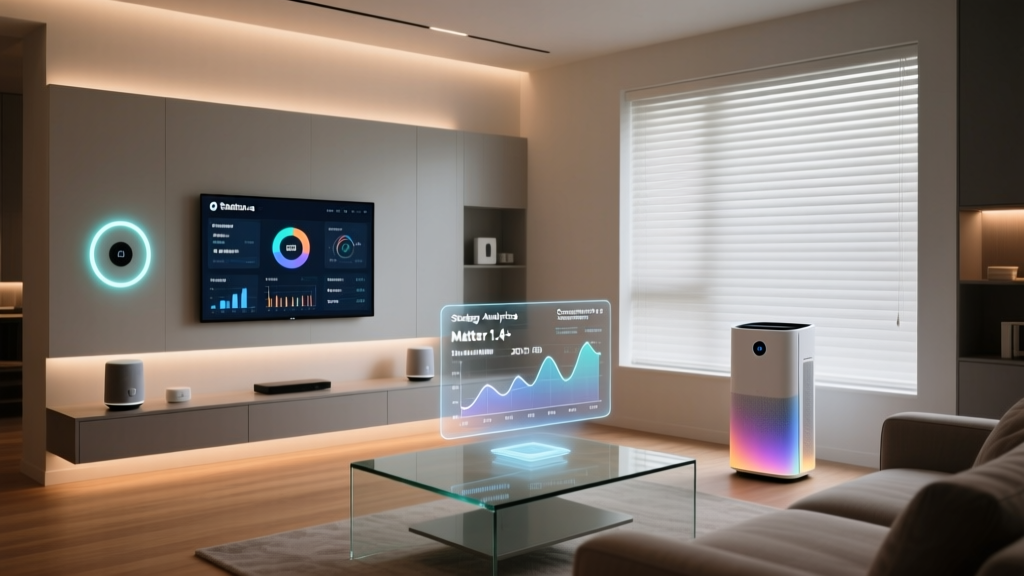
Matter is a relatively new universal smart home standard developed by the Connectivity Standards Alliance (CSA), with backing from Apple, Google, Amazon, Samsung, and many others. Matter runs on top of Thread (a low-power mesh networking protocol similar to Zigbee) and Wi-Fi. Its goal is to solve the longstanding problem of device compatibility by creating a single, unified standard that works across all major platforms—Apple Home, Google Home, Amazon Alexa, and Samsung SmartThings.
Thread is particularly exciting because it's IP-based (using IPv6), meaning each device has its own network address just like your computer or phone. This makes Thread devices inherently more compatible with internet-based services and easier to integrate into existing network infrastructure. As Matter adoption grows, it promises to dramatically simplify the smart home experience for consumers.
For most homeowners, the best approach is a hybrid setup: Wi-Fi for high-bandwidth devices like cameras and displays, and a mesh protocol like Zigbee, Z-Wave, or Thread for sensors, lights, and switches. A good smart home hub can bridge multiple protocols, giving you the flexibility to choose the best device for each application without worrying about compatibility.
The Brain of Your Smart Home: Hubs, Controllers & Cloud Processing
Every smart home needs a central coordinator—something that receives input from sensors, processes rules and logic, and sends commands to output devices. This "brain" can take several forms, and understanding the differences is crucial for building a system that matches your needs.
Smart Home Hubs
A dedicated smart home hub is a physical device that connects to your home network and serves as the central command center for your smart devices. Popular examples include Samsung SmartThings, Hubitat Elevation, and Home Assistant (running on a Raspberry Pi or dedicated server). Hubs typically support multiple wireless protocols (Zigbee, Z-Wave, Wi-Fi) and allow you to create complex automations that run locally, without relying on an internet connection.
The advantage of a local hub is speed and reliability. When your automations run locally, a motion-triggered light turns on in milliseconds, and your system continues to function even if your internet goes down. This is particularly important for security systems and critical automations like water leak shutoffs.
Voice Assistants as Controllers
Smart speakers and displays like the Amazon Echo, Google Nest Hub, and Apple HomePod serve double duty as both voice interfaces and smart home controllers. They connect to your devices (either directly or through cloud integrations) and allow you to control your home using natural language commands. While convenient, voice assistants typically rely on cloud processing, meaning your commands are sent to remote servers for interpretation before actions are executed.
Modern voice assistants have become remarkably sophisticated. You can say things like, "Hey Google, set the living room to movie mode," and the assistant will dim the lights, close the blinds, lower the thermostat, and start your streaming app—all from a single command mapped to an automation routine.
Cloud-Based Processing
Many smart home devices rely on cloud servers for processing. When you adjust your thermostat from your phone while away from home, the command travels from your phone to the manufacturer's cloud server, which then relays it to your thermostat over the internet. This architecture enables remote access and advanced features like energy usage analytics, but it introduces latency and creates a dependency on internet connectivity and the manufacturer's server uptime.
Privacy-conscious users should be aware that cloud-based systems mean your data—usage patterns, voice recordings, camera footage—is being processed on third-party servers. Many manufacturers now offer local processing options or end-to-end encryption to address these concerns. According to Pew Research Center, a significant majority of consumers express concern about how companies use their data, making local processing an increasingly important consideration.
Smart Home Apps & Dashboards
Regardless of whether your system uses a hub, a voice assistant, or cloud processing, you'll interact with it primarily through a smartphone app or web dashboard. These interfaces let you control individual devices, create automation routines, monitor security cameras, review energy usage, and receive notifications. A well-designed app can make the difference between a smart home that feels intuitive and one that feels like a constant struggle. When choosing devices, pay close attention to the quality of the companion app—it's your primary window into your smart home's operation.
Automation & Routines: Making Your Home Truly Smart
The real magic of a smart home isn't remote control—it's automation. Automation is what transforms a collection of gadgets into a cohesive, intelligent system that anticipates your needs and responds to conditions without any input from you.
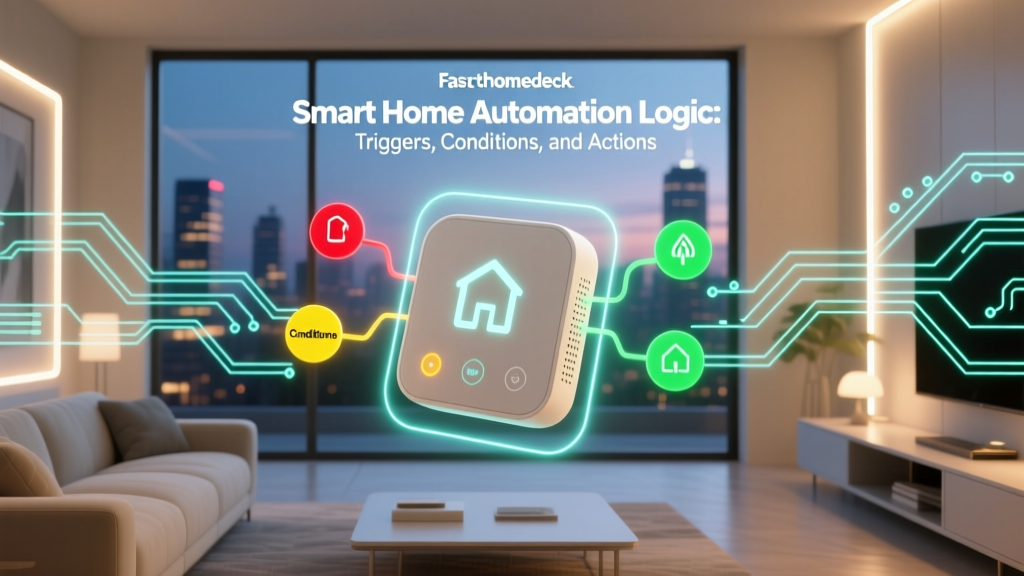
How Automation Works: Triggers, Conditions & Actions
Every smart home automation follows a simple logical structure:
- Trigger: An event that initiates the automation. Examples include a motion sensor detecting movement, a specific time of day, a door opening, a change in temperature, or your phone entering or leaving a geographic area (geofencing).
- Conditions (optional): Additional criteria that must be met for the automation to execute. For example, "turn on the lights when motion is detected" might include the condition "only between sunset and sunrise" to prevent lights from turning on during the day.
- Actions: What the system does when the trigger fires and all conditions are met. Actions can include turning on lights, adjusting thermostats, sending notifications, playing music, locking doors, or any combination of these.
Here's a practical example: A "Good Morning" routine might be triggered at 6:30 AM on weekdays (trigger), only if someone is home (condition), and the actions would include turning on the bedroom lights to 30% brightness, starting the coffee maker, raising the thermostat to 72°F, opening the bedroom blinds, and playing a morning news briefing through the bedroom speaker.
Types of Smart Home Automations
Schedule-based automations are the simplest type. They execute at predetermined times—like turning outdoor lights on at sunset and off at sunrise, or running the robot vacuum every weekday at 10 AM while you're at work.
Sensor-based automations respond to environmental changes. A humidity sensor in the bathroom triggering the exhaust fan, a light sensor closing the blinds when direct sunlight hits the TV screen, or a water leak sensor shutting off the main water valve are all examples of sensor-driven automation.
Location-based automations (geofencing) use your phone's GPS to trigger actions based on your proximity to home. Your thermostat can switch to eco mode when the last person leaves and start pre-heating or cooling when someone is within five miles of home. Your security system can arm automatically when everyone leaves and disarm when you arrive.
State-based automations respond to the status of other devices. For example, when your smart lock is unlocked between 10 PM and 6 AM, the hallway lights turn on and a notification is sent to your phone. Or when the washing machine finishes its cycle (detected by a smart plug monitoring power draw), a notification is sent to your phone and speaker.
AI-driven automations represent the cutting edge. Some modern systems use machine learning to observe your habits and automatically create or suggest routines. A smart thermostat might learn that you typically lower the temperature at 10 PM and begin doing it automatically. Smart lighting systems can learn which lights you turn on at different times of day and replicate those patterns.
According to Statista, lighting control and security monitoring remain the two most widely adopted smart home categories, reflecting consumers' priorities around convenience and safety. As automation tools become more accessible and interoperability improves through standards like Matter, adoption across all categories continues to grow steadily.
If you're just starting out with automations, begin with simple schedule-based routines and gradually add sensor-based and location-based automations as your system grows. Our smart home automation guide covers beginner-friendly routines you can set up in minutes.
Smart Home Security & Privacy: Protecting Your Connected Home
With dozens of devices connected to your network—each collecting data about your habits, routines, and home—security and privacy are paramount. A compromised smart home device can serve as a gateway for attackers to access your entire network, intercept sensitive data, or even physically compromise your home through smart locks or garage door openers.
Network Security Fundamentals
The single most important step in securing your smart home is segmenting your network. Most modern routers allow you to create a separate guest network or VLAN (Virtual Local Area Network). By placing your smart home devices on a separate network from your personal computers, phones, and devices that access banking or email, you limit the potential damage if a smart device is compromised.
Additional network security best practices include:
- Change default passwords: Every device comes with a default password, and these are widely known to attackers. Change them immediately during setup.
- Enable two-factor authentication (2FA): For any smart home account that supports it, enable 2FA to add an extra layer of protection.
- Keep firmware updated: Manufacturers regularly release firmware updates that patch security vulnerabilities. Enable automatic updates wherever possible.
- Disable unused features: If your device has features you don't use (like remote access, UPnP, or Telnet), disable them to reduce your attack surface.
- Use strong Wi-Fi encryption: Ensure your Wi-Fi network uses WPA3 (or at minimum WPA2) encryption with a strong, unique password.
Privacy Considerations
Smart home devices collect an enormous amount of data. Voice assistants process your spoken commands, cameras record your living spaces, smart locks log who enters and exits, and thermostats learn your daily routines. Understanding what data is collected, where it's stored, and how it's used should factor into every purchasing decision.
Before buying any smart home device, review the manufacturer's privacy policy. Look for clear statements about data retention, whether data is shared with third parties, and what options you have for deleting your data. Devices that process data locally (like some hubs and cameras with local storage) inherently offer better privacy than those that send everything to the cloud.
For cameras and microphones, look for physical shutters or mute switches that give you hardware-level control over when the device can see or hear. Many manufacturers now include LED indicators that illuminate whenever a camera is recording or a microphone is active, providing a visual cue that's independent of software.
Physical Security
Smart locks, garage door controllers, and security systems bridge the gap between digital and physical security. When implementing these devices, consider fail-safes: What happens if the power goes out? What if your internet connection drops? What if the device's battery dies? The best smart security devices include backup power options, mechanical key overrides, and local processing capabilities that ensure they function even when cloud services are unavailable.
For a deeper dive into securing your connected home, check out our comprehensive smart home security guide.
Building Your Smart Home: Where to Start
If you're ready to start building—or expanding—your smart home, here's a practical roadmap to guide your journey:
Step 1: Identify Your Priorities
Start by asking yourself what problems you want to solve or what conveniences you want to add. Are you primarily interested in security? Energy efficiency? Convenience? Entertainment? Your priorities will determine which devices to invest in first and which ecosystem to build around.
Step 2: Choose Your Platform
The three dominant smart home platforms are Amazon Alexa, Google Home, and Apple HomeKit. Each has its strengths: Alexa supports the widest range of devices, Google Home offers the most intelligent voice assistant, and Apple HomeKit provides the strongest privacy protections. Your choice of platform will influence which devices you can use, so choose based on your priorities and the devices you already own. The emerging Matter standard is gradually reducing the importance of platform lock-in, but it remains a significant consideration.
Step 3: Start Small & Expand Gradually
Resist the temptation to outfit your entire home at once. Start with a few high-impact devices—a smart thermostat, a couple of smart bulbs, a video doorbell—and learn how they work together before adding more complexity. This approach lets you understand your home's unique needs and avoid costly mistakes.
Step 4: Invest in a Good Hub & Network
As your device count grows, a dedicated hub and a robust mesh Wi-Fi system become increasingly important. A good hub ties everything together, while a strong network ensures reliable communication between all your devices. Explore our recommendations for the best smart home hubs to find the right fit for your setup.
Step 5: Automate & Refine
Once your devices are installed and connected, start creating automations. Begin with simple routines and gradually build more complex ones as you become comfortable with the system. Over time, you'll develop an intuition for what works well and what needs adjustment. The best smart homes are never truly "finished"—they evolve with your needs.
Frequently Asked Questions
Do I need a smart home hub to get started?
No, you don't necessarily need a dedicated hub to start. Many Wi-Fi-based smart devices connect directly to your router and can be controlled through their companion apps or a voice assistant like Amazon Alexa or Google Assistant. However, as your system grows beyond a handful of devices, a hub becomes increasingly valuable for managing multiple protocols, creating complex automations, and ensuring local processing for reliability. If you're planning a comprehensive smart home setup, investing in a hub early will save you headaches down the road.
Can smart home devices work without an internet connection?
It depends on the device and how it's set up. Devices that rely on cloud processing—like most Wi-Fi cameras and voice assistants—will lose significant functionality without internet. However, devices connected to a local hub (especially those using Zigbee or Z-Wave) can continue to operate through automations and physical switches even when the internet is down. This is one of the key advantages of local-first smart home systems. If reliability during internet outages is important to you, prioritize devices and hubs that support local processing.
How much does a typical smart home setup cost?
The cost varies enormously depending on the scope and quality of devices you choose. A basic starter setup with a smart speaker, a few smart bulbs, a smart plug, and a video doorbell can cost between $150 and $300. A mid-range setup with a hub, smart thermostat, several sensors, smart locks, and whole-home lighting might run $1,000 to $3,000. A comprehensive, professionally installed smart home with integrated audio, motorized shades, advanced security, and whole-home automation can exceed $10,000. The good news is that smart home technology is modular—you can start small and add devices over time, spreading the cost across months or years.
Are smart homes energy efficient?
Yes, when configured properly, smart homes can significantly reduce energy consumption. Smart thermostats alone can save homeowners an average of 10-15% on heating and cooling costs by learning your schedule and adjusting temperatures automatically. Smart lighting with occupancy sensors ensures lights are never left on in empty rooms. Smart plugs can eliminate "phantom load" by cutting power to devices that draw electricity even when turned off. Smart blinds can optimize natural heating and cooling based on the sun's position. The key is thoughtful configuration—an improperly programmed smart thermostat might actually increase your energy usage. The U.S. Department of Energy recognizes smart thermostats and home energy management systems as effective tools for reducing residential energy consumption.
What is the Matter standard & why does it matter for smart homes?
Matter is a universal smart home connectivity standard developed by the Connectivity Standards Alliance (CSA) with support from major tech companies including Apple, Google, Amazon, Samsung, and hundreds of device manufacturers. It aims to solve the fragmentation problem that has plagued smart homes for years—where devices from different brands often couldn't communicate with each other. With Matter, a device certified under the standard will work seamlessly with any Matter-compatible platform, regardless of the manufacturer. Matter runs over Thread (a low-power mesh network), Wi-Fi, and Ethernet. As more devices adopt the Matter standard, building a smart home will become significantly simpler, with less concern about platform compatibility and ecosystem lock-in. It represents one of the most important developments in the smart home industry.