When you unbox a new smart bulb, plug, or security camera from an unfamiliar brand, you might notice a familiar prompt on the packaging: "Download the Smart Life or Tuya Smart app." This is not a coincidence. Behind the scenes of thousands of smart home brands lies a single, massive ecosystem: the Tuya IoT Platform. Tuya provides the foundational cloud infrastructure, mobile applications, and connectivity modules that allow manufacturers to bring smart devices to market quickly and affordably.
Understanding the smart home basic service provided by Tuya is essential for any smart home enthusiast. Whether you are troubleshooting a connection issue, setting up complex automations, or evaluating the security of your network, knowing how this underlying platform operates gives you a distinct advantage. In this comprehensive guide, we will explore the architecture of Tuya's basic services, how device pairing works, the automation engine, and what the future holds for this ubiquitous platform.
What is the Tuya IoT Platform?
Tuya operates on a B2B2C (Business-to-Business-to-Consumer) model. Instead of manufacturing consumer-facing hardware under its own name, Tuya provides the "brains" and the "nervous system" for third-party manufacturers. A factory producing smart plugs or LED strips can purchase Tuya Wi-Fi or Zigbee modules, embed them into their hardware, and instantly gain access to a fully developed cloud infrastructure and mobile application.
The "Basic Service" tier of Tuya's offering encompasses the core functionalities required to make a device "smart." This includes:
- Cloud Connectivity: Secure routing of commands from your smartphone to the device via Tuya's global cloud servers.
- Mobile App Infrastructure: White-labeled apps (most commonly Smart Life and Tuya Smart) that provide a unified interface for device control.
- Device Onboarding: Standardized protocols for connecting new devices to your local Wi-Fi network.
- Voice Assistant Integration: Pre-built bridges to Amazon Alexa, Google Assistant, and Apple Siri (via shortcuts or Matter).
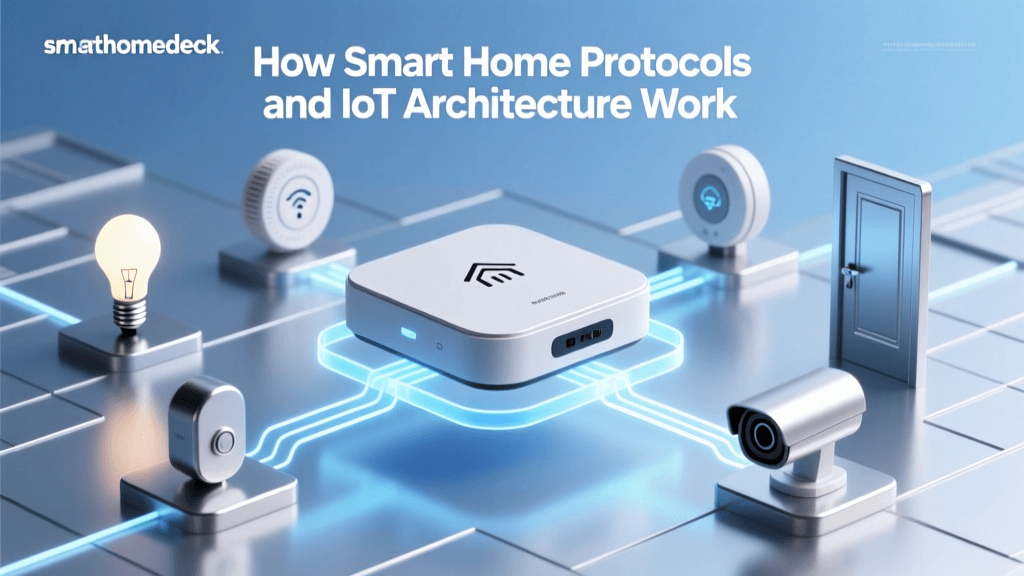
Because Tuya handles the heavy lifting of software development, research & development costs for hardware brands are drastically reduced. This is why you can find incredibly affordable smart home devices on the market that still offer premium app experiences and reliable cloud connectivity. For a deeper dive into how these devices communicate with central controllers, check out our guide on smart home hubs and network architecture.
Device Pairing: EZ Mode vs. AP Mode
One of the most critical aspects of Tuya's basic service is the device onboarding process. When you add a new device to the Smart Life or Tuya Smart app, the platform utilizes proprietary pairing protocols to securely transfer your Wi-Fi credentials to the device. There are two primary methods supported by the basic service:
EZ Mode (SmartConfig)
EZ Mode is the default and most common pairing method. When you put a Tuya device into pairing mode (usually indicated by a rapidly blinking LED), the device's Wi-Fi chip enters a promiscuous listening state. The app on your smartphone then broadcasts UDP packets containing your network's SSID and password. The device intercepts these packets, decrypts them, and connects to your router. While EZ Mode is incredibly fast and user-friendly, it can sometimes fail on modern mesh routers or networks with strict multicast filtering.
AP Mode (Access Point)
If EZ Mode fails, the Tuya basic service offers a robust fallback: AP Mode. By long-pressing the pairing button, the device reboots its Wi-Fi chip to act as its own local hotspot (Access Point). You manually connect your smartphone to the device's temporary Wi-Fi network, open the app, and pass the credentials directly through a local peer-to-peer connection. This method is nearly 100% reliable, bypassing router-level broadcast restrictions entirely.
Automation & Scene Engine
The true power of any smart home lies in automation. Tuya's basic service includes a highly capable, cloud-based logic engine that allows users to create complex routines without needing third-party software like IFTTT or Home Assistant.
The platform divides routines into two distinct categories:
- Tap-to-Run Scenes: These are manual triggers. A single tap on your home screen can execute multiple actions simultaneously, such as turning off all smart lighting, locking the doors, and lowering the thermostat.
- Automations (If/Then Logic): These run automatically in the cloud based on specific conditions. Triggers can include time of day, weather changes (e.g., local temperature drops below 60°F), device status changes, or geofencing (arriving at or leaving a location).
As illustrated by the ecosystem distribution above, lighting and security make up the bulk of Tuya-powered devices. The automation engine excels at linking these categories together. For example, a Tuya door sensor (Security) can trigger a Tuya smart bulb (Lighting) to turn red if an intrusion is detected while the system is armed. Because this logic is processed in the cloud, it remains active even if your smartphone is turned off or out of battery.
Security, Privacy, & Cloud Infrastructure
A common concern among consumers is the security of white-labeled smart home devices. Because Tuya's basic service relies on cloud communication, understanding how data is handled is a vital part of smart home security.
Tuya operates a globally distributed cloud infrastructure, primarily hosted on AWS (Amazon Web Services) and Google Cloud, with data centers located in the US, Europe, and Asia to comply with regional data sovereignty laws like GDPR. The basic service enforces several security standards:
- TLS Encryption: All communication between the mobile app, the cloud server, and the IoT device is encrypted using Transport Layer Security (TLS), preventing local network sniffing.
- Device Authorization: Each Tuya module has a unique, factory-burned cryptographic key. The cloud verifies this key before accepting any commands, ensuring that rogue devices cannot be injected into your network.
- Data Anonymization: According to the Tuya Developer Platform, user data is heavily anonymized and siloed. A manufacturer that uses Tuya's hardware modules cannot see the personal data or automation routines of users on other brands within the ecosystem.
However, because the basic service is inherently cloud-dependent, a loss of internet connectivity will disable remote access and cloud-based automations. Local control is generally limited to physical switches on the devices themselves, unless you utilize a local Tuya Zigbee hub integrated with a platform like Home Assistant.
The Impact of Matter on Tuya Devices
The smart home industry is currently undergoing a massive shift toward the Matter standard, an open-source connectivity protocol backed by the Connectivity Standards Alliance. Matter promises to solve the fragmentation issue by allowing devices from different ecosystems (Apple, Google, Amazon, Samsung) to communicate locally without relying on proprietary clouds.
Tuya has been a vocal supporter of Matter and has integrated Matter-over-Thread and Matter-over-Wi-Fi capabilities into its newer modules. For the end-user, this means that while you can still use the Tuya basic service and the Smart Life app for advanced features and cloud automations, you can simultaneously expose your Tuya devices to Apple HomeKit or local Home Assistant setups via Matter. This hybrid approach ensures that Tuya devices remain relevant, versatile, and future-proof in an increasingly standardized smart home landscape.
Frequently Asked Questions
Is Tuya the same as Smart Life?
Not exactly, but they are deeply intertwined. Tuya is the company and the underlying IoT platform. "Smart Life" and "Tuya Smart" are the two primary, generic mobile applications provided by Tuya for consumers. While they share the exact same backend infrastructure and basic services, they operate on separate user databases. A device paired to the Smart Life app will not automatically show up in the Tuya Smart app, though you can easily share devices between family members within the same app ecosystem.
Can I use Tuya devices without an internet connection?
Functionality is severely limited without an active internet connection. Because the core logic of Tuya's basic service is hosted in the cloud, automations, remote access, and voice assistant commands will fail if your router loses its WAN (internet) connection. However, physical switches on the devices will continue to work, and if you are using Tuya Zigbee devices connected to a local hub that supports local execution, some basic routines may survive an internet outage.
How do I migrate my Tuya devices to a new Wi-Fi network?
Unfortunately, Tuya's basic service does not currently support a seamless "Wi-Fi migration" tool for end-users. If you change your router's SSID or password, you will generally need to put each Wi-Fi-based Tuya device back into pairing mode (EZ or AP mode) and re-add them to the app. To avoid this headache, many smart home enthusiasts recommend creating a dedicated IoT SSID on their router and keeping the network name and password static, even when upgrading router hardware.
Are Tuya-powered devices secure from hackers?
Tuya employs enterprise-grade security measures, including TLS encryption and secure key provisioning, making it highly resistant to casual hacking or remote exploitation. The greater risk usually lies in user error, such as using weak passwords for the Smart Life app or granting unnecessary third-party API permissions. To maximize security, always enable two-factor authentication (2FA) on your Tuya/Smart Life account and ensure your home Wi-Fi network is secured with WPA2 or WPA3 encryption.
Why do some brands use their own apps instead of Smart Life?
Many premium or specialized brands use Tuya's OEM (Original Equipment Manufacturer) app service. This allows them to pay for a custom-branded application that connects to Tuya's backend. While the basic service powering the device is identical, the custom app allows the brand to control the user interface, offer specialized customer support, and lock the user into their specific ecosystem, rather than sharing the device pool with thousands of other generic brands on the Smart Life app.