The Ultimate Guide to Smart Home Hubs: The Brain of Your Connected Home
Imagine walking into your home after a long day. The porch light illuminates your path, the thermostat adjusts to your preferred evening temperature, and your favorite playlist begins to stream through the living room speakers. This seamless orchestration of technology is not magic; it is the result of a well-designed smart home ecosystem. However, as you add more devices to your home—from smart bulbs to motorized blinds—you might notice a growing problem. Your smartphone becomes cluttered with dozens of disparate apps, devices fail to communicate with one another, and your Wi-Fi network slows to a crawl. The solution to this fragmented chaos is a smart home hub.
In this comprehensive guide, we will explore exactly what a smart home hub is, the various wireless protocols it uses to communicate, the critical differences between cloud and local processing, and how to choose the perfect hub to serve as the brain of your connected home. Whether you are building a basic smart lighting setup or a fully integrated smart security system, understanding the role of the hub is your first step toward true home automation.
What is a Smart Home Hub?
At its core, a smart home hub is the central command center or the "brain" of your connected home. While individual smart devices can often connect directly to your Wi-Fi router or a smartphone app, they lack the inherent ability to communicate across different brands, ecosystems, and wireless languages without a translator. A hub serves as this universal translator and coordinator.
Think of your smart home as a bustling international airport. Your smart bulbs speak one language, your smart locks speak another, and your motion sensors speak a third. Without an air traffic controller, chaos ensues. The smart home hub acts as that controller, receiving signals from your devices, processing the logic you have set up, and sending out the appropriate commands to ensure everything works in harmony.
Historically, hubs were proprietary pieces of hardware required for specific brands. If you bought a Philips Hue lighting system, you needed a Hue Bridge. If you bought a Lutron Caseta system, you needed a Lutron Smart Bridge. Today, the market has evolved significantly. Modern universal hubs can connect to hundreds of different brands and device types, consolidating control into a single, unified interface. This consolidation not only simplifies your daily interactions with your home but also unlocks advanced automation capabilities that standalone devices simply cannot achieve on their own.
The Language of Smart Homes: Wireless Protocols Explained
To truly understand why a dedicated hub is necessary, you must first understand how smart devices communicate. Unlike your laptop or smartphone, which primarily rely on Wi-Fi, many smart home devices use specialized wireless protocols designed specifically for low power consumption, high device density, and mesh networking. A smart home hub is equipped with the physical radios required to listen to and speak these specialized languages.
Wi-Fi
Wi-Fi is the most common protocol in the modern home, offering high bandwidth and direct internet connectivity. It is excellent for devices that require heavy data transfer, such as security cameras and smart displays. However, Wi-Fi is not ideal for every smart device. Battery-powered sensors would drain their cells in days if they maintained a constant Wi-Fi connection. Furthermore, connecting fifty or more smart bulbs directly to your home router can overwhelm its processing capacity, leading to dropped connections and network congestion.
Zigbee
Zigbee is a low-power, low-bandwidth wireless mesh network protocol. It operates on the 2.4 GHz frequency and is incredibly popular for smart lighting, plugs, and sensors. In a Zigbee mesh network, mains-powered devices (like smart plugs and light bulbs) act as repeaters, extending the range and reliability of the network. A smart home hub with a Zigbee radio acts as the central coordinator, managing the mesh and ensuring data packets find the most efficient route back to the brain.
Z-Wave
Z-Wave is similar to Zigbee but operates on a lower sub-gigahertz frequency (typically around 908 MHz in North America). This lower frequency allows Z-Wave signals to penetrate walls and solid objects much more effectively than Zigbee or Wi-Fi. Because it operates on a different frequency than your home Wi-Fi, Z-Wave is highly immune to wireless interference, making it a favorite for critical smart security devices like door locks and garage door controllers.
Thread and the Matter Standard
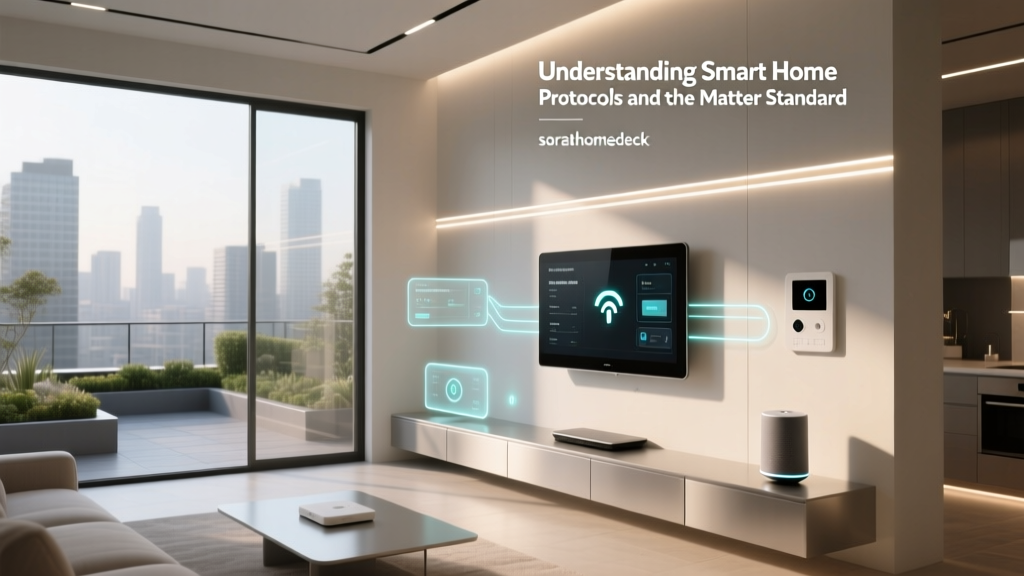
Thread is a newer, IP-based mesh networking protocol that shares many of the low-power benefits of Zigbee but is built on internet protocol (IPv6). Thread forms the foundational networking layer for Matter, the new universal smart home standard championed by the Connectivity Standards Alliance (CSA). Matter aims to unify the smart home, allowing devices from different manufacturers to work together seamlessly. A hub that supports Thread and Matter is essential for future-proofing your connected home.
Bluetooth Low Energy (BLE)
While primarily known for connecting headphones and fitness trackers, BLE is increasingly used in smart home devices, particularly smart locks and proximity sensors. Because BLE has a relatively short range, hubs often include BLE radios to act as a bridge, allowing you to control these devices remotely when you are away from home.
As illustrated by the data above, while Wi-Fi holds a large share of the market due to its ubiquity, specialized mesh protocols like Zigbee, Z-Wave, and Thread are rapidly gaining ground as consumers realize the benefits of offloading device traffic from their primary internet routers.
Cloud vs. Local Processing: The Great Debate
When shopping for a smart home hub, you will encounter two distinct architectural philosophies: cloud-based processing and local processing. Understanding the pros & cons of each is critical for building a reliable smart home.
Cloud-Based Hubs
Most mainstream smart speakers and entry-level hubs rely on cloud processing. When you issue a command or when a sensor is triggered, the signal travels from your device, through your internet router, across the web to a remote server farm, where the logic is processed, and the command is sent back to your home.
The Pros: Cloud hubs are generally easier to set up, offer plug & play compatibility with thousands of devices, and provide easy remote access via smartphone apps without complex network configuration.
The Cons: They are entirely dependent on your internet connection. If your internet goes down, your smart home becomes a "dumb" home. Furthermore, cloud processing introduces latency (a delay between an action and a reaction) and raises privacy concerns, as your home's data is constantly being transmitted to third-party servers.
Local Processing Hubs
Local hubs, such as those running Home Assistant or Hubitat, process all logic directly on the physical hardware sitting in your living room or server closet. When a motion sensor triggers a light, the signal never leaves your house.
The Pros: Local hubs offer blazing-fast response times, complete privacy, and, most importantly, reliability. Your automations will continue to run perfectly even if your internet service provider experiences an outage. They also allow for incredibly complex, granular automations that cloud platforms often restrict.
The Cons: Local hubs typically require a steeper learning curve. Setting up remote access requires a bit of networking knowledge, and integrating certain cloud-only devices (like some smart thermostats or cameras) can require workarounds or community-built integrations.
According to research from the Consumer Technology Association (CTA), consumers are increasingly prioritizing reliability and data privacy in their smart home purchases, driving a steady surge in the popularity of local-first hub architectures.
Unlocking Advanced Automations
The true power of a smart home hub is not just remote control; it is automation. While a smart bulb app lets you turn a light on from your phone, a smart home hub allows you to create dynamic, context-aware environments that react to your lifestyle automatically.
With a centralized hub, you can combine inputs from multiple disparate systems to create powerful routines. For example, consider a "Good Morning" routine. Instead of just turning on the lights at a set time, a hub allows you to create a multi-step, conditional automation:
- Trigger: The hub detects that your smartphone has crossed a virtual geofence boundary, indicating you have just arrived home.
- Condition: The hub checks the local weather API. Is it after sunset? Is the interior temperature below 68 degrees?
- Action: If both conditions are met, the hub turns on the entryway lights, adjusts the smart thermostat to a comfortable 72 degrees, and unlocks the front door.
These complex, multi-variable automations are impossible to achieve when your devices are siloed in separate apps. The hub acts as the central logic engine, constantly evaluating the state of your home and making micro-adjustments to ensure comfort, security, and energy efficiency without you ever having to lift a finger.
How to Choose the Right Smart Home Hub for Your Setup
Selecting the right hub depends heavily on your technical expertise, your existing device ecosystem, and your long-term goals for your home. Here are the primary factors to consider before making a purchase:
1. Ecosystem Alignment
If you are deeply invested in the Apple ecosystem, a HomePod or Apple TV acting as a HomeKit hub is the most logical choice. If you prefer Android and Google services, a Nest Hub might be more appropriate. However, if you want total freedom to mix and match brands without being locked into a single tech giant's walled garden, an agnostic, third-party hub (like those running Matter, Zigbee, and Z-Wave) is the superior choice.
2. Technical Expertise
Be honest about your technical capabilities. If you want a system that works out of the box with minimal configuration, stick to mainstream, cloud-assisted hubs. If you enjoy tinkering, have basic networking skills, and want total control over your data and logic, a local processing hub will reward your efforts with a vastly superior and more reliable smart home experience.
3. Protocol Support
Take an inventory of the devices you currently own and plan to buy. If you have a house full of Z-Wave security sensors, you must ensure your chosen hub includes a Z-Wave radio. Looking forward, ensuring your hub supports Thread and Matter is highly recommended to guarantee compatibility with the next generation of smart home devices.
Frequently Asked Questions
Do I really need a smart home hub?
If you only have a few Wi-Fi-enabled smart plugs or a single smart speaker, you do not strictly need a dedicated hub. However, once you expand beyond a handful of devices, or if you want to incorporate low-power mesh devices like door sensors and smart locks, a hub becomes absolutely essential. It relieves your Wi-Fi router of heavy traffic, unifies your control interfaces, and enables the complex automations that make a smart home truly "smart."
Will a smart home hub work if my internet goes down?
This depends entirely on the architecture of the hub. Cloud-dependent hubs will lose most of their functionality, including automations and remote control, during an internet outage. Conversely, hubs that utilize local processing will continue to run all of your automations, routines, and physical switch controls without missing a beat, as the logic is processed on the device itself rather than on a remote server.
What is the difference between a hub and a bridge?
In the smart home industry, the terms are often used interchangeably, but there is a subtle technical difference. A "bridge" typically refers to a proprietary device that translates a specific protocol (like Zigbee) to Wi-Fi so it can connect to your router (e.g., the Philips Hue Bridge). A "hub" generally implies a more robust, universal controller that can manage multiple protocols, run complex logic, and act as the central brain for an entire ecosystem of varied devices.
Can I use multiple smart home hubs together?
Yes, and many advanced smart home enthusiasts do exactly this. You can use a protocol-specific bridge (like a Hue Bridge for advanced lighting scenes) and connect it to a universal master hub (like Home Assistant or SmartThings). The master hub pulls the data from the secondary bridges, allowing you to control everything from a single dashboard while still utilizing the specialized features of the individual ecosystems.