What Is the Best Smart Home System? The Ultimate Ecosystem Guide
Stepping into the world of home automation can feel like learning a new language. With countless brands, protocols, and devices promising to make your life easier, the most common question beginners and upgraders ask is simple: what is the best smart home system? The truth is, there is no single universal answer. The ideal setup depends entirely on your budget, your existing devices, your privacy concerns, and how deeply you want to integrate technology into your daily routine.
A smart home system, often referred to as an ecosystem, is the underlying software and network that allows your devices to communicate with each other and with you. Whether you want your lights to turn on when you arrive home, your thermostat to adjust based on the weather, or your security cameras to send alerts to your phone, the ecosystem you choose acts as the central brain of your home. In this comprehensive guide, we will break down the major smart home platforms, explore the revolutionary new Matter standard, and help you determine which ecosystem deserves a place in your home.
Understanding Smart Home Ecosystems vs. Hubs
Before diving into specific brands, it is crucial to understand the difference between a smart home ecosystem and a smart home hub. These terms are frequently used interchangeably, but they represent two distinct parts of your automation setup.
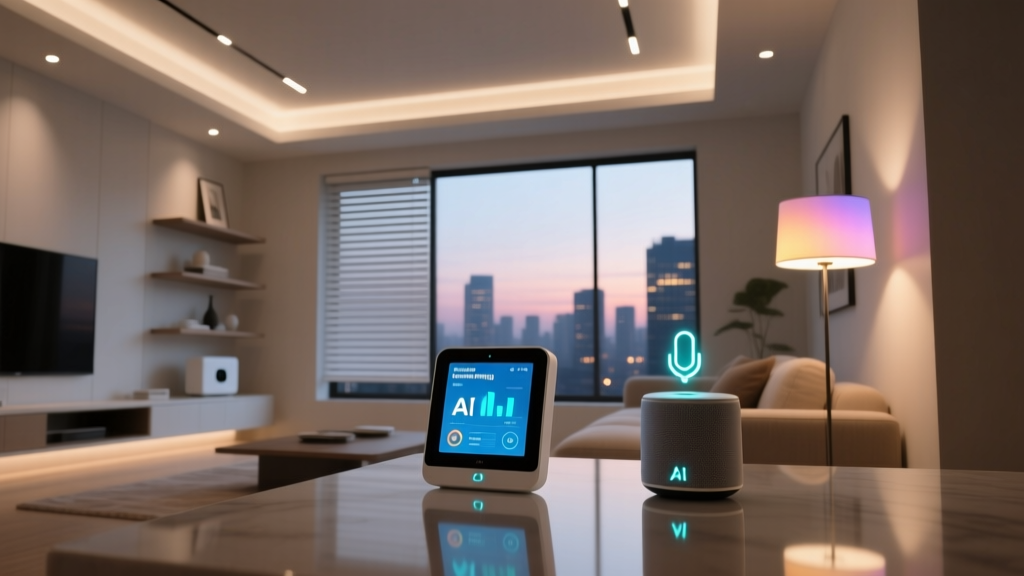
A smart home ecosystem is the software platform and the overarching network that manages your devices. Examples include Amazon Alexa, Google Home, and Apple HomeKit. The ecosystem provides the user interface (the app on your phone), the voice assistant, and the automation engine that allows you to create routines and scenes. It is the digital environment where your smart home lives.
A smart home hub, on the other hand, is a physical piece of hardware that acts as a bridge between your devices and your ecosystem. Many smart devices, like smart lighting setup bulbs or plugs, connect directly to your Wi-Fi router. However, devices that use low-power wireless protocols like Zigbee, Z-Wave, or Thread require a hub to translate their signals into a language your router and ecosystem can understand. Often, modern smart speakers and displays have these hubs built directly into them. For a deeper dive into the hardware side of things, check out our guide on understanding smart home hubs.
When asking what the best smart home system is, you are primarily asking about the ecosystem. The ecosystem dictates which devices you can buy, how you control them, and how seamlessly they work together. Choosing the right ecosystem first will save you from the frustration of buying incompatible hardware later.
The Big Three: Amazon Alexa, Google Home, and Apple HomeKit
The smart home landscape is currently dominated by three major tech giants. Each has carved out a distinct philosophy regarding how a smart home should function, what it should cost, and how user data should be handled. Let us explore the pros and cons of each major player.
Amazon Alexa: The Compatibility King
Amazon Alexa was a first-mover in the smart home space, and that early start has given it a massive advantage in device compatibility. If a smart device exists, there is a very high probability that it works with Alexa. The ecosystem is built around the Echo lineup of top-rated smart speakers and displays, which serve as both voice interfaces and, in many cases, built-in Zigbee and Matter hubs.
Pros:
- Unmatched Compatibility: Alexa supports tens of thousands of devices from thousands of brands, ranging from budget-friendly generic plugs to high-end security systems.
- Affordable Hardware: Amazon frequently discounts Echo devices, making it incredibly cheap to put a voice assistant in every room of your house.
- Advanced Routines: The Alexa app offers robust routine creation, allowing for complex triggers based on time, location, device state, and even ambient noise.
Cons:
- Cluttered App Experience: Because Alexa supports so many devices and third-party skills, the app can feel overwhelming and disorganized compared to its competitors.
- Privacy Concerns: Amazon is primarily an advertising and retail company. While they have implemented strict privacy controls, users who are highly sensitive to data collection may feel uneasy.
- Aggressive Upselling: The ecosystem frequently prompts users to try new features, subscribe to services, or buy Amazon products.
Google Home: The AI and Search Powerhouse
Google Home (now often branded under the Google Nest umbrella) leverages the company's immense strength in artificial intelligence, natural language processing, and search. If you want a voice assistant that can answer complex, multi-part questions or understand conversational context, Google Assistant is widely considered the smartest option on the market.
Pros:
- Superior Voice Recognition: Google Assistant is exceptionally good at understanding natural speech, accents, and follow-up questions without needing to repeat the wake word.
- Seamless Google Integration: If you rely on Google Calendar, Google Maps, Gmail, and YouTube, the ecosystem integrates these services flawlessly into your daily routines and smart displays.
- Nest Hardware Ecosystem: Google's proprietary Nest line of thermostats, cameras, and doorbells are beautifully designed and integrate perfectly with the Google Home app.
Cons:
- Data Harvesting: Google's business model is built on data. While smart home data is treated with specific privacy policies, the sheer amount of telemetry collected by Google devices is a concern for privacy advocates.
- Inconsistent Hardware Support: Google has a history of abandoning hardware lines or changing its hub strategies, which can leave early adopters feeling frustrated.
- App Redesigns: The Google Home app undergoes frequent, sometimes confusing, user interface overhauls that change where basic settings are located.
Apple HomeKit: The Privacy and Premium Choice
Apple HomeKit takes a fundamentally different approach. Rather than trying to support every device on the market, Apple enforces strict security and performance certification requirements for any product that wants the "Works with Apple Home" badge. The result is a smaller, but significantly more reliable and secure, library of compatible devices.
Pros:
- Industry-Leading Privacy: Apple processes most smart home requests locally on your home hub (like an Apple TV or HomePod) rather than in the cloud. Video feeds from HomeKit Secure Video cameras are end-to-end encrypted, meaning not even Apple can view them.
- Local Processing and Speed: Because commands do not always need to travel to a remote server and back, HomeKit automations and voice commands are incredibly fast and continue to work even if your internet connection goes down.
- Unified, Clean App: The Apple Home app is widely regarded as the most intuitive, beautifully designed, and user-friendly smart home interface available.
Cons:
- The Apple Tax: HomeKit-compatible devices are almost always more expensive than their Alexa or Google counterparts because manufacturers must include specific, more expensive security chips and pass rigorous testing.
- Smaller Device Library: You will not find the vast array of cheap, off-brand smart plugs and bulbs that work with Alexa. You are largely limited to premium, established smart home brands.
- Ecosystem Lock-in: To get the most out of HomeKit, you need an iPhone, an iPad, and ideally an Apple TV or HomePod to act as a hub. It is not a friendly environment for Android users.
The Game Changer: Matter and Thread
For years, the smart home industry was fractured by walled gardens. If you bought a device that worked with Apple, it might not work with Amazon. This fragmentation caused massive consumer confusion and slowed the adoption of home automation. Enter Matter.
Matter is a universal, open-source smart home connectivity standard developed by the Connectivity Standards Alliance (CSA), which includes Apple, Amazon, Google, Samsung, and hundreds of other tech companies. Matter operates on the application layer, meaning it sits on top of your existing network protocols (Wi-Fi, Ethernet, and Thread) and provides a common language for devices to talk to each other and to your chosen ecosystem.
What does this mean for the question of what the best smart home system is? It means the walls are coming down. A Matter-certified smart plug can be set up using the Amazon Alexa app, but later be seamlessly added to an Apple HomeKit setup without needing to reset the device. Matter ensures local control, faster response times, and vastly improved security across the board.
Closely tied to Matter is Thread, a low-power, mesh-networking protocol. Unlike Wi-Fi, which can clog up your router when you add dozens of smart bulbs, Thread devices create their own self-healing mesh network. Every plugged-in Thread device acts as a border router, strengthening the network and ensuring that a smart lock at the back of your house stays connected without draining its battery. When shopping for new devices, looking for the Matter and Thread logos is the best way to future-proof your home.
How to Choose the Right System for Your Home
With the major players defined and the new Matter standard explained, how do you actually make a choice? The best smart home system is the one that aligns with your specific lifestyle, technical expertise, and privacy tolerance. Below is a breakdown of which ecosystem suits different types of users.
Choose Amazon Alexa If:
- You are on a budget and want to take advantage of frequent hardware sales.
- You want the widest possible selection of compatible devices, from niche gadgets to mainstream appliances.
- You are heavily invested in Amazon services like Prime Video, Amazon Music, and Audible.
- You enjoy experimenting with third-party "Skills" and complex, multi-step routines.
Choose Google Home If:
- You want the smartest, most conversational voice assistant on the market.
- Your digital life is already tied to Google Workspace, Calendar, and Maps.
- You want high-quality smart displays (Nest Hub) that double as digital photo frames and recipe assistants.
- You prefer a more hands-off, AI-driven approach to home automation, like Nest thermostats learning your schedule automatically.
Choose Apple HomeKit If:
- Privacy and security are your absolute top priorities, as highlighted by digital rights groups like the Electronic Frontier Foundation (EFF).
- You live entirely within the Apple ecosystem (iPhone, iPad, Mac, Apple Watch).
- You value local processing, speed, and reliability over having thousands of cheap device options.
- You want a clean, unified app experience without ads or upselling.
Building a Hybrid Smart Home Setup
For the tech-savvy homeowner, the answer to "what is the best smart home system" might actually be "all of them, managed by one central brain." This is where advanced platforms like Home Assistant and Hubitat come into play.
Home Assistant is an open-source, local-first smart home operating system that you can run on a Raspberry Pi, an old laptop, or a dedicated mini-PC. It does not care about corporate walled gardens. It pulls in your Alexa devices, your HomeKit cameras, your Google Nest thermostat, and your Zigbee sensors, and unifies them into a single, incredibly powerful dashboard. Because it runs entirely locally on your network, it is lightning-fast and completely private. Your data never leaves your house.
While the learning curve is steeper than downloading an app from an app store, platforms like Home Assistant allow for automations that the big three simply cannot match. You can create automations based on the local weather API, your phone's exact GPS coordinates, the current price of electricity, and the state of your solar panels all at once. If you are ready to dive into the deep end of home automation, our Home Assistant beginner's guide is the perfect place to start.
Alternatively, if you want local processing and advanced Zigbee/Z-Wave support but do not want to deal with code or command lines, commercial hubs like Hubitat Elevation offer a fantastic middle ground. They provide local speed and privacy with a more user-friendly, albeit utilitarian, interface.
Frequently Asked Questions
Can I mix different smart home systems together?
Yes, but with some caveats. Historically, mixing ecosystems meant using third-party software bridges like IFTTT or running a local server like Home Assistant to translate commands between platforms. However, with the rollout of the Matter standard, mixing systems is becoming much easier. A Matter-compatible device can technically be added to both an Apple HomeKit setup and an Amazon Alexa setup simultaneously, allowing different members of a household to use their preferred voice assistant or app to control the same physical device. For non-Matter devices, you will still need a bridging solution or a universal hub.
Which smart home system is the most secure?
Apple HomeKit is widely considered the most secure mainstream smart home ecosystem. Apple mandates strict hardware encryption, utilizes end-to-end encryption for camera feeds (HomeKit Secure Video), and processes the vast majority of commands locally on your home hub rather than sending your voice data and usage patterns to cloud servers for analysis. If you are expanding your security setup, pairing HomeKit with best smart locks that support Home Key provides a seamless and highly encrypted entry experience. For users outside the Apple ecosystem, Matter-certified devices also offer robust, standardized security protocols that are a significant step up from older, proprietary Wi-Fi devices.
Do I need a smart hub for my devices?
It depends entirely on the devices you are buying. Many modern smart plugs, bulbs, and switches connect directly to your home's Wi-Fi network and only require the manufacturer's app or a cloud connection to your chosen ecosystem. However, if you are buying devices that use Zigbee, Z-Wave, or Thread protocols, you absolutely need a hub. These protocols are designed to be low-power and create mesh networks, which saves battery life and reduces Wi-Fi congestion, but they cannot communicate directly with your internet router. Fortunately, many modern smart speakers, such as the latest Echo devices, Nest Hubs, and Apple TV 4K, have these hub radios built directly into them.
What is the cheapest smart home ecosystem to start with?
Amazon Alexa is undeniably the most cost-effective way to start building a smart home. Amazon produces a massive array of first-party hardware (Echo Dots, Echo Pops, smart plugs, and smart bulbs) that are frequently sold at or below cost during promotional events. Furthermore, the sheer volume of third-party manufacturers building for Alexa means there is a massive market for budget-friendly, off-brand sensors and switches. While Google Home is a close second in terms of affordability, Apple HomeKit will require a significantly larger upfront investment due to the premium nature of its certified hardware and the requirement of an Apple TV or HomePod to act as a hub.
Will my current smart devices work with a new system?
If you are switching from one ecosystem to another, your existing devices may or may not make the journey. If your devices are older and rely on proprietary cloud connections or specific Wi-Fi chips, they might be locked to their original app and ecosystem. However, if your devices support the new Matter standard, or if they use standard protocols like Zigbee or Z-Wave, you can easily pair them with a new hub and integrate them into a new ecosystem. Before making a full platform switch, it is highly recommended to audit your current devices, check their protocol specifications, and see if they are eligible for firmware updates that enable Matter support.