The Matter Protocol Complete Guide: Unifying the Smart Home
For years, the smart home industry has been plagued by fragmentation. Consumers were forced to choose between competing ecosystems, juggling multiple apps, and dealing with incompatible devices. Enter Matter: the great unifier. Developed by the Connectivity Standards Alliance (CSA), Matter is an open-source, royalty-free connectivity standard designed to make smart home devices work seamlessly together, regardless of the manufacturer or the voice assistant you prefer. In this Matter Protocol Complete Guide, we will break down the technical foundations, compare underlying transport layers, review the best hardware, and provide actionable troubleshooting steps for your network.
What is Matter and How Does It Work?
At its core, Matter is an application layer protocol that runs over Internet Protocol (IP). Unlike legacy systems that required proprietary cloud servers or specific radio frequencies, Matter leverages standard IPv6 networking. This means your smart devices communicate on the same fundamental level as your laptop or smartphone. According to the Connectivity Standards Alliance, Matter ensures that devices from different brands can interoperate locally, reducing latency and eliminating the need for constant cloud connectivity.
Every Matter device undergoes a rigorous certification process. Before a product can bear the Matter logo, it must pass stringent testing for interoperability, security, and reliability. This certification guarantees that a Matter-certified smart plug from one brand will respond instantly to a command from a completely different brand's smart display, provided both support the Matter standard.
Local Control and Device Attestation
One of the most significant advantages of Matter is its emphasis on local control. Commands are processed over your local area network (LAN), meaning your lights will still turn on via a smart switch even if your internet connection drops. Security is enforced through Device Attestation Certificates (DAC). Every Matter device contains a unique, factory-installed cryptographic certificate that verifies its authenticity to the controller, ensuring that rogue devices cannot infiltrate your network.
Matter Over Thread vs. Matter Over Wi-Fi
Matter itself is not a radio frequency; it is the language the devices speak. The actual transmission of data relies on underlying network protocols, primarily Thread and Wi-Fi. Understanding the difference between these two transport layers is critical for building a reliable smart home.
Thread: The Low-Power Mesh
Thread is an IPv6-based, low-power mesh networking protocol designed specifically for IoT devices. As detailed by the Thread Group, Thread uses the IEEE 802.15.4 radio standard (the same physical layer as Zigbee) but replaces the Zigbee application layer with standard IP routing. Thread devices create a self-healing mesh network, meaning each plugged-in device acts as a router to extend the network's range. Thread is ideal for low-bandwidth, battery-operated devices like door/window sensors, smart locks, and wireless buttons.
Wi-Fi: High Bandwidth and Direct Routing
Matter over Wi-Fi utilizes your existing home Wi-Fi network (2.4 GHz). It is best suited for devices that require high bandwidth or are already connected to a power source, such as smart displays, security cameras, robot vacuums, and smart televisions. While Wi-Fi offers superior data throughput, it is not ideal for battery-powered sensors due to high power consumption and network congestion when dozens of devices connect to a single router.
Essential Matter Controllers and Border Routers
To use Matter devices, you need a Matter Controller (the 'brain' that manages automations and user interfaces) and, if you are using Thread devices, a Thread Border Router (which bridges the Thread mesh network to your Wi-Fi/Ethernet LAN). Fortunately, many modern smart speakers and hubs already include these capabilities via firmware updates.
| Device | Ecosystem | Thread Border Router | Avg. Cost | Best For |
|---|---|---|---|---|
| Apple TV 4K (Wi-Fi + Ethernet) | Apple HomeKit | Yes | $129 - $149 | Apple users needing robust Thread mesh |
| HomePod mini | Apple HomeKit | Yes | $99 | Budget-friendly Apple Thread routing |
| Amazon Echo (4th Gen) | Alexa | Yes | $99 | Alexa users wanting Zigbee + Thread |
| Google Nest Hub (2nd Gen) | Google Home | Yes | $99 | Google Home users with visual displays |
| Samsung SmartThings Station | SmartThings | Yes | $69 | Dense Thread mesh expansion |
Pro Tip: For large homes, a single Thread Border Router is rarely enough. Thread networks thrive on density. We recommend placing at least three Thread Border Routers (e.g., two HomePod minis and one Apple TV 4K) on different floors to create a seamless, overlapping mesh that prevents dropped connections.
Top Matter-Compatible Devices to Buy
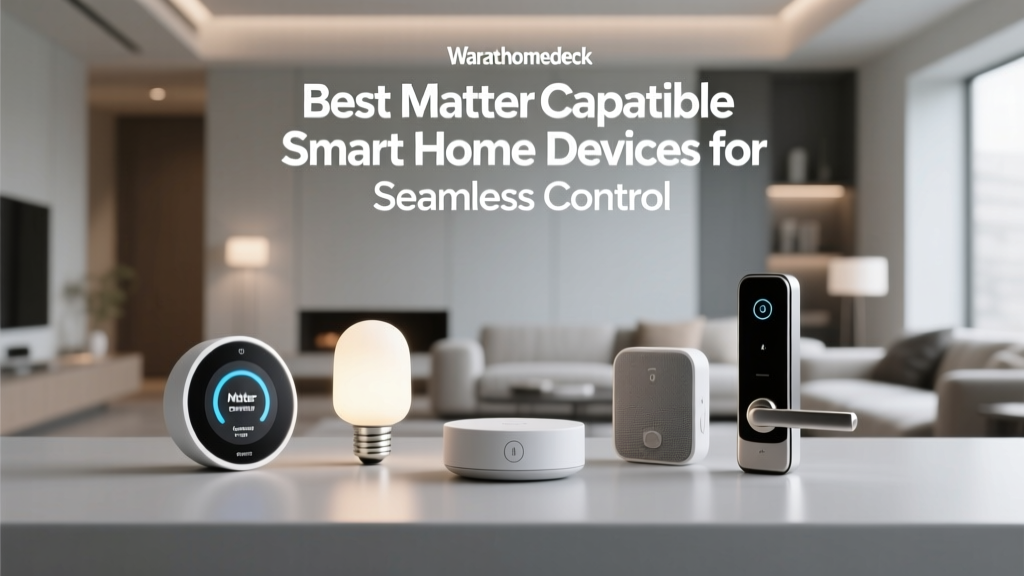
The Matter ecosystem is expanding rapidly. Here are some of the most reliable, high-performing Matter devices currently on the market, complete with cost ranges and use cases.
1. Eve Energy Smart Plug ($39.95)
The Eve Energy plug is a staple in the Matter ecosystem. It operates over Matter via Thread, ensuring lightning-fast response times without clogging your Wi-Fi router. It features built-in energy monitoring, allowing you to track voltage, current, and power consumption directly within the Apple Home, Google Home, or Eve app. Its compact design ensures it won't block adjacent outlets.
2. Nanoleaf Essentials A19 Bulb ($24.99)
Nanoleaf was one of the first companies to embrace Thread. The Essentials A19 bulb supports Matter over Thread, offering 1100 lumens of brightness and a full 16-million color spectrum. Because it uses Thread, it bypasses the latency often associated with Bluetooth or congested Wi-Fi networks, making it perfect for synchronized lighting scenes and adaptive lighting routines.
3. Philips Hue Bridge V2 ($59.99)
While Philips Hue bulbs use Zigbee, the Hue Bridge V2 received a firmware update enabling it to act as a Matter bridge. This means you can expose your entire, highly reliable Zigbee mesh to Apple Home, Google Home, and Amazon Alexa via Matter, without needing to replace your existing bulbs. It is the gold standard for bridging legacy networks into the Matter standard.
4. Aqara Presence Sensor FP2 ($69.99)
The FP2 is a revolutionary mmWave (millimeter-wave) presence sensor. Unlike traditional PIR motion sensors that turn off when you sit still, the FP2 detects micro-movements like breathing. It connects via Matter over Wi-Fi and supports multi-person detection and zone mapping, making it the ultimate device for advanced, conditional home automations.
Step-by-Step Matter Setup and Commissioning
Commissioning a Matter device is designed to be secure and straightforward, utilizing QR codes and cryptographic handshakes. Here is the standard process for adding a Matter device to your network:
- Power the Device: Plug in your Matter device and wait for it to enter pairing mode (usually indicated by a rapidly blinking LED).
- Scan the QR Code: Open your preferred smart home app (Apple Home, Google Home, or SmartThings) and select 'Add Accessory'. Scan the Matter QR code located on the device or its packaging. This code contains the Setup Payload, including the device's discriminator and PIN.
- Network Selection: The app will prompt you to connect the device to your Wi-Fi or Thread network. If using Thread, the Border Router will automatically share the Thread network credentials securely.
- Cryptographic Handshake: The controller verifies the device's DAC (Device Attestation Certificate) with the CSA's distributed ledger to ensure it is a genuine, certified Matter product.
- Assign and Name: Once verified, assign the device to a room, name it, and configure any default automations.
Advanced Network Troubleshooting for Matter
While Matter is designed for simplicity, advanced network configurations can sometimes cause discovery and communication issues. Because Matter relies heavily on multicast DNS (mDNS) for device discovery, strict network segmentation can break the setup process.
VLANs and mDNS Reflectors
If you run a prosumer network (e.g., UniFi, pfSense, or MikroTik) and isolate your IoT devices on a separate VLAN from your primary devices, Matter commissioning will fail. Your smartphone must be able to 'see' the mDNS broadcasts of the smart devices. To fix this, you must enable an mDNS Reflector (or Avahi daemon) on your router or firewall to bridge the multicast traffic between your main VLAN and your IoT VLAN.
IGMP Snooping and Multicast
Matter uses IPv6 multicast for group commands (e.g., turning off all living room lights simultaneously). If IGMP Snooping is misconfigured on your managed network switches, multicast packets may be dropped, leading to delayed or failed group commands. Ensure your switches are properly configured to forward IPv6 multicast traffic to the correct ports, or temporarily disable IGMP snooping on your IoT VLAN to test for packet drops.
Thread Network Partitions
Occasionally, a Thread network may partition into two separate meshes if Border Routers are too far apart or if there is heavy 2.4 GHz interference. To diagnose this, check the Thread topology map in your Apple Home settings or via the OpenThread Border Router web interface. Ensure that every Thread router has at least two other Thread routers within range to maintain a robust, self-healing mesh.
Security, Privacy, and the Future of Matter
Security is not an afterthought in Matter; it is foundational. By mandating AES-128 encryption for all local communications and requiring hardware-backed secure enclaves for storing cryptographic keys, Matter sets a new baseline for IoT security. Furthermore, because local control is prioritized, your daily routines and device states are not continuously beamed to third-party cloud servers, preserving your household's privacy.
Looking ahead, the CSA is actively developing new device types for the Matter standard, including robot vacuums, EV chargers, and sophisticated energy management systems. As solar inverters and smart electrical panels adopt Matter, your home will be able to automatically adjust HVAC settings and appliance usage based on real-time grid pricing and solar production.
The Matter Protocol Complete Guide demonstrates that while the transition to a unified smart home requires careful planning—especially regarding Thread mesh density and network configuration—the payoff in reliability, speed, and cross-platform freedom is unparalleled. By choosing the right controllers, investing in Thread-based peripherals, and optimizing your local network, you can build a future-proof smart home that truly works for you.