The Smart Home Language vs. The Vocal Cords
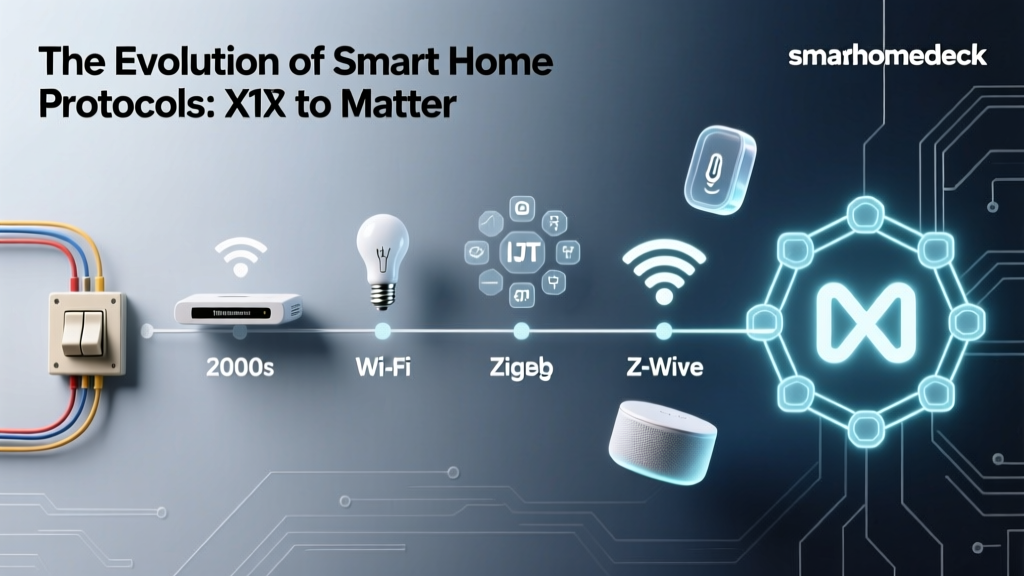
The introduction of the Matter standard was heralded as the ultimate unifier for the fragmented smart home ecosystem. By providing a single, universal application layer, Matter ensures that a smart bulb from one brand can seamlessly communicate with a smart speaker from another. However, a common misconception among consumers is that Matter is a wireless radio protocol itself. In reality, Matter is the language your devices speak, but it still relies on underlying wireless transport layers—the vocal cords—to carry the message. The two primary transport layers for Matter are Thread and Wi-Fi.
Choosing between Matter over Thread and Matter over Wi-Fi is not just a matter of brand preference; it fundamentally dictates your network's stability, your devices' power consumption, and the overall responsiveness of your smart home. In this comprehensive guide, we will dissect the technical differences, practical use cases, and hardware requirements of both protocols to help you build a robust, future-proof smart home.
Understanding the Matter Umbrella
Developed and maintained by the Connectivity Standards Alliance (CSA), Matter operates on top of IPv6. This means every Matter device gets its own IP address, allowing for direct, local communication without relying on cloud servers. This local control is what makes Matter devices incredibly fast and reliable. However, because Matter is an application layer, it must be paired with a network layer. The CSA selected three primary transport protocols for Matter: Wi-Fi, Thread, and Ethernet. For the vast majority of consumer smart home devices, the choice comes down to a battle between the high-bandwidth ubiquity of Wi-Fi and the low-power, mesh-networking efficiency of Thread.
Deep Dive: Matter Over Thread
Thread is a low-power, wireless mesh networking protocol built on the IEEE 802.15.4 standard. Unlike traditional networks where every device connects directly to a central router, a Thread network is a mesh. Every Thread-powered device (like a smart bulb or a plug) acts as a node that can pass messages to other nearby nodes. According to the Thread Group, this creates a self-healing network with no single point of failure. If one smart plug loses power, the smart bulb next to it simply routes its data through a different plug.
The Power Advantage
Thread's most significant advantage is its energy efficiency. Because it transmits small packets of data over short distances to the nearest node, it requires a fraction of the power needed by Wi-Fi. This makes Thread the undisputed king for battery-operated devices. Smart locks, motion sensors, door/window contact sensors, and wireless smart blinds can run for months or even years on standard AA or CR2032 batteries when using Matter over Thread.
The Border Router Requirement
Thread devices cannot connect directly to your home's main Wi-Fi router. Instead, they require a Thread Border Router. This device acts as a bridge, translating the Thread mesh network's IPv6 data into your home's Wi-Fi or Ethernet network. Fortunately, many modern smart home hubs already contain Thread radios. Devices like the Apple TV 4K (2nd Gen and later), Apple HomePod mini, Amazon Echo (4th Gen), and Google Nest Hub (2nd Gen) function as Thread Border routers out of the box.
Deep Dive: Matter Over Wi-Fi
Wi-Fi (IEEE 802.11) is the undisputed heavyweight champion of home networking. It offers massive bandwidth and ubiquitous coverage, making it the default choice for high-data applications. When a device uses Matter over Wi-Fi, it connects directly to your home's existing wireless router using a star topology. Every device communicates independently with the central hub.
Bandwidth and High-Draw Devices
While Thread is perfect for sending simple commands like 'turn on' or 'report temperature,' it lacks the bandwidth for data-heavy tasks. Matter over Wi-Fi is essential for devices that require high throughput or continuous power. Smart displays, smart home security cameras, video doorbells, and advanced smart home hubs rely on Wi-Fi to stream video, process voice commands, and download firmware updates rapidly.
Wi-Fi 6 and Target Wake Time (TWT)
Historically, Wi-Fi was too power-hungry for battery-operated sensors. However, the Wi-Fi Alliance introduced Wi-Fi 6 (802.11ax), which includes a feature called Target Wake Time (TWT). TWT allows devices and routers to negotiate exactly when and how often the device will wake up to send data. This drastically reduces the power consumption of Wi-Fi IoT devices, making Matter over Wi-Fi more viable for low-power sensors than in the past, though it still cannot match Thread's multi-year battery life on a single coin cell.
Head-to-Head Protocol Comparison
| Feature | Matter Over Thread | Matter Over Wi-Fi |
|---|---|---|
| Network Topology | Mesh (Self-healing) | Star (Centralized to router) |
| Power Consumption | Ultra-low (Ideal for batteries) | Moderate to High (Mains powered) |
| Bandwidth | Low (Commands & sensor data) | High (Video, audio, large data) |
| Range & Coverage | Expands with every mains-powered node | Limited by main router's signal |
| Network Congestion | Offloads traffic from Wi-Fi bands | Can congest 2.4GHz router bands |
| Hardware Required | Thread Border Router | Standard Wi-Fi Router |
Visualizing Power and Bandwidth
To understand the trade-offs between these protocols, it helps to visualize their relative efficiency. The chart below illustrates the inverse relationship between power consumption and maximum bandwidth across Thread and different generations of Wi-Fi.
Protocol Efficiency: Power vs Bandwidth
The Hidden Problem: Router Congestion
One of the most compelling arguments for adopting Matter over Thread is the preservation of your home's Wi-Fi network. Most standard consumer Wi-Fi routers begin to struggle when more than 30 to 40 IoT devices are connected simultaneously. Smart bulbs, plugs, and sensors primarily use the crowded 2.4GHz Wi-Fi band, which is highly susceptible to interference from microwaves, Bluetooth devices, and neighboring apartments.
When you fill your 2.4GHz band with dozens of smart home gadgets, you may notice your laptop's internet speed dropping or your wireless printer failing to connect. Thread operates on the same 2.4GHz frequency but uses the 802.15.4 standard, which is completely separate from your Wi-Fi network. By moving your smart bulbs, switches, and sensors to a Thread mesh, you free up valuable Wi-Fi airspace for your laptops, smartphones, and streaming devices, resulting in a noticeably faster and more stable home network overall.
Practical Buying Guide: Which Devices to Choose
When shopping for Matter-compatible devices, the transport protocol should dictate your purchasing decision based on the device's function. Here is a practical breakdown of what to buy and where to deploy it.
When to Choose Matter Over Thread
- Smart Lighting: Bulbs like the Nanoleaf Essentials A19 ($20-$25) or Philips Hue (via their Matter bridge) thrive on Thread. The mesh network ensures that if a bulb at the back of the house is out of router range, it can simply route its signal through a closer bulb.
- Sensors and Alarms: Battery-powered contact sensors and motion detectors, such as the Eve Door & Window ($40) or Aqara Door and Window Sensor P2 ($30), require Thread to achieve multi-year battery life.
- Smart Locks and Blinds: The Schlage Encode Plus ($280) and Eve MotionBlinds ($150+) use Thread to ensure they can operate reliably during internet outages without draining their batteries in a matter of weeks.
When to Choose Matter Over Wi-Fi
- Smart Plugs and Switches: While some plugs use Thread, high-draw smart plugs like the TP-Link Tapo P125M ($15-$20) or Meross Matter Smart Plug ($18) use Wi-Fi because they are permanently plugged into the wall and do not need battery optimization.
- Smart Home Hubs and Bridges: Devices like the SwitchBot Hub 2 ($90) or the Aqara Camera Hub G3 ($100) use Wi-Fi to communicate with your main router while simultaneously acting as bridges or Thread Border Routers for other devices.
- Appliances and Displays: Smart thermostats, refrigerators, and displays like the Amazon Echo Show require the constant, high-bandwidth connection that only Wi-Fi can provide.
The Role of the Border Router Ecosystem
The success of Matter over Thread relies heavily on the proliferation of Border Routers. In the early days of Thread, consumers had to purchase dedicated, standalone hubs. Today, the major tech ecosystems have integrated Thread radios into their flagship devices. Apple was an early pioneer, embedding Thread into the HomePod mini and Apple TV 4K. Google followed suit with the Nest Hub and Nest Wi-Fi Pro routers. Amazon has also integrated Thread into the 4th-generation Echo and their Eero mesh Wi-Fi systems.
This multi-admin capability means that a single Thread mesh network can be shared across Apple Home, Google Home, and Amazon Alexa simultaneously. Your Eve smart plug can be controlled by Siri on your iPhone and Alexa in the kitchen, all routing through the same underlying Thread mesh, without creating duplicate networks or requiring separate hubs for each ecosystem.
Latency and Local Control
Both Matter over Thread and Matter over Wi-Fi support local control, meaning your devices will respond to commands even if your home's internet connection goes down. However, Thread often exhibits lower latency for physical automations. Because Thread devices communicate directly with one another over the mesh, a Thread motion sensor can trigger a Thread smart bulb in milliseconds. Wi-Fi devices must send the signal to the router, wait for the router to process it, and then beam it back out to the target device. While this difference is measured in tens of milliseconds, it is often perceptible to the human eye when walking into a room and expecting the lights to snap on instantly.
Final Verdict: Building a Hybrid Smart Home
The debate between Matter over Thread and Matter over Wi-Fi is not a zero-sum game; the most resilient smart homes utilize a hybrid approach. The golden rule for modern smart home architecture is simple: use Thread for low-power, low-bandwidth devices that form the sensory and reactive layer of your home (lights, locks, sensors, blinds). Use Wi-Fi for high-power, high-bandwidth devices that serve as the brain and eyes of your home (cameras, displays, hubs, and major appliances).
By strategically offloading your lighting and sensor networks to a Thread mesh, you protect your home's Wi-Fi bandwidth, eliminate the frustration of 2.4GHz congestion, and ensure that your smart home remains responsive, reliable, and ready for the future. As you upgrade your home, always check the packaging for the specific transport layer, ensuring you are buying the right tool for the job.