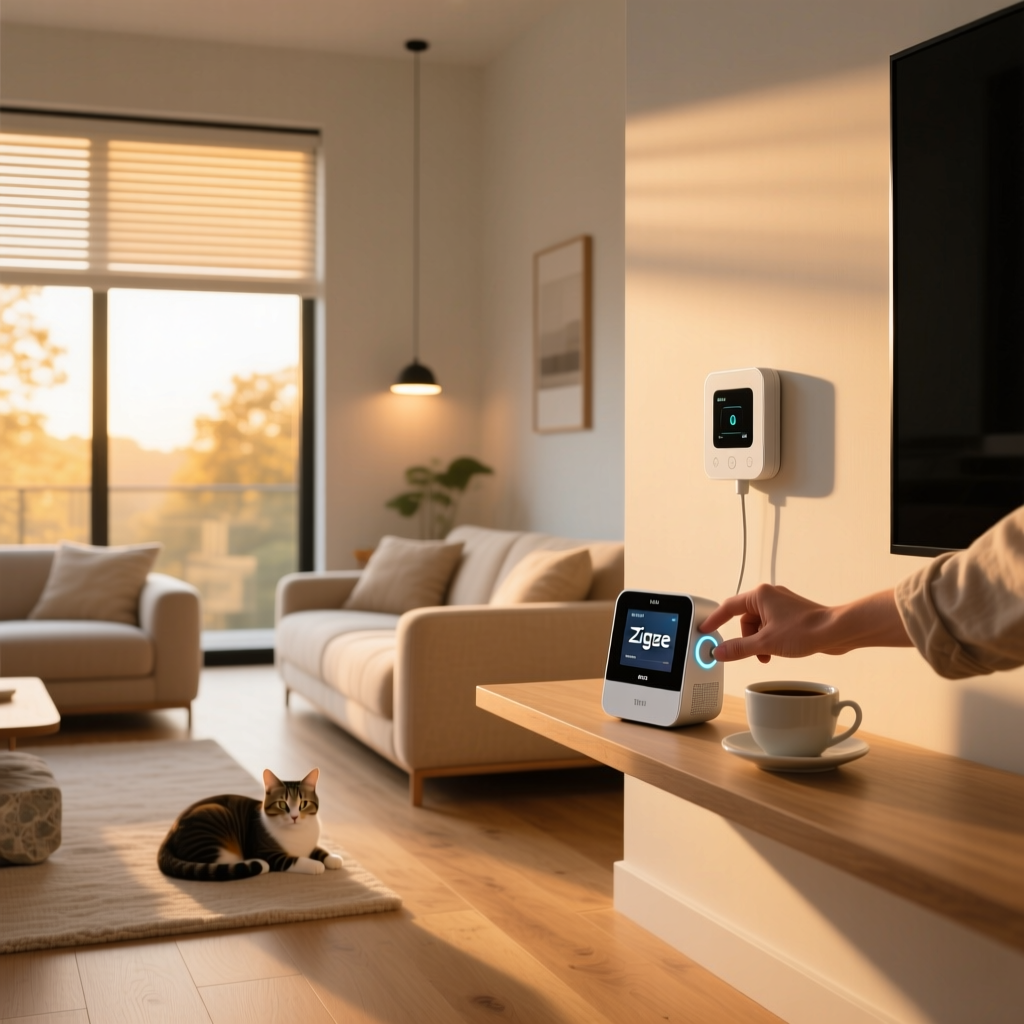
Smart Home Protocols Explained: The Invisible Threads of Home Automation
Building a smart home is an exciting journey, but it often comes with a hidden layer of complexity: connectivity. When you buy a new smart bulb, a motion sensor, or a smart lock, you are not just buying a piece of hardware; you are buying into a specific communication language. These languages are known as smart home protocols. They dictate how your devices talk to each other, how they connect to your smartphone, and how they respond to voice commands.
Without a foundational understanding of these protocols, you risk creating a fragmented ecosystem where devices refuse to cooperate, batteries drain prematurely, or your network slows to a crawl. Whether you are dealing with the high-bandwidth demands of security cameras or the low-power requirements of smart sensors, choosing the right protocol is the most critical architectural decision you will make for your home.
In this comprehensive guide, we will break down the technical mechanics, performance metrics, security standards, and ideal use cases for every major smart home protocol on the market today, including Wi-Fi, Zigbee, Z-Wave, Thread, and the unifying application layer known as Matter.
How Smart Home Protocols Work: The Architecture of Connectivity
At their core, smart home protocols define the rules for data transmission between devices. They operate on two primary layers: the physical radio layer (how the signal travels through the air) and the application layer (how the data is formatted and understood). Understanding the physical topology of these networks is essential for designing a reliable smart home.
Star Topology vs. Mesh Networks
Most traditional home networking relies on a star topology. In this setup, every device connects directly to a central hub—usually your Wi-Fi router. If a device is too far from the router, or if a wall blocks the signal, the connection drops. Furthermore, every single device demands individual attention from the router, which can quickly overwhelm standard consumer networking equipment.
In contrast, protocols like Zigbee, Z-Wave, and Thread utilize a mesh network topology. In a mesh network, devices do not just communicate with the central hub; they also act as repeaters for one another. When a motion sensor in the far corner of your basement needs to send a signal to the hub, it passes the message to a nearby smart plug, which bounces it to a smart bulb, which finally delivers it to the hub. This self-healing architecture means that the more mains-powered devices you add to your network, the stronger and more expansive the coverage becomes.
The Role of Hubs and Border Routers
Because mesh protocols use different radio frequencies than your smartphone or laptop, they cannot connect directly to your Wi-Fi router. They require a translator, commonly known as a smart home hub or a bridge. This hub contains multiple radios (e.g., Wi-Fi, Zigbee, and Z-Wave) and translates the mesh network commands into IP-based data that your router and the internet can understand. For modern Thread networks, this translator is called a Border Router, which seamlessly bridges the Thread mesh network to your standard Wi-Fi or Ethernet network without the latency of cloud processing.
Compatibility and the Rise of Matter
Historically, the smart home industry was plagued by walled gardens. A Zigbee sensor from one brand might not pair with a hub from another, and proprietary application layers meant that even if the radios matched, the devices could not understand each other's commands. This fragmentation forced consumers to juggle multiple apps and hubs, leading to a frustrating user experience.
The Connectivity Standards Alliance (CSA)
To solve this, the industry formed the Connectivity Standards Alliance (CSA), which introduced Matter. It is vital to understand that Matter is not a new radio frequency or a physical transport protocol. Instead, Matter is a universal application layer that runs on top of existing transport protocols—specifically Thread, Wi-Fi, and Ethernet.
Think of the transport protocol as the highway, and Matter as the universal language spoken by the drivers on that highway. By standardizing how devices announce themselves, how they are paired, and how they execute commands (like 'turn on' or 'set temperature to 72'), Matter ensures that a Thread-enabled smart plug will work natively with Apple HomeKit, Amazon Alexa, Google Home, and Samsung SmartThings simultaneously, right out of the box.
Bridging Legacy Protocols
While Matter represents the future, it does not instantly invalidate older protocols. Hubs can act as Matter bridges, translating legacy Zigbee and Z-Wave devices into the Matter ecosystem. This means your existing investment in smart lighting and sensors can be exposed to Matter-compatible platforms, ensuring backward compatibility while the industry gradually transitions to native Thread and Wi-Fi Matter devices.
Performance: Bandwidth, Range, and Power Consumption
No single protocol is perfect for every application. The physics of radio waves dictate a trade-off between bandwidth (how much data can be sent), range (how far the signal travels), and power consumption (how quickly a battery drains). Let us examine the performance profiles of the major protocols.
Wi-Fi: The High-Bandwidth Heavyweight
Wi-Fi operates primarily on the 2.4 GHz and 5 GHz bands. It offers massive bandwidth, making it the only viable choice for high-definition security cameras, smart displays, and audio streaming. However, this performance comes at a steep cost to power efficiency. Wi-Fi radios require significant energy to maintain a connection to the router, making them unsuitable for battery-operated sensors. Additionally, Wi-Fi networks suffer from congestion; most consumer routers begin to drop connections or experience severe latency when more than 40 to 50 IoT devices are connected simultaneously.
Zigbee: The 2.4 GHz Mesh Standard
Zigbee operates on the same 2.4 GHz frequency as Wi-Fi and Bluetooth, but it uses a much narrower channel and a low-bandwidth protocol (250 kbps). This makes it incredibly power-efficient, allowing coin-cell battery sensors to last for years. Because it is a mesh network, range is theoretically unlimited as long as you have mains-powered repeaters. However, because it shares the crowded 2.4 GHz spectrum, Zigbee can suffer from interference if its channels overlap with your Wi-Fi network. Proper network planning requires setting your Zigbee hub to channels 11, 15, 20, or 25 to avoid Wi-Fi congestion.
Z-Wave: The Sub-GHz Reliability Champion
Unlike Zigbee, Z-Wave operates on sub-GHz frequencies (908.42 MHz in North America and 868.42 MHz in Europe). Lower frequencies have longer wavelengths, which means Z-Wave signals penetrate solid walls, floors, and ceilings far better than 2.4 GHz signals. Z-Wave is also strictly regulated by the Z-Wave Alliance, meaning every single Z-Wave device undergoes rigorous certification to guarantee 100% backward and forward compatibility. The trade-off is a lower maximum data rate (100 kbps) and a slightly higher cost per chip, but for critical infrastructure, its reliability is unmatched.
Thread: The IPv6 Native Mesh
Thread is the newest transport protocol in the smart home space, designed specifically to address the shortcomings of Zigbee. Like Zigbee, Thread operates on the 2.4 GHz band and forms a low-power mesh network. However, Thread is built on IPv6 and 6LoWPAN standards. This means every Thread device gets its own unique IP address, allowing for direct, secure, and instantaneous communication without the complex routing tables required by Zigbee. Thread also eliminates the single point of failure; if a Thread Border Router goes offline, the mesh dynamically elects a new leader to maintain network integrity.
Security and Privacy Considerations
When you invite connected devices into your home, you are inherently expanding your digital attack surface. Different protocols handle security, encryption, and data privacy in vastly different ways.
Encryption Standards
Modern mesh protocols—Zigbee, Z-Wave, and Thread—all utilize AES-128 encryption, the same military-grade standard used by banks and secure government communications. This ensures that the radio signals traveling through your home cannot be intercepted and read by malicious actors. Z-Wave goes a step further with its Security 2 (S2) framework, which requires a physical action (like pressing a button on the device or scanning a unique QR code) during the inclusion process. This prevents 'man-in-the-middle' attacks where a hacker might try to hijack a device while it is pairing to your hub.
Local Processing vs. Cloud Dependency
Privacy is just as important as security. Many Wi-Fi based smart home devices rely heavily on cloud servers. When you press a button on your phone to turn on a Wi-Fi smart plug, the signal often travels from your phone, to the manufacturer's cloud server, and back down to your home. This introduces latency, requires an active internet connection, and means the manufacturer is logging your usage habits.
Protocols like Zigbee, Z-Wave, and Thread are designed for local control. The commands are processed entirely within your home by the hub or border router. This not only results in instantaneous, sub-100-millisecond response times but also ensures that your daily routines remain completely private and functional even if your internet connection goes down.
Network Segmentation for Wi-Fi IoT
Because Wi-Fi IoT devices often have less rigorous security firmware than enterprise networking gear, cybersecurity experts highly recommend placing all Wi-Fi smart home devices on a separate Virtual Local Area Network (VLAN) or a dedicated 'Guest' network. This isolates your cheap smart plugs and cameras from your primary computers and smartphones, preventing a compromised IoT device from being used as a backdoor into your personal data.
Best Devices and Use Cases for Each Protocol
To build a robust, high-performance smart home, you should not rely on a single protocol. Instead, use a hybrid approach, assigning devices to the protocol that best suits their physical and operational requirements.
Wi-Fi: High-Bandwidth & Mains-Powered
Reserve your Wi-Fi network for devices that require high data throughput or are already plugged into the wall. Security cameras, video doorbells, smart displays, and whole-home audio systems must use Wi-Fi. Additionally, standalone smart plugs and basic smart bulbs are often Wi-Fi based for convenience, though you should limit the total number of Wi-Fi IoT devices to prevent router congestion.
Zigbee: Affordable & Abundant Sensors
Zigbee is the undisputed king of affordable, low-power devices. It is the ideal protocol for motion sensors, door/window contact sensors, temperature monitors, and smart lighting networks. Because Zigbee chips are inexpensive to manufacture, you can deploy dozens of sensors throughout your home without breaking the bank, relying on the mesh network to blanket your property in coverage.
Z-Wave: Critical Security & Penetration
When failure is not an option, Z-Wave is the protocol of choice. Because of its sub-GHz frequency, it will not interfere with your Wi-Fi, and it easily penetrates exterior walls and heavy insulation. This makes Z-Wave the absolute best choice for smart locks, garage door controllers, and outdoor water leak sensors. The strict certification process also guarantees that a Z-Wave lock purchased today will seamlessly integrate with a Z-Wave hub purchased a decade from now.
Thread & Matter: The Future-Proof Foundation
As Thread border routers become standard in modern smart speakers and Wi-Fi access points, Thread is rapidly becoming the default for premium, low-power devices. Thermostats, advanced window blinds, and high-end environmental sensors are increasingly adopting Thread to leverage its IPv6 native routing and lack of a single point of failure. If you are starting a new smart home build today, prioritizing Thread and Matter-certified devices will ensure your home remains compatible with future ecosystem updates.
Frequently Asked Questions (FAQ)
Do I need a smart home hub for every protocol?
Not necessarily, but it depends on the protocol. Wi-Fi devices connect directly to your existing internet router and do not require a dedicated hub. However, Zigbee and Z-Wave devices operate on entirely different radio frequencies and absolutely require a compatible hub or bridge to translate their signals into your home network. Thread devices require a 'Border Router' to connect to your IP network, but you may already own one; many modern smart speakers, Wi-Fi mesh nodes, and smart TVs have Thread border routers built directly into them, eliminating the need to buy a standalone hub.
Will Matter replace Zigbee and Z-Wave?
Matter will not replace Zigbee and Z-Wave on a physical radio level, because Matter is an application layer, not a transport protocol. Matter relies on Thread and Wi-Fi for its physical transport. While Thread will likely absorb the majority of new low-power sensor and lighting market share from Zigbee over time, Z-Wave is expected to persist in the security and commercial sectors due to its superior sub-GHz wall penetration and strict, interference-free frequency allocation. Furthermore, legacy Zigbee and Z-Wave devices will remain relevant for years through the use of Matter-compatible bridging hubs.
Which protocol is best for smart locks and security?
Currently, Z-Wave remains the gold standard for smart locks and critical security infrastructure. Smart locks require a protocol that is highly reliable, consumes very little battery, and can penetrate heavy exterior doors and walls. Z-Wave's sub-GHz frequency excels in this environment, and its Security 2 (S2) framework provides robust protection against remote hacking. While Thread and Matter are rapidly improving and will soon offer viable alternatives for smart locks, Z-Wave's established track record and lack of 2.4 GHz interference make it the safest bet for physical home security today.
Can my Wi-Fi router handle dozens of smart home devices?
Most standard, consumer-grade Wi-Fi routers provided by internet service providers are not designed to handle the constant 'chatter' of dozens of IoT devices. While a smart plug does not use much bandwidth, it frequently sends 'keep-alive' packets to maintain its connection. Once you exceed 30 to 40 Wi-Fi IoT devices, consumer routers often experience DHCP table exhaustion, NAT translation errors, and severe network latency, causing your laptops and phones to slow down. To avoid this, offload low-power devices to a Zigbee, Z-Wave, or Thread mesh network, and reserve your Wi-Fi strictly for high-bandwidth devices like cameras and displays.
How do I mix different protocols in one smart home?
The most effective way to mix protocols is to use a universal, multi-protocol smart home hub or a local home automation server. Platforms like Home Assistant, Hubitat, and Samsung SmartThings feature multiple physical radios (or support USB radio dongles) allowing them to listen to Zigbee, Z-Wave, Thread, and Wi-Fi simultaneously. These platforms act as the central brain, translating the different protocols into a single, unified dashboard and allowing you to create cross-protocol automations—such as using a Zigbee motion sensor to trigger a Wi-Fi smart bulb and a Z-Wave smart lock.
Conclusion
Understanding smart home protocols is the difference between building a frustrating gadget collection and engineering a seamless, automated home. By leveraging the high bandwidth of Wi-Fi for media, the reliable mesh of Z-Wave for security, the affordable scalability of Zigbee for sensors, and the future-proof interoperability of Thread and Matter, you can create a robust ecosystem that serves you reliably for decades. Take the time to plan your network topology, prioritize local processing where possible, and choose the right tool for every automated task.