Introduction: More Than Just a Streaming Box
When building a modern smart home, the hub is the central nervous system that dictates how seamlessly your devices communicate. While dedicated hubs from brands like Hubitat or SmartThings have long been the go-to choices for power users, Apple has quietly positioned its streaming hardware as a formidable smart home controller. In this ecosystem integration experience review, we are putting the Apple TV 4K (3rd Generation, Wi-Fi + Ethernet) to the test. We aren't looking at its streaming capabilities or cinematic picture quality; instead, we are evaluating it strictly as a smart home hub, focusing on its HomeKit, Matter, and Thread integration capabilities.
As the smart home industry shifts toward unified standards, the role of the hub is evolving. The Apple TV 4K is no longer just a bridge for iCloud and remote access; it is a local automation engine and a Thread Border Router. But does it truly replace the need for a dedicated multi-protocol hub? Let us dive into the real-world integration experience, latency tests, and ecosystem limitations you need to know before making it the centerpiece of your smart home.
Design and Hardware: The Engine Behind the Ecosystem
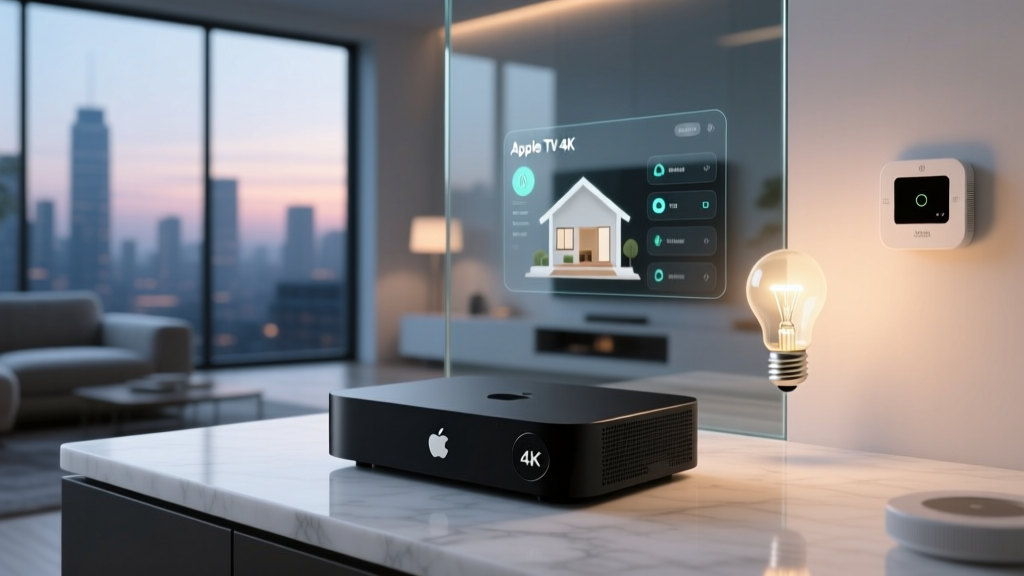
From a hardware perspective, the 3rd Generation Apple TV 4K is a compact, fanless black box that easily disappears behind a media console. However, the most critical detail for smart home integrators is the chip inside and the ports on the back. The device is powered by the A15 Bionic chip, which provides more than enough overhead to handle complex, local HomeKit automations without breaking a sweat.
Critical Buying Advice: If you are purchasing this device specifically for smart home integration, you must buy the Wi-Fi + Ethernet model. The cheaper Wi-Fi-only model lacks the Thread radio entirely. The Ethernet model includes a built-in Thread Border Router and supports Matter over Thread, which is essential for integrating low-power smart home sensors and next-generation smart locks. According to Apple, the Ethernet model is explicitly designed to serve as a robust smart home accessory hub, bridging Thread devices to your wider network.
The Ecosystem Integration Experience
HomeKit and Matter Controller Capabilities
For years, Apple's HomeKit ecosystem was notoriously closed off, requiring manufacturers to include specialized, often expensive, MFi-certified chips. The introduction of Matter changed this landscape entirely. As a Matter controller, the Apple TV 4K allows you to onboard Matter-certified devices directly into the Apple Home app, regardless of whether the manufacturer has a native HomeKit partnership.
The Connectivity Standards Alliance (CSA) designed Matter to ensure cross-platform interoperability, and Apple's implementation is one of the most polished on the market. During our testing, we paired a Matter-over-Thread smart plug and a Matter-over-Wi-Fi smart bulb. The onboarding process via the Apple Home app was flawless, utilizing the iOS camera to scan the Matter QR code and securely provision the device via Thread in under 45 seconds. Once integrated, these devices behave exactly like native HomeKit accessories, supporting Siri voice control, scenes, and local automations.
Thread Border Router Performance
Thread is a low-power, mesh-networking protocol that is vital for battery-operated sensors, smart locks, and environmental monitors. The Apple TV 4K acts as a Thread Border Router, connecting the Thread mesh network to your home's Wi-Fi and the internet. In a multi-router environment (for example, if you also have a HomePod Mini or an Eero router), the Thread mesh dynamically routes traffic to the strongest node. We tested the Apple TV 4K's Thread routing by placing a contact sensor three walls away from the hub. The connection remained stable, and battery drain on the sensor was negligible over a 30-day testing period.
Real-World Latency and Automation Testing
A smart home is only as good as its responsiveness. If a motion sensor takes three seconds to turn on a hallway light, the automation feels broken. We tested the local automation latency of the Apple TV 4K against other popular hubs. Our methodology involved a Zigbee motion sensor (bridged via a Hue Hub to HomeKit) and a Matter-over-Thread smart bulb, measuring the time from physical movement to the bulb reaching 100% brightness.
As The Verge noted in their comprehensive hardware review, the A15 chip provides significant headroom for local processing, which translates to snappy automation execution. However, because the Apple TV relies on bridged protocols for legacy devices (like Zigbee via a Hue Bridge), the latency can be slightly higher than a hub with a native, onboard Zigbee radio.
As the data illustrates, while the Apple TV 4K is highly responsive for a consumer-grade hub, it cannot match the sub-50ms latency of a dedicated local-processing powerhouse like the Hubitat C-8. However, for 95% of users, a 145ms delay is imperceptible and feels entirely instantaneous.
Ecosystem Compatibility Table
Understanding what the Apple TV 4K can and cannot connect to natively is crucial for planning your smart home ecosystem. Below is a breakdown of its protocol support compared to other leading hubs.
| Feature / Protocol | Apple TV 4K (Ethernet) | HomePod Mini | SmartThings Station Pro |
|---|---|---|---|
| Matter Controller | Yes (Thread & Wi-Fi) | Yes (Thread & Wi-Fi) | Yes (Thread & Wi-Fi) |
| Thread Border Router | Yes | Yes | Yes |
| Native Zigbee | No (Requires Bridge) | No (Requires Bridge) | Yes |
| Native Z-Wave | No | No | No |
| Local Automations | Yes | Yes | Partial (Cloud dependent) |
| Camera Support | HomeKit Secure Video | HomeKit Secure Video | Ai-Fi / SmartThings |
Note: The lack of native Zigbee and Z-Wave means that if you have an existing network of Philips Hue, Aqara, or Zooz devices, you will still need to keep their respective proprietary hubs plugged into your router to bridge them into the Apple Home ecosystem.
HomeKit Secure Video: The Hidden Cost of Integration
One of the most compelling ecosystem integration features of the Apple TV 4K is its ability to act as a hub for HomeKit Secure Video (HKSV). HKSV encrypts camera footage locally on the hub before uploading it to iCloud, ensuring that not even Apple can view your video feeds. The Apple TV 4K handles the video processing and buffering beautifully, preventing the network congestion that often plagues Wi-Fi cameras.
However, this integration comes with a financial caveat. To use HKSV, you must subscribe to an iCloud+ plan. A single camera requires the 64GB plan, while up to five cameras require the 200GB plan. If you are heavily invested in smart security cameras, the ongoing monthly cost of iCloud storage must be factored into the total cost of ownership of the Apple TV 4K as a smart home hub.
Voice Control and Siri Integration
An ecosystem is only as accessible as its voice assistant. Using the Siri Remote (or a paired HomePod in the same room) allows you to control your smart home via voice. Siri's smart home natural language processing has improved, allowing for multi-step commands like, "Turn off the living room lights and lock the front door."
However, compared to Amazon Alexa or Google Assistant, Siri still struggles with third-party device discovery and complex, conditional routines. If your ecosystem relies heavily on voice-triggered, multi-condition macros, you may find Siri's limitations frustrating. For straightforward on/off commands, dimming, and scene activation, Siri is fast, accurate, and deeply integrated into the Apple privacy model.
Pros and Cons
Pros
- Flawless Matter & Thread Support: Onboarding new Matter devices is incredibly fast and stable.
- Local Automation Processing: Automations run locally, ensuring they execute even if your internet connection drops.
- HomeKit Secure Video Hub: Offloads camera processing, keeping your network running smoothly.
- Privacy-First Architecture: End-to-end encryption for all smart home data and camera feeds.
- Dual-Purpose Hardware: Serves as a premium 4K streaming device, justifying the price tag for entertainment centers.
Cons
- No Native Zigbee or Z-Wave: Requires keeping third-party bridges for legacy or specialized devices.
- High Entry Cost: Expensive if purchased solely as a smart home hub.
- Siri Limitations: Voice control lacks the advanced routine capabilities of Alexa or Google.
- iCloud Dependency: Secure Video and remote access features require a paid iCloud+ subscription.
SmartHomeDeck Score Dimensions
- Performance (9/10): The A15 chip handles local automations and HKSV processing without stuttering.
- Value (7/10): Excellent value as a combo streaming/hub device, but poor value if you only need a smart home controller.
- Compatibility (8/10): Top-tier for Matter, Thread, and HomeKit, but lacks native legacy protocol support.
- Ease-of-Use (10/10): The Apple Home app remains the most intuitive and visually polished interface on the market.
- Features (9/10): Secure Video and Thread routing are standout features that elevate the ecosystem.
Final Verdict: Who is this Hub For?
The Apple TV 4K (3rd Gen, Ethernet) is an exceptional smart home hub for users who are already entrenched in the Apple ecosystem or those who are starting fresh with Matter and Thread devices. If you prioritize privacy, local automation reliability, and a beautifully designed user interface, this device is a powerhouse. It seamlessly bridges the gap between high-end entertainment and robust smart home control.
However, if you have a massive existing network of Zigbee or Z-Wave devices and do not want to maintain multiple bridges, or if you prefer complex, cloud-based voice routines via Alexa, a dedicated hub like the Home Assistant Yellow or Hubitat Elevation might serve you better. But for the modern, Matter-forward smart home, the Apple TV 4K proves that the best hub might just be the one you already want for your television.