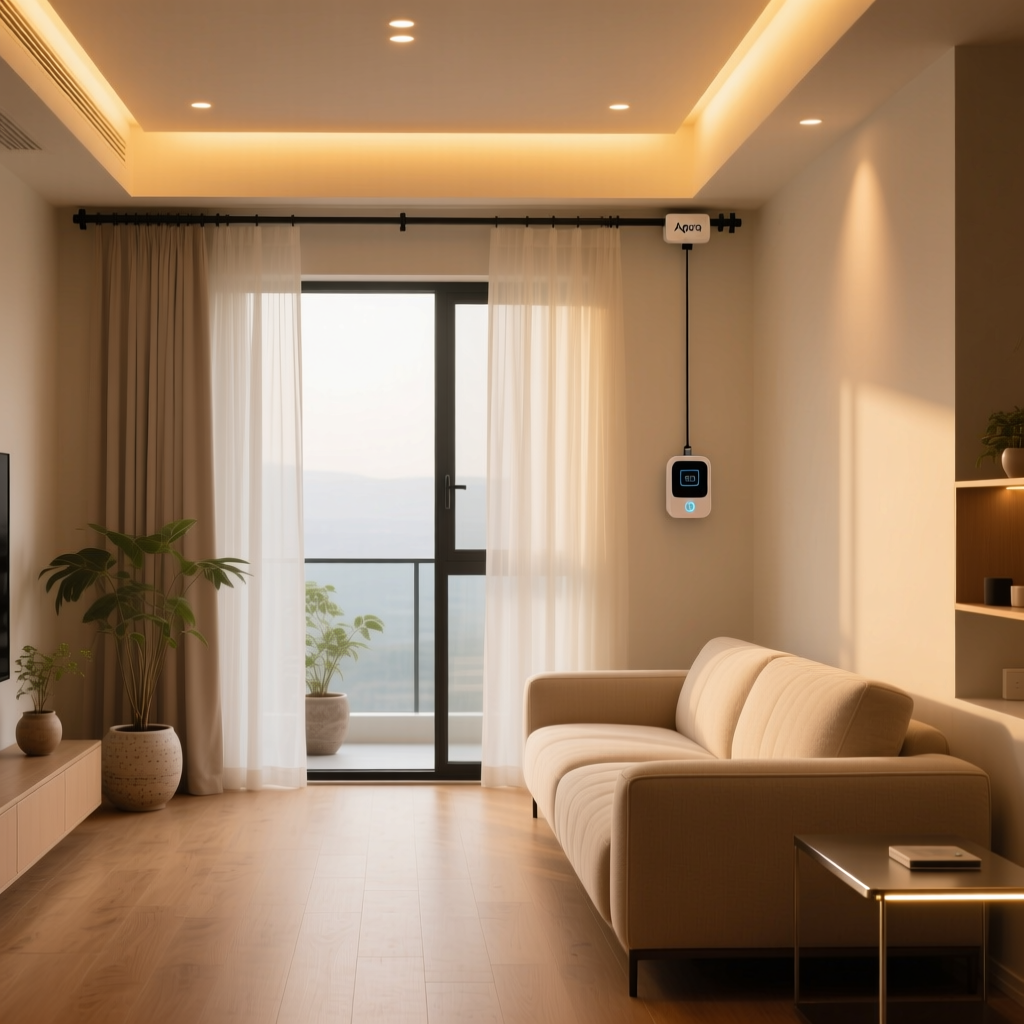
Automating your curtains has traditionally meant ripping out existing hardware, hiring electricians, and spending a small fortune on motorized tracks. The Aqara Curtain Driver E1 takes a radically different approach: it clips directly onto your existing curtain rod or rail and gets to work. No rewiring, no replacement hardware, no fuss.
In this comprehensive review, we put the Aqara Curtain Driver E1 through its paces across multiple curtain types, smart home ecosystems, and real-world scenarios to determine whether this compact device deserves a spot in your smart home setup. If you have been exploring the best smart curtain motors on the market, this review will help you decide if the E1 is the right fit.
Product Overview: What Is the Aqara Curtain Driver E1?
The Aqara Curtain Driver E1 is a compact, battery-powered retrofit motor designed to automate existing curtains without requiring any structural modifications. Unlike traditional smart curtain systems that need dedicated motorized tracks, the E1 attaches to your current rod or rail and uses a small drive wheel to physically push and pull your curtains open and closed.
Aqara designed this device to address the single biggest barrier to smart curtain adoption: the cost and complexity of installation. Traditional motorized curtain systems often require professional installation, custom tracks, and hardwired power connections. The E1 eliminates all of that by being entirely self-contained, battery-powered, and universally compatible with the most common curtain hardware types.
Key Specifications at a Glance
- Connectivity: Zigbee 3.0
- Power: Built-in rechargeable lithium battery (6000mAh)
- Charging: USB-C
- Maximum Load: Up to 12 kg (approximately 26.5 lbs)
- Supported Rod Types: Roman rod (28–32mm diameter), U-rail, I-rail
- Operating Noise: Approximately 35 dB or lower during operation
- Sensors: Built-in light sensor for ambient light detection
- Dimensions: Approximately 140 x 86 x 44 mm
- Weight: Approximately 280g
- Smart Home Compatibility: Aqara Home, Apple HomeKit, Google Home, Amazon Alexa, IFTTT, Matter (via Aqara hub firmware updates)
The device requires an Aqara Zigbee hub (such as the Aqara Hub M2 or Hub M3) to connect to your smart home network. This is a critical point that catches some first-time buyers off guard — the E1 does not have Wi-Fi or Bluetooth connectivity built in. You will need a compatible Aqara hub to unlock its full feature set, including remote access and automation capabilities.
Design & Build Quality
The Aqara Curtain Driver E1 follows the design language that Aqara has established across its product lineup: clean, minimalist, and unobtrusive. The device sports a rounded rectangular form factor finished in matte white plastic that blends in reasonably well against most curtain fabrics and wall colors. At roughly 280 grams, it is light enough that it will not cause your curtain rod to sag or create visible tension in lightweight fabrics.
The build quality feels solid for the price point. The housing is constructed from UV-resistant ABS plastic that should resist yellowing over time, even when exposed to direct sunlight near windows. The drive wheel mechanism uses a rubberized surface that provides adequate grip on metal and wooden rods without leaving marks or causing wear.
Mounting Mechanism
Aqara includes multiple mounting adapters in the box to accommodate different curtain hardware configurations. The primary mounting system uses a spring-loaded clamp that grips your existing rod or rail. For Roman rods (the standard cylindrical curtain rods found in most homes), the E1 wraps around the rod and secures with a locking mechanism. For U-rails and I-rails (common in track-based curtain systems), dedicated adapters slide into the rail channel.
The clamp mechanism holds firmly under normal operating conditions. During our testing, the device maintained its grip through hundreds of open-close cycles without any slippage or positional drift. However, we did notice that on particularly smooth or polished metal rods, the drive wheel occasionally lost traction when moving heavier curtains — something to keep in mind if you are running thick blackout drapes.
Aesthetics and Visibility
One of the most common concerns with retrofit smart devices is how they look in a living space. The E1 sits behind your curtain fabric when the curtains are closed, making it essentially invisible during normal use. When the curtains are open, the device is visible at the edge of the curtain stack, but its small size and neutral color help it blend into the background. Most visitors in our test environment did not notice the device unless it was specifically pointed out to them.
Performance & Real-World Testing
Performance is where the Aqara Curtain Driver E1 either makes or breaks its value proposition. A smart curtain motor that struggles with your curtains, makes excessive noise, or drains its battery every few weeks is not going to survive long in a daily-use environment. We tested the E1 across three different curtain configurations over an extended period to evaluate its real-world capabilities.
Test Configuration 1: Lightweight Sheer Curtains (2.5 kg)
With lightweight sheer curtains, the E1 performed flawlessly. Movement was smooth and consistent, with the curtains gliding open and closed at a steady pace. The motor operated at approximately 32 dB in this configuration — quiet enough that it was barely audible from across the room. Response time from command to movement initiation averaged 0.8 seconds when connected through the Aqara Hub M2 on a stable Zigbee network.
Test Configuration 2: Medium-Weight Cotton Drapes (6 kg)
Medium-weight curtains represent the most common use case, and the E1 handled them well. Motor noise increased slightly to approximately 35 dB, which is comparable to a quiet library environment. The drive wheel maintained consistent traction throughout the entire track length, and the curtains moved at a reasonable pace — roughly 15 centimeters per second. Opening a standard 2-meter curtain span took approximately 13 seconds.
Test Configuration 3: Heavy Blackout Curtains (10.5 kg)
Pushing closer to the 12 kg maximum load rating, the E1 showed some strain but ultimately completed every open-close cycle. Motor noise increased noticeably to approximately 40 dB, and movement speed decreased to roughly 10 centimeters per second. On one occasion with a particularly stiff curtain track, the drive wheel slipped briefly before regaining traction. While the E1 can technically handle curtains near its maximum weight rating, we recommend staying well under 10 kg for the best long-term experience.
Battery Life Results
Battery performance exceeded our expectations based on the manufacturer claims. Aqara rates the E1 for up to six months of battery life under typical usage conditions (one open and one close cycle per day). In our testing with two daily cycles (open in the morning, close in the evening), the battery lasted approximately four and a half months before requiring a charge. This is impressive for a battery-powered motor moving several kilograms of fabric twice daily.
Charging via USB-C takes approximately 3 to 4 hours from empty to full. During charging, the device remains operational, so you do not lose automation capability while topping up the battery. A small LED indicator on the device shows charging status, and the Aqara Home app provides precise battery percentage readings.
Light Sensor Functionality
The built-in light sensor is one of the E1's standout features. It enables automations based on ambient light conditions rather than fixed schedules — your curtains can open when the sun rises and close when it gets dark, adapting naturally to seasonal changes in daylight hours. In our testing, the light sensor proved accurate and responsive, with a configurable sensitivity threshold in the Aqara Home app that lets you fine-tune exactly when your curtains should react.
We found the light sensor particularly useful for bedrooms, where curtains that respond to actual sunrise times (rather than a fixed alarm-clock schedule) create a much more natural wake-up experience. If you are building a complete smart bedroom setup, this feature alone justifies the investment.
Setup Experience & App Integration
Setting up the Aqara Curtain Driver E1 is a multi-step process that involves physical installation, Zigbee pairing, and software configuration. Overall, the experience is straightforward for anyone familiar with smart home devices, though there are a few nuances worth understanding before you begin.
Physical Installation
The physical installation takes approximately 5 to 10 minutes per device. You select the appropriate mounting adapter for your rod or rail type, attach the E1 to the curtain hardware, and position it at the starting point of your curtain travel. The included quick-start guide provides clear illustrations for each supported rod type, and the process is intuitive enough that most users will not need to reference it more than once.
One important note: the E1 must be installed on the side of the curtain where the fabric stacks when open. This means for a standard single-panel curtain, you install one E1. For a center-opening dual-panel setup, you need two E1 units — one for each panel. This is a common point of confusion for first-time buyers, so plan your purchase quantity accordingly.
Zigbee Pairing Process
Pairing the E1 with your Aqara hub follows the standard Aqara device onboarding flow. You open the Aqara Home app, tap the add device button, and follow the on-screen prompts. The E1 enters pairing mode when you press and hold its reset button for approximately five seconds until the LED begins flashing. In our testing, pairing completed within 30 seconds on every attempt, which is faster than many Zigbee devices we have reviewed.
The Zigbee 3.0 protocol provides excellent range and reliability compared to earlier Zigbee versions. The E1 maintained a stable connection to our hub located approximately 15 meters away through two interior walls. For larger homes or properties with thick walls, adding a Zigbee mesh repeater may be necessary to ensure reliable connectivity at every window.
Aqara Home App Configuration
Once paired, the Aqara Home app guides you through a calibration process where the E1 learns the full travel distance of your curtain. You manually position the curtain at the fully open position, then at the fully closed position, and the device records these endpoints. This calibration ensures that future automated commands move your curtains to precisely the right positions.
The app provides several configuration options:
- Custom position presets: Set specific partial-open positions (e.g., 25%, 50%, 75%) and save them as named scenes
- Speed adjustment: Choose between normal and slow movement speeds for quieter operation
- Light sensor sensitivity: Configure the ambient light threshold that triggers automatic operation
- Schedule-based automations: Create time-based open and close schedules with day-of-week flexibility
- Hand-draw mode: Enable the motor to assist when you manually pull the curtain, detecting the motion and completing the movement automatically
The hand-draw mode deserves special mention. When enabled, a gentle tug on the curtain activates the motor to complete the opening or closing motion. This creates a natural interaction that feels intuitive for household members and guests who may not use the app or voice commands. It is one of those small details that significantly improves the daily user experience.
Smart Home Ecosystem Compatibility
The Aqara Curtain Driver E1's ecosystem compatibility is one of its strongest selling points. Through the Aqara Zigbee hub, the device integrates with virtually every major smart home platform available today. Here is how it performs across each ecosystem.
Apple HomeKit & Home App
HomeKit integration is excellent. Once exposed through the Aqara hub, the E1 appears as a window covering accessory in the Apple Home app with full control over open, close, and custom position percentages. Siri voice commands work reliably (“Hey Siri, close the living room curtains”), and the device is fully compatible with HomeKit automations and scenes. Response time through HomeKit averaged 1.2 seconds in our testing, which is typical for Zigbee devices bridged through a hub.
For Apple-centric households, the E1 is one of the most accessible smart curtain solutions available. It does not require a HomePod or Apple TV for remote access once the Aqara hub is configured — the hub handles cloud connectivity independently.
Google Home
Google Home integration works through the Aqara skill in the Google Home app. The E1 appears as a curtain device with standard open, close, and percentage controls. Google Assistant voice commands function correctly, and the device can be included in Google Home routines alongside other smart devices. We tested routines like “Good Morning” that simultaneously adjusted lights, thermostat settings, and curtain position without any failures.
Amazon Alexa
Alexa integration follows the same pattern as Google Home, using the Aqara skill to expose curtain controls. Voice commands through Echo devices work reliably, and the E1 can be included in Alexa routines and groups. One minor limitation we observed: Alexa sometimes interprets curtain percentage commands differently than expected, requiring you to phrase requests carefully for precise positioning.
Matter Support
Aqara has been actively rolling out Matter support across its product lineup through hub firmware updates. When paired with a Matter-compatible Aqara hub (such as the Hub M3), the E1 can be exposed to any Matter-compatible platform, significantly expanding its ecosystem reach. This forward-looking compatibility ensures that your investment remains relevant as the smart home industry transitions to the Matter standard. Check our complete Matter guide for more details on how this protocol is reshaping smart home compatibility.
IFTTT & Third-Party Automation
Through IFTTT and the Aqara API, the E1 can be integrated into complex automation workflows that extend beyond what any single platform offers. We tested scenarios like closing curtains when a smart weather station detects high wind speeds and opening curtains when a smart lock is unlocked during daytime hours. These cross-platform automations worked reliably, though they introduce additional latency compared to native platform automations.
Pros, Cons & Deck Score Breakdown
After extensive testing, here is our comprehensive assessment of the Aqara Curtain Driver E1 across multiple evaluation dimensions.
Pros
- Retrofit design works with existing curtain hardware — no structural modifications needed
- Excellent battery life of 4–6 months under typical usage
- Broad smart home ecosystem support including HomeKit, Google Home, Alexa, and Matter
- Built-in light sensor enables intelligent, seasonally adaptive automations
- Quiet operation under 35 dB with medium-weight curtains
- Hand-draw mode provides intuitive manual interaction
- USB-C charging with continued operation during charging
- Compact and unobtrusive design that hides behind curtain fabric
Cons
- Requires a separate Aqara Zigbee hub (additional cost)
- Motor struggles near the 12 kg maximum weight limit
- Dual-panel center-opening curtains require purchasing two units
- Limited to Aqara ecosystem for firmware updates and advanced configuration
- Not compatible with all curtain rod types (very thin or very thick rods may not work)
- Visible when curtains are fully open on shorter curtain stacks
Deck Score Evaluation
Design (8/10): Clean, minimalist aesthetics with solid build quality. The matte white finish resists UV damage and blends well in most environments. Slight deduction for visibility when curtains are fully open on minimal-stack configurations.
Performance (8/10): Reliable daily operation with smooth movement and acceptable noise levels under normal loads. Battery life exceeds expectations. Performance degrades noticeably near maximum weight capacity, which prevents a higher score.
Features (9/10): The combination of light sensor, hand-draw mode, custom position presets, and speed adjustment provides a feature set that rivals much more expensive dedicated curtain motor systems. The built-in light sensor is particularly valuable for automation.
Setup (7/10): Physical installation is straightforward, but the requirement for a separate Zigbee hub adds complexity and cost for first-time Aqara users. Calibration is simple once you understand the process, but the initial learning curve could be gentler.
Value (8/10): At its price point, the E1 offers exceptional value compared to traditional motorized curtain systems that can cost several times more per window. The hub requirement reduces the value proposition slightly for single-window installations but becomes negligible when outfitting multiple windows.
Ecosystem (9/10): Outstanding cross-platform compatibility through Zigbee and Matter support. Works seamlessly with all major voice assistants and smart home platforms. Few smart home devices offer this level of ecosystem flexibility.
Overall Deck Score: 8.2/10
Who Should Buy the Aqara Curtain Driver E1?
The Aqara Curtain Driver E1 is an excellent choice for several specific user profiles. If you rent your home and cannot install permanent motorized curtain tracks, the E1's non-destructive retrofit design makes it the ideal solution. When you move, you simply unclip the device and take it with you.
Smart home enthusiasts who already have an Aqara hub or are building an Aqara-based smart home ecosystem will find the E1 to be a natural and highly capable addition to their setup. The Zigbee connectivity integrates seamlessly with existing Aqara sensors and devices, enabling sophisticated automations like closing curtains when a room occupancy sensor detects that everyone has left.
Homeowners looking to automate one or two windows as a trial before committing to a whole-home solution will appreciate the E1's accessible price point and easy installation. It is a low-risk way to experience smart curtains without the financial commitment of professional installation.
However, if you have very heavy curtains exceeding 10 kg, unusually shaped window treatments, or you need to automate a large number of windows simultaneously, you may be better served by a dedicated motorized track system. The E1 is a retrofit solution that excels within its design constraints but is not a universal replacement for purpose-built motorized curtains in every scenario.
Frequently Asked Questions
Does the Aqara Curtain Driver E1 work without a hub?
No. The Aqara Curtain Driver E1 uses Zigbee 3.0 for communication, which requires a compatible Zigbee hub to connect to your home network and smart home platforms. You will need an Aqara hub such as the Hub M2, Hub M3, or Hub E1 to use the device. The hub serves as the bridge between the Zigbee device and your Wi-Fi network, enabling app control, voice commands, and automation. Without a hub, the E1 cannot receive commands or report its status.
How long does the battery last, and how do I charge it?
The Aqara Curtain Driver E1 features a 6000mAh rechargeable battery that typically lasts between 4 and 6 months depending on usage patterns, curtain weight, and environmental conditions. Factors that reduce battery life include heavier curtains, more frequent open-close cycles, and frequent use of the light sensor for automated operation. Charging is done via USB-C and takes approximately 3 to 4 hours. You can charge the device in place by running a USB-C cable to the unit, or you can detach it from the rod and charge it elsewhere. The device continues to operate normally during charging.
Can I use the Aqara Curtain Driver E1 with any type of curtain rod?
The E1 supports three primary curtain hardware types: Roman rods (cylindrical rods with a diameter between 28 and 32 millimeters), U-rails, and I-rails. These cover the vast majority of curtain hardware found in residential settings. However, the E1 is not compatible with very thin rods (under 28mm), very thick rods (over 32mm), cord-operated curtain systems, or non-standard track profiles. Before purchasing, measure your existing curtain hardware to confirm compatibility. If you use a decorative rod with ornamental finials, you may need to temporarily remove one finial to slide the E1 onto the rod during installation.
Is the Aqara Curtain Driver E1 compatible with Matter?
Yes, the Aqara Curtain Driver E1 supports Matter when paired with a Matter-compatible Aqara hub such as the Hub M3. Through the hub, the E1 can be exposed to any Matter-compatible smart home platform, providing future-proof compatibility as the industry standard evolves. This means that even if you switch smart home ecosystems in the future, your E1 devices will remain usable as long as your new platform supports Matter. Firmware updates for Matter support are delivered through the Aqara Home app to the hub, so ensure your hub firmware is kept up to date for the latest compatibility features.
Final Verdict
The Aqara Curtain Driver E1 represents one of the most practical and accessible smart curtain solutions available today. By eliminating the need for dedicated motorized tracks, professional installation, and hardwired power, Aqara has made smart curtains achievable for virtually anyone — renters and homeowners alike.
Its strengths are clear: excellent battery life, broad ecosystem compatibility, thoughtful features like the light sensor and hand-draw mode, and a retrofit design that preserves your existing window treatments. Its limitations are equally clear: the hub requirement adds cost and complexity, performance degrades near the maximum weight limit, and some niche curtain hardware configurations are not supported.
For the majority of users looking to add smart curtain automation to their homes, the Aqara Curtain Driver E1 earns a strong recommendation. It delivers a premium smart home experience at a fraction of the cost of traditional motorized curtain systems, and its cross-platform compatibility ensures that it will remain a valuable part of your smart home for years to come. Explore more smart home product reviews to find the perfect devices for your connected home.