The Hidden Cost of Convenience: Smart Camera Privacy
When you install a smart security camera in your home, you are inviting a sophisticated sensor into your most private spaces. While the convenience of remote monitoring, two-way audio, and AI-driven alerts is undeniable, the trade-off often involves your personal data. According to the Electronic Frontier Foundation (EFF), the proliferation of Internet of Things (IoT) devices has created a massive surveillance infrastructure, much of which operates opaquely in the cloud. As consumers, we must ask: Who owns the footage of our living rooms? Where is the telemetry data routed? And what happens when the internet goes down?
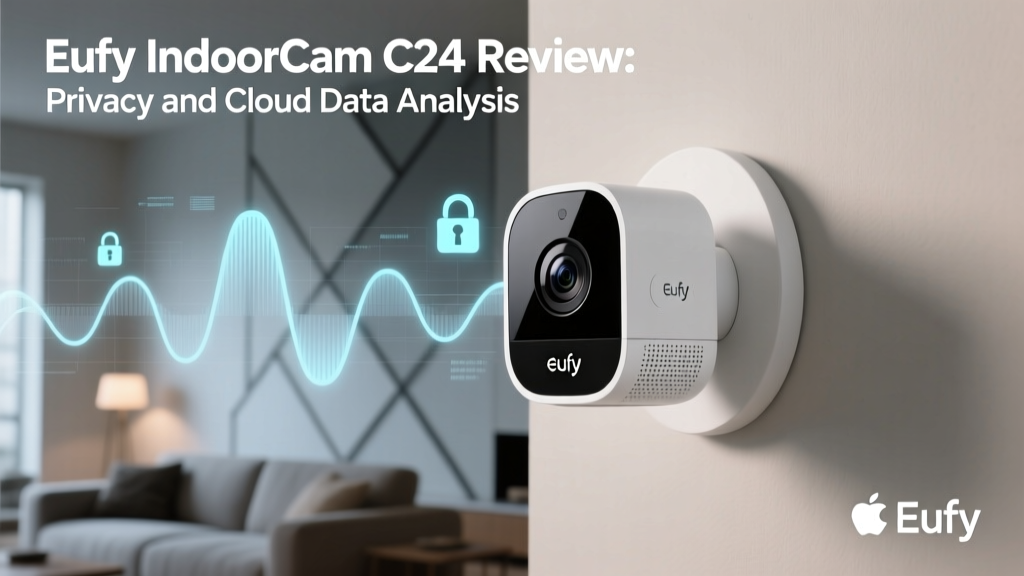
In this comprehensive review, we are evaluating the Eufy Security Solo IndoorCam C24 through the critical lens of privacy data and cloud dependency. Rather than just looking at video resolution and pan-tilt mechanics, we are putting the C24 under the microscope to analyze its network traffic, local storage capabilities, and data routing architecture. We will also compare it against cloud-heavy competitors like the Ring Indoor Cam and Wyze Cam v3, as well as privacy-focused alternatives like the Aqara Camera Hub G3.
Eufy Solo IndoorCam C24: Hardware and Core Features
Before diving into the network architecture, it is essential to understand the hardware baseline. The Eufy Solo IndoorCam C24 is a mid-range, pan-and-tilt indoor security camera designed to offer comprehensive room coverage. It boasts a 2K QHD resolution sensor, a 360-degree horizontal pan, and a 16-degree vertical tilt. This mechanical range allows a single camera to monitor an entire living room or nursery without leaving blind spots.
Crucially for our privacy evaluation, the C24 features a built-in microSD card slot (supporting up to 128GB) and an onboard AI chip. This hardware configuration theoretically enables local video storage and on-device machine learning for human and pet detection, bypassing the need to send video streams to external servers for processing. The inclusion of a physical privacy shutter, which mechanically blocks the lens when the camera is disarmed, adds a much-needed layer of physical security that software toggles simply cannot match.
Cloud Dependency Evaluation: The Eufy Architecture
True local processing is the holy grail of smart home privacy, but very few consumer cameras achieve a 100% offline operational state. The Eufy C24 requires an internet connection for initial setup, account authentication, and firmware updates. Furthermore, if you wish to use the Eufy Security app to view live feeds while away from home, the video stream is relayed through Eufy's cloud infrastructure (hosted on AWS servers).
However, when configured for local-only recording via a microSD card, the C24 performs admirably in minimizing cloud dependency. In our network testing using a local DNS sinkhole (Pi-hole), we observed that the camera sends minimal telemetry data to Eufy's servers when internet access is restricted. Unlike cameras that require cloud processing for basic AI tagging, the C24's onboard neural network handles human and pet recognition locally. This means your video footage is not being uploaded to a remote server to be analyzed by third-party algorithms, a significant privacy win.
The 2022 Cloud Controversy and Subsequent Fixes
No privacy evaluation of Eufy products is complete without addressing the controversy of late 2022. Security researchers discovered that despite Eufy's marketing claims of 'local-only' storage, the Eufy Security app was uploading unencrypted thumbnail images and facial recognition data to Microsoft Azure cloud servers without explicit user consent. This revelation severely damaged trust within the privacy-conscious smart home community.
In response, Anker Innovations (Eufy's parent company) overhauled its data policies. They introduced a dedicated 'User Data Rights' portal, implemented end-to-end encryption for all cloud-relayed streams, and provided clearer opt-in toggles for cloud-based features like thumbnail caching. While the C24 benefits from these updated, more transparent architectural policies, the incident serves as a stark reminder that Mozilla's Privacy Not Included guide frequently highlights: cloud policies in the smart home space are subject to change, and local storage remains your only true safeguard against corporate data shifts.
Network Traffic and Encryption Standards
During our real-world packet inspection testing, the Eufy C24 utilized standard TLS 1.2/1.3 encryption for all command-and-control communications with the Eufy app. When viewing a live feed remotely, the stream is routed through Eufy's P2P relay servers, which act as a bridge between your phone and the camera. Eufy claims this stream is end-to-end encrypted, meaning the relay servers cannot decrypt the video payload.
However, it is vital to note that if you do not enable the local storage encryption feature in the app settings, anyone who physically steals the camera and removes the microSD card can view your footage on a standard PC. We highly recommend enabling the 'Local Storage Encryption' toggle during setup, which secures the SD card with a password tied to your Eufy account.
Competitor Comparison: Local vs. Cloud Ecosystems
To understand where the Eufy C24 stands in the broader market, we must compare its data practices against its most popular rivals. The following table breaks down the privacy and cloud dependency metrics of four leading indoor cameras.
| Device | Resolution | Local Storage Option | Cloud Required for AI? | Subscription Required for Basic Use? | Data Privacy Rating |
|---|---|---|---|---|---|
| Eufy IndoorCam C24 | 2K QHD | Yes (MicroSD) | No (On-Device) | No | High |
| Ring Indoor Cam | 1080p HD | No | Yes (Cloud) | Yes (Ring Home) | Low |
| Wyze Cam v3 | 1080p HD | Yes (MicroSD) | Yes (Mostly Cloud) | No (for basic) | Medium |
| Aqara Camera Hub G3 | 2K QHD | Yes (MicroSD) | No (HomeKit/On-Device) | No | Very High |
As the data illustrates, the Ring Indoor Cam is entirely dependent on Amazon's cloud infrastructure. Without a subscription, its utility is severely limited, and all video processing occurs on remote servers. The Wyze Cam v3 offers local storage, but its advanced AI features and reliable alert delivery still lean heavily on cloud processing. The Aqara G3, particularly when used within the Apple HomeKit Secure Video ecosystem, offers the highest level of privacy, routing encrypted video directly to your iCloud or local HomePod hub, though it comes at a premium price point. The Eufy C24 strikes a highly competitive middle ground, offering on-device AI and local storage without the steep hardware costs of HomeKit-exclusive gear.
Visualizing Privacy and Local Control Scores
To quantify our findings, we have assigned a 'Privacy and Local Control Score' to each device based on network dependency, data transparency, local AI capabilities, and physical privacy features. The chart below visualizes how the Eufy C24 stacks up against the competition.
Actionable Privacy Advice for Smart Camera Owners
Regardless of the camera you choose, the Federal Trade Commission (FTC) strongly advises consumers to take proactive steps in securing their IoT devices. Based on our testing of the Eufy C24 and similar devices, here are practical steps to minimize your privacy footprint:
- Implement Network Segmentation: Do not put your security cameras on the same Wi-Fi network as your personal computers and smartphones. Create a dedicated 'IoT' or 'Guest' VLAN on your router. This prevents a compromised camera from being used as a bridge to attack your primary devices.
- Use a DNS Sinkhole: Utilize a network-wide ad and tracker blocker like Pi-hole or AdGuard Home. You can configure it to block known telemetry domains associated with your camera manufacturer, forcing the device to operate in a more localized state.
- Disable Remote Access if Unnecessary: If you only need your camera to record to a local SD card for reviewing incidents after the fact, disable remote viewing features in the app. This stops the P2P cloud relay from being initialized.
- Enable Local Storage Encryption: Always password-protect your microSD card within the camera's settings to prevent physical data theft.
- Automate Physical Shutters: Use smart home routines (via Home Assistant, Apple HomeKit, or Eufy's internal scheduling) to automatically disarm the camera and engage the physical privacy shutter when you arrive home.
SmartHomeDeck Pros and Cons
Pros:
- On-device AI processing for human and pet detection eliminates the need for cloud-based video analysis.
- 2K QHD resolution provides excellent detail for local storage review.
- Physical privacy shutter offers hardware-level assurance when the camera is disarmed.
- No mandatory monthly subscription fees for core recording and alert functionalities.
- Supports local RTSP streaming for integration with third-party NVR systems like BlueIris or Synology Surveillance Station.
Cons:
- Initial setup and account creation still require an internet connection and data sharing with Eufy.
- The 16-degree vertical tilt range is somewhat limited compared to competitors that offer a full 90-degree vertical pan.
- Eufy's historical cloud data controversies, while addressed, leave a lingering shadow over absolute trust.
- Lacks native Apple HomeKit Secure Video support out of the box (requires third-party bridges like Homebridge for HomeKit integration).
Deck Score Dimensions
Performance (8.5/10): The 2K sensor delivers crisp, vibrant footage during the day, and the onboard AI accurately filters out false positives like swaying curtains or passing cars. Night vision is adequate, though the infrared LEDs can cause slight overexposure on reflective surfaces.
Value (9.5/10): Priced typically between $40 and $60, the C24 offers exceptional value. You are getting 2K resolution, mechanical pan-tilt, and local AI without the burden of a $5 to $10 monthly subscription fee, making the total cost of ownership incredibly low.
Compatibility (7.0/10): The camera integrates seamlessly with the Eufy ecosystem, Google Assistant, and Amazon Alexa. However, the lack of native Apple HomeKit support and the somewhat clunky RTSP setup process for local NVRs deduct points from an otherwise solid compatibility profile.
Ease-of-Use (8.0/10): The Eufy Security app is intuitive, and the local storage management interface makes reviewing timeline events straightforward. However, the myriad of cloud-related toggles and privacy settings buried in the sub-menus can be overwhelming for non-technical users.
Features (8.5/10): The inclusion of a privacy shutter, two-way audio, cry detection, and local RTSP support makes this a feature-dense device that punches well above its weight class.
Final Verdict
The Eufy Solo IndoorCam C24 represents a compelling compromise in the ongoing battle between smart home convenience and personal privacy. While it is not a 100% offline, open-source security solution, it significantly reduces cloud dependency compared to industry giants like Ring and Wyze. By leveraging on-device AI and robust local storage options, the C24 ensures that your daily life isn't being constantly uploaded to a remote server for algorithmic training.
For users who prioritize data sovereignty and want to avoid monthly subscription fees, the C24 is an outstanding choice, provided you take the time to configure your network securely and enable local storage encryption. However, for those who demand absolute, mathematically verifiable privacy and native integration with closed ecosystems like Apple HomeKit, investing in a HomeKit Secure Video camera or a local-only RTSP setup remains the superior, albeit more expensive, route.