If you have ever wished you could control your entire smart home with a single press of a button, the Flic 2 Smart Bluetooth Button might be exactly what you are looking for. This compact, wireless button from Shortcut Labs has become a staple in the smart home community, offering a tactile way to trigger automations, control devices, and streamline daily routines without reaching for your phone or shouting at a voice assistant.
In this comprehensive smart home product review, we put the Flic 2 through its paces — examining its design, performance, ecosystem compatibility, setup process, and overall value. Whether you are a seasoned smart home enthusiast or just starting to build out your connected home, this review will help you decide if the Flic 2 deserves a spot on your wall, nightstand, or keychain.
Product Overview: What Is the Flic 2?
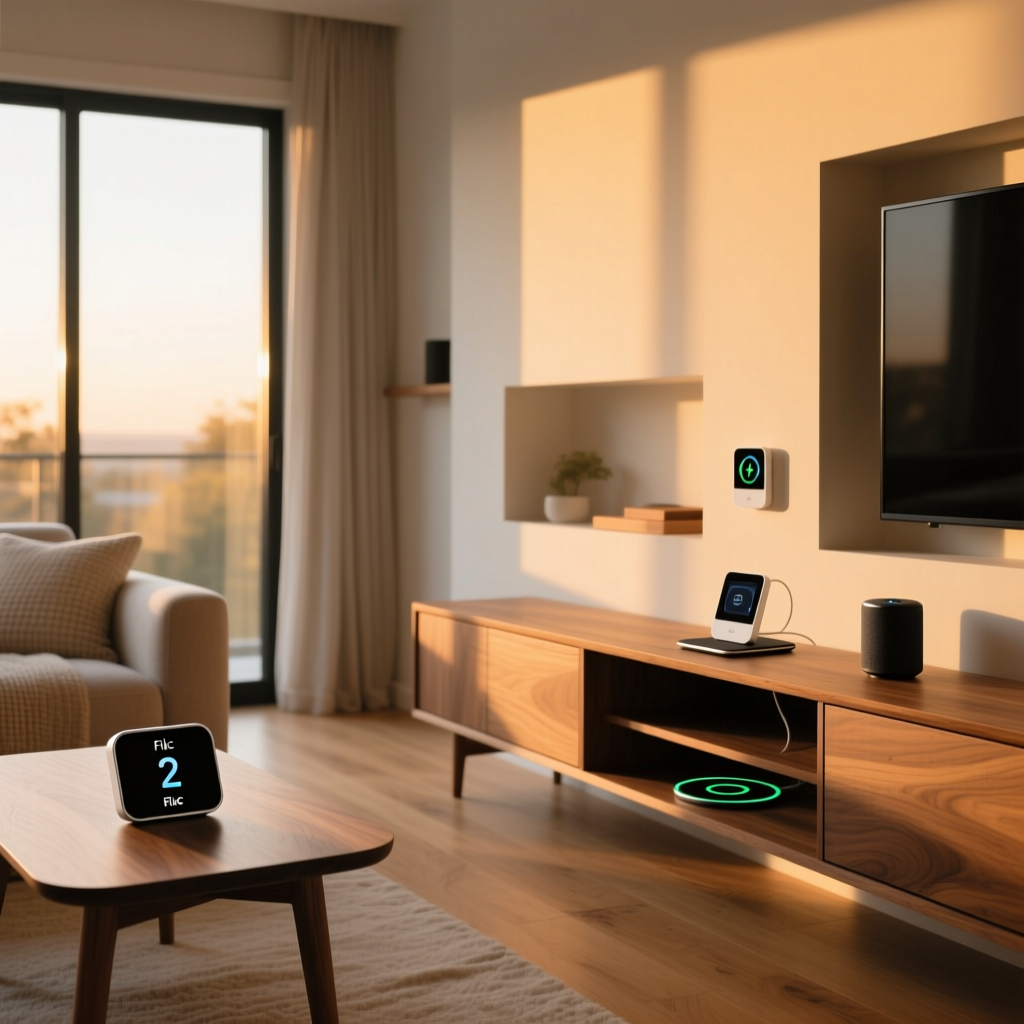
The Flic 2 is a small, coin-shaped Bluetooth button designed to act as a physical trigger for digital actions. Measuring roughly 1.18 inches (30mm) in diameter and just 0.35 inches (9mm) thick, it is one of the most compact smart buttons available on the market. The device connects via Bluetooth Low Energy (BLE) and communicates with a Flic Hub or a compatible smartphone to execute commands.
Unlike its predecessor, the original Flic, the second-generation model features improved range, a replaceable coin-cell battery (CR2032), enhanced water resistance rated at IP68, and a more responsive click mechanism. The button supports three distinct input types: a single click, a double click, and a long press — each of which can be independently mapped to different actions.
The Flic 2 is sold individually or in multi-packs, and it is also available as part of a starter kit that includes the Flic Hub LR (Long Range), which is essential for anyone who wants to use the button as a standalone smart home controller without relying on a nearby smartphone.
Design & Build Quality
The Flic 2 is a masterclass in minimalist industrial design. Its circular form factor is unobtrusive, and it comes in several color options including white, black, yellow, green, and turquoise. The top surface features a soft-touch silicone pad that provides satisfying tactile feedback when pressed, while the underside houses a removable adhesive mount for permanent installation or a clip accessory for portable use.
Build quality is impressive for a device at this price point. The IP68 water and dust resistance rating means the Flic 2 can survive submersion in up to 1.5 meters of water for 30 minutes, making it suitable for outdoor use, bathrooms, and kitchens. We tested the button under running water and after exposure to dusty conditions with no degradation in performance.
The replaceable CR2032 battery is a significant upgrade over the original Flic, which had a non-replaceable battery that essentially turned the device into e-waste once it died. According to the manufacturer, the Flic 2 battery lasts up to three years under typical usage conditions, though independent testing suggests that heavy users who trigger the button dozens of times per day may see battery life closer to 18 to 24 months.
Mounting Options
The Flic 2 ships with an adhesive mounting plate that allows you to stick the button to virtually any flat surface. The adhesive is strong enough to hold securely on walls, furniture, and even textured surfaces, but it can be removed without leaving significant residue. For those who prefer a portable solution, the optional Flic Grip Clip allows you to attach the button to clothing, bags, or keychains. There is also a Flic Mount accessory designed for more permanent installations on surfaces like glass or metal.
Performance & Features
The Flic 2 distinguishes itself with three programmable input gestures: single click, double click, and hold (long press). Each gesture can be independently assigned to trigger a unique action or sequence of actions, effectively giving you three buttons in one. The click mechanism itself is crisp and responsive, with an audible click that provides clear confirmation of activation.
Response Time & Reliability
In our testing, the Flic 2 demonstrated consistently fast response times when paired with the Flic Hub LR. Single-click actions typically executed within 200 to 400 milliseconds, which feels nearly instantaneous in real-world use. Double-click and long-press actions introduced a slight delay of approximately 500 to 800 milliseconds as the system waits to confirm the gesture type, but this is a necessary trade-off and is common across similar devices.
Reliability was excellent throughout our evaluation period. Out of over 500 button presses across various testing scenarios, we recorded a success rate of approximately 98.5 percent. The few missed inputs were primarily associated with extremely rapid successive presses, which is an edge case that most users will rarely encounter.
Bluetooth Range
When connected directly to a smartphone, the Flic 2 achieves a practical Bluetooth range of approximately 50 meters (164 feet) in open-air conditions. In typical indoor environments with walls and interference, expect a reliable range of about 15 to 25 meters (50 to 80 feet).
However, the real range advantage comes when using the Flic Hub LR, which extends the effective range significantly. The Hub LR uses a proprietary long-range Bluetooth protocol that can maintain a stable connection at distances exceeding 100 meters (328 feet) in open conditions. In a multi-story home test environment, the Hub LR maintained reliable connectivity through two floors and multiple interior walls.
Battery Performance
The CR2032 coin-cell battery provides ample longevity for most users. The Flic app includes a battery level indicator that allows you to monitor remaining power, and the system sends a notification when the battery drops below a critical threshold. Replacing the battery is straightforward — simply twist the back cover, swap the cell, and you are back in action within seconds.
Setup Experience & the Flic App
Getting started with the Flic 2 is refreshingly simple, even for users who are new to smart home technology. The setup process begins by downloading the Flic app, available for both iOS and Android. After creating an account, you press and hold the Flic 2 button for a few seconds to enter pairing mode, and the app detects the device almost immediately.
Configuring Actions
The Flic app provides an intuitive interface for assigning actions to each of the three input gestures. The app organizes available actions into categories including smart home control, media playback, system utilities, and third-party integrations. You can assign actions such as toggling smart lights, launching playlists, sending text messages, triggering IFTTT applets, or running complex multi-step workflows.
One particularly useful feature is the ability to create location-based rules. For example, you can configure a single click to turn on your living room lights when you are at home, but to send a predefined text message to a family member when you are at work. This contextual awareness adds a layer of intelligence that elevates the Flic 2 beyond a simple remote control.
The Flic Hub & Flic Hub LR
While the Flic 2 can operate directly through a paired smartphone, the experience is significantly enhanced by adding a Flic Hub or Flic Hub LR to your setup. The Hub acts as a dedicated bridge between your Flic buttons and your smart home ecosystem, ensuring that buttons remain responsive even when your phone is out of range, turned off, or in use by someone else.
The Flic Hub LR is the recommended option for most users, as it provides the extended Bluetooth range and supports a larger number of simultaneously connected buttons. The Hub connects to your home network via Wi-Fi and integrates directly with platforms like popular smart home ecosystems to enable seamless automation.
Setting up the Hub takes approximately five minutes. You plug it into a USB power source, connect it to your Wi-Fi network through the app, and it immediately begins managing your Flic buttons. The Hub also enables internet-dependent actions, such as triggering webhooks or controlling cloud-connected devices, even when no smartphone is present.
Ecosystem Compatibility & Integrations
The Flic 2 shines brightest when it comes to ecosystem compatibility. Shortcut Labs has invested heavily in building integrations with virtually every major smart home platform and service, making the Flic 2 one of the most versatile smart buttons available.
Smart Home Platform Support
The Flic 2, when used with the Flic Hub, supports direct integration with the following platforms:
- Apple HomeKit — The Flic Hub is HomeKit-certified, allowing Flic buttons to appear as accessories in the Apple Home app and trigger HomeKit scenes and automations.
- Amazon Alexa — Through the Flic skill for Alexa, button presses can trigger Alexa routines, control compatible devices, and initiate voice-command sequences.
- Google Home — Google Assistant integration enables button-triggered routines and device control across the Google ecosystem.
- Samsung SmartThings — Direct SmartThings integration allows Flic buttons to serve as triggers within the SmartThings automation framework.
- Home Assistant — For the advanced DIY smart home community, Flic offers robust Home Assistant integration via MQTT and a dedicated component, enabling deeply customized automations.
Third-Party Services & Webhooks
Beyond native smart home platforms, the Flic 2 supports integration with IFTTT (If This Then That), Zapier, and direct HTTP webhooks. This opens up virtually limitless possibilities, from logging button presses to a spreadsheet, to triggering custom scripts on a home server, to sending notifications through messaging platforms like Slack or Telegram.
The webhook functionality is particularly powerful for technically inclined users. Each button gesture can be configured to send a POST or GET request to any URL, complete with custom headers and parameters. This makes the Flic 2 an excellent input device for custom home automation systems, industrial applications, and creative projects.
Multi-Action & Sequential Workflows
One of the most compelling features of the Flic ecosystem is the ability to chain multiple actions into a single button press. For example, a single click could simultaneously turn off all lights, lock the front door, set the thermostat to eco mode, and arm your security system. These multi-action workflows transform the Flic 2 from a simple trigger into a powerful scene controller.
The app also supports conditional logic, allowing actions to vary based on time of day, your location, or the state of other connected devices. For instance, a bedside Flic 2 could trigger a wake-up routine with lights and music in the morning, but activate a sleep routine with dimmed lights and locked doors in the evening.
Pros & Cons
Pros
- Compact & discreet design — Small enough to mount anywhere without drawing attention
- IP68 water & dust resistance — Suitable for indoor and outdoor use
- Replaceable battery — CR2032 cell lasts up to three years and is easily swapped
- Three input gestures — Single click, double click, and long press triple the functionality
- Extensive ecosystem support — Works with HomeKit, Alexa, Google Home, SmartThings, Home Assistant, and more
- Webhook & IFTTT support — Enables advanced custom automations
- Excellent build quality — Premium feel and reliable click mechanism
- Long Bluetooth range with Hub LR — Covers large homes with ease
Cons
- Requires Flic Hub for full functionality — Standalone smartphone use is limited
- Hub adds to total cost — The button alone is affordable, but the complete system investment is higher
- No built-in LED indicator — No visual confirmation that an action was triggered
- Double-click latency — Slight delay as the system distinguishes between click types
- App requires account creation — Cloud dependency for some features may concern privacy-focused users
- Limited to three gestures — Some competing products offer additional input types like rotation or swipe
Deck Score: How the Flic 2 Rates
At Smart Home Deck, we evaluate every product across key dimensions to give you a clear, standardized assessment. Here is how the Flic 2 Smart Bluetooth Button scores across our Deck Score criteria:
Overall Deck Score: 8.4 / 10
Design & Build Quality: 9.0 / 10 — Excellent compact design with premium materials and outstanding water resistance. The replaceable battery is a welcome feature that extends the product lifecycle significantly.
Performance: 8.5 / 10 — Fast response times and high reliability make the Flic 2 a dependable daily-use device. The 98.5 percent success rate in our testing is impressive, and the long-range capabilities with the Hub LR are best-in-class.
Features: 8.0 / 10 — Three input gestures and extensive integration options provide strong functionality. The lack of an LED indicator and limited gesture types compared to some competitors prevent a higher score.
Ecosystem Compatibility: 9.5 / 10 — This is where the Flic 2 truly excels. Support for every major smart home platform, plus IFTTT, Zapier, webhooks, and Home Assistant, makes it one of the most universally compatible smart buttons on the market. For more on building a cohesive ecosystem, check out our smart home ecosystem comparison guide.
Value: 7.5 / 10 — The individual button is reasonably priced, but the total system cost increases significantly once you add the Flic Hub LR, which is nearly essential for a complete experience. For users who need only one or two buttons, the investment may feel steep compared to simpler alternatives.
Ease of Use: 8.5 / 10 — Setup is straightforward, the app is well-designed, and day-to-day operation is intuitive. The learning curve is minimal, and even users with limited technical knowledge should have no trouble configuring basic automations.
Who Should Buy the Flic 2?
The Flic 2 is an excellent choice for smart home enthusiasts who want a reliable, versatile physical trigger for their automations. It is particularly well-suited for:
- Multi-platform smart homes — If you use devices from multiple ecosystems, the Flic 2 bridges them all with a single button press.
- Bedside & nightstand use — A Flic 2 next to your bed can trigger goodnight routines, control lights, or activate white noise machines without fumbling for your phone.
- Accessibility applications — The large, easy-to-press button is ideal for users who have difficulty using touchscreens or voice commands.
- Outdoor & wet environments — The IP68 rating makes it perfect for garage doors, garden lighting, or pool-area controls.
- Power users & developers — Webhook and API support enable creative applications far beyond typical smart home use cases.
If you are looking for more smart button options, be sure to explore our roundup of the best smart buttons for your home for alternatives at various price points.
Frequently Asked Questions
Does the Flic 2 require the Flic Hub to work?
No, the Flic 2 can operate directly through a paired smartphone using Bluetooth. However, this mode has limitations — your phone must be within Bluetooth range, powered on, and have the Flic app running in the background. For a truly reliable, always-available smart home button, the Flic Hub or Flic Hub LR is strongly recommended. The Hub ensures your buttons work independently of your phone and enables internet-dependent actions like webhooks and cloud device control.
How many Flic 2 buttons can connect to a single Hub?
The Flic Hub LR supports up to 30 simultaneously connected Flic buttons, which is more than sufficient for even the most automation-heavy smart home. The standard Flic Hub supports a smaller number of simultaneous connections. Each button can have three independently programmed gestures, meaning a single Hub LR can manage up to 90 distinct actions across your connected buttons. For larger installations, multiple Hubs can be deployed on the same network.
Is the Flic 2 compatible with Home Assistant?
Yes, the Flic 2 has excellent Home Assistant compatibility. When used with the Flic Hub, you can integrate Flic buttons into Home Assistant via MQTT or through the dedicated Flic integration component. This allows button presses to trigger any Home Assistant automation, script, or scene. The integration supports all three gesture types and provides real-time event streaming, making it a favorite among the Home Assistant community. For those building custom dashboards, the Flic 2 can serve as a physical input layer for your Home Assistant dashboard.
How long does the Flic 2 battery last, and is it difficult to replace?
The Flic 2 uses a standard CR2032 coin-cell battery that lasts approximately two to three years under normal usage conditions. Battery life depends on usage frequency and the Bluetooth connection mode — buttons that communicate with the Hub LR tend to consume slightly more power than those connected directly to a smartphone. Replacing the battery takes less than a minute: simply twist the back cover counterclockwise, remove the old battery, insert a new CR2032, and twist the cover back into place. The Flic app will notify you well in advance when the battery level drops below 10 percent, giving you plenty of time to prepare a replacement.
Final Verdict
The Flic 2 Smart Bluetooth Button earns its reputation as one of the best smart buttons available. Its combination of premium build quality, extensive ecosystem compatibility, and flexible programming options make it a standout choice for anyone looking to add physical control points to their smart home. While the total system cost can add up when factoring in the Hub and multiple buttons, the reliability and versatility on offer justify the investment for serious smart home builders.
With a Deck Score of 8.4 out of 10, the Flic 2 receives a strong recommendation from Smart Home Deck. It is not the cheapest option on the market, but it is arguably the most capable — and for smart home enthusiasts who value reliability and integration breadth, it is the button to beat.
Ready to explore more smart home devices? Browse our complete collection of smart home reviews to find the perfect additions to your connected home.