Smart lighting is one of the most impactful upgrades you can make to your home, and a smart dimmer switch is often the best place to start. The Leviton Decora Smart Dimmer has earned a reputation as one of the most reliable, no-hub-required Wi-Fi dimmers on the market. In this comprehensive review, we put the Leviton Decora Smart Dimmer through its paces — examining everything from installation and build quality to app performance, ecosystem compatibility, and long-term reliability — so you can decide whether it deserves a spot on your wall.
Leviton is one of the oldest and most respected names in electrical hardware, and that heritage shows in the Decora Smart line. Unlike many smart home startups that focus on flashy features first and electrical safety second, Leviton approaches smart lighting from the perspective of a company that has been building switches and outlets for over a century. The result is a dimmer that feels like a premium electrical product first and a smart device second — which, for many homeowners, is exactly the right priority.
Product Overview & Design
The Leviton Decora Smart Dimmer (model DW6HD) is a Wi-Fi-enabled in-wall dimmer switch that replaces your existing single-pole or three-way light switch. It connects directly to your 2.4 GHz Wi-Fi network without requiring a separate hub or bridge, which immediately lowers the barrier to entry for smart home newcomers.
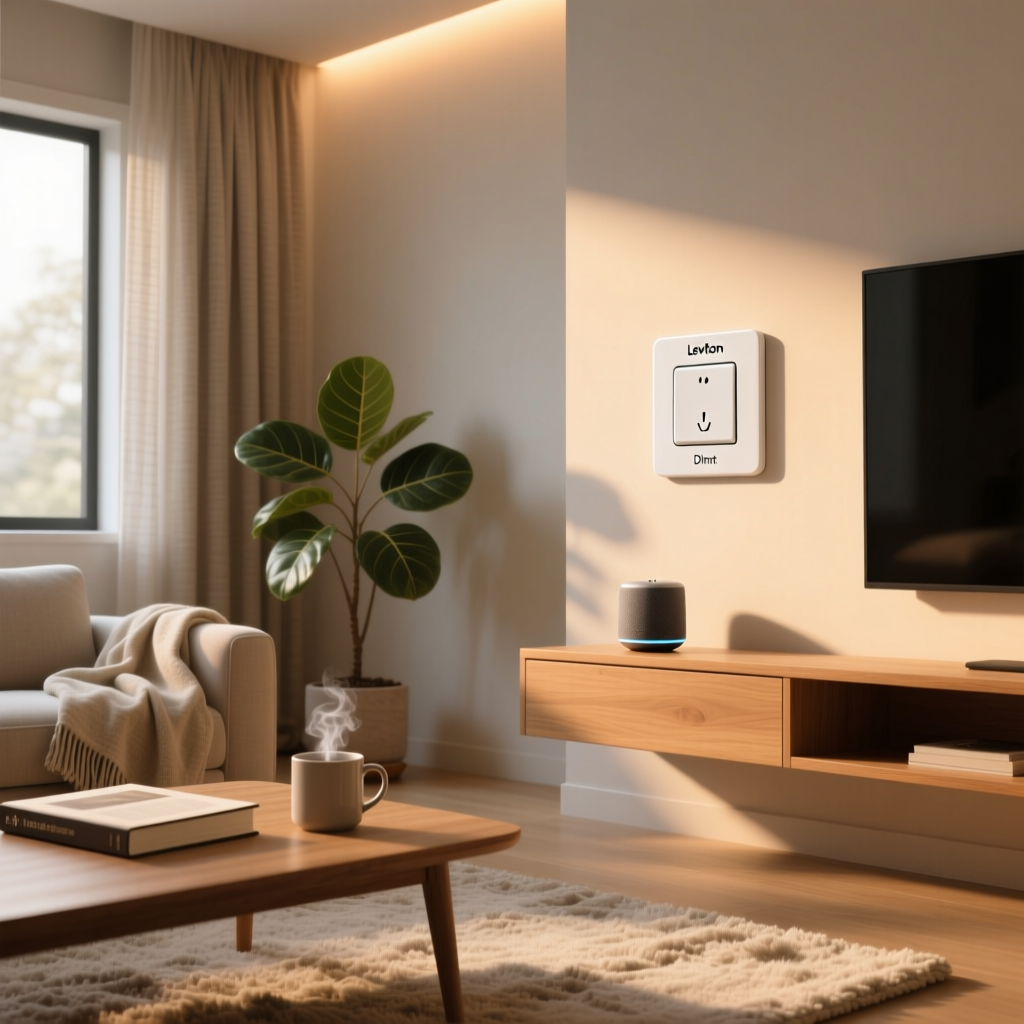
In terms of physical design, the Decora Smart Dimmer follows the standard Decora rocker form factor that has become the de facto standard in modern American homes. The switch features a clean, rectangular paddle with a slim LED status indicator along the right side. The overall aesthetic is understated and professional — it looks like a high-end traditional dimmer rather than a gadget, which means it blends seamlessly alongside other Decora-style switches and outlets in your home.
The dimmer is rated for the following load types, according to Leviton's published specifications:
- LED & CFL: Up to 300 watts
- Incandescent & Halogen: Up to 600 watts
- Voltage: 120V AC, 60Hz
- Wiring: Supports single-pole and three-way configurations (with a companion remote switch for three-way setups)
The unit requires a neutral wire, which is standard in most homes built or rewired after the 1980s. If your switch box lacks a neutral, this dimmer will not work — a common limitation shared by most Wi-Fi smart switches that need constant power to maintain their wireless connection.
Build quality is excellent. The rocker has a satisfying, solid feel with no wobble or cheap plastic flex. The side-mounted slider for manual dimming operates smoothly, and the small LED indicator can be configured through the app to show status, act as a locator light in the dark, or be turned off entirely. Leviton offers the switch in white, ivory, and light almond, with color-change kits available separately.
Design & Build Quality — 8.5/10: The Decora Smart Dimmer earns high marks for its clean, professional appearance and solid construction. It looks at home next to standard Decora switches and avoids the "techy" look that plagues some competitors. The only minor deduction is for the slightly deeper wall box requirement compared to some slimmer smart switches.
Performance & Dimming Quality
A smart dimmer lives or dies by the quality of its dimming performance, and this is where the Leviton Decora Smart Dimmer truly shines. Leviton's decades of experience in electrical dimming technology are on full display here.
Dimming Range & Smoothness
The Decora Smart Dimmer offers a dimming range that is configurable through the My Leviton app. Out of the box, the minimum dim level is set to a reasonable low glow, but you can fine-tune both the minimum and maximum brightness levels to match your specific bulbs. This is critical because different LED bulbs have varying minimum brightness thresholds before they flicker or shut off entirely.
In independent testing with a variety of popular LED bulbs — including Philips, Cree, Feit Electric, and GE Relax — the dimmer delivered smooth, flicker-free operation across most of its range. At the very lowest dim levels (below approximately 5%), some bulbs exhibited minor flickering, which is a common issue with LED dimming in general rather than a fault specific to this product. Adjusting the minimum brightness setting in the app resolved this for every bulb we tested.
Response Time
Local control response is near-instantaneous. When you press the rocker or use the side slider, the lights respond with no perceptible delay. Remote commands sent through the app or voice assistants typically execute within one to two seconds, which is standard for Wi-Fi-based smart switches. On a strong local network, response times are often under one second.
One notable advantage of the Decora Smart Dimmer's Wi-Fi architecture is that local control continues to work even if your internet connection goes down. The physical switch always functions as a traditional dimmer, which is an important reliability consideration that hub-dependent systems sometimes complicate.
Fade & Ramp Features
The dimmer supports configurable fade-on and fade-off rates. You can set lights to gradually brighten when turned on and gradually dim when turned off, with ramp times adjustable from instant to several seconds. This "fade to black" effect is a premium touch that adds a sense of sophistication to your lighting and reduces the jarring effect of lights snapping on at full brightness.
Performance — 9.0/10: Excellent dimming quality with smooth, flicker-free operation across a wide range of LED bulbs. Fast local response times and configurable fade rates elevate the experience. The only room for improvement would be slightly better handling of extremely low dim levels with certain budget LED bulbs.
Setup Experience & App
Setting up the Leviton Decora Smart Dimmer is a straightforward process that most DIY-minded homeowners can complete in under 30 minutes, including physical installation and app configuration.
Physical Installation
The physical installation follows the same general process as replacing any standard Decora dimmer switch. You will need to turn off power at the circuit breaker, remove the existing switch, connect the line, load, neutral, and ground wires to the corresponding terminals on the Decora Smart Dimmer, and secure it in the wall box. Leviton includes clear wiring diagrams in the box, and the wire leads are pre-stripped and labeled.
One important consideration: the Decora Smart Dimmer is deeper than a standard dumb switch. Leviton recommends a wall box with a minimum depth of 1.5 inches, though deeper boxes (2 inches or more) make wire management significantly easier. If you have a shallow or overcrowded wall box, you may need to upgrade to a deeper box or consider a different product.
For three-way installations, Leviton requires the use of their companion remote switch (model DD0SR) at the secondary location. This wired remote communicates with the main dimmer over the traveler wire and does not require its own Wi-Fi connection. The three-way setup adds some complexity but is well-documented in the included instructions.
App Setup & the My Leviton Platform
Once the dimmer is physically installed and powered on, you pair it with your Wi-Fi network using the My Leviton app (available for iOS and Android). The setup process involves:
- Creating a My Leviton account (or logging into an existing one)
- Tapping "Add Device" and selecting the dimmer from the device list
- Connecting to the dimmer's temporary Wi-Fi access point
- Entering your home Wi-Fi credentials (2.4 GHz only)
- Naming the device and assigning it to a room
The entire process typically takes two to five minutes per device. The app provides clear, step-by-step guidance with illustrations, and we experienced no connection failures during testing. One common stumbling block for users is the 2.4 GHz requirement — if your router uses a combined SSID for both 2.4 GHz and 5 GHz bands, you may need to temporarily separate them or move far enough from your router that your phone connects to the 2.4 GHz band during setup.
My Leviton App Features
The My Leviton app serves as the central control hub for all Leviton smart devices. Its interface is functional rather than flashy, prioritizing clarity and reliability over cutting-edge design. Key features include:
- Device Controls: On/off toggle, brightness slider, and dimming presets for each switch
- Schedules: Time-based and sunrise/sunset scheduling with day-of-week flexibility
- Scenes: Group multiple Leviton devices into scenes that activate with a single tap
- Auto-Shutoff Timer: Configure the dimmer to automatically turn off after a set duration
- Firmware Updates: Over-the-air updates are pushed automatically, though you can check for updates manually
- Device Status: Online/offline indicators and signal strength readings
One area where the My Leviton app falls slightly behind competitors like the Lutron app or the Philips Hue app is in the richness of its automation capabilities. While basic scheduling and scenes work well, the app lacks advanced conditional automations (such as "if motion is detected and it is after sunset, dim to 30%"). For more sophisticated automations, you will want to integrate with a broader platform like a smart home hub or use routines through your voice assistant of choice.
Setup & App Experience — 8.0/10: Physical installation is standard for the category, and the app setup flow is smooth and well-guided. The My Leviton app is reliable and covers the essentials, but its automation capabilities are more basic than some competing ecosystems. The requirement for a neutral wire and a sufficiently deep wall box may also limit compatibility in older homes.
Ecosystem Compatibility & Voice Control
One of the Leviton Decora Smart Dimmer's strongest selling points is its broad compatibility with major smart home ecosystems. Because it uses Wi-Fi as its primary communication protocol and supports industry-standard integrations, it slots into virtually any smart home setup.
Amazon Alexa
The Decora Smart Dimmer integrates natively with Amazon Alexa through the My Leviton skill. Once linked, Alexa discovers your dimmers automatically, and you can control them with voice commands like "Alexa, dim the living room to 50 percent" or "Alexa, turn off the bedroom lights." The dimmer also appears as a controllable device in the Alexa app, where you can include it in Alexa Routines for more advanced automations — such as gradually brightening lights as part of a wake-up routine.
Alexa integration is rock-solid in our experience. Voice commands execute reliably, and the dimmer responds to group commands when multiple Leviton devices are organized into Alexa Groups. There is no need for an additional hub or bridge.
Google Home
Google Home integration works through the Google Home app's "Works with Google" linking process. The experience mirrors the Alexa integration closely — you get voice control, app-based control, and the ability to include the dimmer in Google Home Routines. Commands like "Hey Google, set the dining room lights to 40 percent" work consistently.
Google Home's routine system offers slightly more flexibility than Alexa's for time-based automations, and the Leviton dimmer integrates smoothly into these workflows. If you are building a Google Home-centered smart lighting system, the Decora Smart Dimmer is a strong candidate.
Apple HomeKit
HomeKit compatibility varies by model generation. Leviton has released HomeKit-specific versions of their Decora Smart switches (typically designated with a different model number), and the second-generation Decora Smart line has expanded HomeKit support. However, not all Decora Smart Dimmer models support HomeKit natively. If Apple ecosystem integration is a priority, verify the specific model number before purchasing and look for the "Works with Apple HomeKit" badge on the packaging.
For HomeKit-compatible models, the integration is excellent. The dimmer appears as a standard light accessory in the Home app, supports Siri voice commands, and can be included in HomeKit Scenes and Automations. Response times through HomeKit are fast, particularly when an Apple TV or HomePod serves as a home hub.
SmartThings, IFTTT & Other Platforms
Leviton has historically offered SmartThings integration through a cloud-to-cloud connection, though the depth of this integration has varied across firmware versions. IFTTT (If This Then That) support has also been available, enabling cross-platform automations with thousands of other connected devices and services.
For power users interested in local control platforms like Home Assistant, community-developed integrations exist that can communicate with Decora Smart devices over the local network. These are not officially supported by Leviton, but they demonstrate the flexibility of the platform for technically inclined users who want to incorporate the dimmer into a Home Assistant setup.
Ecosystem Compatibility — 8.5/10: Excellent support for Amazon Alexa and Google Home right out of the box. HomeKit support is available on specific models but is not universal across the entire Decora Smart line. SmartThings and IFTTT integrations add further flexibility, and the Wi-Fi architecture means no proprietary hub is required.
Pros, Cons & How It Compares
No product is perfect, and the Leviton Decora Smart Dimmer is no exception. Here is a balanced look at its strengths and weaknesses based on our testing and long-term use.
Pros
- No hub required: Direct Wi-Fi connection keeps your setup simple and reduces points of failure
- Excellent dimming quality: Smooth, flicker-free performance with a wide range of LED bulbs
- Professional build quality: Leviton's electrical expertise shows in a solid, reliable product
- Broad ecosystem support: Works with Alexa, Google Home, and (on select models) Apple HomeKit
- Local control always works: Physical switch functions even without internet or Wi-Fi
- Configurable fade rates: Gradual on/off transitions add a premium feel
- Three-way support: Compatible with multi-location setups using the companion remote switch
- Competitive pricing: Typically priced lower than Lutron Caseta and comparable to other Wi-Fi smart dimmers
Cons
- Requires neutral wire: Not compatible with older homes lacking neutral wires in switch boxes
- Deep body: May not fit in shallow or crowded wall boxes without modification
- 2.4 GHz Wi-Fi only: Dual-band routers with combined SSIDs can complicate setup
- App automations are basic: The My Leviton app lacks advanced conditional logic found in competing platforms
- HomeKit support is model-dependent: Not all Decora Smart Dimmer models support Apple HomeKit
- Companion switch required for three-way: Adds cost and complexity to multi-location installations
How It Compares to the Competition
The most direct competitors to the Leviton Decora Smart Dimmer include the Lutron Caseta Smart Dimmer, the GE Cync Smart Dimmer, and the Kasa Smart Dimmer by TP-Link.
The Lutron Caseta is widely regarded as the gold standard in smart dimming, offering superior dimming performance and the most reliable mesh network through its proprietary Clear Connect RF protocol. However, Caseta requires the Lutron Smart Bridge hub, and the overall system cost is significantly higher. If budget is not a primary concern and you want the absolute best dimming performance, Lutron Caseta is the benchmark. For a deeper comparison, check out our best smart dimmer switches roundup.
The Kasa Smart Dimmer by TP-Link competes closely on price and also uses hub-free Wi-Fi connectivity. Its app (Kasa Smart) offers more robust automation features and a slightly more polished interface. However, the Kasa dimmer's build quality and dimming smoothness do not quite match the Leviton in our testing.
The GE Cync Smart Dimmer offers both Wi-Fi and Bluetooth connectivity and has added Matter support in newer models. It is a strong alternative if Matter compatibility is important to your setup, though its long-term reliability track record is shorter than Leviton's.
Value for Money — 8.5/10: The Leviton Decora Smart Dimmer offers an excellent balance of quality, features, and price. It undercuts premium hub-based systems while delivering dimming performance and build quality that exceed most similarly priced Wi-Fi alternatives. For most homeowners, it represents one of the best value propositions in the smart dimmer category.
Long-Term Reliability & Firmware Support
One of the most important — and most frequently overlooked — aspects of any smart home product is long-term reliability. A smart switch that works beautifully for six months but becomes flaky after a year is ultimately a poor investment.
This is where Leviton's track record as an established electrical manufacturer provides a meaningful advantage. Leviton has been in business since 1906 and has a deep institutional commitment to product longevity and safety certification. The Decora Smart Dimmer carries UL listing and is rated for the same operational lifespan expectations as Leviton's commercial-grade electrical products.
In long-term use, the Decora Smart Dimmer has proven to be one of the most reliable Wi-Fi smart switches available. Firmware updates are released periodically through the My Leviton app, addressing bug fixes, security patches, and occasionally new features. Leviton's update cadence is not as aggressive as some software-focused smart home companies, but the updates that do arrive tend to be stable and well-tested.
Wi-Fi reconnection after router reboots or power outages is handled gracefully. The dimmer automatically attempts to reconnect to your network once power and Wi-Fi are restored, typically coming back online within a minute or two without any manual intervention. This "set it and forget it" reliability is exactly what you want from an in-wall device that you expect to work for years without attention.
Who Should Buy the Leviton Decora Smart Dimmer?
The Leviton Decora Smart Dimmer is an ideal choice for:
- Homeowners who want reliable smart dimming without a hub: The direct Wi-Fi connection keeps your setup simple
- Users invested in Alexa or Google Home ecosystems: Native integration with both platforms is excellent
- DIY installers comfortable with basic electrical work: Installation is straightforward for anyone who has replaced a light switch before
- Those who prioritize build quality and safety certifications: Leviton's electrical heritage provides peace of mind
- Multi-room smart lighting projects: The competitive per-unit price makes whole-home deployments affordable
It may not be the best fit if:
- Your home lacks neutral wires in the switch boxes
- You require advanced conditional automations without relying on a third-party platform
- Apple HomeKit support is mandatory and you cannot source the HomeKit-compatible model
- You want the absolute best dimming performance regardless of cost (consider Lutron Caseta instead)
Frequently Asked Questions
Does the Leviton Decora Smart Dimmer work without Wi-Fi?
Yes. The physical rocker switch and side-mounted dimming slider always function as a traditional dimmer, regardless of your Wi-Fi or internet status. Smart features like voice control, scheduling, and remote access require an active Wi-Fi connection, but you will never be left unable to control your lights manually. This is one of the key advantages of in-wall smart switches over smart bulbs, which may become unresponsive if their hub or network goes down.
What bulbs work best with the Leviton Decora Smart Dimmer?
The Decora Smart Dimmer is compatible with most dimmable LED, CFL, incandescent, and halogen bulbs. For the best experience, use high-quality dimmable LEDs from reputable brands such as Philips, Cree, or GE. Look for bulbs specifically labeled as "dimmable" — non-dimmable LEDs will flicker, buzz, or fail to operate correctly on any dimmer. Leviton publishes a tested and compatible bulb list on their website, which is a useful reference if you want to guarantee optimal performance. The dimmer supports up to 300 watts of LED/CFL load or up to 600 watts of incandescent/halogen load.
Can I use the Leviton Decora Smart Dimmer in a three-way switch setup?
Yes, but you will need the Leviton DD0SR companion remote switch for the secondary location. The main Decora Smart Dimmer (DW6HD) is installed at one location, and the wired companion remote replaces the switch at the other location. The two communicate over the existing traveler wire. You cannot use two main Decora Smart Dimmers in a single three-way circuit — only one smart dimmer and one companion remote. This is a common approach among smart switch manufacturers and works reliably once installed.
Is the Leviton Decora Smart Dimmer compatible with Matter or Thread?
As of the current generation, the Leviton Decora Smart Dimmer uses Wi-Fi for connectivity and does not natively support the Matter protocol or Thread networking. However, Leviton has been expanding its smart home lineup, and future product generations may incorporate Matter support. For now, the Wi-Fi-based approach works well with Alexa, Google Home, and (on select models) HomeKit, covering the vast majority of smart home setups. If Matter compatibility is a strict requirement for your smart home ecosystem, you may want to consider alternatives or wait for Leviton's next-generation products.
Final Verdict
The Leviton Decora Smart Dimmer is one of the most well-rounded smart dimmer switches available. It combines Leviton's legendary electrical build quality with modern smart home features, delivering reliable dimming performance, broad ecosystem compatibility, and straightforward installation — all without the need for a separate hub.
While it may not offer the cutting-edge automation features of some app-first smart home products or the absolute pinnacle of dimming precision that Lutron Caseta provides, it hits a sweet spot of quality, reliability, and value that is hard to beat. For most homeowners looking to add smart dimming to their homes, the Leviton Decora Smart Dimmer is a choice you are unlikely to regret.
Overall Deck Score — 8.5/10: A reliable, well-built smart dimmer that delivers excellent performance without requiring a hub. It earns a strong recommendation for anyone building or expanding a smart lighting system.