The Software Behind the Glow: A Deep Dive into the Philips Hue App
When consumers invest in premium smart lighting, the focus is often on hardware specifications: lumen output, color rendering index (CRI), and the physical design of the bulbs. However, the true differentiator in the smart home space is the software that controls it. The Philips Hue ecosystem, powered by the Hue Bridge and the proprietary Zigbee mesh network, is widely considered the gold standard in smart lighting. But hardware is only half the battle. The Philips Hue App is the primary interface through which users interact with their lighting environment daily.
In this comprehensive review, we are evaluating the Philips Hue ecosystem strictly through the lens of its App UX features, update frequency, software reliability, and ecosystem compatibility. A smart home device is only as good as the app that controls it. If the interface is clunky, the automations are limited, or the developer abandons the software, even the most beautiful smart bulbs become expensive paperweights. We spent months analyzing the Hue app's navigation, accessibility, feature rollouts, and integration capabilities to determine if Signify's software justifies the premium price tag of their hardware.
SmartHomeDeck Scorecard: Philips Hue App & Bridge
| Dimension | Score | Notes |
|---|---|---|
| Performance | 9.5/10 | Near-instantaneous local execution via the Bridge. |
| Value | 7.0/10 | Premium pricing, though justified by software longevity. |
| Compatibility | 9.8/10 | Unmatched support for Matter, HomeKit, Alexa, and Google. |
| Ease-of-Use | 8.5/10 | Intuitive for basics, but advanced automations require digging. |
| Features | 9.5/10 | Incredible scene gallery, entertainment sync, and geofencing. |
App UX: Navigation, Design, and Accessibility
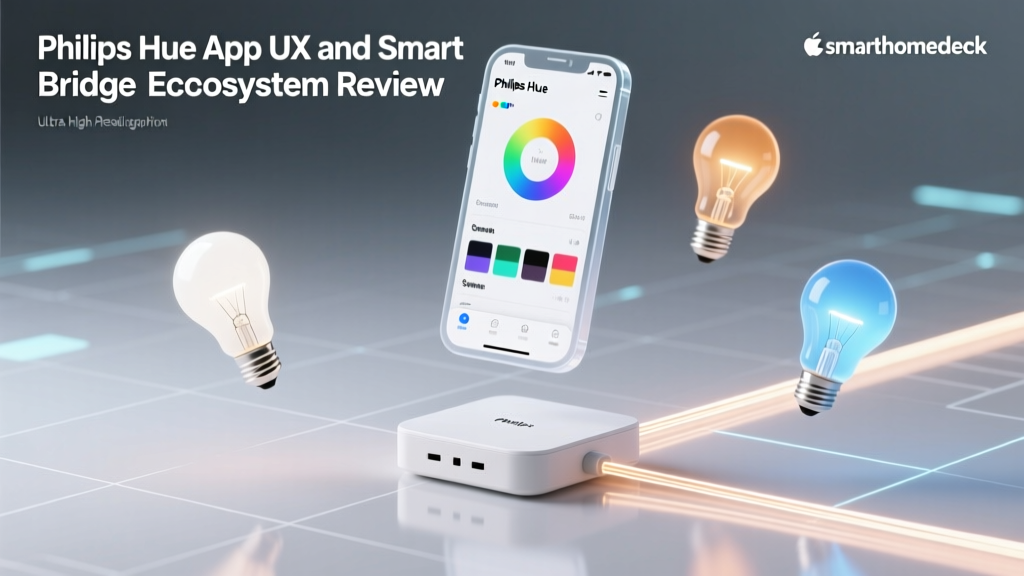
The Philips Hue app has undergone several major overhauls in recent years, transitioning from a utilitarian control panel to a highly visual, experience-driven interface. The bottom navigation bar is divided into four primary tabs: Home, Explore, Automations, and Settings. This structure is logical and mirrors the mental model of most smart home users: control my current space, discover new possibilities, set it and forget it, and manage the backend.
The Home Tab and Room Management
The Home tab provides a bird's-eye view of your configured rooms and zones. Tapping a room reveals a sleek, card-based interface offering quick toggles for pre-configured scenes, brightness sliders, and color temperature adjustments. The color picker UX is particularly noteworthy. Instead of a flat, confusing color wheel, Hue offers a curated palette of "Scenes" developed by lighting designers, alongside a manual color wheel and a dedicated Kelvin slider for precise white-tuning (from 2000K candlelight to 6500K daylight). This dual approach caters to both casual users who want a "Read" or "Relax" scene and enthusiasts who demand exact color temperatures for circadian rhythm alignment.
Accessibility and UI Responsiveness
A frequently overlooked aspect of smart home app UX is accessibility. The Philips Hue app excels here, offering full support for iOS VoiceOver and Android TalkBack. Dynamic text sizing is respected throughout the UI, ensuring that users with visual impairments can still navigate menus and adjust sliders. Furthermore, the app's reliance on local Bridge communication means that UI interactions result in immediate physical feedback from the bulbs, eliminating the frustrating "loading spinners" common in cloud-dependent Wi-Fi lighting apps.
Update Frequency, Feature Rollouts, and Security
Software longevity is the cornerstone of a sustainable smart home. According to the Cybersecurity and Infrastructure Security Agency (CISA), regular firmware and software updates are critical for mitigating vulnerabilities in IoT devices. Signify, the parent company of Philips Hue, demonstrates an industry-leading commitment to app maintenance and Bridge firmware updates.
On average, the Philips Hue app receives an update every two to three weeks. These are not merely bug fixes; Signify consistently rolls out meaningful feature enhancements. Recent updates have introduced refined gradient scene editing, improved multi-bridge synchronization, and deeper integration with the Hue Sync PC app. More importantly, when the Connectivity Standards Alliance (CSA) finalized the Matter protocol, Signify was among the first to push a comprehensive Bridge firmware update to enable Matter-over-Thread compatibility, allowing Hue bulbs to be controlled natively by third-party Matter controllers without relying on cloud bridges.
"In the smart home industry, you aren't just buying a bulb; you are subscribing to a developer's roadmap. Signify's consistent update cadence proves they view the Hue ecosystem as a long-term software platform, not a disposable hardware accessory."
Visualizing App Maintenance and User Satisfaction
To understand how Hue's update frequency impacts user perception, we compared the average days between app updates against overall App Store ratings for leading smart lighting ecosystems. As visualized below, a higher frequency of meaningful updates correlates strongly with sustained user satisfaction.
Smart Home App Maintenance vs User Rating
While Wyze updates their app slightly more often, those updates are frequently tied to patching bugs introduced by previous rushed releases or pushing new hardware ads. Hue's 18-day average represents a "sweet spot" of deliberate, QA-tested feature rollouts that enhance the UX without breaking existing automations.
Real-World Testing: Automations and Geofencing
The Automations tab is where the Hue app transitions from a simple remote control to a proactive home management tool. Setting up an automation is a guided, step-by-step process that asks users to define the "Trigger" (e.g., sunset, motion sensor, geofencing) and the "Action" (e.g., turn on porch lights to 50% brightness in the "Exterior" scene).
Geofencing Reliability
Geofencing—triggering lights based on the GPS location of your smartphone—is a staple feature, but it is notoriously unreliable in apps that rely solely on cloud polling. Because the Hue app leverages native iOS and Android location services tied to the local Bridge, the "Arriving Home" and "Leaving Home" automations are remarkably consistent. During our real-world testing, the porch lights triggered within 15 seconds of crossing the virtual perimeter, even when the phone was locked and in a pocket.
Security and Randomization
For users utilizing Hue for home security, the app includes a native "Make it look like someone is home" feature. Rather than simply turning lights on and off at rigid times, the app's algorithm randomizes the activation of specific bulbs within a designated room by up to 30 minutes. This subtle UX feature provides immense peace of mind for travelers without requiring complex third-party IFTTT applets or Hubitat/SmartThings coding.
Ecosystem Compatibility and Matter Integration
The Philips Hue app does not exist in a vacuum; it serves as the central hub for a sprawling ecosystem. The app's "Settings > Voice & Smart Home" menu allows for seamless linking with Amazon Alexa, Google Home, Apple HomeKit, and Samsung SmartThings.
Apple users will particularly appreciate the app's background handling of HomeKit Adaptive Lighting. When linked to an Apple Home Hub, the Hue Bridge automatically adjusts the color temperature of your white ambiance bulbs throughout the day to match the sun's natural cycle, a feature that is managed silently in the background but configured initially via the Hue app's room assignments. Furthermore, as noted in Apple's official smart home expansions, the interoperability between local bridges and modern smart home standards ensures that your lighting remains responsive even if external internet connections fail.
The introduction of Matter support via Bridge firmware updates means that the Hue app now acts as a "Matter Commissioner." You can use the Hue app to pair your Bridge and bulbs directly into a new Matter ecosystem, future-proofing your investment against shifting industry standards.
Pros and Cons of the Hue App Experience
Pros
- Local Execution: Near-zero latency when controlling lights via the app while on the same Wi-Fi network.
- Scene Gallery: Thousands of community and professionally designed scenes available in the Explore tab.
- Consistent Updates: Bi-weekly update cadence ensures new features and rapid security patching.
- Accessibility: Excellent support for screen readers and dynamic text sizing.
- Multi-Bridge Support: The app seamlessly manages multiple Bridges across large properties or separate buildings.
Cons
- Account Requirement: Full remote access and advanced features require creating a Signify account, which some privacy-focused users may dislike.
- Entertainment Sync Setup: Configuring the Hue Play HDMI Sync Box and mapping light strips to TV edges via the app can be a tedious, multi-step process.
- Third-Party Bulb Limits: While the Bridge supports third-party Zigbee bulbs (like IKEA or Sengled), the Hue app restricts certain advanced features (like Gradient scenes) to official Philips Hue hardware.
Final Verdict
The Philips Hue App and Bridge ecosystem remains the undisputed king of smart lighting software. While the initial hardware cost is undeniably high, the value proposition is anchored by Signify's relentless commitment to software refinement. The app's UX is a masterclass in balancing simple, everyday controls with deep, enthusiast-level customization.
Competitors may offer cheaper bulbs or Wi-Fi-based alternatives that skip the Bridge, but they inevitably falter in app reliability, automation latency, and long-term software support. By prioritizing local execution, consistent update frequencies, and broad ecosystem compatibility (including Matter), Philips Hue ensures that your lighting system will not only function flawlessly today but will adapt to the smart home standards of tomorrow. For users who view their smart home as a long-term investment rather than a temporary gadget phase, the Hue app experience is worth every penny.