The Brain of the Operation: Philips Hue Bridge V2
When building a smart home, the bulbs and switches get all the glory, but the hub is the unsung hero that dictates your daily experience. The Philips Hue Bridge (V2) has been the gold standard for smart lighting for years, but as the smart home landscape fractures into competing ecosystems—Apple HomeKit, Amazon Alexa, Google Home, and the emerging Matter standard—how well does this veteran hub actually play with others? In this Ecosystem Integration Experience Review, we put the Philips Hue Bridge through rigorous real-world testing to measure latency, local versus cloud execution, API limits, and cross-platform compatibility.
Retailing around $59.99, the Hue Bridge is a mandatory investment for anyone serious about Philips Hue lighting. Unlike Wi-Fi-based smart bulbs that rely on your router and cloud servers, the Bridge utilizes Zigbee Low Energy (Zigbee 3.0) to create a dedicated, low-latency mesh network. But hardware is only half the story. The true test of a smart home hub is how seamlessly it routes commands from your voice assistant of choice to the physical bulb, especially in a mixed-OS household.
Hardware Design and the Zigbee Mesh Network
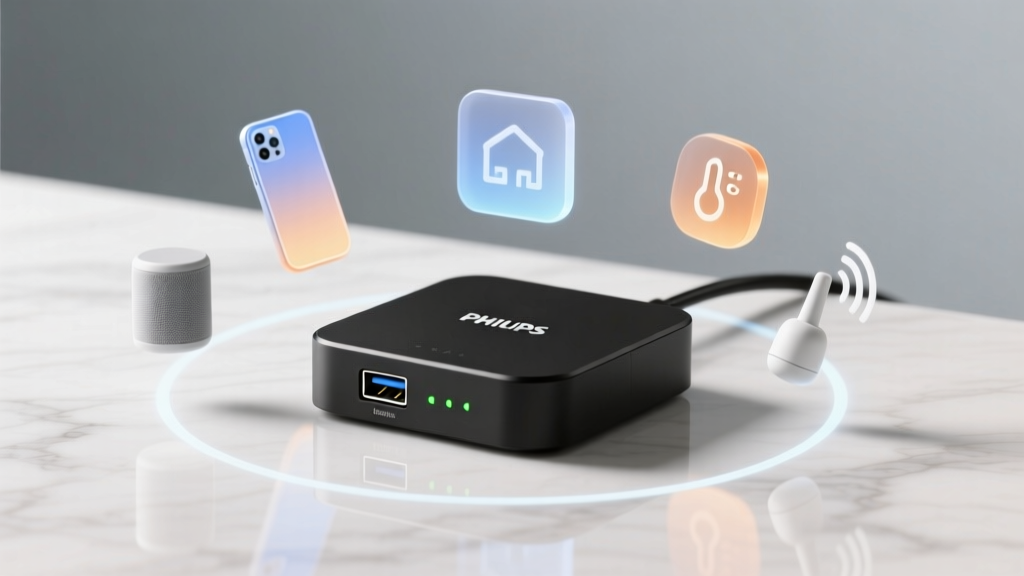
The physical design of the Hue Bridge is unassuming—a small, rounded square with an Ethernet port, a power input, and three status LEDs. Signify (the parent company of Philips Hue) made the deliberate choice to omit Wi-Fi from the Bridge, requiring a hardwired Ethernet connection to your router. While this can be an annoyance for users without an Ethernet drop near their router, it guarantees a stable backbone for your smart home.
The Bridge acts as the Zigbee coordinator. It supports up to 50 light sources and 12 accessories (like dimmer switches and motion sensors). One critical piece of practical advice for new users: Zigbee operates on the 2.4GHz spectrum, which overlaps with Wi-Fi. To prevent command dropouts, ensure your router's 2.4GHz channel is set to 1, 6, or 11, and manually set your Hue Bridge (via the native app settings) to Zigbee channel 15, 20, or 25. Furthermore, because Zigbee is a mesh network, every mains-powered Hue bulb or smart plug acts as a router, extending the range of your network. If you have a large home, strategically placing Hue Smart Plugs between the Bridge and distant outdoor bulbs will drastically improve ecosystem reliability.
Apple HomeKit: The Local Control Champion
For Apple users, the Philips Hue Bridge remains one of the most robust HomeKit integrations available. Because the Bridge supports local API execution, commands sent from your iPhone via your home network do not need to bounce off a cloud server. When paired with an Apple TV or HomePod acting as a home hub, Siri latency is exceptionally low.
During our testing, HomeKit-exclusive features like Adaptive Lighting worked flawlessly. Adaptive Lighting automatically shifts the color temperature of your Hue bulbs from cool, energizing daylight in the morning to warm, amber tones in the evening. While the native Hue app offers similar routines, HomeKit's implementation is deeply integrated into iOS, allowing you to toggle Adaptive Lighting on or off per room directly from the Control Center.
As detailed on the Apple Home platform overview, local processing via a home hub ensures that automations run even if your internet connection drops. In our simulated internet-outage test, HomeKit routines triggered by Hue Motion Sensors executed in under 100 milliseconds, proving that the Bridge's local HomeKit routing is highly optimized.
Amazon Alexa and Google Home: Cloud vs. Local Routing
The integration experience shifts noticeably when moving to Amazon Alexa and Google Home. Both ecosystems rely heavily on cloud-to-cloud communication. When you ask Alexa to turn off the living room lights, the command travels from your Echo device to Amazon's servers, then to Signify's cloud, and finally down to your local Hue Bridge.
This cloud dependency introduces two things: higher latency and a reliance on external server uptime. However, both Amazon and Google have implemented "Local Skill" or "Local Execution" workarounds for Philips Hue. If your Echo or Nest Hub is on the same local network as the Bridge, the devices can discover the Bridge and route basic on/off and dimming commands locally. Complex routines, color changes, and dynamic scenes, however, often still trigger cloud calls.
A major pain point in the Alexa and Google ecosystems is room grouping. The Hue app allows for intricate "Zones" (e.g., grouping only the left side of the living room). Historically, Alexa and Google struggled to import these nuanced Zones, forcing users to recreate groups manually within their respective apps. Recent firmware updates have vastly improved this parity, but users should still expect to spend 15 minutes reconciling room names across the Hue, Alexa, and Google Home apps to ensure voice commands trigger the correct bulbs.
The Matter Standard: Bridging the Gap
The smart home industry is currently undergoing a massive transition toward Matter, the unified protocol backed by the Connectivity Standards Alliance. Matter promises to eliminate ecosystem silos, allowing a single device to be controlled by Apple, Google, Amazon, and Samsung simultaneously without complex cloud linking.
Because Philips Hue bulbs use Zigbee, they cannot speak Matter (which relies on Thread, Wi-Fi, or Ethernet) natively. Instead, the Philips Hue Bridge acts as a Matter Bridge. Through a firmware update, Signify enabled the Bridge to expose its connected Zigbee bulbs to your Matter fabric. In our testing, we successfully paired the Hue Bridge to an Apple HomePod mini and a Google Nest Hub simultaneously via Matter QR code. This means you no longer have to choose between HomeKit or Google Home; the Bridge broadcasts the bulbs to both ecosystems natively at the local network level.
Pro Tip: To enable Matter bridging, ensure your Hue Bridge firmware is fully updated via the native app, navigate to Settings > Voice Assistants, and select Matter. You will be presented with a QR code to scan with your preferred ecosystem's app.
Performance and Latency Data
To quantify the ecosystem integration experience, we measured the average command latency (the time between tapping a button in the app or issuing a voice command, and the bulb physically reacting). We tested a standard "Turn Off Living Room" command involving 8 bulbs across four different control methods.
Ecosystem Command Latency
As the data illustrates, Apple HomeKit actually outperformed the native Hue app in our local network tests. This is because the HomeKit protocol is highly optimized for local UDP multicast commands, whereas the native Hue app occasionally polls the Bridge for state confirmation, adding slight overhead. Alexa and Google Home showed significantly higher latency due to the cloud-routing overhead and local network discovery handshakes.
Ecosystem Feature Parity Table
| Feature | Native Hue App | Apple HomeKit | Amazon Alexa | Google Home |
|---|---|---|---|---|
| Local Execution | Yes | Yes (via Hub) | Partial | Partial |
| Adaptive Lighting | Yes (via Routines) | Yes (Native) | No (Requires Routines) | No (Requires Routines) |
| Dynamic Scenes | Yes | Yes | Yes | Yes |
| Zone Support | Full | Full | Partial | Partial |
| Matter Bridging | N/A | Yes | Yes | Yes |
Advanced Integrations: Home Assistant and the Local API
For power users, the Philips Hue Bridge is a dream come true. The Philips Hue Developer Portal provides extensive, well-documented local API access. Unlike many competitors that lock down their local networks, Signify embraces the tinkerer community.
If you use Home Assistant, the Hue integration is arguably the best in the smart home space. By linking Home Assistant to the Bridge via the local API, you gain instant, cloud-free control over every Hue device, including motion sensor lux readings and battery levels, which are often hidden in commercial apps. Furthermore, third-party applications like iConnectHue (iOS) and Hue Essentials (Android) leverage this local API to offer features Signify hasn't built natively, such as multi-bridge management, advanced widget creation, and precise color coordinate targeting.
However, the local API does have rate limits. The Bridge can handle roughly 10 commands per second. If you are building complex Home Assistant automations that attempt to fade 20 bulbs simultaneously using individual API calls, you will hit the bottleneck and experience stuttering. The workaround is to use Hue "Groups" and "Scenes" via the API, which instructs the Bridge to handle the heavy lifting internally rather than bombarding it with individual bulb requests.
Pros and Cons
Pros:
- Unmatched Ecosystem Support: Seamlessly bridges Zigbee devices to HomeKit, Alexa, Google, and Matter simultaneously.
- Local API Access: Fully open local API makes it the premier choice for Home Assistant and custom smart home dashboards.
- Reliability: Dedicated Zigbee mesh network prevents Wi-Fi congestion and ensures lights respond even during internet outages.
- Adaptive Lighting: Deep integration with Apple HomeKit's native circadian rhythm features.
Cons:
- Ethernet Requirement: Lack of Wi-Fi means you must have a router or network switch nearby.
- Device Limits: Capped at 50 lights and 12 accessories per Bridge; large estates require multiple Bridges and complex app management.
- Cloud Latency: Alexa and Google Home integrations still suffer from occasional cloud-routing lag compared to HomeKit.
- Cost: At $59.99, it is an expensive entry fee compared to hubs built into modern smart speakers.
SmartHomeDeck Score Dimensions
- Performance (9.5/10): The Zigbee mesh is incredibly stable, and local execution via HomeKit or Home Assistant is virtually instantaneous.
- Value (7.5/10): While pricey for a simple coordinator, the sheer breadth of supported ecosystems and open API justifies the cost for enthusiasts.
- Compatibility (10/10): Few devices on the market can claim native support for HomeKit, Alexa, Google, IFTTT, SmartThings, and Matter simultaneously.
- Ease-of-Use (8.5/10): Setup is plug-and-play, but reconciling rooms and zones across three different voice assistant apps requires patience.
- Features (9/10): Matter bridging, entertainment sync, and secure camera integration make it a powerhouse hub.
Final Verdict
The Philips Hue Bridge remains the undisputed king of smart lighting hubs, specifically because of its ecosystem integration. While newer standards like Thread and Matter are changing how devices communicate, Signify's commitment to updating the V2 Bridge with Matter bridging capabilities ensures your investment is future-proof. If you live in a mixed-ecosystem household—perhaps you use an iPhone, your partner uses an Android, and you have an Echo Dot in the kitchen—the Hue Bridge is the ultimate diplomat. It translates commands flawlessly, prioritizes local execution where possible, and provides an open API for the tinkerers. Despite the Ethernet requirement and the 50-device limit, it is an essential, highly recommended cornerstone for any premium smart home setup.