The Hidden Cost of Cloud Cameras: A Privacy Evaluation
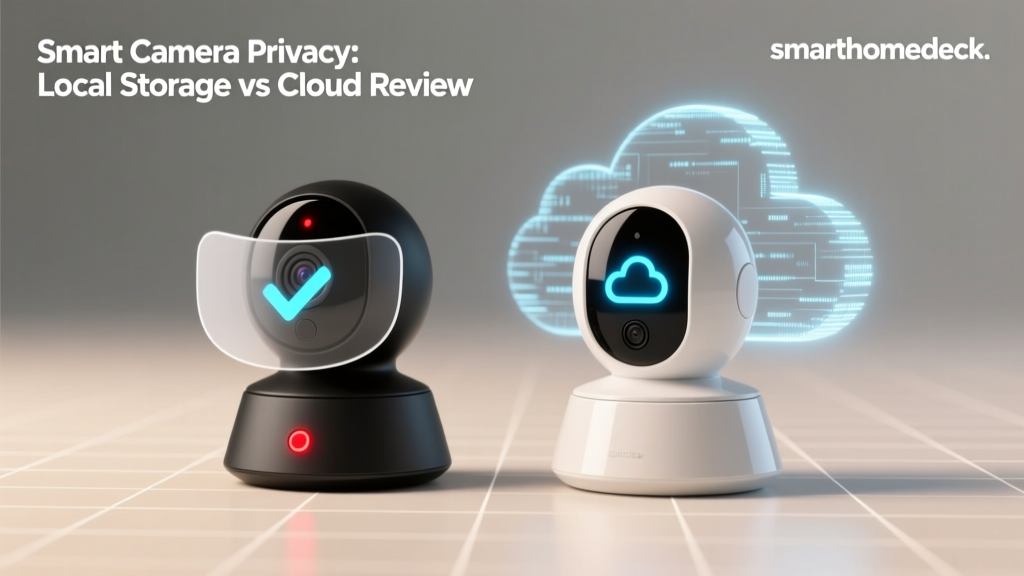
When you purchase a smart home security camera, the hardware is only half the equation. The other half is the invisible infrastructure processing, storing, and analyzing your most intimate moments. In the smart home industry, the convenience of cloud storage often masks severe privacy vulnerabilities, recurring subscription costs, and an over-reliance on remote servers. If your internet connection drops, does your security system drop with it? More importantly, who else has access to your video feeds?
In this in-depth SmartHomeDeck review, we are evaluating three dominant smart camera ecosystems through the lens of Privacy Data and Cloud Dependency. We will dissect the EufyCam 3, the Ring Spotlight Cam Pro, and the Ubiquiti UniFi Protect G4 Pro to determine how they handle data encryption, edge computing, third-party sharing, and offline survivability.
Methodology: How We Evaluate Privacy and Cloud Dependency
To provide a rigorous assessment, our testing framework focuses on four critical privacy dimensions:
- Data Encryption: Is video encrypted in transit (TLS) and at rest (AES-256)? Is End-to-End Encryption (E2EE) available and enforced?
- Cloud Dependency & Offline Survivability: Can the camera record, detect motion, and store footage if the WAN (Wide Area Network) connection is severed?
- AI Processing Location: Does person/vehicle detection happen locally on the edge (device or local hub), or are frames sent to cloud servers for analysis?
- Telemetry & Third-Party Sharing: How much metadata is phoned home to the manufacturer, and what are the policies regarding law enforcement data requests?
EufyCam 3: The Local Storage Champion?
The EufyCam 3 system, anchored by the HomeBase 3, markets itself as the ultimate local-storage solution. Priced around $500 for a two-camera kit, it promises zero monthly fees and on-device AI processing via its BionicMind engine.
Privacy & Cloud Reality
Eufy's privacy journey has been turbulent. In late 2022, security researchers discovered that Eufy was storing unencrypted thumbnail images and facial recognition data on AWS cloud servers, despite marketing claims of strictly local storage. Eufy subsequently introduced an opt-in End-to-End Encryption (E2EE) toggle and revised its architecture. Today, when E2EE is enabled, video payloads are encrypted using keys stored solely on your HomeBase 3 and your authenticated mobile devices.
However, the system still requires an internet connection for initial setup, firmware updates, and push notification routing via AWS SNS. While the heavy lifting of AI person detection happens locally on the HomeBase 3, the reliance on cloud servers for push notifications means a severed internet connection will delay or prevent real-time mobile alerts, even if local recording continues flawlessly.
Ring Spotlight Cam Pro: The Cloud-Dependent Giant
Amazon's Ring is synonymous with smart home security, but the Spotlight Cam Pro (approx. $250) represents the epitome of cloud dependency. Ring's business model relies heavily on its Ring Home subscription tiers, which unlock essential features like continuous recording and advanced smart alerts.
Privacy & Cloud Reality
Ring cameras are essentially cloud terminals. Video processing, motion detection, and storage all occur on Amazon Web Services (AWS). If your internet goes down, the Ring Spotlight Cam Pro becomes a dormant piece of plastic; it cannot record locally or trigger local alarms. Furthermore, Ring's privacy history includes a notable Federal Trade Commission settlement regarding unauthorized employee access to user video feeds and lax data security practices.
While Ring has since implemented mandatory two-factor authentication (2FA) and end-to-end encryption for live views, the fundamental architecture requires your video data to traverse the public internet. According to the Mozilla Foundation's Privacy Not Included guide, consumers must carefully weigh the convenience of Ring's ecosystem against the inherent risks of centralized cloud surveillance and Amazon's vast data aggregation practices.
UniFi Protect G4 Pro: The Prosumer Local Fortress
Ubiquiti's UniFi Protect G4 Pro is a true local NVR (Network Video Recorder) camera. It requires a UniFi console, such as a Dream Machine Pro or UNVR, pushing the entry cost to roughly $750+ for a single-camera setup. However, it offers unparalleled data sovereignty.
Privacy & Cloud Reality
The G4 Pro operates with zero cloud dependency. Video streams via RTSP/RTSPS directly to your local console over your LAN. AI detection for faces, vehicles, and animals is processed locally on the UniFi console's neural processing unit. You can completely block the camera's outbound WAN access via your firewall, and it will continue to record, detect, and serve local streams without missing a beat.
For remote viewing, UniFi uses a secure relay server, but the video payload is encrypted, and Ubiquiti cannot decrypt the streams. Furthermore, following guidelines from the Cybersecurity and Infrastructure Security Agency (CISA) regarding IoT network segmentation, UniFi cameras can easily be placed on an isolated VLAN, preventing them from communicating with your primary devices while maintaining local NVR functionality.
Data Table: Privacy & Cloud Dependency Matrix
| Feature | EufyCam 3 (HomeBase 3) | Ring Spotlight Cam Pro | UniFi Protect G4 Pro |
|---|---|---|---|
| Local Recording (Offline) | Yes (via HomeBase) | No (Requires Internet) | Yes (via UniFi Console) |
| AI Processing | Local (Edge/HomeBase) | Cloud (AWS) | Local (UniFi Console) |
| End-to-End Encryption | Yes (Opt-in Toggle) | Yes (Opt-in Toggle) | Yes (Native Local LAN) |
| Subscription Required | No | Yes (For full features) | No |
| Law Enforcement Portal | No | Yes (Ring Neighbors) | No |
Long-Term Cost of Ownership: Hardware vs Cloud
Privacy often comes with a financial trade-off. Local storage systems require higher upfront capital expenditure (CapEx) for hardware and local servers, while cloud systems shift the burden to operational expenditure (OpEx) via monthly subscriptions. Below is a visualization of the 3-year total cost of ownership.
Actionable Advice: Securing Your Smart Home Network
Regardless of the camera you choose, the National Institute of Standards and Technology (NIST) recommends strict baseline profiles for IoT cybersecurity. To protect your privacy data, implement the following network configurations:
- Deploy a Dedicated IoT VLAN: Isolate all smart cameras on a separate Virtual Local Area Network. This prevents a compromised camera from being used as a pivot point to attack your personal computers or NAS drives.
- Block Outbound Telemetry: If you use a local system like UniFi, use your router's firewall to block the camera's MAC address from accessing the WAN. For cloud cameras, use a DNS sinkhole like Pi-hole to block known tracking and telemetry domains associated with the manufacturer.
- Enforce E2EE and 2FA: Never leave cloud accounts protected by a simple password. Enable hardware-key 2FA (like YubiKey) and ensure End-to-End Encryption is toggled on in the device settings.
- Disable Unnecessary Features: Turn off features like 'Amazon Sidewalk' or 'Ring Neighbors' sharing, which inadvertently broadcast your network bandwidth or location data to third parties and neighbors.
Final Deck Scores & Verdict
When evaluating these devices through the SmartHomeDeck Privacy & Cloud Dependency lens, the results highlight a clear divide between consumer convenience and prosumer data sovereignty.
EufyCam 3
- Performance: 8.5/10 (Excellent 4K resolution, but low-light struggles)
- Value: 9/10 (No subscriptions make it highly cost-effective)
- Compatibility: 7/10 (Limited to Eufy ecosystem, no native RTSP)
- Ease-of-Use: 9/10 (Plug-and-play consumer setup)
- Features & Privacy: 7.5/10 (Local AI is great, but past cloud controversies and push-notification reliance dock points)
Verdict: The best middle-ground for consumers who want local storage without the complexity of an NVR, provided you enable E2EE and accept the minor cloud dependencies for notifications.
Ring Spotlight Cam Pro
- Performance: 8/10 (Great HDR, but limited to 1080p/2K depending on model tier)
- Value: 5/10 (Hardware is cheap, but 3-year subscription costs add up)
- Compatibility: 8.5/10 (Deep Alexa integration, wide third-party smart home support)
- Ease-of-Use: 9.5/10 (Frictionless setup and UI)
- Features & Privacy: 4/10 (Total cloud reliance, history of data sharing, and offline uselessness)
Verdict: Only recommended for users deeply entrenched in the Amazon ecosystem who prioritize ease of use over data privacy and local network resilience.
UniFi Protect G4 Pro
- Performance: 9.5/10 (Superb optical zoom, true 4K, excellent night vision)
- Value: 7/10 (High barrier to entry, but zero recurring costs)
- Compatibility: 4/10 (Locked to UniFi hardware ecosystem)
- Ease-of-Use: 6/10 (Requires networking knowledge, VLAN setup, and PoE wiring)
- Features & Privacy: 10/10 (The gold standard for local data sovereignty and zero cloud dependency)
Verdict: The undisputed champion for privacy advocates and smart home enthusiasts. The high upfront cost and networking requirements are a small price to pay for absolute control over your home's surveillance data.
Protecting your home shouldn't mean compromising your digital privacy. By understanding the cloud dependencies of your smart devices, you can build a security ecosystem that works for you, not for data brokers.