The Reality of Smart Lock Installation: Promise vs. Practice
When it comes to upgrading your home security and embracing the convenience of keyless entry, smart locks are often the first point of entry—literally and figuratively. The promise of a seamless smart home experience, however, frequently collides with the daunting reality of DIY installation. As a senior reviewer at SmartHomeDeck, I have installed dozens of smart locks on everything from pristine new-build doors to warped, century-old apartment entrances. The physical installation is only half the battle; the digital first-setup, app calibration, and network integration often dictate whether a device feels 'smart' or merely 'connected.'
In this comprehensive Installation Difficulty & First-Setup Report, we are putting three of the most popular smart locks on the market to the test. We will measure physical installation times, evaluate the app onboarding experience, and assess the ecosystem compatibility of each device. Whether you are a renter looking for a non-destructive upgrade or a homeowner seeking an ANSI Grade 1 fortress, this guide will help you understand exactly what you are signing up for before you pick up a screwdriver.
The Contenders: Retrofit vs. Full Replacement
To provide a well-rounded perspective, we selected three distinct approaches to smart lock hardware, ranging from $180 to $300:
- August Wi-Fi Smart Lock (4th Gen): The premier retrofit option (~$200-$230). It attaches to your existing deadbolt hardware, preserving your exterior keys.
- Schlage Encode Smart Wi-Fi Deadbolt: A heavy-duty, full-replacement option (~$250-$300) featuring an ANSI Grade 1 rating and a built-in Wi-Fi radio.
- Yale Assure Lock 2 (Touchscreen with Wi-Fi Module): A sleek, modular full-replacement lock (~$180-$250) that utilizes interchangeable smart home modules.
Physical Installation Difficulty: Real-World Testing
Before we touch an app, we must address the hardware. For our testing methodology, we used a standard residential door with a 2-1/8-inch cross-bore hole, a 2-3/8-inch backset, and a thickness of 1-3/4 inches. The only tools permitted were a standard Phillips #2 screwdriver, a tape measure, and the included hardware.
August Wi-Fi Smart Lock: The 10-Minute Retrofit
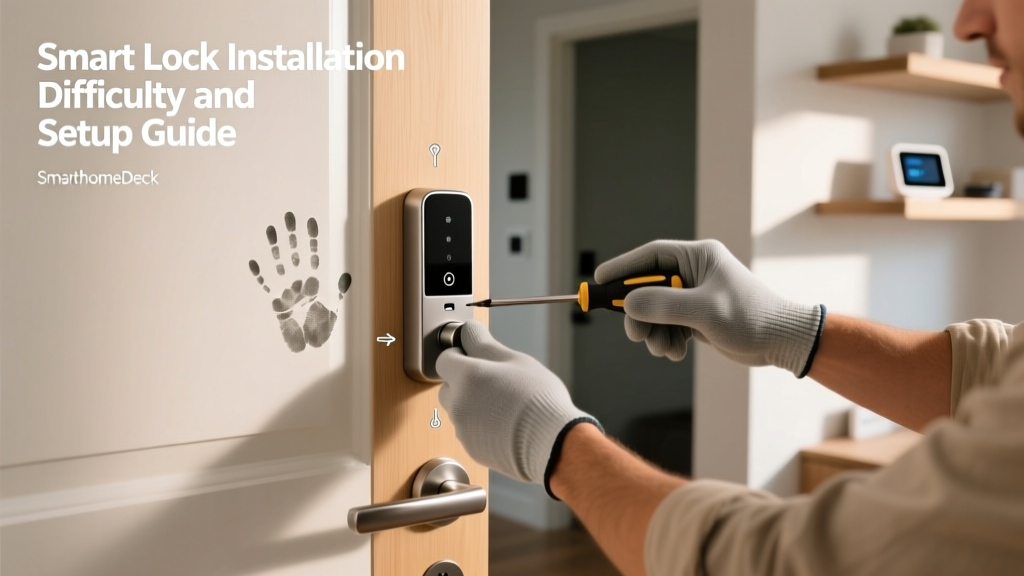
The August Wi-Fi Smart Lock is designed specifically for users who want to avoid replacing their exterior hardware. Installation involves removing only the interior thumbturn (usually two screws) and mounting the August adapter ring over the existing deadbolt tailpiece. The 4th generation model features a streamlined 3D retrofit adapter that accommodates a wider variety of tailpiece shapes. In our real-world testing, the physical installation took exactly 12 minutes. The primary difficulty lies in ensuring the adapter ring is perfectly level; if it is slightly tilted, the motor will grind during operation. Because you are keeping your existing exterior deadbolt, door prep is virtually zero.
Schlage Encode: The Heavy-Duty Swap
The Schlage Encode requires a complete teardown of your existing deadbolt. You must remove both the interior and exterior assemblies, pull the latch from the edge bore, and route a delicate ribbon cable through the 2-1/8-inch cross-bore hole. The most challenging aspect of the Schlage Encode installation is the exterior keypad alignment. The ribbon cable must sit perfectly flat against the door face before you tighten the interior mounting plate. If the cable is pinched, the keypad will fail to power on. Furthermore, aligning the heavy-duty strike plate with the door frame often requires chiseling out a bit of wood to accommodate the larger ANSI Grade 1 latch. Our physical installation took 45 minutes, largely due to minor door frame adjustments required to prevent the deadbolt from rubbing against the strike plate.
Yale Assure Lock 2: Precision and Patience
Similar to the Schlage, the Yale Assure Lock 2 requires a full deadbolt replacement. However, Yale's touchscreen design means there are no physical buttons to catch on clothing or debris. The installation process is highly modular. You mount the exterior touchscreen, route the cable, and attach the interior assembly. The unique quirk of the Yale Assure 2 is the Smart Module slot located at the bottom of the interior unit. You must slide the Wi-Fi or Thread module into place and secure it with a tiny retention screw. While the hardware feels premium, the interior mounting plate requires precise leveling to ensure the touchscreen responds accurately to capacitive touches. Total physical installation time: 55 minutes.
| Lock Model | Install Type | Physical Time | Door Prep Required | Difficulty (1-10) |
|---|---|---|---|---|
| August Wi-Fi | Retrofit | 12 mins | None | 2 |
| Schlage Encode | Full Replace | 45 mins | Frame Chiseling | 6 |
| Yale Assure 2 | Full Replace | 55 mins | Module Insertion | 7 |
First-Setup and App Calibration
Once the hardware is mounted, the digital onboarding begins. This is where many smart home devices fail the user experience test, trapping users in firmware update loops or Wi-Fi pairing purgatory.
August App: Auto-Calibration Magic
The August Home app is widely considered the gold standard for smart lock onboarding. Because the August lock utilizes Bluetooth for the initial handshake, you do not need to worry about your home's Wi-Fi bands during the first minute of setup. The app guides you through a 'Lock Calibration' process, automatically detecting the open and closed positions of your deadbolt. The DoorSense sensor (a small magnetic contact placed on the door frame) pairs seamlessly. Total digital setup time: 8 minutes.
Schlage Home App: Firmware and Wi-Fi Pairing
The Schlage Encode connects directly to your home Wi-Fi network, bypassing the need for a separate hub. However, this introduces a common smart home headache: the 2.4GHz vs. 5GHz band issue. The Schlage Encode only supports 2.4GHz Wi-Fi. If your router utilizes a unified SSID (band steering) that automatically pushes devices to 5GHz, the setup will fail repeatedly. Users often have to log into their router admin panel to temporarily separate the bands or use a secondary 2.4GHz guest network. Once connected, the Schlage Home app forces a mandatory firmware update that took an agonizing 11 minutes to complete before the lock was functional. Total digital setup time: 15 minutes.
Yale Access App: Module Integration
Yale utilizes the same robust app infrastructure as August (both are owned by ASSA ABLOY). The initial Bluetooth handshake is swift, and the app immediately recognizes the inserted Wi-Fi Smart Module. The calibration process requires you to manually input your door's handing (left-handed or right-handed) and confirm the deadbolt throw direction. It is slightly more manual than August's auto-calibration but highly reliable. Total digital setup time: 12 minutes.
Ecosystem Compatibility and Network Security
During the first setup, securing your device is paramount. According to the Federal Trade Commission, securing IoT devices starts with proper network setup, strong authentication during the first boot, and keeping firmware updated. We highly recommend setting unique, complex PIN codes for your lock's keypad and ensuring your home Wi-Fi network utilizes WPA3 encryption.
Furthermore, as noted in Wired's comprehensive guide to smart home security, placing IoT devices on an isolated guest network or a dedicated VLAN can prevent a compromised smart lock from exposing your personal computers or smartphones to local network attacks. The Schlage Encode is particularly vulnerable to local network snooping if not placed on a segmented network, as it communicates directly with cloud servers over standard Wi-Fi. The Yale Assure 2, when equipped with a Thread or Z-Wave module instead of Wi-Fi, offers superior local-network isolation, communicating only through a secure hub.
Deck Score Dimensions: The Installation Perspective
At SmartHomeDeck, we evaluate products across five core dimensions. Here is how these locks score specifically through the lens of installation and setup:
August Wi-Fi Smart Lock (4th Gen)
- Performance (8/10): Reliable motor, but relies on existing deadbolt hardware. If your physical lock is sticky, the August lock will struggle.
- Value (9/10): Excellent price-to-convenience ratio, especially for renters who cannot replace hardware.
- Compatibility (9/10): Works with Apple HomeKit, Amazon Alexa, Google Home, and Samsung SmartThings.
- Ease-of-Use (10/10): Unmatched physical and digital setup experience.
- Features (7/10): Lacks a built-in keypad (requires a separate Wi-Fi Keypad accessory).
Schlage Encode Smart Wi-Fi Deadbolt
- Performance (9/10): ANSI Grade 1 rating provides maximum physical security and a powerful motor.
- Value (7/10): Higher price point, and the battery life is notoriously poor due to the always-on Wi-Fi radio (requires 4 AA batteries, lasting 3-6 months).
- Compatibility (8/10): Excellent integration with Amazon Alexa and Google Home; native Apple HomeKit support requires the newer Encode Plus model.
- Ease-of-Use (5/10): Physical installation is labor-intensive, and 2.4GHz Wi-Fi pairing causes frequent first-setup failures.
- Features (8/10): Built-in keypad and Wi-Fi eliminate the need for external hubs or bridges.
Yale Assure Lock 2 (Wi-Fi Module)
- Performance (9/10): Smooth, quiet operation with a beautiful, responsive touchscreen.
- Value (8/10): Modular design means you can upgrade the smart module in the future without replacing the entire lock.
- Compatibility (9/10): Broad ecosystem support via interchangeable modules (Wi-Fi, Z-Wave, Thread, Matter).
- Ease-of-Use (6/10): Physical installation requires precision and patience; digital setup is smooth but manual.
- Features (9/10): Sleek design, auto-unlock capabilities, and modular flexibility make it a feature powerhouse.
Final Verdict: Which Lock is Easiest to Install and Set Up?
If your primary concern is installation difficulty and a frictionless first-setup experience, the August Wi-Fi Smart Lock is the undisputed champion. Its retrofit design completely bypasses the anxiety of door prep, cross-bore alignment, and strike plate chiseling. The auto-calibration in the app feels like magic, and the Bluetooth-first handshake eliminates Wi-Fi band steering headaches. It is the ultimate choice for renters, apartment dwellers, and DIY novices.
However, if you require the physical security of an ANSI Grade 1 deadbolt and are willing to spend an hour with a screwdriver and a chisel, the Yale Assure Lock 2 offers the best balance of premium hardware and modern, modular smart home integration. Just be prepared to isolate your Wi-Fi network and carefully route that ribbon cable.
Ultimately, the 'best' smart lock is the one that fits your door, your technical comfort level, and your ecosystem. Measure your backset, check your Wi-Fi bands, and choose the device that turns your front door into a seamless gateway rather than a technical roadblock.