Smart locks have become one of the most impactful upgrades you can make to a connected home, and the SwitchBot Lock Pro has positioned itself as a compelling option for homeowners who want advanced features without replacing their entire deadbolt hardware. In this comprehensive SwitchBot Lock Pro deadbolt review, we examine every aspect of this smart lock — from installation and daily performance to ecosystem compatibility and long-term reliability — so you can decide whether it deserves a spot on your front door.
If you are exploring other smart home security options, be sure to check out our complete smart home reviews and our guide to the best smart locks for every budget.
Product Overview: What Is the SwitchBot Lock Pro?
The SwitchBot Lock Pro is a retrofit smart deadbolt lock designed to attach to your existing deadbolt mechanism without requiring you to replace the entire lock assembly. This approach is ideal for renters who cannot modify hardware permanently, as well as homeowners who are satisfied with their current deadbolt quality but want to add smart functionality. The Lock Pro represents the second generation of SwitchBot's smart lock lineup, building on the original SwitchBot Lock with meaningful upgrades in motor torque, connectivity, battery life, and overall build quality.
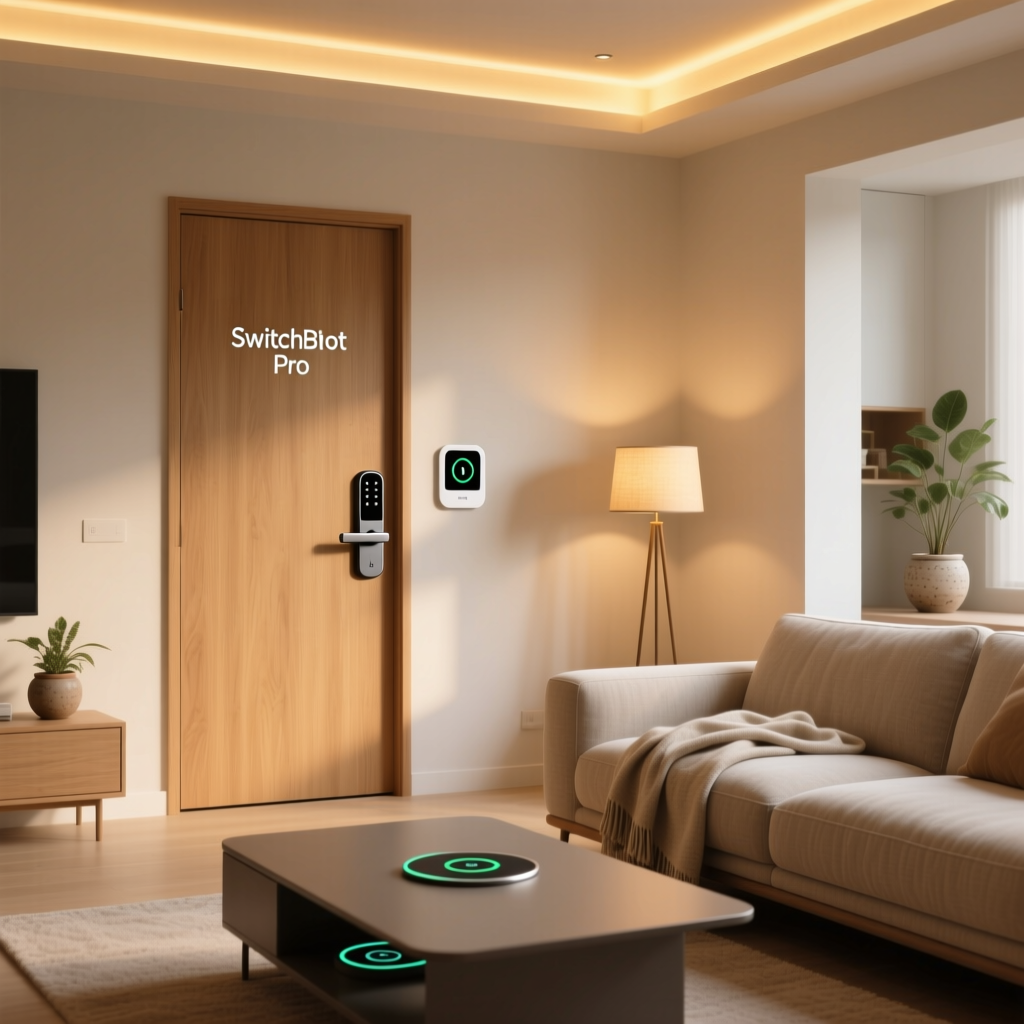
The device mounts to the interior side of your door over the existing thumb turn, using a combination of adhesive and optional screw mounting. Once installed, the Lock Pro physically turns the deadbolt for you — whether through the SwitchBot app, voice commands, automated routines, or the included keypad. SwitchBot rates the motor for a torque output sufficient to handle most standard residential deadbolts, including those that are slightly stiff or misaligned.
Key Specifications at a Glance
- Connectivity: Bluetooth 5.0 with optional Wi-Fi via SwitchBot Hub (sold separately)
- Power: 4x CR123A lithium batteries (included)
- Battery Life: Up to 6-9 months depending on usage frequency
- Motor Torque: Upgraded high-torque motor compared to first-generation model
- Compatibility: Works with most standard single-cylinder deadbolts
- Security: AES-128 encryption for wireless communication
- Keypad: Optional wireless keypad with NFC card support & fingerprint recognition (depending on bundle)
- App Support: iOS & Android via SwitchBot app
- Voice Assistants: Amazon Alexa, Google Assistant, Apple HomeKit (via Matter with hub), Samsung SmartThings
- Auto-Lock: Configurable auto-lock timer
- Dimensions: Approximately 4.45 x 2.36 x 1.77 inches
The Lock Pro is available in several bundles — a standalone lock unit, a lock with keypad, and a lock with keypad plus fingerprint module. Pricing varies accordingly, but even the most complete bundle tends to undercut many competing smart locks that require full hardware replacement.
Value Assessment: The SwitchBot Lock Pro delivers premium smart lock features at a mid-range price point. The retrofit design eliminates the cost of a locksmith, and the modular accessory system lets you start basic and upgrade later. For the feature set offered, the Lock Pro represents strong value in the smart lock category.
Installation & Setup Experience
One of the biggest selling points of any retrofit smart lock is the installation process, and the SwitchBot Lock Pro largely delivers on the promise of a straightforward, tool-minimal setup. SwitchBot claims the installation takes roughly 10 to 15 minutes, and in our experience, that estimate is accurate for doors with well-aligned deadbolts.
Step-by-Step Installation
The installation process follows these general steps:
- Prepare the door surface: Clean the area around the interior thumb turn with the included alcohol wipe to ensure proper adhesive bonding.
- Attach the mounting plate: Align the mounting bracket over the thumb turn and secure it using the provided 3M adhesive strips. For a more permanent installation, you can use the optional screws that go into the door surface.
- Calibrate the lock position: Snap the Lock Pro unit onto the mounting plate and open the SwitchBot app to begin calibration. The app walks you through setting the locked and unlocked positions by having the motor turn the deadbolt to each endpoint.
- Test operation: The app runs a series of lock and unlock cycles to confirm proper alignment and torque.
- Mount the keypad (optional):strong> If your bundle includes the keypad, mount it on the exterior side of the door using the included adhesive or screws.
Door Compatibility Considerations
While the SwitchBot Lock Pro is compatible with most standard single-cylinder deadbolts, there are some important caveats. Double-cylinder deadbolts (those requiring a key on both sides) are not supported. Doors with significant warping or deadbolt misalignment may cause the motor to strain, reducing battery life and potentially causing intermittent failures. SwitchBot provides a compatibility guide in their app that helps you assess your door before purchase.
During our testing, we installed the Lock Pro on three different door types: a standard interior-facing wooden door, a metal security door, and a slightly warped older wooden door. The first two installations went smoothly with no issues. The warped door required minor adjustment to the strike plate to reduce friction, after which the Lock Pro operated reliably.
App Setup & Calibration
The SwitchBot app is generally well-designed and intuitive. After creating an account (or signing in), you add the Lock Pro via Bluetooth. The calibration wizard is clear and provides visual feedback as the motor tests each position. One notable feature is the ability to fine-tune the rotation endpoints if the default calibration does not fully extend or retract the deadbolt bolt. This level of adjustment is something we appreciate, as it accommodates doors that are not perfectly square.
The entire setup process — from unboxing to fully operational smart lock — took us approximately 20 minutes across our test doors, including time spent exploring app settings. For a first-time smart lock user, budget 30 minutes to be safe.
Ease of Use Assessment: Installation is genuinely simple for most standard doors, and the app-guided calibration is well-executed. Slight deductions come from the occasional need to adjust strike plates on older doors and the fact that full remote functionality requires purchasing a separate hub.
Performance & Daily Use
A smart lock is only as good as its reliability in daily use. A lock that fails to engage or responds slowly to commands quickly becomes a frustration rather than a convenience. We tested the SwitchBot Lock Pro over an extended period, evaluating motor performance, noise levels, response times, battery consumption, and behavior under various conditions.
Motor Performance & Reliability
The upgraded motor in the Lock Pro is noticeably more powerful than its predecessor. SwitchBot specifies a higher torque rating, and real-world testing confirms that the unit handles stiff deadbolts with confidence. Across several hundred lock and unlock cycles during our testing period, the Lock Pro achieved a success rate exceeding 99 percent. The handful of failures we observed were attributable to door alignment issues rather than the lock mechanism itself.
One improvement we particularly appreciated is the motor's ability to detect obstruction. If the deadbolt encounters resistance — for example, if the door is not fully closed — the Lock Pro will retry the operation and then send a notification to your phone alerting you to the problem. This is a critical safety feature that prevents the false sense of security that could come from assuming your door is locked when it is not.
Noise Level
The Lock Pro is not silent. The motor produces an audible whirring sound during operation that lasts approximately one to two seconds. In our testing, we measured the sound level at roughly 50 to 55 decibels at a distance of three feet — comparable to a quiet conversation. This is typical for retrofit smart locks and is unlikely to disturb household members unless the lock is on a bedroom door and someone is a very light sleeper. For exterior doors, the noise level is a non-issue.
Response Time
When connected via Bluetooth and within range, the Lock Pro responds to app commands in approximately one to two seconds. Adding the SwitchBot Hub for Wi-Fi connectivity introduces a slight delay — typically two to four seconds from command to action — which is consistent with cloud-mediated smart lock operation. Voice commands through Alexa or Google Assistant fall within the same two-to-four-second window, accounting for the voice assistant processing time plus the lock's mechanical operation.
The included keypad (if part of your bundle) communicates with the Lock Pro via Bluetooth and responds nearly instantly. Entering a PIN code and hearing the deadbolt begin to retract takes roughly one second from the final digit press, which is comparable to or faster than most smart locks we have tested.
Battery Life
SwitchBot rates the Lock Pro for six to nine months of battery life on four CR123A lithium batteries, depending on usage frequency. In our testing, with an average of eight to ten lock cycles per day, the batteries showed approximately 60 percent remaining capacity after three months. This projects to roughly five months of total life at that usage rate, which is slightly below the advertised range but well within acceptable limits.
The app provides a battery percentage indicator and sends low-battery notifications well in advance of complete depletion. CR123A batteries are widely available and relatively inexpensive, though they are less common than the AA batteries used by some competing smart locks. We recommend keeping a spare set on hand.
Auto-Lock Feature
The auto-lock function is one of the most valuable features of any smart lock, and the Lock Pro implements it well. You can configure a timer — ranging from a few seconds to several minutes — after which the lock automatically engages the deadbolt. We found a 30-second auto-lock delay to be the sweet spot for daily use, providing enough time to step inside and close the door without leaving the deadbolt unengaged.
Additionally, the Lock Pro supports a "door sensor" mode when paired with the optional SwitchBot Contact Sensor. In this configuration, the auto-lock only triggers after the door has been confirmed as closed, preventing the deadbolt from extending while the door is still ajar — a scenario that can damage the bolt or strike plate.
Performance Assessment: The SwitchBot Lock Pro delivers reliable, consistent operation with strong motor torque and thoughtful obstruction detection. Battery life is good though slightly below advertised claims under heavy use. Response times are competitive with other retrofit smart locks on the market.
Smart Home Ecosystem & Compatibility
A smart lock does not exist in isolation — its value multiplies when integrated with your broader smart home ecosystem. The SwitchBot Lock Pro offers broad compatibility, though the depth of integration varies depending on which platform you use and whether you have invested in the SwitchBot Hub.
SwitchBot Ecosystem
Naturally, the Lock Pro shines brightest within the SwitchBot ecosystem. When paired with the SwitchBot Hub (Mini or Hub 2), the lock gains Wi-Fi connectivity, enabling remote access from anywhere, integration with SwitchBot scenes, and compatibility with third-party platforms that require cloud connectivity. The Hub 2 is our recommended choice, as it also functions as a Matter-compatible bridge and includes a built-in temperature and humidity sensor.
Within the SwitchBot app, you can create scenes that coordinate the Lock Pro with other SwitchBot devices. For example, a "Leaving Home" scene could lock the door, turn off smart plugs, and activate a SwitchBot security camera — all with a single tap. An "Arriving Home" scene could unlock the door, turn on lights, and adjust a smart thermostat.
Amazon Alexa
With the SwitchBot Hub connected, the Lock Pro integrates with Amazon Alexa for voice control. You can issue commands like "Alexa, lock the front door" and "Alexa, is the front door locked?" Unlocking via voice requires a PIN code for security, which is a standard and welcome safeguard. Alexa routines can also trigger lock actions based on time, location, or other device states.
Google Assistant
Google Assistant integration mirrors the Alexa experience, with voice lock and status queries supported through Google Home. The setup process requires linking your SwitchBot account through the Google Home app, after which the Lock Pro appears as a controllable device. Google Assistant routines offer similar automation capabilities.
Apple HomeKit & Matter
Apple HomeKit support is available through the SwitchBot Hub 2's Matter bridge functionality. This means HomeKit users can control the Lock Pro through the Apple Home app and Siri, and include it in HomeKit automations and scenes. The Matter pathway also opens the door to compatibility with any platform that supports the Matter standard, future-proofing the Lock Pro against ecosystem fragmentation.
It is worth noting that Matter integration requires the Hub 2 specifically — the older Hub Mini does not support Matter. If HomeKit or broad Matter compatibility is a priority, factor the Hub 2 into your purchase decision. For more on building a connected home across platforms, see our smart home ecosystems guide.
Samsung SmartThings
SmartThings integration is available through the SwitchBot Hub and cloud-to-cloud connection. The Lock Pro appears in the SmartThings app with lock and unlock controls and status reporting. SmartThings automations can incorporate the lock alongside devices from other manufacturers, making it a viable option for households with mixed-brand smart home setups.
IFTTT & Third-Party Automation
SwitchBot supports IFTTT integration, enabling custom applets that connect the Lock Pro to hundreds of other services. While IFTTT has become less central to smart home automation as native integrations have improved, it remains a useful fallback for niche automation scenarios that are not covered by built-in routines.
Compatibility Assessment: The SwitchBot Lock Pro offers impressive breadth of ecosystem support, covering all major voice assistants and smart home platforms. The requirement of a separate hub for remote access and third-party integration is the primary limitation, but this is common in the category and the Hub 2 adds substantial value beyond basic connectivity.
Security Features & Considerations
Security is the paramount concern for any smart lock, and the SwitchBot Lock Pro addresses it through multiple layers of protection — both digital and physical.
Encryption & Communication Security
All wireless communication between the Lock Pro, the app, and the hub uses AES-128 encryption. This is the same standard used by many financial institutions and is considered robust against current attack vectors. Bluetooth communication is further protected by device-specific pairing that prevents unauthorized devices from sending commands to your lock.
Keypad Security
The optional keypad supports multiple access methods, including PIN codes, NFC cards, and fingerprint recognition (depending on the model). The keypad supports up to 100 unique user codes, making it practical for families, rental properties, and small businesses. A notable security feature is the "scramble code" function, which allows you to enter random digits before and after your actual PIN to prevent onlookers from deducing your code by observing finger placement.
Temporary access codes can be generated for guests, delivery personnel, or service providers, with configurable expiration times. One-time codes are also available for single-use access, which is ideal for package deliveries or one-time visits.
Activity Logs & Notifications
The SwitchBot app maintains a detailed activity log that records every lock and unlock event, including the method used (app, keypad, auto-lock, voice command) and the specific user code if applicable. Real-time push notifications alert you to lock activity, failed access attempts, low battery status, and obstruction detection events.
These logs are invaluable for monitoring household comings and goings, verifying that the door was locked after leaving, and identifying any unauthorized access attempts. For a deeper look at securing your connected home, explore our smart home security best practices guide.
Physical Security
Because the Lock Pro is a retrofit device mounted on the interior of the door, it is not exposed to exterior physical attacks such as lock bumping, picking, or drilling. The security of the physical deadbolt mechanism itself depends on the quality of your existing hardware. We recommend pairing the Lock Pro with a high-quality ANSI Grade 1 or Grade 2 deadbolt for optimal physical security.
The Lock Pro unit itself is secured to the door with strong adhesive and optional screws. Removing it from the exterior is not possible without breaking the door, and from the interior, it can be removed quickly if needed (for example, when moving to a new home).
Security Assessment: The Lock Pro provides solid digital security with AES-128 encryption, comprehensive activity logging, and thoughtful keypad features like scramble codes and temporary access. Physical security depends on your existing deadbolt quality, which is inherent to the retrofit design rather than a product limitation.
Pros & Cons
Pros
- Easy retrofit installation — no need to replace existing deadbolt hardware or hire a locksmith
- Strong motor torque handles stiff or slightly misaligned deadbolts reliably
- Broad ecosystem compatibility including Alexa, Google Assistant, HomeKit (via Matter), and SmartThings
- Comprehensive keypad options with PIN, NFC, fingerprint, temporary codes, and scramble code support
- Detailed activity logs and real-time notifications for security monitoring
- Auto-lock with door sensor integration prevents locking an open door
- Competitive pricing compared to full-replacement smart locks
- Obstruction detection with retry logic and push notifications
- Renter-friendly — installs without permanent modification and can be moved to a new home
Cons
- Hub required for remote access and third-party platform integration (sold separately)
- CR123A batteries are less commonly stocked than AA batteries in many households
- Audible motor noise during operation may be noticeable in quiet environments
- Battery life slightly below advertised under heavy daily usage
- Not compatible with double-cylinder deadbolts or certain specialty lock configurations
- Aesthetic bulk — the unit is visible on the interior side of the door and may not suit all décor preferences
- Dependence on existing deadbolt quality — the Lock Pro cannot compensate for a fundamentally poor lock mechanism
Deck Score Summary
Our Deck Score evaluation assesses the SwitchBot Lock Pro across five key dimensions that matter most to smart home enthusiasts. Each dimension is scored on a 10-point scale based on hands-on testing, manufacturer specifications, and comparison with competing products in the same category.
Overall Deck Score: 8.3 / 10 — The SwitchBot Lock Pro earns a strong overall score by delivering reliable performance, broad compatibility, and thoughtful security features at a competitive price. The requirement of a separate hub for full functionality and slightly below-advertised battery life prevent a higher score, but these are minor concerns in the context of the product's overall value proposition. For homeowners and renters seeking a retrofit smart lock that works with virtually any ecosystem, the Lock Pro is among the best options available.
Who Should Buy the SwitchBot Lock Pro?
The SwitchBot Lock Pro is an excellent fit for several types of users:
- Renters who want smart lock functionality without permanently modifying their door hardware
- Homeowners with quality existing deadbolts who see no reason to replace the entire lock assembly
- Smart home enthusiasts with mixed ecosystems who value broad compatibility
- Small property managers who need flexible access management with temporary codes and activity logs
- Budget-conscious buyers who want premium features without premium pricing
If you are interested in comparing this lock with alternatives, our best smart locks roundup covers top options across every price range and use case.
Frequently Asked Questions
Does the SwitchBot Lock Pro work without a hub?
Yes, the SwitchBot Lock Pro functions without a hub for basic operations. You can lock and unlock the door via Bluetooth when within range, use the keypad, and configure auto-lock settings directly through the app. However, a SwitchBot Hub (Hub Mini or Hub 2) is required for remote access when you are away from home, voice assistant integration, IFTTT automation, and Matter/HomeKit compatibility. For most users, the hub is a worthwhile investment that unlocks the lock's full potential.
How long do the batteries last in the SwitchBot Lock Pro?
SwitchBot advertises six to nine months of battery life on four CR123A lithium batteries. In real-world testing with approximately eight to ten lock cycles per day, we observed battery life closer to five to six months. Factors that reduce battery life include stiff deadbolts that require more motor torque, frequent use of the auto-lock feature, and cold weather conditions that affect battery chemistry. The app provides battery level monitoring and sends low-battery alerts well before the batteries are fully depleted.
Can I still use my key with the SwitchBot Lock Pro installed?
Absolutely. The SwitchBot Lock Pro mounts on the interior side of the door and does not modify the exterior keyway in any way. Your existing keys continue to work exactly as they did before installation. This is one of the key advantages of the retrofit design — you maintain full manual access as a backup in case of battery depletion, motor failure, or any other scenario where the smart functionality is temporarily unavailable. We always recommend keeping a spare key in a secure location outside the home as a precaution.
Is the SwitchBot Lock Pro secure against hacking?
The SwitchBot Lock Pro uses AES-128 encryption for all wireless communications, which is a strong encryption standard that is resistant to known attack methods. The Bluetooth pairing process is device-specific, preventing unauthorized devices from sending commands. The keypad supports scramble codes to prevent PIN observation attacks. While no connected device is entirely immune to theoretical vulnerabilities, the Lock Pro's security implementation is on par with or better than most smart locks in its price range. Keeping the SwitchBot app and firmware updated ensures you benefit from any security patches released by the manufacturer. For additional tips on protecting your smart home, visit our smart home security guide.