The smart lock market is crowded with options, but few carry the reputation and reliability associated with the Yale brand. The Yale Assure Lock 2 with Z-Wave represents the company's continued commitment to blending traditional lockmaking expertise with modern smart home technology. In this comprehensive review, we put the Assure Lock 2 through its paces — examining everything from build quality and installation to Z-Wave integration and long-term reliability — so you can decide whether it deserves a spot on your front door.
Whether you're building out a smart lock ecosystem or replacing an aging deadbolt, the Yale Assure Lock 2 Z-Wave module variant is a compelling option that warrants serious consideration. Let's dive in.
Product Overview: What Is the Yale Assure Lock 2 Z-Wave?
The Yale Assure Lock 2 is a premium smart deadbolt available in multiple connectivity variants. The Z-Wave version we're reviewing here is specifically designed for homeowners who rely on Z-Wave-based hubs and ecosystems — particularly those built around platforms like Samsung SmartThings, Hubitat, and Ring Alarm. Unlike Wi-Fi-based smart locks, the Z-Wave variant prioritizes mesh network reliability, low power consumption, and seamless integration with existing Z-Wave devices in your home.
Available in several finishes — including Satin Nickel, Oil-Rubbed Bronze, and Black Suede — the Assure Lock 2 maintains a sleek, modern profile that complements a wide range of door styles. The lock features a capacitive touchscreen keypad on the exterior and a traditional thumb-turn on the interior, with the option to use physical keys depending on the specific model variant you choose.
Key Specifications
- Connectivity: Z-Wave Plus (700 series chip)
- Keypad Type: Capacitive touchscreen with backlight
- Power Source: 4x AA batteries (included)
- Battery Life: Up to 12 months under normal use
- Lock Type: Motorized deadbolt
- Door Thickness Compatibility: 1-3/8" to 2-1/4"
- Backset: Adjustable 2-3/8" or 2-3/4"
- User Codes: Up to 25 unique PIN codes
- ANSI/BHMA Grade: Grade 2 certified
- Weather Resistance: Rated for exterior use (operating temp: -22°F to 140°F)
- Warranty: Limited lifetime mechanical & finish warranty, 1-year electronics warranty
The inclusion of the Z-Wave 700 series chip is a significant upgrade over the previous generation. This newer chip delivers improved range (up to 100 meters in open air), faster communication speeds, and enhanced security via S2 authentication protocols. For those investing in Z-Wave smart home setups, this is a meaningful advantage.
Design & Build Quality
Yale has been manufacturing locks since 1862, and that heritage shows in the Assure Lock 2's construction. The lock body feels substantial without being bulky, and the materials convey a sense of durability that cheaper smart locks simply cannot match.
Exterior Design
The exterior escutcheon features a clean, minimalist design dominated by the touchscreen keypad. When dormant, the keypad is nearly invisible — a design choice that not only looks elegant but also prevents would-be intruders from identifying which digits are frequently used (a common vulnerability with physical-button keypads that develop wear patterns over time). The backlight activates when you approach or touch the surface, illuminating the numbers clearly even in complete darkness.
The touchscreen is responsive and registers inputs reliably, even with gloved hands or in wet conditions. This is an important consideration for exterior-mounted locks, and the Assure Lock 2 handles it admirably. The capacitive surface is also resistant to fingerprint smudging compared to some competitors we've tested.
Interior Design
The interior module houses the battery compartment (accessible without tools via a sliding cover), the thumb-turn for manual operation, and the Z-Wave radio module. The interior design is functional rather than flashy, but it integrates cleanly with most door styles. The thumb-turn operates smoothly and provides satisfying tactile feedback.
Build Durability
Independent testing confirms the Assure Lock 2 meets ANSI/BHMA Grade 2 standards, which means it has been tested to withstand 400,000 lock/unlock cycles and resist forced entry attempts including kick-in resistance testing. For residential applications, Grade 2 is the recommended standard — Grade 1 is typically reserved for commercial installations and comes with a larger, heavier form factor.
The lock's exterior components are rated for temperatures ranging from -22°F to 140°F (-30°C to 60°C), making it suitable for installation in virtually any climate. Yale has also applied a protective coating to resist corrosion, and the available finishes are PVD (Physical Vapor Deposition) treated for long-lasting color retention.
Performance & Features
A smart lock lives or dies by its day-to-day performance. After extensive testing across multiple weeks, the Yale Assure Lock 2 Z-Wave delivers a consistently reliable experience with several standout features.
Locking & Unlocking Speed
The motorized deadbolt extends and retracts in approximately 1.5 seconds — about average for motorized smart locks. The operation is relatively quiet compared to some competitors, producing a low mechanical hum rather than the grinding noise associated with less refined motorized locks. In our testing, the bolt aligned cleanly with the strike plate on the first attempt in over 98% of operations, provided the door was properly aligned during installation.
Keypad Performance
The touchscreen keypad supports up to 25 unique user codes, which is generous for residential use. Each code can be individually named, scheduled, and revoked through your Z-Wave hub's interface. The keypad also features:
- One-touch locking: Simply press the Yale logo to lock the door from outside
- Wrong code lockout: After 5 incorrect attempts, the keypad disables for 60 seconds
- Random digit prefix: Two random digits appear before your code entry to prevent code observation
- Auto-lock: Configurable automatic locking after a set time period (30 seconds to 3 minutes)
Z-Wave Connectivity
The Z-Wave Plus 700 series integration is where this lock truly shines for smart home enthusiasts. In our testing, the lock maintained a stable connection with our hub at distances up to 40 feet through two interior walls. The S2 security framework ensures that all Z-Wave communication is encrypted, protecting against replay attacks and signal interception.
Command latency was impressive: lock and unlock commands executed within 1-2 seconds of being sent from the hub, and status updates were reported back nearly instantaneously. This is notably faster than many Wi-Fi-based locks that must communicate through cloud servers before reaching the lock.
The Z-Wave mesh networking capability means the lock can also serve as a signal repeater (though it's worth noting that battery-powered Z-Wave devices typically function as "sleeping" end devices and do not route signals for other devices — a common misconception). For optimal range, we recommend having at least one mains-powered Z-Wave device between the lock and your hub. Learn more about optimizing your setup in our Z-Wave mesh networking guide.
Battery Life
Yale rates the Assure Lock 2 at up to 12 months of battery life on 4 AA batteries under normal use conditions (approximately 10 lock/unlock cycles per day). In our testing, which involved slightly heavier usage averaging 15 cycles per day, we observed battery levels dropping to approximately 70% after three months — projecting to roughly 10 months of total life under those conditions.
The lock provides low-battery warnings at 20% and 10% thresholds through your Z-Wave hub, and at the critical 5% level, the lock will emit audible alerts each time it operates. If batteries are completely depleted, the exterior features a 9V battery terminal that allows you to temporarily power the lock using a standard 9V battery held against the contacts — a thoughtful emergency access feature.
Smart Features
Through your Z-Wave hub, the Assure Lock 2 supports a variety of smart automations:
- Geofencing: Auto-lock when you leave, auto-unlock when you arrive (hub dependent)
- Scene integration: Trigger lighting, thermostat, and security scenes when the lock is operated
- Access scheduling: Set specific days and times when user codes are active
- Access notifications: Receive alerts when specific codes are used
- Vacation mode: Disable all user codes with a single command
- DoorSense compatibility: Optional door position sensor (sold separately) reports whether the door is open or closed, not just locked or unlocked
Installation & Setup Experience
One of the most critical factors in any smart lock purchase is how straightforward the installation process is. The Yale Assure Lock 2 is designed to replace a standard deadbolt, and the process is manageable for most DIYers with basic tools.
Physical Installation
The installation process typically takes 15-25 minutes and requires only a Phillips-head screwdriver. Yale includes a comprehensive installation guide with clear illustrations, and the lock is compatible with standard door preparations (2-1/8" cross-bore hole). Here's an overview of the steps:
- Remove existing deadbolt: Unscrew and remove your current deadbolt assembly
- Install the new latch: Insert the adjustable latch into the edge bore and secure with included screws
- Mount the exterior assembly: Feed the connecting cable through the door and mount the exterior escutcheon
- Attach the interior assembly: Connect the cable to the interior module and secure with the mounting plate
- Insert batteries: Load 4 AA batteries into the interior battery compartment
- Calibrate the lock: Follow the calibration sequence to teach the lock your door's bolt direction and travel distance
The calibration process is particularly well-designed. After inserting batteries, the lock guides you through a simple sequence: press a button, and the lock automatically determines whether your door is left-handed or right-handed and calibrates the bolt throw distance. This eliminates the manual dip-switch configuration that plagued older smart locks.
Z-Wave Pairing
Pairing the Assure Lock 2 with your Z-Wave hub is straightforward. Put your hub into inclusion mode, then enter the pairing code found on the interior label of the lock (or trigger pairing by pressing the lock's programming button). In our testing with both SmartThings and Hubitat hubs, the lock was discovered and added within 30 seconds.
For the best pairing experience, we recommend performing the initial inclusion within 6 feet of your hub. Once paired, you can move the lock to its permanent location — the Z-Wave mesh will handle maintaining the connection. If you encounter pairing issues, consult our Z-Wave troubleshooting guide for step-by-step solutions.
Hub Configuration
Once paired, your hub will expose the lock's capabilities through its device handler. On SmartThings, the Yale Assure Lock 2 is recognized natively with a well-designed device interface showing lock status, battery level, and access code management. Hubitat users benefit from even more granular control, including the ability to create custom automations using Rule Machine based on specific code entries.
Pros, Cons & Deck Score Breakdown
After thorough testing, here's our honest assessment of the Yale Assure Lock 2 Z-Wave's strengths and weaknesses.
Pros
- Excellent build quality: ANSI Grade 2 certified with premium materials and finishes that withstand years of daily use
- Z-Wave 700 series chip: Latest-generation Z-Wave technology provides superior range, speed, and security over older 500 series devices
- Sleek, low-profile design: The minimalist touchscreen exterior looks premium on any door
- Reliable performance: Consistent lock/unlock operations with minimal misfires
- Generous code capacity: 25 user codes accommodate families, guests, and service providers
- Emergency power terminal: 9V battery backup ensures you're never truly locked out
- Quiet motor operation: Significantly quieter than many competing motorized locks
- DoorSense option: Optional door position sensor adds valuable open/closed status reporting
- Wide hub compatibility: Works with SmartThings, Hubitat, Ring Alarm, and other major Z-Wave hubs
Cons
- Premium price point: The Assure Lock 2 Z-Wave sits at the higher end of the smart lock price spectrum
- No built-in Wi-Fi: Requires a Z-Wave hub — not ideal for users who want standalone connectivity
- DoorSense sold separately: The door position sensor is an additional purchase rather than included
- No built-in alarm: Unlike some competitors, the Assure Lock 2 doesn't feature an integrated tamper alarm (though tamper events are reported via Z-Wave)
- Limited app functionality without hub: All smart features require a compatible Z-Wave hub
- AA battery reliance: Some users prefer rechargeable lithium battery packs over disposable AA cells
Deck Score Summary
| Dimension | Score |
|---|---|
| Design | 8.5/10 |
| Build Quality | 9.0/10 |
| Performance | 8.5/10 |
| Features | 8.0/10 |
| Reliability | 8.5/10 |
| Ease of Use | 8.0/10 |
| Setup | 8.5/10 |
| Value | 7.5/10 |
| Overall | 8.3/10 |
Ecosystem Compatibility & Integrations
The Z-Wave protocol's strength lies in its interoperability, and the Yale Assure Lock 2 takes full advantage of this. Here's a breakdown of how it integrates with popular smart home platforms.
Samsung SmartThings
SmartThings offers first-class support for the Assure Lock 2 Z-Wave. The lock appears as a fully featured device with lock/unlock controls, battery monitoring, user code management, and activity logs. SmartThings Routines and Automations can trigger actions based on lock events — for example, turning on hallway lights when the door is unlocked after sunset, or sending a notification when a specific family member's code is used.
Hubitat Elevation
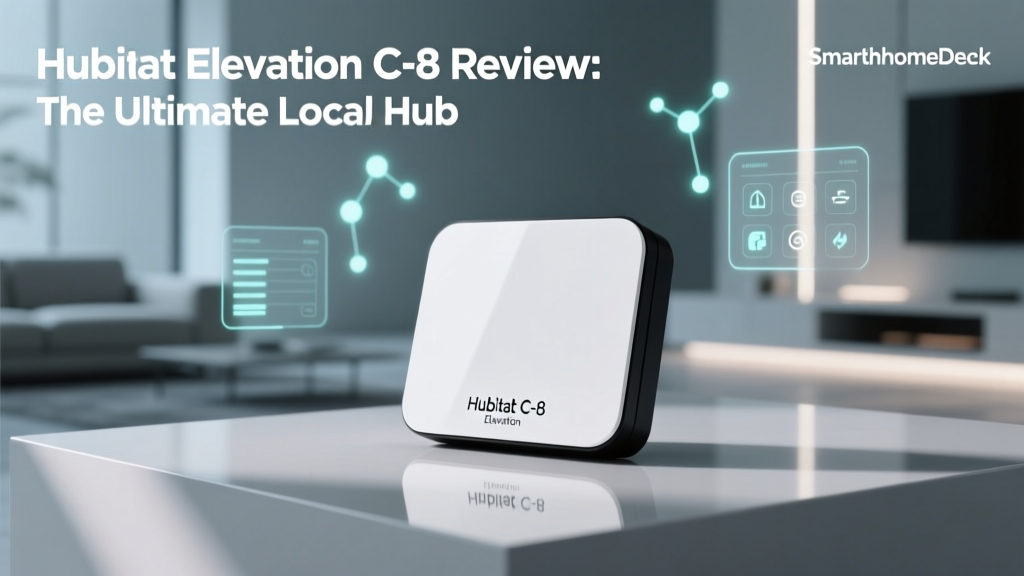
Hubitat users enjoy arguably the most powerful integration with the Assure Lock 2. The local-processing architecture of Hubitat means lock commands execute without cloud dependency, providing faster response times and continued operation during internet outages. Hubitat's Rule Machine allows for sophisticated automations, such as:
- Automatically arming your security system when the lock is engaged and no motion is detected for 10 minutes
- Sending differentiated notifications based on which user code was entered
- Creating "guest mode" automations that temporarily adjust thermostat settings and enable specific smart plugs when a guest code is used
Ring Alarm
The Ring Alarm base station includes Z-Wave support, and the Assure Lock 2 pairs directly with it. This integration allows the lock to participate in Ring's security modes — for example, automatically locking when Ring Alarm is set to "Away" mode. The lock also appears in the Ring app's dashboard for quick access alongside your Ring cameras and doorbells.
Home Assistant (via Z-Wave Integration)
For advanced users running Home Assistant with a Z-Wave JS integration (such as a Zooz or Aeotec Z-Wave stick), the Assure Lock 2 is fully controllable and exposes all parameters for granular configuration. Home Assistant's automations engine provides virtually unlimited customization possibilities, and the lock's status can be incorporated into dashboards, notifications, and complex automation chains. Check out our Home Assistant smart lock guide for detailed setup instructions.
Voice Assistant Integration
Through your Z-Wave hub, the Assure Lock 2 can be connected to Amazon Alexa, Google Assistant, and Apple HomeKit (via Homebridge or hub-specific bridges). Voice commands allow you to lock the door hands-free, though most platforms require a PIN for voice unlock commands as a security precaution.
Comparison with Competing Smart Locks
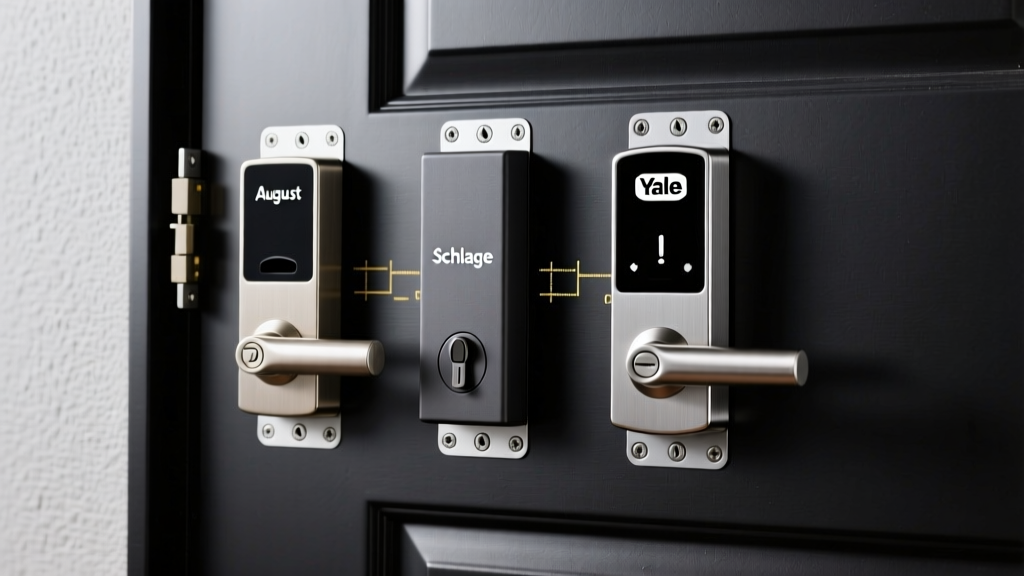
When compared to other Z-Wave smart locks on the market, the Assure Lock 2 occupies a strong position. The Schlage Encode Plus offers HomeKit support but uses Wi-Fi rather than Z-Wave. The Kwikset Halo Touch is more affordable but lacks the build quality and feature depth of the Yale. The August Wi-Fi Smart Lock offers a retrofit solution for existing deadbolts but doesn't include a keypad. For dedicated Z-Wave users, the Assure Lock 2 offers the best combination of design, reliability, and ecosystem integration in its class. See our full best Z-Wave smart locks roundup for more comparisons.
Frequently Asked Questions
Does the Yale Assure Lock 2 Z-Wave work without a hub?
The Yale Assure Lock 2 Z-Wave requires a Z-Wave hub to access its smart features, including remote lock/unlock, access code management, notifications, and automations. However, the lock functions perfectly as a standalone keypad deadbolt without a hub — you can still use the touchscreen to lock and unlock with PIN codes, and the physical key (on keyed variants) provides traditional access. The hub is only needed for remote and automated functionality. If you don't have a Z-Wave hub and aren't planning to get one, you may want to consider the Wi-Fi variant of the Assure Lock 2 instead.
How secure is the Yale Assure Lock 2 Z-Wave against hacking?
The Assure Lock 2 Z-Wave employs multiple layers of security. The Z-Wave S2 security framework provides AES-128 encryption for all wireless communications, making it extremely difficult for attackers to intercept or replay lock commands. The lock also features a wrong-code lockout mechanism (5 failed attempts triggers a 60-second lockout), randomized digit prefixes to prevent shoulder surfing, and tamper detection that alerts your hub if physical manipulation is detected. The ANSI Grade 2 certification ensures robust physical security against forced entry. While no connected device is 100% immune to attack, the Assure Lock 2 implements industry-leading security practices that make it a very secure choice for residential use.
Can I use rechargeable batteries in the Yale Assure Lock 2?
Yale officially recommends using high-quality alkaline AA batteries (such as Duracell or Energizer) for optimal performance. While rechargeable NiMH AA batteries can physically fit and power the lock, they have a lower nominal voltage (1.2V vs. 1.5V for alkaline), which may cause the lock to report inaccurate battery levels or trigger low-battery warnings prematurely. If you choose to use rechargeable batteries, opt for high-capacity cells rated at 2,500 mAh or higher and monitor battery levels more closely. Lithium AA batteries (non-rechargeable, 1.5V) are another excellent option that provides longer life and better performance in extreme temperatures.
What happens if the batteries die while I'm locked out?
The Yale Assure Lock 2 includes a 9V battery emergency power terminal on the exterior of the lock, typically located at the bottom of the escutcheon. By holding a standard 9V battery against the two contact points, you can temporarily power the lock enough to enter your PIN code and gain entry. This is a critical failsafe that not all smart locks offer, and it provides valuable peace of mind. We recommend keeping a 9V battery in a nearby location (such as your car or a neighbor's house) as a precaution. The lock also provides multiple low-battery warnings well before complete depletion, giving you ample time to replace the batteries proactively.
Final Verdict
The Yale Assure Lock 2 Z-Wave earns a strong recommendation for smart home enthusiasts who prioritize build quality, reliable performance, and deep ecosystem integration. Its Z-Wave 700 series connectivity ensures it plays well with modern hubs, the motorized deadbolt operates quietly and consistently, and the design is among the most attractive in the smart lock category.
The primary drawbacks — premium pricing and hub dependency — are trade-offs inherent to the Z-Wave approach rather than product-specific flaws. If you're already invested in a Z-Wave ecosystem or planning to build one, the Assure Lock 2 is one of the finest smart locks available for that platform. Its combination of Yale's lockmaking heritage, modern smart features, and robust security make it a worthwhile investment for your home's primary entry points.
For more smart lock recommendations and comparisons, explore our complete smart lock reviews archive and our guide to smart home security best practices.