Budget Smart Living Room: The Ultimate Guide to Affordable Home Automation
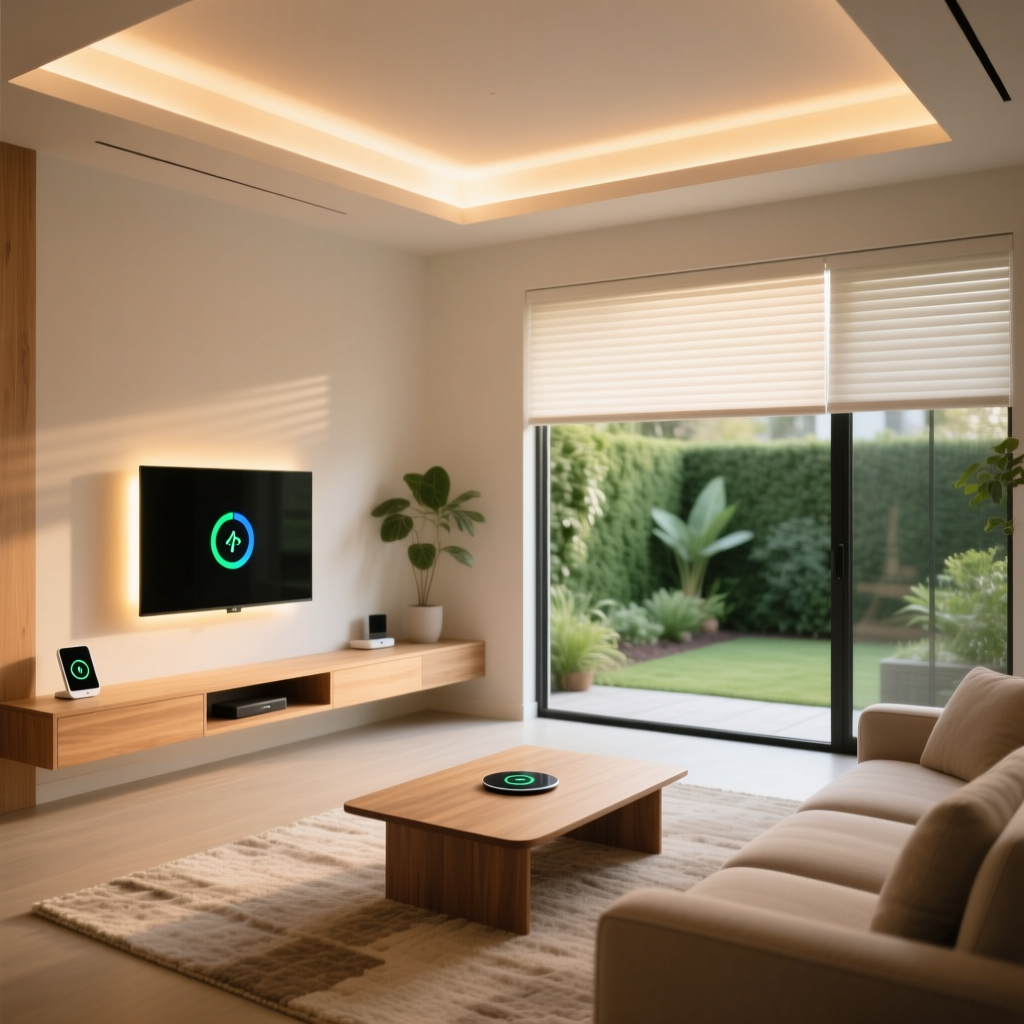
The living room is the heart of every home. It is where you relax after a long day, entertain guests, binge-watch your favorite shows, and spend quality time with family. Transforming this central space into a smart living room does not have to drain your bank account. With the right strategy, you can build a connected, automated, and genuinely impressive smart living room on a budget that works for you.
This comprehensive guide walks you through everything you need to know about creating a budget smart living room. Whether you are dipping your toes into home automation for the first time or looking to upgrade an existing setup without overspending, we have organized our recommendations into three clear budget tiers. From smart lighting and voice assistants to automated blinds and immersive entertainment systems, every suggestion here prioritizes value, reliability, and long-term usefulness.
Before diving into specific devices, let us explore what makes a living room genuinely “smart” and how to approach your setup strategically so that every dollar you spend delivers maximum impact.
What Makes a Smart Living Room Worth the Investment?
A smart living room is more than a collection of gadgets. It is a cohesive ecosystem where devices communicate, automate routine tasks, and adapt to your lifestyle. The best smart living rooms feel effortless — lights dim when you start a movie, the temperature adjusts before you sit down, and your favorite playlist starts playing with a single voice command.
When planning a budget smart living room, focus on these core pillars:
- Lighting control — Smart bulbs, strips, and switches that adjust brightness, color, and schedules automatically
- Entertainment integration — Streaming devices, smart speakers, and universal remotes that simplify your media experience
- Climate comfort — Smart thermostats and sensors that maintain the perfect temperature without manual adjustments
- Voice & app control — A central hub or assistant that ties everything together under one intuitive interface
- Automation routines — Pre-programmed scenes and triggers that make your living room respond to your habits
The beauty of modern smart home technology is that you do not need to tackle all of these at once. Start small, learn what works for your household, and expand gradually. This approach not only saves money but also prevents the frustration of managing devices you never actually use.
For a broader look at how different rooms connect, check out our complete room-by-room smart home guide to plan your whole-home strategy.
Budget Tiers: Starter, Mid-Range & Pro Setups
Every household has different financial comfort levels when it comes to smart home technology. We have broken our budget smart living room recommendations into three tiers so you can find the right fit. Each tier builds on the previous one, meaning you can always start at the Starter level and upgrade over time.
Starter Tier: Under $200
The Starter tier is perfect for beginners or renters who want to dip into smart living without committing to permanent installations. At this level, you focus on high-impact devices that deliver immediate convenience and require minimal setup.
Recommended devices for the Starter tier:
- Smart speaker with voice assistant ($30–$50) — An Amazon Echo Dot, Google Nest Mini, or similar device serves as your command center. You can control other devices, play music, set timers, ask questions, and manage routines all through voice commands.
- Smart bulbs (2–4 pack) ($25–$50) — Wi-Fi-enabled bulbs like those from Wyze, Sengled, or TP-Link Kasa let you adjust brightness, set schedules, and change colors from your phone or with your voice. Read our smart bulb reviews for detailed comparisons.
- Smart plug (2-pack) ($15–$25) — These inexpensive adapters turn any standard lamp, fan, or appliance into a smart device. Plug in your existing floor lamp and control it through your voice assistant or app.
- Streaming stick ($30–$50) — A Roku Streaming Stick, Amazon Fire TV Stick, or Chromecast with Google TV transforms any television with an HDMI port into a smart entertainment hub.
- Smart IR blaster ($15–$30) — This small device learns infrared commands from your existing remotes, letting you control your TV, soundbar, and air conditioner through your smart home app or voice assistant.
Total estimated cost: $115–$205
At this tier, you already have voice control, automated lighting, smart entertainment access, and the ability to control legacy devices. That is a remarkably capable setup for under $200.
Mid-Range Tier: $200–$500
The Mid-Range tier adds sophistication, better integration, and devices that elevate the overall experience. This is where your budget smart living room starts to feel truly premium without crossing into luxury pricing.
Additional devices for the Mid-Range tier:
- Smart light strip ($20–$40) — Place LED strips behind your TV or entertainment center for bias lighting that reduces eye strain and adds ambiance. Govee and Philips Hue Lightstrip are popular choices. See our light strip reviews for top picks.
- Smart thermostat ($80–$150) — Devices like the Wyze Thermostat or Amazon Smart Thermostat learn your schedule and adjust heating and cooling automatically, saving you money on energy bills. Browse our smart thermostat comparisons for more options.
- Smart plug-in dimmer or wall switch ($20–$40) — Upgrade from simple on/off smart plugs to dimmable options that let you set the perfect mood for movie nights or reading sessions.
- Smart sensor kit ($25–$50) — Motion and contact sensors enable advanced automations like turning lights on when you enter the room or adjusting the thermostat when the living room is empty.
- Smart speaker upgrade ($60–$100) — Move from a mini speaker to a full-size Amazon Echo, Google Nest Audio, or Apple HomePod Mini for significantly better sound quality during music listening and movie watching.
Total estimated cost (cumulative from Starter): $300–$500
Pro Tier: $500–$1,000
The Pro tier transforms your living room into a showcase of smart home technology. Every element works in harmony, and the experience rivals high-end custom installations at a fraction of the cost.
Additional devices for the Pro tier:
- Smart blinds or curtain motor ($100–$250) — Motorized window treatments that open with the morning sun and close at sunset. SwitchBot Curtain and various Zigbee blind motors offer budget-friendly options.
- Smart home hub ($50–$130) — A dedicated hub like the Hubitat Elevation, Samsung SmartThings Station, or Home Assistant Green ensures all your devices communicate reliably, even when your internet goes down. Explore our smart home hub reviews to find the right fit.
- Smart soundbar or multi-room speaker system ($100–$250) — Upgrade your audio with a Wi-Fi-enabled soundbar or a pair of smart speakers that deliver immersive sound for movies and music.
- Smart air quality monitor ($50–$100) — Track temperature, humidity, CO2, and particulate matter in your living room and trigger automations like turning on an air purifier when levels rise.
- Smart TV or upgraded streaming device ($150–$300) — If your current TV is older, a budget smart TV or a premium streaming device like the NVIDIA Shield or Apple TV 4K brings faster performance, better picture quality, and deeper smart home integration.
Total estimated cost (cumulative): $700–$1,000
Even at the Pro tier, you are spending far less than what most custom smart home installations cost. The key is choosing devices that work well together and offer reliable performance over time.
Best Budget Smart Devices for Your Living Room
Choosing the right devices is the most critical step in building your budget smart living room. Below, we break down the top categories and highlight what to look for when shopping on a budget.
Smart Lighting: The Foundation of Ambiance
Lighting has the single biggest impact on how your living room feels. Smart lighting lets you shift from bright, energizing daylight tones during the morning to warm, dim, cozy lighting for evening relaxation — all without touching a switch.
Budget tips for smart lighting:
- Start with Wi-Fi smart bulbs in your most-used lamps. Brands like Wyze, Sengled, and Kasa offer reliable bulbs for $8–$15 each.
- For ceiling fixtures with multiple bulbs, consider a smart switch instead of replacing every bulb. A single smart switch ($15–$30) controls the entire fixture.
- Use light strips behind your TV for bias lighting. This not only looks stunning but also reduces eye strain during dark movie scenes.
- Group your lights into “scenes” through your smart home app. A “Movie Night” scene might dim the main lights to 20%, turn on the bias lighting, and switch off the kitchen lights visible from the living room.
For an in-depth comparison of options, visit our guide to the best smart bulbs and our smart light switch roundup.
Smart Entertainment: Stream Smarter, Not Harder
Your entertainment setup is the centerpiece of the living room. A budget smart living room should make accessing content effortless and enjoyable.
Key entertainment devices on a budget:
- Streaming sticks and boxes — The Amazon Fire TV Stick 4K, Roku Streaming Stick+, and Chromecast with Google TV all deliver excellent streaming performance for $30–$55. Each platform has its strengths: Fire TV integrates deeply with Alexa, Roku offers the simplest interface, and Chromecast excels at Google ecosystem integration.
- Universal smart remotes — If you are tired of juggling three or four remotes, a budget universal remote or an IR blaster paired with your voice assistant consolidates control into one place.
- Smart speakers for audio — A pair of budget smart speakers can serve as your TV’s audio system while also playing music, answering questions, and controlling your smart home. Look for speakers with a 3.5mm aux output or Bluetooth connectivity to pair with your existing sound system.
Check out our streaming device reviews for detailed performance comparisons and our smart speaker guide for audio recommendations.
Climate Control: Comfort That Pays for Itself
A smart thermostat is one of the few smart home devices that can literally pay for itself through energy savings. In the living room, where you spend the most waking hours, maintaining a comfortable temperature is essential.
Budget-friendly climate solutions:
- Smart thermostats — The Wyze Thermostat ($50–$70) and Amazon Smart Thermostat ($60–$80) offer features that rival premium models costing three times as much. They learn your schedule, provide energy usage reports, and let you adjust the temperature remotely.
- Temperature and humidity sensors — Place a small sensor ($10–$20) in the living room to ensure the thermostat is responding to conditions where you actually are, not where the thermostat is mounted in the hallway.
- Smart plugs for fans and space heaters — Connect a standing fan or portable heater to a smart plug and automate it based on temperature thresholds or schedules.
Read our comprehensive smart thermostat guide to compare features, compatibility, and energy savings potential.
Smart Security & Monitoring for the Living Room
While the living room is not typically the first room you think of for security, adding a smart camera or sensor provides peace of mind, especially if your living room has ground-floor windows or a patio door.
- Indoor smart cameras — Budget cameras from Wyze, Blink, and TP-Link Tapo cost $25–$50 and offer 1080p or better resolution, night vision, and motion alerts. Many include free local storage options.
- Door and window sensors — Contact sensors ($10–$20 each) alert you when a window or door is opened and can trigger automations like turning on lights or starting a camera recording.
- Smart doorbell integration — If your living room is near the front door, you can set your smart speaker or TV to display a notification when someone rings the doorbell.
Visit our smart security camera reviews for detailed analysis of image quality, storage options, and privacy features.
Installation Tips & Setup Strategies for Budget Smart Living Rooms
Buying the right devices is only half the battle. Proper installation and setup ensure your budget smart living room performs reliably and delivers the seamless experience you are looking for.
Plan Your Network Before You Buy
Every smart device in your living room connects to your Wi-Fi network (or a smart home protocol like Zigbee or Thread). Before adding ten or more devices, make sure your network can handle the load.
- Upgrade your router if needed. A budget mesh Wi-Fi system ($60–$120) ensures strong coverage throughout the living room and eliminates dead spots.
- Use a dedicated 2.4 GHz network for smart devices. Most budget smart home devices operate on 2.4 GHz Wi-Fi. Separating them from your 5 GHz devices (phones, laptops, streaming boxes) reduces congestion.
- Consider Zigbee or Thread devices to reduce Wi-Fi congestion. These protocols create their own mesh network and do not compete with your other wireless devices for bandwidth.
Strategic Device Placement
Where you place your smart devices significantly affects their performance and your overall experience.
- Smart speakers should be placed centrally in the living room, away from walls and corners, for the best voice recognition and audio quality.
- Motion sensors should cover the main entry points to the living room without being triggered by pets or passing traffic in adjacent rooms.
- Smart bulbs in lamps near seating areas give you the most impact. Overhead lighting is important too, but table and floor lamps create the ambiance that makes a living room feel inviting.
- Temperature sensors should be placed at seated height, away from direct sunlight, vents, and electronics that generate heat.
- Smart plugs should be accessible but not obtrusive. Use furniture placement to hide them while keeping them reachable for manual overrides.
Start With a Single Ecosystem
One of the most common mistakes when building a budget smart living room is mixing too many ecosystems too quickly. Choose one primary platform — Amazon Alexa, Google Home, or Apple HomeKit — and prioritize devices that work natively with it.
- Amazon Alexa offers the broadest device compatibility and the most affordable entry-level hardware. It is ideal for budget-conscious users who want maximum flexibility.
- Google Home excels at natural language understanding and integrates seamlessly with Google services like YouTube, Calendar, and Maps.
- Apple HomeKit provides the strongest privacy protections and the most polished user experience, but compatible devices tend to cost slightly more.
Once your primary ecosystem is established and running smoothly, you can add devices from other platforms and bridge them through a smart home hub or software like Home Assistant.
For more guidance on choosing your platform, read our smart home ecosystem comparison guide.
Automation Routines That Make Your Living Room Feel Magical
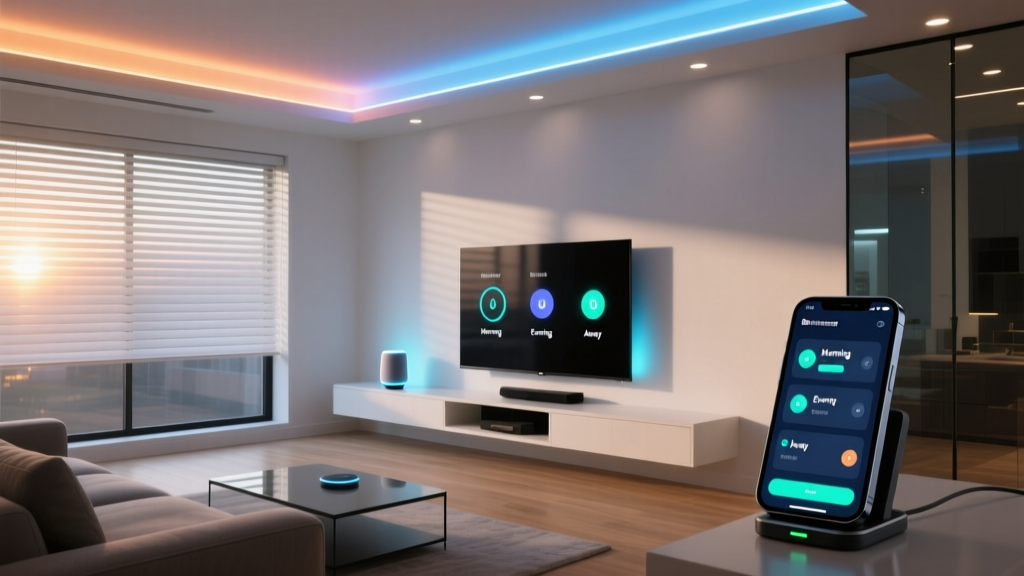
The real magic of a smart living room comes from automation routines — sequences of actions that trigger automatically based on time, sensor data, or your behavior. Here are the most impactful routines you can set up on any budget.
Morning Wake-Up Routine
Start your day gently with a routine that activates when your alarm goes off or at a set time each morning:
- Living room lights turn on at 30% brightness with warm white tones
- Smart blinds slowly open to let in natural light
- Your smart speaker reads out the weather forecast, calendar events, and news headlines
- The thermostat adjusts to your preferred daytime temperature
Movie Night Scene
With a single voice command like “It’s movie time,” your living room transforms:
- Main lights dim to 10% or turn off completely
- Bias lighting behind the TV activates at a soft blue or warm amber
- The TV turns on and launches your preferred streaming app
- The soundbar or smart speaker switches to movie audio mode
- The thermostat lowers by two degrees for cozy comfort
- Smart plugs turn off any distracting lamps or decorative lights
Leaving Home Routine
When you leave for work or an outing, a geofence-triggered routine (based on your phone’s location) ensures nothing is left running:
- All living room lights turn off
- The TV and entertainment system power down
- The thermostat switches to eco mode
- Smart blinds close for privacy and temperature control
- Security cameras activate and begin monitoring
Evening Wind-Down Routine
As bedtime approaches, your living room helps you transition into relaxation mode:
- Lights gradually shift to warm, amber tones at 40% brightness starting at a set time
- After 30 minutes, lights dim further to 15%
- The thermostat adjusts to your preferred sleeping temperature
- Your smart speaker plays soft ambient sounds or a sleep meditation
- At your designated bedtime, all living room devices power off automatically
Entertainment Hosting Mode
When guests arrive, impress them with a living room that sets the perfect atmosphere:
- Lights set to a welcoming brightness level with a neutral white tone
- Background music begins playing through your smart speakers at a conversational volume
- The thermostat adjusts to account for the extra body heat from guests
- Smart plugs activate decorative lights or accent lamps
These routines work across all budget tiers. Even with just a smart speaker, two smart bulbs, and a smart plug, you can create meaningful automations that make daily life more convenient and enjoyable.
Learn more about setting up effective automations in our complete automation routines guide.
Design & Aesthetics: Making Your Smart Living Room Look Great
A budget smart living room should not look like a tech laboratory. The best smart home setups enhance your existing décor rather than competing with it. Here are design principles that keep your living room looking polished and intentional.
Hide the Technology
The most elegant smart living rooms are those where you barely notice the technology. Smart bulbs look identical to regular bulbs when they are on. Smart plugs can be hidden behind furniture. Soundbars mount cleanly below the TV. The goal is for visitors to experience the benefits of your smart home without seeing a tangle of devices and wires.
- Use cable management solutions like raceways, sleeves, and clips to keep wires organized and out of sight. These cost $5–$15 and make an enormous visual difference.
- Choose smart devices with neutral colors that blend with your walls and furniture. White, black, and gray devices disappear into most décor styles.
- Mount your smart home hub behind the TV or inside an entertainment center rather than placing it on a visible shelf.
- Use furniture with built-in cable management to route power cords and HDMI cables invisibly.
Layer Your Lighting for Depth
Professional interior designers use layered lighting to create depth and visual interest. You can achieve the same effect with smart lighting on a budget:
- Ambient lighting — Your main ceiling fixture or overhead smart bulbs provide general illumination.
- Task lighting — A smart desk lamp or reading lamp near the sofa offers focused light for activities like reading or working on a laptop.
- Accent lighting — Smart light strips behind the TV, under shelving, or along baseboards add drama and visual depth.
- Decorative lighting — Smart bulbs in decorative fixtures like Edison-style lamps or pendant lights serve as both light sources and design elements.
By controlling each layer independently through your smart home app, you can create dozens of different moods and atmospheres from a single set of fixtures.
Choose Devices That Complement Your Style
Smart home devices come in a wide range of designs. A fabric-covered smart speaker might suit a cozy, Scandinavian-inspired living room, while a sleek metallic device fits better in a modern minimalist space.
- For modern and minimalist living rooms, choose devices with clean lines, matte finishes, and neutral colors.
- For traditional and cozy spaces, opt for smart devices with fabric coverings, wood accents, or warm-toned finishes.
- For industrial and eclectic styles, exposed-filament smart bulbs and visible technology can actually enhance the aesthetic.
Browse our smart home design guide for more ideas on integrating technology seamlessly into your interior design.
Frequently Asked Questions About Budget Smart Living Rooms
Can I set up a smart living room if I rent my apartment?
Absolutely. Renters can build an impressive smart living room without making any permanent modifications. Focus on plug-in devices like smart bulbs, smart plugs, streaming sticks, and smart speakers. These all install in seconds and move with you when you leave. For smart switches and thermostats, you can install them and keep the originals in a box to swap back when your lease ends. Many landlords actually appreciate smart thermostats because they reduce energy costs and prevent issues like frozen pipes. Always check your lease agreement and communicate with your landlord before installing any hardwired devices.
Do I need a smart home hub for a budget living room setup?
A dedicated smart home hub is not strictly necessary for a Starter or even a Mid-Range budget smart living room. Most Wi-Fi-based smart devices connect directly to your router and are controlled through their native apps or voice assistants. However, as you add more devices — especially those using Zigbee, Z-Wave, or Thread protocols — a hub becomes increasingly valuable. Hubs improve reliability, reduce Wi-Fi congestion, and enable local processing so your automations continue working even during internet outages. If you are starting small, skip the hub initially and add one when your device count exceeds ten or when you start experiencing connectivity issues.
How do I make sure all my smart devices work together?
Compatibility is the single most important factor when building a budget smart living room. Before purchasing any device, verify that it works with your chosen voice assistant or smart home platform. Look for labels like “Works with Alexa,” “Works with Google Home,” or “HomeKit Compatible” on the packaging. Devices that support the Matter standard offer the broadest cross-platform compatibility and are increasingly common in new products. When in doubt, check our device review pages where we test and document compatibility across all major platforms for every product we evaluate.
What is the best way to save money on smart home devices?
There are several proven strategies for stretching your smart living room budget. First, buy during major sales events like Black Friday, Prime Day, or back-to-school promotions when smart home devices are frequently discounted 30–50%. Second, consider certified refurbished devices from manufacturers — they come with warranties and perform identically to new units at a lower price. Third, start with multipacks of smart bulbs and plugs, which offer a lower per-unit cost than buying individually. Fourth, prioritize devices that serve multiple functions; a smart speaker with a built-in temperature sensor and Zigbee hub eliminates the need to buy those devices separately. Finally, resist the urge to buy devices you do not have a clear use case for — the most expensive smart device is the one you never actually use.
Will smart home devices increase my electricity bill?
The impact on your electricity bill is generally minimal and often positive. Individual smart bulbs consume roughly the same power as standard LED bulbs (about 8–10 watts), and smart plugs draw less than 1 watt in standby mode. A smart speaker typically uses 2–5 watts during active use and less than 2 watts in standby. The biggest factor is actually the savings a smart thermostat can provide — most households save 10–15% on heating and cooling costs, which translates to $50–$150 in annual savings depending on your climate and energy rates. Smart lighting schedules and motion-based automations also reduce waste by ensuring lights are only on when needed. In most cases, a budget smart living room pays for a portion of its own cost through energy savings over time.
Final Thoughts on Building Your Budget Smart Living Room
Creating a smart living room on a budget is not about finding the cheapest devices — it is about making smart choices that deliver lasting value. Start with the essentials: a voice assistant, a few smart bulbs, and a streaming device. Learn how they work together, discover which automations genuinely improve your daily life, and then expand thoughtfully.
The smart home industry continues to evolve rapidly, with prices dropping and capabilities expanding every year. By starting with a solid foundation and growing your setup over time, you build a living room that is not only connected and convenient but also perfectly tailored to your lifestyle and budget.
Ready to start building? Explore our device reviews to find the best products for your specific needs, and check out our smart home guides for more tips on creating a connected home that works beautifully without breaking the bank.
Your perfect smart living room is closer — and more affordable — than you think.