Designing a Kid-Safe Smart Room
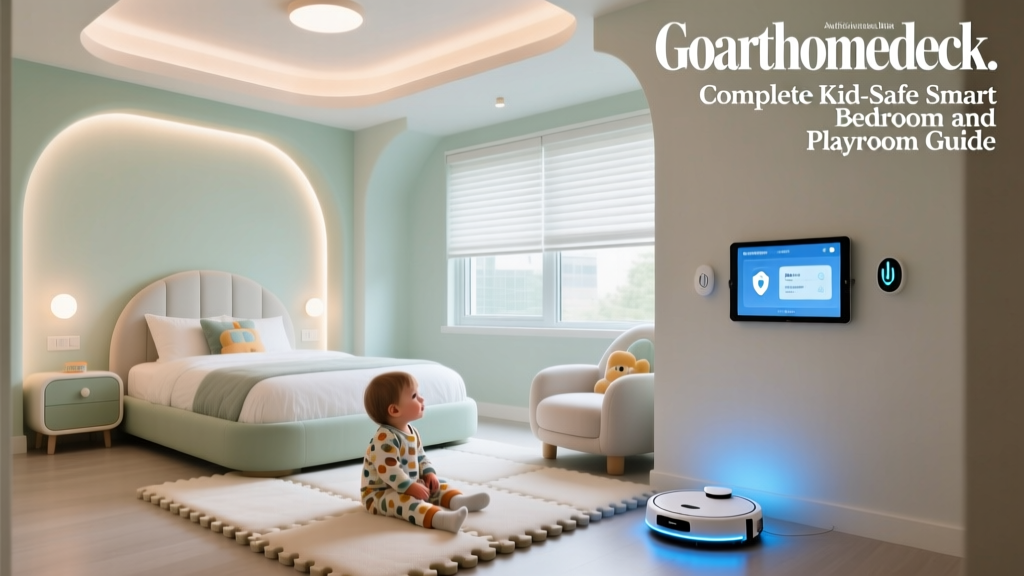
Setting up a smart room for kids isn't just about adding flashy gadgets to their space; it is about creating an environment that fosters independence, ensures safety, and supports healthy cognitive and physical development. As parents, we want to leverage technology to make bedtime easier, playtime more engaging, and study time more focused. However, introducing internet-connected devices into a child's bedroom or playroom requires a careful, deliberate balance of convenience and stringent security.
Unlike a living room or kitchen, a child's room is their personal sanctuary. The devices placed here must be durable, non-intrusive, and heavily guarded by parental controls. From managing screen time to monitoring indoor air quality, a well-designed kid-safe smart room can actually reduce household friction and promote healthier daily routines. In this comprehensive guide, we will break down the best family-friendly devices, network security practices, and automated routines to transform your child's room into a secure, intelligent haven.
Privacy and Network Security: The Foundation
Before plugging in a single smart bulb, we must address the digital elephant in the room: data privacy. Children's data is highly sensitive, and protecting it is both a moral and legal imperative. According to the Federal Trade Commission's COPPA guidelines, companies are required to obtain verifiable parental consent before collecting personal information from children under 13. While this applies to the manufacturers, parents must also act as the final gatekeepers of their home network.
Segmenting Your Home Network
Never put your child's smart devices on the same network tier as your personal laptops, smartphones, or home office equipment. Most modern mesh routers (like Eero, Nest Wifi, or TP-Link Deco) allow you to create a dedicated 'IoT' or 'Guest' network. Place all smart bulbs, plugs, and kids' audio devices on this isolated network. This ensures that if a low-cost smart plug has a firmware vulnerability, a bad actor cannot pivot to access your personal data or work computers.
Choosing Privacy-First Hardware
When selecting devices for a kid's room, avoid indoor security cameras unless absolutely necessary, and if used, ensure they feature physical privacy shutters and local storage options rather than mandatory cloud recording. Audio-only devices or screen-free smart hubs are vastly superior for protecting a child's physical and digital privacy while still offering the benefits of smart home automation.
Core Devices for the Kids' Smart Room
Smart Lighting: Circadian Rhythms and Creative Play
Lighting plays a profound role in regulating a child's circadian rhythm. Exposure to blue light in the evening can suppress melatonin production, making bedtime a struggle. The Philips Hue White and Color Ambiance starter kit is the gold standard for kids' rooms. You can program the lights to emit a cool, energizing white during homework hours and automatically transition to a warm, dim amber glow 45 minutes before bed. For the playroom area, Nanoleaf Shapes offer interactive, touch-sensitive light panels that kids can use to create art, play games, and react to music, all without staring at a traditional screen.
Audio and Entertainment: The Screen-Free Approach
The American Academy of Pediatrics (AAP) strongly recommends keeping traditional screens out of children's bedrooms to promote better sleep hygiene and reduce overstimulation. Instead of a TV or tablet, opt for screen-free smart audio. The Amazon Echo Dot Kids Edition is wrapped in a durable, child-proof case and comes with a free year of Amazon Kids+. It allows parents to set strict daily time limits, filter explicit music, and block voice purchasing. For younger children, the Toniebox Audio Player is a brilliant, Wi-Fi-connected (but screen-free) storytelling device that uses physical figurines to play audiobooks and songs, giving toddlers tactile control over their entertainment without exposing them to internet browsers.
Climate and Air Quality Monitoring
Children's respiratory systems are still developing, making them highly susceptible to poor indoor air quality. The Environmental Protection Agency (EPA) notes that indoor air can be significantly more polluted than outdoor air due to off-gassing from furniture, toys, and cleaning supplies. The Airthings View Plus is an exceptional smart monitor that tracks Radon, PM2.5, CO2, and VOCs (Volatile Organic Compounds). If VOC levels spike after a new toy is unboxed or the room is freshly painted, the device can trigger a smart plug to turn on a HEPA air purifier automatically.
Smart Plugs: The Ultimate Appliance Enforcer
Sometimes the best way to manage a child's room is to control the 'dumb' devices already in it. Kasa Smart Plug Minis are inexpensive, reliable, and perfect for hard-limiting access to bedroom TVs, gaming consoles, or computer monitors. By plugging the gaming console into a Kasa Smart Plug, you can schedule the power to cut off completely at 8:00 PM on school nights, eliminating arguments about 'just one more level' and preventing phantom power draw.
Budget Tiers: Starter, Mid, and Pro
Building a smart room doesn't have to break the bank. Here is a breakdown of three distinct budget tiers to help you plan your family-friendly upgrade.
| Tier | Estimated Cost | Key Devices Included | Best For |
|---|---|---|---|
| Starter | $100 - $180 | Echo Dot Kids, 2x Kasa Smart Plugs, 1x Wyze Bulb Color | Basic routine automation and audio storytelling. |
| Mid | $350 - $550 | Philips Hue Starter Kit, Airthings Wave Plus, Toniebox | Health monitoring, circadian lighting, and screen-free play. |
| Pro | $900 - $1,400+ | Nanoleaf Shapes, Dyson Purifier Cool (Smart), Ecobee SmartThermostat | Complete environmental control, premium air quality, and immersive design. |
Visualizing Device Impact: Energy and Control
When choosing devices for a child's room, parents must weigh the ongoing energy costs against the utility and parental control features each device offers. The chart below compares the estimated annual energy cost of popular kid-room devices against their 'Parental Control Score' (a proprietary metric based on app restrictions, time-limit capabilities, and content filtering).
Device Energy Cost vs. Parental Control Capabilities
Automations for Healthy Routines
The true magic of a smart home lies in automation. By linking devices together, you can create environmental cues that help children transition between activities smoothly, reducing tantrums and parental nagging.
The 'Sunrise' Morning Routine
Waking up to a blaring alarm is jarring for anyone, especially children. Program your Philips Hue lights to mimic a sunrise, starting at 1% brightness with a deep orange hue and gradually shifting to bright, cool white over 20 minutes. Pair this with a smart plug connected to a gentle white noise machine or a small fan that turns off right as the lights reach full brightness, signaling that it is time to get out of bed.
The 'Homework Focus' Environment
When it is time to study, distractions must be minimized. Create a 'Homework' scene in your smart home app. This routine sets the smart bulbs to a crisp 4000K cool white (proven to aid concentration), uses a Kasa Smart Plug to cut power to the bedroom TV and gaming console, and prompts the Echo Dot to play a curated playlist of instrumental lo-fi beats or classical music.
The 'Bedtime Wind-Down' Sequence
Bedtime battles are a universal parenting struggle. Automate the wind-down process so the house does the heavy lifting. At 7:30 PM, the main overhead lights turn off, leaving only a smart LED strip under the bed or behind a bookshelf glowing in a dim, sleepy red (which does not disrupt melatonin). The Echo Dot Kids can be scheduled to read a daily bedtime story or play sleep sounds, automatically shutting off after 30 minutes. This predictable, environmental sequence cues the child's brain that sleep is imminent.
'Children thrive on predictability. When the environment itself signals a transition—like lights dimming and a favorite story beginning—it bypasses the power struggle and taps into their natural biological rhythms.'
— Child Development and Routine Psychology Overview
Aesthetic and Physical Safety Considerations
A kid-safe smart room isn't just about digital firewalls; it is about physical safety and durable aesthetics. Children are naturally curious, and smart home devices often feature blinking lights, cables, and fragile components that can pose hazards.
Cord Management and Concealment
Strangulation and tripping hazards are paramount concerns. Never leave smart speaker power cords or LED strip adapters dangling. Use adhesive cord channels to run cables along baseboards and behind furniture. For smart plugs, use outlet covers that enclose the entire plug and cord base, preventing little hands from yanking them from the wall.
Choking Hazards and Sensor Placement
Many smart home sensors, such as door/window contact sensors or small smart buttons, are roughly the size of a coin and pose a severe choking hazard for toddlers and young children. Always mount these sensors on the upper door frames or high up on window sills, completely out of reach. Similarly, smart home hubs with small removable parts should be placed on high, wall-mounted shelves.
Securing Displays and Light Panels
If you use a smart display like the Echo Show 5 for video calling grandparents, do not rely on its lightweight base. Active kids can easily knock it over. Use a weighted, anti-tip stand or a wall-mount bracket designed for smart displays. For modular light panels like Nanoleaf or Govee Glide, ensure they are mounted using the provided heavy-duty 3M Command strips or, preferably, screwed directly into drywall anchors to prevent them from being pulled down during enthusiastic play.
Conclusion
Creating a kid-safe smart bedroom and playroom is an investment in your child's well-being and your family's peace of mind. By prioritizing network security, choosing screen-free and privacy-focused hardware, and implementing intelligent automations, you can build a space that grows with your child. Technology should not replace active parenting or outdoor play; rather, when deployed thoughtfully, it acts as an invisible assistant that enforces healthy boundaries, protects their digital footprint, and turns the daily routines of waking, studying, and sleeping into seamless, stress-free experiences.