Ecobee SmartSensor vs Honeywell Room Sensor: The Complete Comparison
If you have ever noticed that your living room feels like a sauna while your bedroom resembles a walk-in freezer, you already understand the problem that smart room sensors solve. A thermostat mounted in a hallway simply cannot know what temperature every room in your home is experiencing. That is where the Ecobee SmartSensor and the Honeywell Room Sensor come in. Both devices promise to eliminate hot & cold spots, reduce energy waste, and give you room-by-room comfort control — but they go about it in very different ways.
In this in-depth comparison, we break down every aspect of these two popular sensor products, from detection technology & battery life to smart home ecosystem integration & long-term value. Whether you are already committed to an Ecobee or Honeywell thermostat, or you are simply exploring ways to improve your home's climate control, this guide will help you make the right choice.
For more smart home product comparisons, check out our full versus section or browse our smart home guides for expert recommendations.
Side-by-Side Specifications: Ecobee SmartSensor vs Honeywell Room Sensor
Before we dive into detailed analysis, here is a quick-reference specification table so you can compare the core numbers at a glance.
| Specification | Ecobee SmartSensor | Honeywell Home Room Sensor |
|---|---|---|
| Compatibility | Ecobee SmartThermostat, SmartThermostat Premium, ecobee3 lite (with firmware update) | Honeywell Home T9, T10 Pro Smart Thermostats |
| Sensors Included | Temperature & Occupancy (PIR) | Temperature & Occupancy (PIR) |
| Wireless Protocol | Proprietary 915 MHz RF | Proprietary RF (sub-GHz) |
| Claimed Range | Up to 60 feet indoors | Up to 200 feet indoors (line of sight) |
| Battery Type | CR2032 coin cell | 2x AAA batteries |
| Battery Life | Up to 5 years (depending on occupancy detection frequency) | Approximately 1 year |
| Dimensions | Approx. 1.6 x 1.6 x 1.0 inches | Approx. 2.6 x 2.6 x 0.8 inches |
| Mounting Options | Magnetic mount, adhesive backing, flat surface stand | Adhesive backing, wall-mount bracket, flat surface |
| Multi-Room Prioritization | Yes — via Smart Home/Away & Follow Me modes | Yes — via priority-based room scheduling |
| Sensors Per Pack | 2 sensors per pack (1 included with SmartThermostat) | 1 sensor per pack (1 included with T9) |
| Max Sensors Supported | Up to 32 sensors | Up to 20 sensors |
| Humidity Sensing | No (thermostat handles humidity) | No (thermostat handles humidity) |
| Smart Home Integration | Alexa, Google Assistant, Apple HomeKit, Samsung SmartThings, IFTTT | Alexa, Google Assistant, IFTTT (via Honeywell Home app) |
| Price Range | $$ (two-pack) | $ (single sensor) |
Performance & Accuracy: How Well Do They Actually Work?
The entire reason to add room sensors to your smart thermostat setup is to get more accurate temperature readings across your home. Both the Ecobee SmartSensor and the Honeywell Room Sensor deliver on this fundamental promise, but there are meaningful differences in how they perform under real-world conditions.
Temperature Accuracy
Both sensors report temperature within approximately ±0.5°F of the actual room temperature, which is more than sufficient for residential climate control. In independent testing, neither sensor showed significant drift over time. The Ecobee SmartSensor updates its temperature reading every 15 seconds when connected to a compatible thermostat, while the Honeywell Room Sensor communicates updates at a comparable interval. For practical purposes, you will not notice a meaningful difference in temperature accuracy between the two.
Occupancy Detection
This is where things get more interesting. Both sensors use passive infrared (PIR) technology to detect human presence, but their implementations differ in important ways.
The Ecobee SmartSensor uses a wide-angle PIR lens that covers a generous field of view. It is designed to detect motion in a room and then signal the thermostat that the space is occupied. Ecobee's software uses a rolling window — if motion has been detected within the past 30 minutes, the room is considered occupied. This approach works well for most living situations, though it can occasionally miss someone who is sitting very still for extended periods (such as reading or watching a movie).
The Honeywell Room Sensor also uses PIR-based occupancy detection with a similar rolling-window approach. However, Honeywell's sensor tends to be slightly more sensitive to minor movements, which can be an advantage in rooms where occupants are relatively sedentary. The trade-off is a higher potential for false positives — a pet walking through the room might occasionally trigger occupancy, though Honeywell's firmware includes pet-immunity algorithms to minimize this issue.
Range & Connectivity Reliability
Here we find one of the most significant differences between the two products. The Honeywell Room Sensor claims a range of up to 200 feet (line of sight), which translates to reliable connectivity through two or three interior walls in a typical home. Users with larger homes consistently report strong performance with the Honeywell sensor, even in multi-story configurations.
The Ecobee SmartSensor, with its rated range of approximately 60 feet indoors, can struggle in larger homes or in situations where the sensor is placed on a different floor from the thermostat. Thick walls, metal framing, and interference from other wireless devices can further reduce effective range. That said, Ecobee has improved connectivity with firmware updates over the years, and most users in homes under 3,000 square feet report reliable performance.
If you live in a large home or one with challenging construction materials (such as plaster & lath walls or radiant floor heating with metal mesh), the Honeywell Room Sensor has a clear advantage in raw connectivity range.
Features & Smart Functionality
Raw sensor hardware is only half the equation. The real magic happens in how each manufacturer's software platform uses the data those sensors collect. Both Ecobee and Honeywell offer sophisticated room-prioritization features, but their approaches reflect different design philosophies.
Ecobee SmartSensor Features
Ecobee has built its entire brand around sensor-driven intelligence, and the SmartSensor benefits from years of software refinement. Key features include:
- Smart Home/Away: The thermostat uses occupancy data from all connected sensors to determine whether anyone is home. If all sensors report the house is empty, the thermostat automatically switches to an energy-saving setpoint. This feature alone can save a meaningful percentage on heating & cooling bills.
- Follow Me: Instead of averaging temperatures across all rooms, the thermostat prioritizes the temperature in whichever room currently has occupancy. If you move from the living room to the bedroom, the thermostat shifts its focus to keep the bedroom comfortable.
- Schedule-Based Participation: You can configure which sensors participate during specific schedule periods. For example, during the overnight period, you might tell the thermostat to only consider bedroom sensors, ignoring the living room & kitchen.
- Smart Recovery: Using data from sensors and learned thermal characteristics of your home, the thermostat calculates when to start heating or cooling so that your home reaches the desired temperature exactly when your schedule says it should.
The Ecobee app provides clear visibility into what each sensor is reporting, including current temperature, occupancy status, and battery level. The interface is polished & intuitive, making it easy to understand how your sensors are influencing thermostat behavior.
Honeywell Room Sensor Features
Honeywell takes a more structured, schedule-driven approach to room prioritization:
- Priority-Based Scheduling: You assign priority levels to rooms for different times of day. During the morning, you might prioritize the kitchen & living room. At night, you shift priority to the bedrooms. The thermostat then works to satisfy the temperature targets for the highest-priority rooms first.
- Multi-Room Focus: The T9 & T10 Pro thermostats can focus on multiple rooms simultaneously, using a weighted average of prioritized sensors to determine when to run heating or cooling.
- Auto Home/Away: Like Ecobee, Honeywell supports geofencing & sensor-based occupancy detection to switch between home & away modes automatically.
- Room-by-Room History: The Honeywell Home app provides temperature history graphs for each sensor, allowing you to identify problem rooms & track improvements over time.
While Honeywell's feature set is robust, the Honeywell Home app has historically received mixed reviews for its user interface. Some users find the sensor management screens less intuitive than Ecobee's offering, though recent app updates have narrowed this gap considerably.
Ecosystem & Smart Home Compatibility
Your room sensor does not exist in isolation — it is part of a broader smart home ecosystem. The thermostat you already own (or plan to buy) will almost certainly dictate which sensor you choose, since each sensor is proprietary to its respective brand. However, the broader compatibility picture still matters.
Ecobee Ecosystem
Ecobee thermostats are widely regarded as some of the most connected devices in the smart home space. The SmartSensor integrates seamlessly into an ecosystem that includes:
- Amazon Alexa: Built-in Alexa on the SmartThermostat Premium means your sensors can contribute to routines & automations. You can ask Alexa for the temperature in any room with a sensor.
- Apple HomeKit: Full HomeKit support means you can use Apple Home automations triggered by sensor data, such as turning off lights when a room becomes unoccupied.
- Google Assistant: Voice queries & routines can incorporate sensor data for hands-free climate control.
- Samsung SmartThings: Integration allows sensor data to trigger broader home automations beyond just HVAC control.
- IFTTT: Custom applets can use sensor state changes as triggers for virtually any connected device or service.
Ecobee's broad ecosystem support makes the SmartSensor a versatile component in a multi-platform smart home. If you use HomeKit, in particular, Ecobee is one of the few thermostat brands that offers robust Apple integration, which extends to sensor-driven automations.
Honeywell Ecosystem
Honeywell Home (now part of Resideo) offers a more focused ecosystem:
- Amazon Alexa: Compatible with Alexa for voice control & routines, though sensor-specific data exposure is more limited than Ecobee.
- Google Assistant: Basic integration for voice queries & temperature adjustments.
- IFTTT: Available for custom automations, though the number of available triggers is smaller than Ecobee's IFTTT channel.
- No Native HomeKit Support: This is a significant gap for Apple users. Honeywell thermostats & sensors do not natively integrate with Apple HomeKit, which rules out the entire Apple ecosystem for automation purposes.
If your smart home is primarily built around Amazon Alexa or Google Assistant, the Honeywell ecosystem will serve you well. However, if you are an Apple HomeKit user or you rely on Samsung SmartThings for whole-home automation, the Ecobee SmartSensor offers significantly broader compatibility. For more on building a connected smart home, explore our smart home guides.
Design, Installation & Battery Life
Room sensors are devices you will look at every day, so their physical design matters. They also need to be easy to install & maintain — nobody wants to climb a ladder every few months to swap batteries.
Physical Design
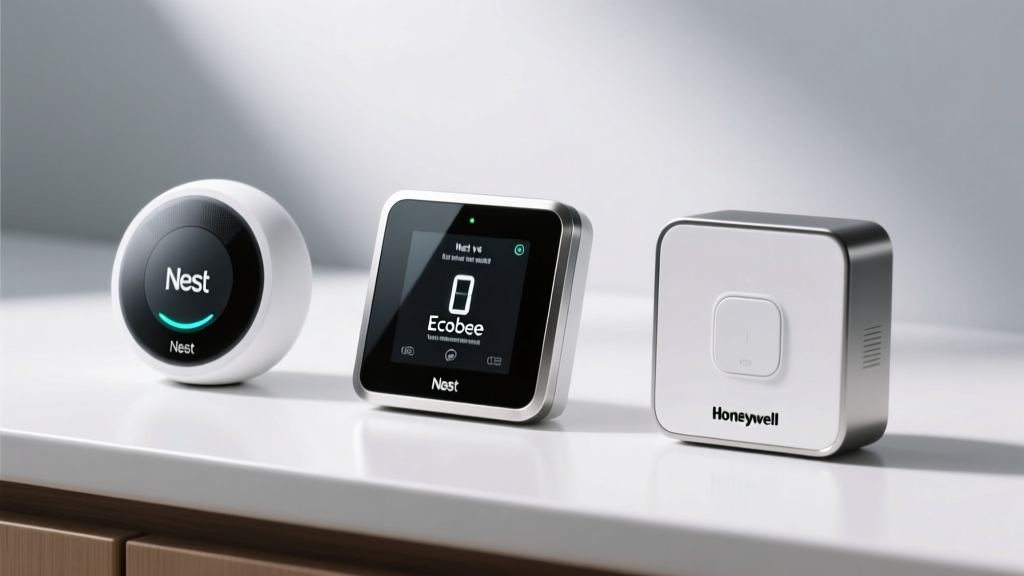
The Ecobee SmartSensor is a compact, circular device with a clean, minimalist aesthetic. At roughly 1.6 inches in diameter, it is unobtrusive & blends well with most décor styles. The white finish & rounded edges give it a modern, premium feel. It ships with a magnetic mount that attaches to a metal plate (which you can stick to a wall with adhesive), as well as a built-in stand for placing the sensor on a shelf or desk.
The Honeywell Room Sensor is noticeably larger at approximately 2.6 inches square, with a more utilitarian design. While still finished in white with clean lines, its larger footprint makes it more visible on a wall or shelf. It includes an adhesive wall-mount bracket & can also sit flat on a surface. The design is functional rather than stylish, but it will not look out of place in most rooms.
Installation
Both sensors are remarkably easy to install. The basic process for each involves:
- Unboxing the sensor & installing batteries
- Opening the companion app on your phone
- Following the in-app pairing wizard to connect the sensor to your thermostat
- Placing the sensor in your desired location
The entire process typically takes less than five minutes per sensor. Neither device requires wiring, a hub, or any special tools. Both Ecobee & Honeywell provide clear, step-by-step instructions in their respective apps.
One minor advantage goes to Ecobee: the magnetic mount makes it easy to temporarily reposition the sensor for testing different locations without removing adhesive pads. You can experiment with placement over a few days before committing to a permanent location.
Battery Life
This is one area where the Ecobee SmartSensor has a decisive advantage. Thanks to its CR2032 coin cell battery & highly optimized power management, Ecobee rates the SmartSensor for up to five years of battery life under typical usage conditions. In practice, many users report getting three to four years before needing a replacement — still an excellent result that means you can largely forget about maintenance.
The Honeywell Room Sensor uses two AAA batteries, which are inexpensive & widely available but need to be replaced approximately once per year. While this is not an onerous maintenance burden, it does mean you will need to keep track of battery levels across multiple sensors & schedule replacements periodically. The Honeywell Home app does provide low-battery notifications, so you will not be caught off guard.
If you plan to install sensors in many rooms — perhaps six or eight throughout a large home — the difference in battery maintenance becomes more significant. Replacing batteries in eight Ecobee sensors once every four years is far less work than replacing batteries in eight Honeywell sensors every year.
Value & Cost of Ownership
Price is always a factor, but the true cost of a room sensor goes beyond the initial purchase. Let us break down the value proposition for each product.
Upfront Cost
The Ecobee SmartSensor is typically sold in a two-pack at a mid-range price point. One sensor is also included with the Ecobee SmartThermostat & SmartThermostat Premium, so if you are buying a new thermostat, you already have one sensor in hand. Additional two-packs allow you to expand coverage incrementally.
The Honeywell Room Sensor is sold individually at a lower per-sensor price than Ecobee. One sensor is included with the Honeywell T9 Smart Thermostat. Because Honeywell sensors are sold individually, you can buy exactly the number you need without paying for extras — an advantage if you only need one or two additional sensors.
Thermostat Cost Consideration
It is important to remember that neither sensor works standalone — each requires a compatible thermostat from its respective brand. The Ecobee SmartThermostat typically retails at a premium price point, while the Honeywell T9 is often available at a somewhat lower price. When you factor in the total system cost (thermostat + sensors), the Honeywell solution can be more affordable upfront, especially for smaller homes that only need two or three sensors.
Long-Term Value
Over a five-year period, the total cost of ownership tells a slightly different story:
- Ecobee: Higher upfront thermostat cost, sensors sold in two-packs, but batteries last up to five years. Minimal ongoing costs.
- Honeywell: Lower upfront thermostat cost, sensors sold individually (more flexible), but annual battery replacements add up over time, especially with many sensors.
Energy savings are another component of long-term value. Both systems can reduce heating & cooling costs by ensuring your HVAC system runs only when & where needed. Ecobee has published data suggesting its SmartSensor system can save users up to 26% on annual heating & cooling costs, though real-world savings vary significantly based on climate, home size, & usage patterns. Honeywell makes similar claims for its room sensor system. In practice, both systems deliver meaningful energy savings compared to a single thermostat without room sensors.
Verdict: Which Sensor Should You Choose?
Because each sensor is locked to its respective thermostat ecosystem, the decision ultimately comes down to which thermostat platform you prefer — and which user profile best describes your situation. Here is our recommendation for different types of users:
Choose the Ecobee SmartSensor If:
- You are an Apple HomeKit user. Ecobee's native HomeKit support is a major advantage that Honeywell simply cannot match. If you want sensor-driven automations in the Apple Home app, Ecobee is the clear choice.
- You want the most polished software experience. Ecobee's app & sensor management features are best-in-class, with intuitive controls & detailed insights into how your sensors are affecting comfort & efficiency.
- You hate changing batteries. With up to five years of battery life, the Ecobee SmartSensor is virtually maintenance-free.
- You value premium design. The SmartSensor's compact, modern form factor looks great in any room.
- You want maximum smart home integration. Alexa, Google, HomeKit, SmartThings, & IFTTT — Ecobee works with virtually everything.
Choose the Honeywell Room Sensor If:
- You have a large home. The Honeywell Room Sensor's superior wireless range makes it more reliable in sprawling floor plans or multi-story homes where the thermostat is far from certain rooms.
- You want a more affordable entry point. The Honeywell T9 thermostat & individually sold sensors can be more budget-friendly, especially if you only need a few sensors.
- You prefer schedule-based room prioritization. If you like the idea of explicitly setting room priorities for different times of day rather than relying on occupancy-based automation, Honeywell's approach gives you more direct control.
- You are already invested in the Honeywell/Resideo ecosystem. If you have other Honeywell Home products, adding a T9 & room sensors keeps everything under one app & one account.
- You want flexible purchasing. Buying sensors individually means you can add coverage one room at a time without paying for a two-pack when you only need one more sensor.
The Bottom Line
Both the Ecobee SmartSensor & the Honeywell Room Sensor are excellent products that deliver on their core promise of room-by-room comfort. The Ecobee SmartSensor wins on software polish, ecosystem breadth, battery life, & design. The Honeywell Room Sensor wins on wireless range, per-sensor pricing flexibility, & overall system affordability. Your best choice depends on your home's size, your preferred smart home platform, & how much control you want over scheduling vs. automation.
For more help choosing the right smart thermostat & accessories, visit our thermostat buyer's guides or explore our product reviews for detailed individual assessments.
Frequently Asked Questions
Can I use an Ecobee SmartSensor with a Honeywell thermostat, or vice versa?
No. The Ecobee SmartSensor uses a proprietary wireless protocol that only communicates with Ecobee thermostats. Similarly, the Honeywell Room Sensor only works with compatible Honeywell Home thermostats such as the T9 & T10 Pro. There is no cross-compatibility between the two systems. If you already own a smart thermostat from one brand, you must use that brand's sensors. If you are starting from scratch & choosing a complete system, consider the factors outlined in this comparison to select the platform that best fits your needs.
How many room sensors do I actually need?
The ideal number of sensors depends on your home's layout & your comfort goals. As a general guideline, you should place a sensor in every room where you spend significant time & where temperature tends to deviate from the thermostat's hallway reading. For most homes, this means three to five sensors: one for the primary bedroom, one for the living room, one for a home office or secondary bedroom, & possibly one for a frequently used space like a kitchen or finished basement. Rooms that are rarely occupied or that maintain consistent temperatures (such as guest rooms or storage areas) typically do not need sensors. Both Ecobee & Honeywell allow you to add sensors incrementally, so you can start with one or two & expand as needed.
Do room sensors actually save money on energy bills?
Yes, in most cases. Room sensors save money by enabling two key behaviors: first, they allow your thermostat to avoid heating or cooling unoccupied rooms, reducing overall HVAC runtime. Second, they help your thermostat make smarter decisions about when to start & stop heating or cooling based on actual conditions in the rooms you care about, rather than relying on a single hallway reading that may not represent your whole home. The exact savings depend on your climate, the size & insulation of your home, your utility rates, & your usage patterns. Ecobee claims potential savings of up to 26% on annual heating & cooling costs, though individual results will vary. Even modest savings of 10-15% can add up to hundreds of dollars over several years, effectively paying for the cost of the sensors & then some.
Where is the best place to mount a room sensor?
For the most accurate readings, mount your room sensor at approximately chest height (about 4 to 5 feet from the floor) on an interior wall, away from direct sunlight, drafts, vents, & heat-generating electronics. Avoid placing sensors near windows, exterior doors, or lamps, as these can skew temperature readings. If you are using the sensor primarily for occupancy detection, make sure it has a clear line of sight to the area where people typically sit or move. Both Ecobee & Honeywell allow you to place sensors on a flat surface (like a shelf or desk) as an alternative to wall mounting, which can be convenient for testing different locations before committing to a permanent installation. In bedrooms, placing the sensor on a nightstand near the bed often provides the best combination of accurate temperature readings & reliable occupancy detection.