The Smart Lighting Dilemma: Where Do You Start?
Upgrading your home with smart lighting is one of the most impactful and visible smart home projects you can undertake. However, new adopters quickly hit a crossroads: should you replace the wall switches, swap out the individual bulbs, or install ambient LED strips? Each approach fundamentally changes how your home operates, how much money you spend, and how you interact with your ecosystem. There is no single 'best' option; rather, the right choice depends on your home's wiring, your budget, and your specific use cases. In this comprehensive head-to-head comparison, we break down the technical specifications, installation hurdles, and long-term costs of smart switches, smart bulbs, and smart LED strips to help you design the perfect lighting retrofit.
Smart Switches: The Whole-Room Foundation
Smart switches replace your existing wall switches, turning 'dumb' fixtures into smart ones. This approach is generally the most cost-effective way to automate multi-bulb fixtures, such as kitchen recessed lighting or chandeliers.
The Pros and Cons of Smart Switches
The primary advantage of a smart switch is that it preserves the physical control of your lighting. Guests and family members don't need an app to turn on the lights; they simply use the wall paddle. Furthermore, if a fixture holds six bulbs, buying one $60 smart switch is vastly cheaper than buying six $50 smart bulbs. Top-tier products like the Lutron Caseta line offer rock-solid reliability using a proprietary Clear Connect RF protocol, while Wi-Fi-based options like the TP-Link Kasa KS200M offer budget-friendly, hub-free convenience.
However, smart switches come with a major installation caveat: the neutral wire. Most modern smart switches require a neutral wire in the switch box to keep the internal Wi-Fi or Zigbee radio powered even when the lights are off. If you live in an older home (pre-1980s) that lacks neutral wires in the switch boxes, your options are severely limited, often forcing you toward Lutron Caseta (which doesn't require a neutral) or abandoning switches altogether.
Best Use Cases for Switches
- Overhead Lighting: Recessed cans, track lighting, and multi-bulb chandeliers.
- High-Traffic Areas: Hallways, kitchens, and bathrooms where physical wall control is mandatory for guests.
- Exterior Lighting: Porch and garage lights where Wi-Fi/Zigbee bulbs might struggle with temperature extremes or signal range.
Smart Bulbs: The Color and Tunability Champions
Smart bulbs, such as the iconic Philips Hue White and Color Ambiance or the Wi-Fi-enabled LIFX Mini, replace the actual light source. They contain the intelligence, the radio, and the LED diodes all in one package.
The Pros and Cons of Smart Bulbs
The undeniable superpower of smart bulbs is their ability to change color temperature (tunable white) and produce millions of RGB colors. This makes them ideal for circadian rhythm lighting—shifting from cool, energizing daylight in the morning to warm, melatonin-friendly amber in the evening. They also require zero electrical wiring knowledge; if you can screw in a standard bulb, you can install a smart bulb.
The Achilles' heel of smart bulbs is the 'physical switch problem.' If someone flips the physical wall switch to the 'off' position, it cuts power to the smart bulb, rendering it offline and unresponsive to app or voice commands. To solve this, enthusiasts often pair smart bulbs with smart switches (configured in 'smart accessory' mode) or use wireless dimmer remotes, which adds to the overall cost and complexity.
Best Use Cases for Bulbs
- Table and Floor Lamps: Fixtures that don't have a dedicated wall switch.
- Bedrooms and Media Rooms: Where color-changing ambiance and circadian lighting schedules are highly desired.
- Rental Properties: Renters can easily unscrew smart bulbs and take them when moving out, leaving the original dumb bulbs behind.
Smart LED Strips: The Accent and Ambiance Masters
Smart LED strips are flexible circuit boards populated with surface-mounted LEDs, backed by an adhesive layer. Products like the Govee RGBIC M1 and the Philips Hue Lightstrip Plus have revolutionized accent lighting, bias lighting, and architectural highlighting.
The Pros and Cons of Smart Strips
Strips excel at indirect lighting. They are perfect for under-cabinet kitchen lighting, behind TVs to reduce eye strain (bias lighting), or along stair treads for nighttime wayfinding. Advanced strips now use COB (Chip on Board) technology or addressable RGBIC (like Govee's Dreamcolor), allowing multiple colors to be displayed on a single strip simultaneously, creating stunning chasing and gradient effects.
The drawbacks involve power management and aesthetics. LED strips require a physical power brick and an outlet, which can lead to ugly cable clutter if not planned properly. Additionally, cheap strips suffer from poor color rendering and adhesive failure over time. For a premium look, strips should be mounted inside aluminum diffusion channels to eliminate the harsh 'dot' effect of individual LEDs and create a seamless ribbon of light.
Best Use Cases for Strips
- Task Lighting: Under kitchen cabinets or over workbenches.
- Entertainment Syncing: Behind monitors and TVs to sync with on-screen action (e.g., Hue Sync or Govee DreamView).
- Architectural Highlighting: Cove lighting, toe-kick lighting, and stairway illumination.
Feature and Specification Comparison Matrix
To visualize how these three categories stack up against each other across critical metrics, review the comparison table below:
| Feature | Smart Switch | Smart Bulb | Smart LED Strip |
|---|---|---|---|
| Avg. Cost per Zone | $40 - $70 | $25 - $60 (per bulb) | $40 - $100 (per 6ft) |
| Color / Tunable White | No (Depends on fixture) | Yes (Core feature) | Yes (Core feature) |
| Installation Difficulty | High (Requires wiring) | Low (Screw-in) | Medium (Adhesive + Power) |
| Neutral Wire Required? | Usually (Except Lutron) | No | No (Uses external brick) |
| Physical Wall Control | Native / Seamless | Problematic | N/A (Usually app/remote) |
| Best Protocol | Z-Wave, Zigbee, Lutron RF | Zigbee (Hue), Wi-Fi (LIFX) | Wi-Fi, Bluetooth |
The True Cost of Ownership: 5-Year Analysis
When planning a whole-home retrofit, upfront hardware costs are only part of the equation. You must also factor in the longevity of the hardware and the energy consumption of the radios and LEDs. Below is a visualization comparing the 5-year estimated costs for illuminating a 6-bulb kitchen fixture versus adding accent strip lighting.
As the chart demonstrates, automating a multi-bulb fixture via a smart switch yields massive upfront savings compared to replacing every individual bulb. However, for accent lighting where a switch cannot physically reach the application, LED strips provide a highly affordable and visually striking alternative.
Protocol Wars: Wi-Fi, Zigbee, and the Matter Standard
The underlying wireless protocol dictates how your lights communicate, impacting network congestion, latency, and reliability.
- Wi-Fi: Used by brands like Kasa, LIFX, and Govee. It requires no hub, but flooding your home with 40 Wi-Fi bulbs can crash consumer-grade routers due to IP address exhaustion and network congestion.
- Zigbee: Used heavily by Philips Hue and Sengled. Zigbee creates a mesh network where every plugged-in bulb acts as a repeater, strengthening the signal the more bulbs you add. It keeps traffic off your main Wi-Fi network.
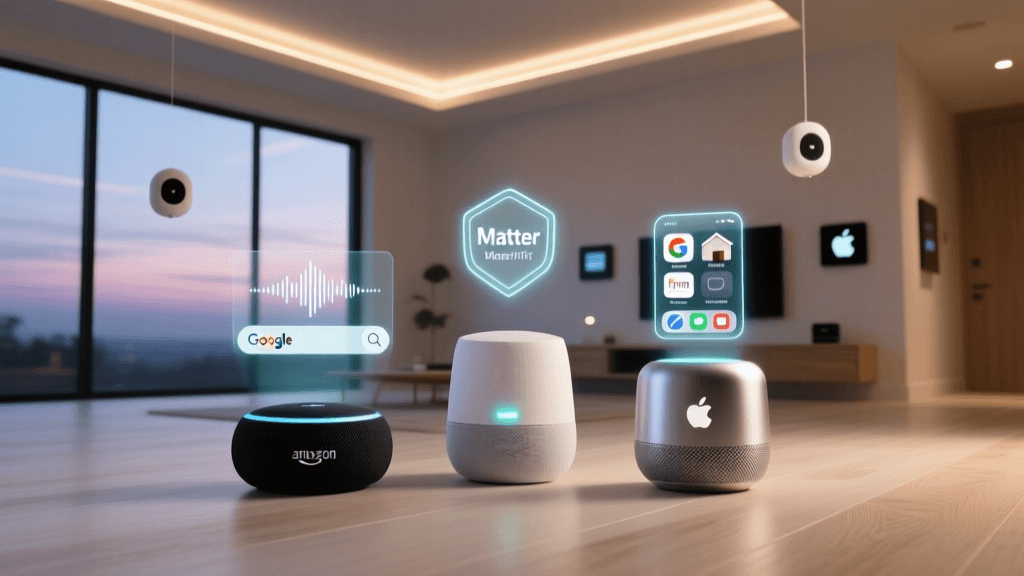
- Matter over Thread: The future of smart lighting. Backed by the Connectivity Standards Alliance, Matter promises unified ecosystem compatibility and Thread technology offers a low-power, self-healing mesh network that rivals Zigbee in reliability while integrating natively with Apple HomeKit, Alexa, and Google Home.
Energy Efficiency and Environmental Impact
Transitioning to smart lighting almost always means transitioning to LED technology. According to the U.S. Department of Energy, LED lighting uses at least 75% less energy, and lasts 25 times longer, than incandescent lighting. However, 'smart' LEDs introduce a phenomenon known as 'vampire draw'—the small amount of power the internal radios consume to stay connected to your network 24/7.
A standard smart bulb might draw 0.2 to 0.5 watts of standby power. While negligible for a single bulb, a home with 50 smart bulbs could see a continuous draw of 15-25 watts. To mitigate this and ensure maximum efficiency, consumers should look for ENERGY STAR certified smart bulbs, which are tested not just for light output and color quality, but also for strict limits on standby power consumption and thermal management.
The Verdict: Which Should You Choose?
The ultimate smart lighting setup is rarely a monolith; it is a hybrid approach tailored to the specific architecture of your home.
Choose Smart Switches If:
You are a homeowner with neutral wires in your switch boxes, and you want to automate high-traffic, multi-bulb areas like kitchens, hallways, and bathrooms. Switches offer the best guest experience, the lowest cost per bulb, and the most reliable physical control. Top Pick: Lutron Caseta (for reliability/no-neutral) or TP-Link Kasa (for budget/Wi-Fi).
Choose Smart Bulbs If:
You are a renter, you want to automate lamps that lack wall switches, or you deeply value circadian lighting and RGB color scenes in bedrooms and entertainment spaces. Just be prepared to manage the physical switch problem with wireless remotes. Top Pick: Philips Hue (for ecosystem depth) or LIFX (for Wi-Fi brightness and color accuracy).
Choose Smart LED Strips If:
You want to elevate your home's aesthetics with indirect lighting, reduce eye strain with TV bias lighting, or illuminate dark stairwells and cabinets. They are the secret ingredient that takes a smart home from 'functional' to 'luxurious.' Top Pick: Govee M1 (for vibrant addressable color) or Philips Hue Lightstrip (for seamless Matter/HomeKit integration).
By mixing and matching these three technologies—using switches for the bones of your home's lighting, bulbs for mood and lamps, and strips for architectural accents—you can build a resilient, beautiful, and highly functional smart lighting ecosystem that perfectly fits your lifestyle and budget.