Smart Home Setup in India: Complete Step-by-Step Installation Guide
Transforming your Indian home into a smart home is no longer a luxury reserved for the ultra-wealthy. With affordable devices flooding the market and robust Wi-Fi infrastructure spreading across Tier 1, Tier 2, and even Tier 3 cities, building a connected home has never been more accessible. Whether you live in a compact apartment in Mumbai, a sprawling villa in Bengaluru, or a traditional home in Jaipur, this comprehensive guide will walk you through every step of setting up a smart home tailored to Indian conditions.
Difficulty Level: Beginner to Intermediate
Estimated Time: 4–8 hours for a basic setup (1–2 days for a full-home installation)
Budget Range: ₹10,000–₹1,50,000+ depending on scope and device choices
India presents unique challenges for smart home installations — from frequent power fluctuations and voltage variations to thick concrete walls that can block wireless signals. This guide addresses all of these factors so your smart home works reliably from day one. For a broader overview of compatible devices, check out our smart home devices guide to find the perfect products for your setup.
Step 1: Plan Your Smart Home Layout & Choose an Ecosystem
Before you buy a single device, sit down with a floor plan of your home and plan your smart home layout. This planning phase is arguably the most important step in the entire process. Rushing into purchases without a plan leads to incompatible devices, wasted money, and frustration.
Assess Your Needs Room by Room
Walk through every room in your home and identify what you want to automate. Common smart home zones in Indian homes include:
- Living Room: Smart lights, smart TV, smart speaker, air conditioner control, smart curtains
- Bedrooms: Smart bulbs, smart fans, sleep-tracking devices, smart alarm clocks
- Kitchen: Smart plugs for appliances, water leak sensors, smart chimney or exhaust fan control
- Main Entrance: Smart door lock, video doorbell, motion sensor, smart door light
- Bathrooms: Water heater control via smart plugs, humidity sensors
- Parking/Garage: Security cameras, motion-activated lights
- Terrace/Balcony: Outdoor security cameras, smart garden irrigation
Choose Your Smart Home Ecosystem
In India, three major ecosystems dominate the smart home landscape:
Google Home (Google Assistant): The most popular choice in India due to excellent Hindi and regional language support, affordable Google Nest devices, and broad compatibility with Indian smart home brands like Wipro, Anchor by Panasonic, and Oakter. If you already use Android phones and Google services, this is the natural choice.
Amazon Alexa: A strong contender with excellent Echo device availability on Amazon India, robust routines, and wide third-party device support. Alexa works well with brands like TP-Link, Philips Hue, and Syska. Hindi language support has improved significantly.
Apple HomeKit: Premium but reliable. Ideal if your household uses iPhones, iPads, and Macs. Device options are more limited and expensive in India, but the experience is seamless and privacy-focused. Brands like Eve, Nanoleaf, and select TP-Link models support HomeKit.
Matter (Emerging Standard): The new Matter protocol is gradually arriving in India, promising universal compatibility across ecosystems. When purchasing new devices, look for Matter-compatible labels to future-proof your installation.
Pro Tip: You don't have to commit to just one ecosystem. Many devices work across multiple platforms. However, choosing one primary ecosystem simplifies setup and ensures a smoother experience. Explore our ecosystem comparison guide for detailed insights.
Create a Device Priority List
If you're working within a budget, prioritize devices in this order:
- Smart hub or speaker (the brain of your setup)
- Smart lights (highest daily impact, easiest to install)
- Smart plugs (make any appliance smart instantly)
- Smart security (cameras, doorbell, sensors)
- Smart climate control (AC controllers, smart fans)
- Smart locks (premium upgrade, requires careful installation)
Step 2: Set Up Your Network Infrastructure
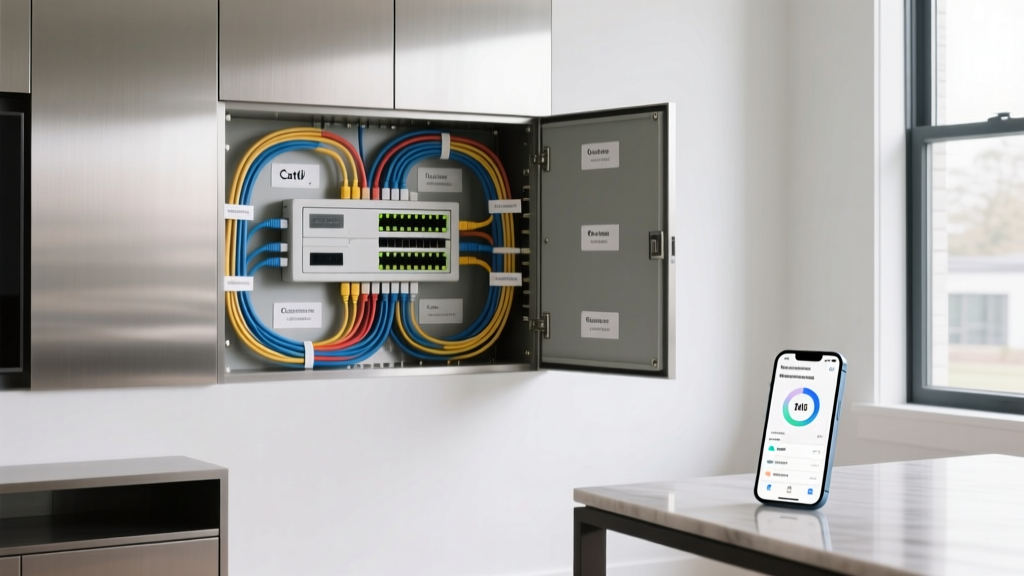
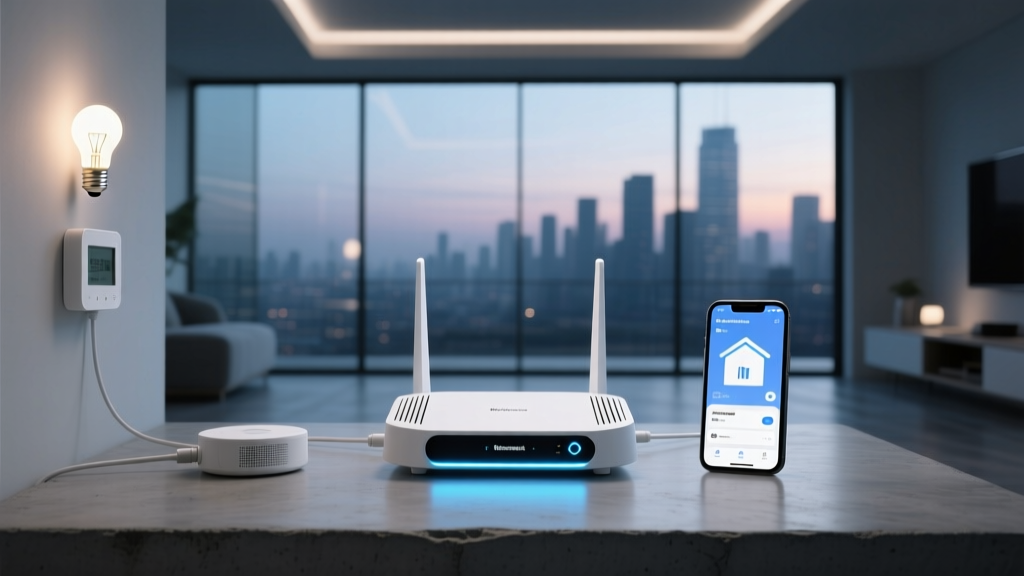
Your Wi-Fi network is the backbone of your smart home. A weak or unreliable network will make every smart device frustrating to use. Indian homes, with their thick reinforced concrete walls and multi-story layouts, demand special attention to network planning.
Upgrade Your Wi-Fi Router
Most ISP-provided routers in India (from providers like Airtel Xstream, JioFiber, ACT Fibernet, or BSNL) are basic models that struggle to handle 20+ connected devices simultaneously. Here's what you need:
- Minimum requirement: Dual-band router (2.4 GHz & 5 GHz) with Wi-Fi 5 (802.11ac)
- Recommended: Wi-Fi 6 (802.11ax) mesh router system
- For homes larger than 1,500 sq ft: Mesh Wi-Fi system with 2–3 nodes
Popular mesh router options available in India include the TP-Link Deco series, Google Nest Wifi, Amazon eero, and ASUS ZenWiFi. A mesh system eliminates dead zones by placing multiple access points throughout your home, ensuring every smart device maintains a strong connection.
Configure Separate Network Bands
Most smart home devices — especially smart bulbs, plugs, and sensors — operate on the 2.4 GHz band because it offers better range and wall penetration. However, your phones, laptops, and streaming devices perform better on 5 GHz.
Here's how to optimize your network:
- Access your router's admin panel (usually at 192.168.0.1 or 192.168.1.1)
- Create separate SSIDs for 2.4 GHz and 5 GHz bands (e.g., "HomeWiFi_2.4G" and "HomeWiFi_5G")
- Connect all smart home devices to the 2.4 GHz network
- Connect phones, laptops, and streaming devices to the 5 GHz network
- Reserve bandwidth for critical devices like security cameras using QoS (Quality of Service) settings
Address Power Backup for Your Network
Power cuts are a reality in many parts of India. When your router goes down, your entire smart home goes offline. Invest in a small UPS (Uninterruptible Power Supply) for your router and modem. A 600VA UPS can keep your networking equipment running for 30–60 minutes during outages, ensuring your security cameras and smart locks remain functional.
Step 3: Install Core Smart Home Devices
With your network ready, it's time to install the devices that will form the foundation of your smart home. We'll go through each category with India-specific recommendations and installation steps.
Installing Smart Speakers & Hubs
Your smart speaker or hub serves as the central command center. Place it in a central location like the living room for optimal voice recognition range.
- Unbox the device and plug it into a surge-protected power strip
- Download the companion app (Google Home, Amazon Alexa, or Apple Home)
- Connect the device to your 2.4 GHz Wi-Fi network
- Set your home address, preferred language (English, Hindi, or regional language), and voice match profiles for each family member
- Place additional speakers in bedrooms and the kitchen for whole-home voice control
Installing Smart Lights
Smart lighting is the most impactful and easiest upgrade you can make. In India, you have two primary approaches:
Smart Bulbs (WiZ, Wipro, Philips Hue, Syska):
- Turn off the light switch at the wall
- Remove the existing bulb from the holder (B22 bayonet mount is standard in India; some fixtures use E27 screw mount)
- Insert the smart bulb into the holder
- Turn the wall switch back on — the bulb will blink to indicate pairing mode
- Open the companion app and follow the pairing instructions
- Name the bulb by room (e.g., "Bedroom Main Light") and assign it to a room group
Smart Switches (Anchor Roma Smart, Schneider Electric, Legrand):
Smart switches replace your existing wall switches and allow you to control lights via app, voice, or the physical switch. This is the preferred solution for Indian homes because it preserves the habit of using wall switches.
- Turn off the main circuit breaker — never work on live wiring
- Remove the existing switch plate using a screwdriver
- Note the wiring configuration: most Indian homes use a 2-wire system (live & neutral), but some older homes may lack a neutral wire at the switch box
- If your smart switch requires a neutral wire and your switch box doesn't have one, you'll need an electrician to pull a neutral wire from the nearest junction box
- Connect the smart switch wires: Live (red/brown) to L, Neutral (black/blue) to N, and Load wires to the respective light circuits
- Secure the switch in the wall box and attach the faceplate
- Turn the circuit breaker back on
- Pair the switch with your smart home app via Wi-Fi or Zigbee
⚠️ Safety Warning: Indian homes typically use 230V AC supply, which can be lethal. If you're not confident working with electrical wiring, hire a licensed electrician. Always use a voltage tester to confirm wires are dead before touching them. For more guidance, see our smart switch installation guide.
Installing Smart Plugs
Smart plugs are the simplest way to make any appliance smart. Plug in your table fan, geyser, mosquito repellent, rice cooker, or Diwali decorative lights and control them remotely.
- Plug the smart plug into a wall socket (Indian standard 5A/15A sockets — check the plug rating)
- For heavy appliances like geysers and air conditioners, use a 16A-rated smart plug
- Open the companion app and add the device
- Name it descriptively (e.g., "Kitchen Geyser" or "Living Room Mosquito Repellent")
- Set schedules and routines — for example, turn on the geyser 20 minutes before your morning bath
Installing Smart Security Cameras
Security is a top priority for Indian homeowners. Smart cameras from brands like CP Plus, Mi (Xiaomi), Qubo, Godrej Eve, and D-Link offer excellent value.
- Choose camera locations: main entrance, back door, parking area, and common areas
- For indoor cameras, place them on shelves or mount them on the ceiling using the included bracket
- For outdoor cameras, ensure the device has an IP65 or IP66 rating to withstand Indian monsoon rains and dust
- Drill mounting holes using a masonry bit (most Indian walls are brick or concrete)
- Insert wall anchors and screw the mounting bracket securely
- Attach the camera and adjust the angle using the live feed in the app
- Connect to Wi-Fi and configure motion detection zones to avoid false alerts from passing vehicles or street animals
- Insert a microSD card (64GB–128GB recommended) for local recording, or subscribe to cloud storage
Installing a Smart Door Lock
Smart locks from Godrej, Yale, Samsung, and Atomberg are gaining popularity in India. Installation complexity varies by model and door type.
- Measure your door thickness (standard Indian doors are 35–45mm thick)
- Check whether your door is left-handed or right-handed (hinge side matters)
- Remove the existing lock and handle
- Follow the manufacturer's template to drill holes for the smart lock's mortise
- Install the lock body into the door edge
- Attach the exterior and interior panels, connecting the wiring harness
- Insert batteries (typically 4× AA alkaline batteries — avoid carbon-zinc batteries)
- Register fingerprints, PIN codes, and RFID cards for each family member
- Connect to your smart home app for remote locking and unlocking
For a detailed walkthrough, read our complete smart lock installation guide.
Step 4: Automate & Create Routines for Indian Lifestyles
The real magic of a smart home lies in automation. Once your devices are installed and connected, you can create routines that adapt to your daily life. Here are routines specifically designed for Indian households:
Morning Routine
- 6:00 AM: Bedroom lights gradually brighten to simulate sunrise
- 6:15 AM: Smart plug turns on the geyser for hot water
- 6:30 AM: Smart speaker announces weather, news headlines, and today's calendar
- 6:45 AM: Kitchen smart plug turns on the water purifier
- 7:00 AM: Living room lights turn on if it's still dark outside
Leaving Home Routine
- All lights turn off
- AC and fans turn off
- Geyser smart plug switches off
- Security cameras activate motion recording
- Smart lock locks the door automatically
- Robot vacuum starts cleaning
Monsoon Safety Routine
- Weather API detects heavy rain forecast → sends notification to close windows
- Balcony smart lights turn off during thunderstorms
- Surge protectors on sensitive electronics activate
- Water leak sensors in bathrooms and kitchen send instant alerts
Festival & Celebration Routines
Indian homes come alive during Diwali, Christmas, Eid, and other festivals. Create special lighting scenes:
- Diwali Mode: All smart bulbs switch to warm golden tones, decorative smart plugs turn on fairy lights and diyas (electric), and the doorbell plays a festive chime
- Movie Night: Living room lights dim to 10%, smart curtains close, and the TV turns on via IR blaster
- Guest Mode: Entrance lights brighten, living room ambiance lights activate, and the smart speaker plays background music
Energy-Saving Routine
With electricity tariffs rising across Indian states, energy management is crucial:
- Set AC to turn off automatically when room occupancy sensor detects no one for 15 minutes
- Schedule geyser to run only during morning and evening hours
- Use smart plugs with energy monitoring to identify power-hungry appliances
- Turn off all standby devices at night using a master "Goodnight" routine
Learn more about optimizing your setup in our automation routines guide.
Step 5: Secure Your Smart Home & Ensure Reliability
A smart home in India faces unique security and reliability challenges. Follow these steps to protect your investment and ensure consistent performance.
Network Security
- Change your router's default admin password immediately
- Use WPA3 encryption if your router supports it; otherwise, use WPA2
- Create a separate guest network for visitors — never share your main network password
- Consider setting up a dedicated VLAN or IoT network for smart devices (supported on advanced routers like ASUS and Ubiquiti)
- Keep your router firmware updated — enable automatic updates if available
- Disable WPS (Wi-Fi Protected Setup) as it's a known security vulnerability
Power Protection
India's power grid is notorious for voltage fluctuations, especially during summer and monsoon seasons. Protect your smart home investment:
- Surge protectors: Install surge-protected power strips for all smart hubs, speakers, and expensive devices. Brands like Belkin, APC, and GM offer reliable options in India
- Voltage stabilizers: For smart AC controllers and smart TVs, use a voltage stabilizer to protect against surges and brownouts
- UPS for critical devices: Your router, security camera hub, and smart lock gateway should be on UPS backup to maintain security during power cuts
- Inverter compatibility: If your home runs on an inverter during outages, ensure smart devices are connected to inverter-backed circuits
Device Maintenance
- Check for firmware updates on all devices monthly — most apps notify you automatically
- Clean camera lenses and motion sensors every few months (Indian dust accumulates quickly)
- Replace smart lock batteries every 6–12 months — set a calendar reminder
- Test smoke and gas leak sensors quarterly
- Review and update security camera recording settings and storage
Tools & Products Needed for Smart Home Setup in India
Before you begin your installation, gather these tools and products. Having everything ready will make the process smooth and efficient.
Essential Tools
| Tool | Purpose | Estimated Cost (₹) |
|---|---|---|
| Phillips & flathead screwdriver set | Opening switch plates, mounting brackets | 200–500 |
| Voltage tester (non-contact) | Verifying wires are dead before touching | 150–400 |
| Wire strippers & cutters | Preparing wires for smart switch connections | 200–600 |
| Power drill with masonry bits | Drilling into brick/concrete walls for cameras & mounts | 2,000–5,000 (or rent for ₹300/day) |
| Wall anchors & screws (assorted) | Securing mounts to masonry walls | 100–300 |
| Electrical tape & wire nuts | Insulating wire connections | 50–200 |
| Ladder (step ladder) | Reaching ceiling fixtures & high camera positions | 1,500–3,500 |
| Smartphone with apps installed | Device pairing, configuration & testing | — |
Recommended Smart Home Devices for India
| Category | Recommended Brands in India | Budget Range (₹) |
|---|---|---|
| Smart Speaker/Hub | Google Nest Mini, Amazon Echo Dot, Apple HomePod Mini | 3,000–10,000 |
| Smart Bulbs | WiZ, Wipro Garnet, Philips Hue, Syska | 400–2,500 per bulb |
| Smart Switches | Anchor Roma Smart, Schneider Wiser, Legrand | 1,500–5,000 per switch |
| Smart Plugs | TP-Link Tapo, Wipro, Oakter, Xiaomi | 500–1,500 per plug |
| Security Cameras | Mi Security Camera, CP Plus, Qubo, Godrej Eve | 1,500–8,000 per camera |
| Smart Door Locks | Godrej NX Pro, Yale, Samsung, Atomberg | 8,000–35,000 |
| Smart AC Controller | Sensibo, Tado, Oakter IR Blaster | 3,000–12,000 |
| Mesh Wi-Fi System | TP-Link Deco, Google Nest Wifi, ASUS ZenWiFi | 8,000–25,000 |
| Smart Doorbell | Ring, Godrej Eve, Qubo | 3,000–15,000 |
| Surge Protector | Belkin, APC, GM Modular | 500–3,000 |
For a curated list of the best devices across all categories, visit our best smart home devices for India page.
Troubleshooting Common Smart Home Issues in India
Even with careful installation, you may encounter issues. Here are solutions to the most common problems Indian smart home users face.
Device Won't Connect to Wi-Fi
Problem: Smart bulb or plug refuses to pair with the app.
Solutions:
- Ensure you're connecting to the 2.4 GHz band — most smart devices don't support 5 GHz
- Move closer to the router during initial pairing
- Check if your Wi-Fi password contains special characters — some devices struggle with certain symbols
- Reset the device to factory settings (usually by holding the power button for 10 seconds) and try again
- Ensure your phone's Bluetooth is turned on — many devices use Bluetooth for initial setup
- Restart your router and try pairing again
Devices Going Offline Frequently
Problem: Smart devices keep losing connection.
Solutions:
- Check your router's DHCP settings — increase the lease time to 24 hours or more
- Reduce the number of connected devices on your router — most basic routers handle 20–30 devices max
- Add a Wi-Fi mesh node or range extender near the problem area
- Assign static IP addresses to critical devices like cameras and smart locks
- Check for interference from microwaves, cordless phones, or neighboring Wi-Fi networks
- Indian concrete walls significantly weaken signals — consider powerline adapters for hard-to-reach rooms
Smart Switch Not Working After Power Cut
Problem: Smart switch becomes unresponsive after electricity is restored.
Solutions:
- Wait 2–3 minutes — most smart switches auto-reconnect after power restoration
- Toggle the physical switch off and on to force a reboot
- Check if the switch needs a firmware update after reconnection
- If the problem persists, turn off the circuit breaker for 30 seconds, then restore power
- Install a small UPS for your smart switch circuit if power cuts are frequent in your area
Voice Assistant Not Responding
Problem: Google Assistant or Alexa doesn't hear commands or responds slowly.
Solutions:
- Move the smart speaker away from noisy appliances like fans, ACs, and TVs
- In Indian homes with high ceilings, place the speaker at ear level on a shelf rather than on the floor
- Retrain voice match — speak the wake word and commands clearly in your natural accent
- Check your internet speed — voice processing requires a stable connection (minimum 5 Mbps upload)
- Clear the cache of the Google Home or Alexa app on your phone
Security Camera Not Recording
Problem: Camera is online but not saving footage.
Solutions:
- Check microSD card — format it through the camera app if it's new or corrupted
- Verify motion detection sensitivity — too low and it misses events, too high and it records everything
- Ensure the camera's firmware is up to date
- Check available storage — delete old footage or upgrade to a larger card
- If using cloud storage, verify your subscription is active and internet upload speed is sufficient
Frequently Asked Questions
Can I install a smart home system in a rented apartment in India?
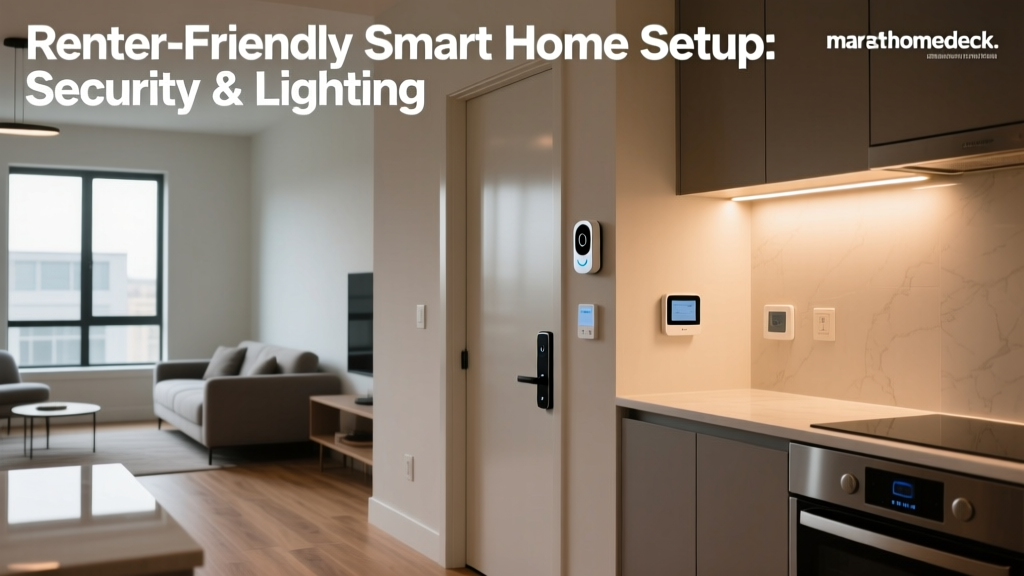
Absolutely! Many smart home devices are renter-friendly and require zero permanent modifications. Smart bulbs simply screw into existing holders, smart plugs plug into standard sockets, and battery-powered cameras can be mounted with adhesive strips. Smart speakers, robot vacuums, and portable air quality monitors are completely plug-and-play. Avoid hardwired smart switches and smart locks in rented homes unless you have the landlord's written permission. When you move, simply unplug everything and take it with you. For more renter-friendly ideas, check our smart home guide for renters.
How much internet speed do I need for a smart home in India?
For a basic smart home with 10–15 devices (smart bulbs, plugs, and a speaker), a 50 Mbps connection is sufficient. If you add 2–4 security cameras with cloud recording, upgrade to 100 Mbps or higher. For a fully loaded smart home with 30+ devices, multiple cameras streaming in HD, and smart TVs, a 200–300 Mbps plan from JioFiber, Airtel Xstream, or ACT Fibernet is recommended. Upload speed is especially important for security cameras — aim for at least 10 Mbps upload. Most Indian fiber plans offer symmetric speeds, which is ideal.
Are smart home devices safe to use with India's voltage fluctuations?
Most reputable smart home devices sold in India are designed to handle the standard 230V/50Hz supply with built-in voltage tolerance (typically 100–240V). However, voltage spikes during thunderstorms or sudden power restoration can damage sensitive electronics. Always use surge-protected power strips for smart hubs, speakers, and expensive devices. For areas with severe voltage fluctuation issues, install a whole-home surge protector at your main distribution board. Avoid cheap, unbranded smart devices from unreliable sources — they may lack proper safety certifications and pose a fire hazard. Look for BIS (Bureau of Indian Standards) certification on all electrical smart devices.
Can I control my split AC with a smart home system?
Yes! Most Indian homes use split ACs from brands like Voltas, Daikin, Blue Star, LG, or Carrier. You can make any split AC smart using an IR (infrared) blaster or a dedicated smart AC controller. Devices like the Sensibo Sky, Oakter IR Blaster, or even a simple Xiaomi IR remote can learn your AC remote's signals and let you control temperature, mode, fan speed, and schedules through your smart home app or voice assistant. Some newer AC models from LG (ThinQ), Samsung (SmartThings), and Voltas come with built-in Wi-Fi — check your AC's specifications before buying an external controller. Read our smart AC controller setup guide for step-by-step instructions.
What happens to my smart home during a power cut?
During a power cut, all Wi-Fi-dependent smart devices will go offline unless your router is on UPS or inverter backup. Battery-powered devices like smart locks, wireless sensors, and some security cameras will continue to function independently. When power is restored, most smart devices will automatically reconnect to Wi-Fi and resume their schedules within 2–5 minutes. To maintain full functionality during outages: connect your router and modem to a UPS (a 600VA UPS costs around ₹2,000–3,000 in India), ensure critical security devices are on inverter-backed circuits, and choose smart locks with battery backup and physical key override. Many Indian smart home users report that investing in a good UPS for networking equipment is the single most impactful reliability upgrade they've made.
Setting up a smart home in India is a rewarding project that enhances comfort, security, and energy efficiency. Start small with smart lights and plugs, learn the ecosystem, and gradually expand to cameras, smart switches, and advanced automation. With proper planning, the right devices, and the tips in this guide, you'll have a reliable smart home that works beautifully in Indian conditions for years to come.
Need help choosing specific devices? Browse our complete smart home device catalog or explore our installation guides for individual product categories.