The Shift from Reactive to Proactive Living
For decades, home technology was entirely reactive. You had to flip a switch to turn on a light, press a button to start the coffee maker, and manually adjust the thermostat when you felt a chill. Today, smart home automation has fundamentally shifted this paradigm, transforming our living spaces into proactive environments that anticipate our needs. By chaining together devices into cohesive 'routines' or 'scenes', you can eliminate dozens of micro-decisions and manual tasks from your daily life, reducing cognitive load and reclaiming hours of your week.
But how exactly does this technology change daily life on a practical level? It is not just about the novelty of asking a voice assistant to turn off the lights. True automation works silently in the background, orchestrating lighting, climate, security, and appliances to match your natural circadian rhythms and daily schedule. In this guide, we will break down how to build optimized morning, workday, and evening workflows, complete with specific product recommendations, compatibility details, and cost ranges.
The Morning Workflow: Waking Up Optimized
The way you wake up dictates the trajectory of your entire day. Traditional alarm clocks jolt you out of deep sleep with harsh audio cues, often leaving you groggy. Smart home automation allows you to mimic a natural sunrise, leveraging your biology to wake up feeling refreshed.
Circadian Lighting and Smart Blinds
According to the Sleep Foundation, exposure to natural light in the morning is critical for regulating your circadian rhythm, signaling to your brain that it is time to halt melatonin production and increase cortisol. You can automate this process using smart motorized blinds and color-tunable smart bulbs.
- Smart Blinds: Products like the SwitchBot Curtain Rod 2 (approx. $100) retro-fit onto your existing curtain rods and can be scheduled to slowly open over 15 minutes before your alarm sounds. For a premium, built-in solution, Lutron Serena Shades (starting around $600 per window) integrate flawlessly with Lutron's Caseta ecosystem.
- Circadian Lighting: If natural light is unavailable, smart bulbs can simulate it. The Philips Hue White and Color Ambiance line ($50 per bulb) allows you to set a 'Wake Up' routine in the Hue app. The bulbs will start emitting a dim, warm 2000K (Kelvin) glow 30 minutes before your alarm, gradually shifting to a bright, energizing 5000K daylight temperature by the time you need to get out of bed.
Climate and Kitchen Automation
Nobody wants to step out of a warm bed into a freezing room or wait for a coffee machine to heat up. Smart thermostats like the Ecobee SmartThermostat Premium ($249) use remote room sensors to detect when you wake up and begin pre-heating or cooling your bedroom and bathroom to your preferred morning temperature. The U.S. Department of Energy notes that smart thermostats can save households significantly on annual heating and cooling costs by automatically adjusting temperatures based on occupancy and schedules, proving that automation is as financially beneficial as it is convenient.
In the kitchen, a smart plug like the TP-Link Kasa Smart Plug Mini ($15) can be used to power on a compatible coffee maker or electric kettle the moment your bedroom motion sensor detects you getting out of bed.
The Workday Workflow: Security and Efficiency
Leaving the house used to involve a mental checklist: Did I lock the door? Did I turn off the lights? Is the garage closed? Automation replaces this anxiety with geofencing and automated 'Away' scenes.
Geofencing and Smart Locks
Geofencing uses your smartphone's GPS to create a virtual perimeter around your home (typically a 150-meter radius). When the last registered user's phone crosses this boundary, your smart home hub triggers an 'Away' routine.
- Security: An August Wi-Fi Smart Lock ($229) will automatically lock the deadbolt behind you. Simultaneously, your smart garage door controller (like the Chamberlain myQ, $30) will close the door if left open.
- Energy Savings: Your thermostat will immediately switch to 'Eco' mode, and all non-essential smart lights and smart plugs will cut power to phantom-draw appliances.
Automated Cleaning
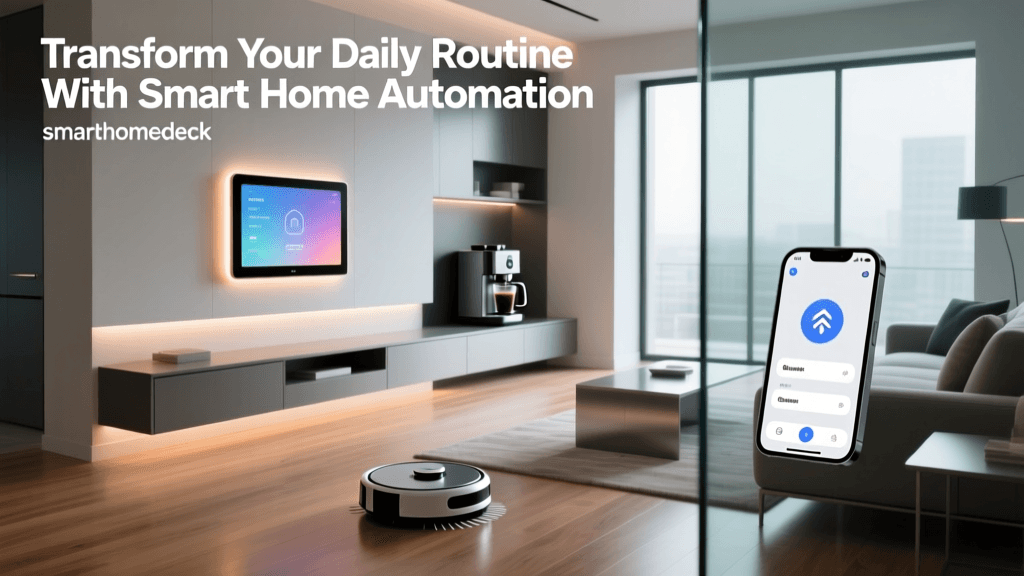
The workday is the perfect time for noisy, disruptive chores. High-end robot vacuums like the Roborock S8 Pro Ultra ($1,599) or the iRobot Roomba j7+ ($799) can be integrated into your 'Away' routine. The moment your home's occupancy sensors and geofencing confirm the house is empty, the vacuum deploys from its dock, maps the rooms using LiDAR, empties its own dustbin, and returns to its base before you even pull back into the driveway.
The Evening Workflow: Winding Down
As the sun sets, your smart home should transition from an energizing environment to a restful sanctuary. Evening routines focus on security, entertainment, and preparing the body for sleep.
Lighting Transitions and Entertainment
Just as bright light wakes you up, dim, warm light prepares you for sleep. You can set an 'Evening Wind Down' scene that triggers at local sunset (using your hub's astronomical clock feature). This scene will lower your smart blinds, lock the doors, and shift all living room lights to a dim 2700K warm white.
For entertainment, while the Logitech Harmony Hub has been discontinued, modern ecosystems rely on Matter and native app scenes. The Connectivity Standards Alliance (CSA) developed the Matter protocol to ensure devices from different brands communicate seamlessly. Using an Apple TV 4K or a SmartThings Station, a single 'Movie Time' command can dim the lights to 10%, turn on the television, and activate your smart soundbar without needing a dozen different remote controls.
NFC Tags for Bedside Routines
Voice commands can be disruptive when your partner is already asleep. A highly practical, low-cost automation trick is using NFC (Near Field Communication) tags. By sticking a $1 NFC tag to your nightstand and programming it via the Apple Shortcuts app or Android Tasker, a simple tap of your phone before bed can trigger a 'Goodnight' scene. This single tap locks all doors, arms your security cameras (like the Ring Indoor Cam, $59), turns off all lights, and sets the thermostat to your ideal sleeping temperature of 65°F (18°C).
Choosing the Right Ecosystem for Routines
The success of your daily workflows depends heavily on the smart home ecosystem you choose as your central hub. Not all platforms handle complex triggers and conditions equally well. Below is a comparison of the major platforms for building daily routines.
| Ecosystem | Best Routine Triggers | Ideal User Profile | Hub Cost / Hardware |
|---|---|---|---|
| Apple HomeKit | NFC Tags, Geofencing, Sensor logic, Time | iPhone users prioritizing privacy and local processing. | HomePod mini ($99) or Apple TV 4K ($129) |
| Amazon Alexa | Voice routines, Echo button presses, Alexa Guard | Multi-user households heavily reliant on voice control. | Echo Show 8 ($149) or Echo Hub ($179) |
| Google Home | Time, Sun position, Google Calendar integration | Android users and those deeply integrated into Google services. | Nest Hub Max ($229) or Google TV Streamer ($99) |
| Samsung SmartThings | Complex sensor logic, Webhooks, Matter support | Power users wanting deep conditional logic (If/And/Then). | SmartThings Station ($69) |
Advanced Automation: Moving Beyond Time Triggers
Beginners usually start with time-based automations (e.g., 'Turn on lights at 6:00 PM'). However, daily life is unpredictable. You might work late, go on vacation, or wake up early. Relying strictly on the clock leads to 'automation fatigue,' where you constantly override the system.
To truly change your daily life for the better, you must transition to sensor-based triggers. Instead of turning on the hallway light at 11:00 PM, use a motion sensor to turn it on to 10% brightness only when movement is detected between 10:00 PM and 6:00 AM.
For the ultimate in proactive automation, consider millimeter-wave (mmWave) presence sensors like the Aqara Presence Sensor FP2 ($79). Unlike traditional PIR (Passive Infrared) motion sensors that require you to wave your arms to keep the lights on while reading a book, mmWave sensors detect the micro-movements of your breathing. This allows your home to know exactly which room you are in and whether you are present, adjusting the climate and lighting dynamically without you ever lifting a finger.
Conclusion
Smart home technology is not merely a collection of gadgets; it is an invisible infrastructure that supports your daily life. By thoughtfully designing morning, workday, and evening workflows, you eliminate friction from your day. You wake up aligned with your biology, leave the house with total peace of mind, and return to an environment primed for relaxation. Start small with lighting and climate, master the geofencing capabilities of your chosen ecosystem, and gradually layer in advanced sensors. The result is a home that does not just respond to your commands, but actively works to improve your daily life.