The Cognitive Load of Modern Living
The average adult makes an estimated 35,000 decisions every single day. From the moment your alarm sounds to the time you turn off the bedside lamp, your brain is constantly processing micro-tasks: adjusting the thermostat, locking the front door, turning off the coffee maker, and setting the security system. In the realm of psychology, this constant decision-making contributes to 'cognitive load' and decision fatigue. Smart home technology, specifically through the use of automated scenes and routines, offers a profound solution to this modern problem.
When we talk about how smart home tech changes daily life, the conversation often gravitates toward the novelty of voice commands. However, the true transformative power of a smart home lies in automation—the ability of your home to anticipate your needs and execute complex sequences of actions without any manual input. By offloading repetitive daily tasks to a network of intelligent devices, you reclaim not only time but also mental bandwidth. This guide will break down how to design, implement, and optimize automated routines for your morning, workday, and evening, complete with product recommendations, cost estimates, and best practices for reliable execution.
Understanding Triggers, Actions, and Conditions
Before building your daily routines, it is essential to understand the foundational logic of smart home automation. Every automated scene is built on an 'If This, Then That' (IFTTT) framework, which consists of three core components:
- Triggers: The event that initiates the automation. Triggers can be time-based (e.g., 7:00 AM), location-based via geofencing (e.g., your smartphone leaving a 500-meter radius around your home), sensor-based (e.g., a motion detector sensing movement), or state-based (e.g., a smart lock being engaged).
- Actions: The tasks your devices perform once triggered. This includes dimming lights, adjusting the HVAC system, playing audio, or sending a push notification to your phone.
- Conditions: The parameters that must be met for the action to occur, preventing unwanted automations. For example, 'Turn on the porch lights at sunset' (Trigger + Action), but only if someone is currently at home (Condition).
Mastering the interplay between these three elements is the key to creating a home that feels genuinely intelligent rather than merely remote-controlled.
The Morning Awakening: Starting the Day Right
Waking up to a jarring alarm and harsh overhead lighting is a shock to the nervous system. A well-crafted morning automation scene mimics the natural sunrise, aligning with your body's circadian rhythm to promote alertness and a better mood.
Recommended Morning Setup
To achieve this, consider investing in smart lighting with color temperature control, such as the Philips Hue White and Color Ambiance bulbs ($50-$60 per bulb) or LiFX smart bulbs ($40-$50). Pair these with motorized blinds, like the SwitchBot Blind Rod ($80), and a smart speaker like the Sonos Era 100 ($249) for audio integration.
The 'Good Morning' Routine Logic
- 6:30 AM (Trigger): Bedroom smart bulbs turn on at 10% brightness with a warm, candlelight color temperature (2000K).
- 6:45 AM (Action): Brightness gradually ramps to 50% with a cooler, daylight temperature (4000K). SwitchBot Blind Rod slowly opens the curtains to let in natural UV light.
- 7:00 AM (Action): A smart plug (e.g., Kasa Smart Plug Mini, $15) activates your traditional coffee maker. The Sonos speaker begins playing your preferred morning news podcast or a gentle acoustic playlist at a low volume.
- 7:15 AM (Action): As you walk into the kitchen, a motion sensor triggers the under-cabinet LED strips to illuminate your countertops.
This sequence eliminates the need to fumble for light switches or wait for coffee to brew, saving you roughly 10 to 15 minutes of active preparation time while gently easing your brain into wakefulness.
The 'Leaving Home' Protocol: Security and Savings
Leaving for work or running errands often involves a mental checklist: Did I lock the door? Is the garage closed? Did I turn off the AC? Automating your 'Away' scene provides immense peace of mind and tangible financial benefits.
Energy Efficiency and the Smart Thermostat
Heating and cooling account for nearly half of a typical home's energy consumption. According to the U.S. Department of Energy, you can save as much as 10% a year on heating and cooling by simply turning your thermostat back 7°-10°F for 8 hours a day from its normal setting. A smart thermostat makes this effortless.
Using a device like the Ecobee Smart Thermostat Premium ($249) or the Google Nest Learning Thermostat ($279), you can set up a geofencing automation. When the GPS in your smartphone (and your partner's smartphone) crosses a virtual boundary 500 meters away from your house, the ecosystem triggers the 'Away' scene.
The 'Away' Routine Logic
- Trigger: All registered users' smartphones leave the home geofence radius.
- Action 1 (HVAC): Thermostat adjusts to an eco-friendly temperature (e.g., 78°F in summer, 62°F in winter).
- Action 2 (Security): August Wi-Fi Smart Lock ($229) automatically deadbolts the front door. The Ring Alarm system arms itself in 'Away' mode.
- Action 3 (Power): Smart plugs connected to 'vampire' appliances (like TVs, gaming consoles, and desktop computers) cut power completely, eliminating phantom energy draw.
- Action 4 (Lighting): All interior lights turn off, but exterior lights are scheduled to turn on randomly between 8 PM and 11 PM to simulate occupancy.
Pro Tip: Relying solely on GPS geofencing can sometimes result in false triggers if your phone battery dies or GPS signals drift. For critical security automations, consider adding a condition that requires a physical smart keypad (like the Yale Assure Lock) to be pressed, or use local Wi-Fi presence detection via your router to verify the house is truly empty.
The Evening Wind-Down: Preparing for Rest
Just as morning light signals wakefulness, evening darkness signals the brain to produce melatonin. The Sleep Foundation emphasizes that managing light exposure and maintaining a cool bedroom environment are critical pillars of proper sleep hygiene. Your smart home can automate this biological transition seamlessly.
The 'Night Mode' Routine Logic
- 9:00 PM (Trigger): Time-based trigger initiates the wind-down.
- Action 1 (Lighting): All overhead lights turn off. Accent lamps and smart light strips shift to a deep amber or red hue (under 2000K) at 30% brightness, eliminating blue light that disrupts melatonin production.
- Action 2 (Climate): The thermostat drops the bedroom temperature to the optimal sleep range of 60°F to 67°F (15°C - 19°C).
- Action 3 (Security): Garage door sensors are polled; if open, a notification is sent to your phone and smart speaker to alert you before you fall asleep.
- 10:30 PM (Trigger): 'Bedtime' voice command or time-based trigger.
- Action 4 (Final Shut Down): All remaining lights turn off. Doors are verified as locked. White noise or sleep sounds begin playing on the bedroom smart speaker.
Comparison of Major Automation Ecosystems
To execute these daily routines, you need a central hub or ecosystem to act as the 'brain.' Here is how the major platforms compare for daily automation:
| Ecosystem | Best For | Automation Strengths | Limitations |
|---|---|---|---|
| Apple HomeKit | Privacy & Apple Users | Highly secure, local processing, excellent Siri voice control, intuitive scene builder. | Smaller selection of compatible hardware, generally higher cost. |
| Amazon Alexa | Broad Compatibility | Massive device library, flexible routines, affordable Echo hardware. | Cloud-dependent (latency issues if internet drops), privacy concerns. |
| Google Home | AI & Multi-User Homes | Superior natural language processing, excellent multi-user voice matching. | App interface can be cluttered, frequent rebrands (Google Home vs. Nest). |
| Samsung SmartThings | Advanced Users & Local Control | Supports Zigbee/Z-Wave locally, highly complex conditional logic via Edge Drivers. | Steeper learning curve, requires dedicated hub hardware. |
Visualizing the Impact: Time Saved Through Automation
It is easy to dismiss saving a few seconds on a light switch as trivial. However, when aggregated across weeks and months, the time and mental energy saved are substantial. The chart below illustrates the estimated daily time saved by implementing comprehensive smart home routines across different phases of the day.
Saving 44 minutes a day equates to over 260 hours a year. More importantly, it eliminates the micro-stressors associated with managing a household, allowing you to focus on high-value activities like spending time with family, exercising, or simply relaxing.
Future-Proofing Your Routines with Matter
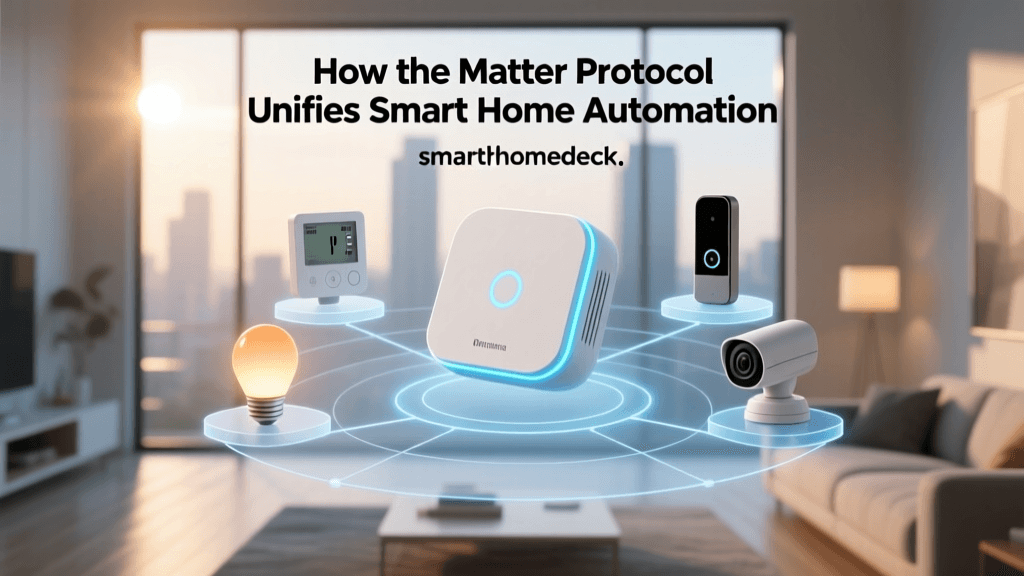
One of the historical frustrations of smart home automation has been ecosystem fragmentation—buying a smart bulb that only works with Alexa, but a smart lock that only works with Apple HomeKit. This is rapidly changing with the introduction of the Matter protocol. Developed by the Connectivity Standards Alliance (CSA), Matter is an open-source, royalty-free standard that allows devices to communicate locally across different ecosystems. According to the CSA, Matter ensures that devices are reliable, secure, and natively compatible with Apple, Amazon, Google, and Samsung platforms simultaneously.
When building your daily routines today, prioritize devices that carry the Matter logo. This ensures that your 'Good Morning' or 'Leaving Home' scenes will execute with near-zero latency over your local Wi-Fi or Thread network, even if your internet connection goes down. Local processing is the holy grail of smart home reliability, ensuring your home remains functional and intelligent regardless of external cloud server statuses.
Conclusion
Smart home technology transitions from a luxury to a daily necessity the moment you move beyond manual app control and embrace automated scenes. By carefully designing routines around your natural circadian rhythms, securing your home via geofencing, and optimizing your energy usage, you fundamentally change how your living space interacts with you. Start small with a morning lighting scene and an automated thermostat, and gradually layer in security and evening wind-down protocols. The result is a home that doesn't just respond to your commands, but actively supports your daily life.