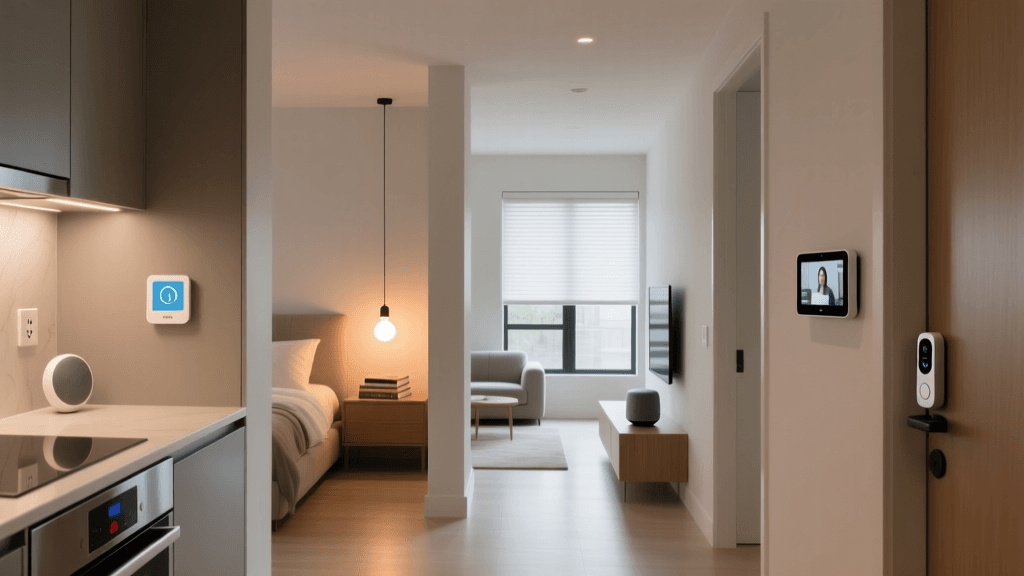
Imagine arriving home after a long day. As you pull into the driveway, the exterior lights illuminate your path, the front door unlocks automatically, and the thermostat adjusts to your preferred temperature. This is not a scene from a science fiction movie; it is the everyday reality of a modern smart home. But behind this seamless orchestration of comfort and convenience lies a complex web of technology, communication protocols, and automated logic. For many homeowners, the concept of a connected house feels like magic. However, once you break down the underlying architecture, the mechanics of smart home technology become remarkably logical and accessible.
Whether you are looking to install your first smart bulb or design a fully integrated, automated estate, understanding the foundational principles of connected living is essential. In this comprehensive guide, we will explore the core components, wireless protocols, automation logic, and security measures that answer the fundamental question: how does a smart home actually work?
The Core Components of a Smart Home Ecosystem
At its most fundamental level, a smart home is an ecosystem comprised of interconnected devices that collect data, process information, & execute physical actions. To understand how these systems operate, we must first look at the three primary building blocks of any Internet of Things (IoT) network: sensors, actuators, and controllers.
Sensors: The Eyes and Ears
Sensors are the input devices of your smart home. They monitor the environment and detect changes, converting physical phenomena into digital signals. Common examples include motion detectors, temperature sensors, door and window contact sensors, and ambient light sensors. When a sensor detects a change—such as a drop in room temperature or the opening of a front door—it sends a signal to the central controller or hub. Advanced modern homes also utilize environmental sensors to monitor air quality, humidity, & even water leaks, providing a comprehensive overview of the home's health. These sensors are the foundational layer of the IoT stack, gathering the raw data necessary for intelligent decision-making.
Actuators: The Hands
If sensors are the eyes and ears, actuators are the hands. These are the output devices that perform physical actions based on the commands they receive. Smart plugs, motorized window blinds, smart locks, and connected light bulbs all contain actuators. When the system determines that an action is required, it sends an electrical signal to the actuator, which then executes the task, such as closing a relay to power a lamp or engaging a motor to deadbolt a door.
Controllers: The Brain
Controllers process the data from sensors and issue commands to actuators. This can be a dedicated smart hub, a smartphone application, or a cloud-based server. The controller applies the logic and rules you have set up, determining when and how devices should react to specific stimuli. For a deeper dive into selecting the right brain for your setup, check out our guide on the best smart hubs available on the market.
How Smart Devices Communicate: Wireless Protocols Explained
For a smart home to function, devices must communicate with one another and with the central controller. While some devices use wired connections like Ethernet or powerline adapters, the vast majority rely on wireless communication protocols. Choosing the right protocol is crucial for reliability, range, and power consumption. According to research published by the Institute of Electrical and Electronics Engineers (IEEE), the fragmentation of wireless standards has historically been a major hurdle in IoT adoption, though modern unification efforts are rapidly changing the landscape.
Wi-Fi
Wi-Fi is the most ubiquitous protocol, offering high bandwidth and direct internet connectivity without the need for a dedicated hub. It is ideal for power-hungry devices that require high data transfer rates, such as smart cameras, video doorbells, and smart displays. However, Wi-Fi consumes significant power, making it unsuitable for battery-operated sensors, and a network with too many Wi-Fi devices can congest your home router.
Zigbee and Z-Wave
Zigbee and Z-Wave are low-power, mesh networking protocols designed specifically for smart home applications. In a mesh network, every plugged-in device acts as a repeater, extending the range and reliability of the network. Z-Wave operates on a sub-gigahertz frequency, which allows it to penetrate walls more effectively than the 2.4 GHz frequency used by Zigbee and Wi-Fi. These protocols are perfect for battery-operated sensors, smart locks, and lighting switches. You can explore our smart lighting reviews to see how mesh networks enhance bulb responsiveness.
Thread and Matter
Thread is a modern, IP-based mesh networking protocol that offers low power consumption and high reliability. It serves as the foundation for Matter, the new universal smart home standard developed by the Connectivity Standards Alliance (CSA). Matter allows devices from different manufacturers to communicate seamlessly, regardless of whether they use Thread, Wi-Fi, or Ethernet. To learn more about this revolutionary standard, read our comprehensive breakdown of what is Matter.
The Brain of the Operation: Smart Hubs and Cloud vs. Local Processing
The way your smart home processes information drastically affects its speed, reliability, and privacy. Smart home architectures generally fall into two categories: cloud-based processing and local processing.
Cloud-Based Processing
Many entry-level smart devices rely on cloud servers to function. When you give a voice command to a basic smart speaker, the audio is sent to a remote server, processed, and the resulting command is sent back to your device. While this reduces the cost and complexity of the hardware inside your home, it introduces latency and creates a dependency on your internet connection. If your internet goes down, your cloud-dependent smart home effectively becomes a traditional, manual home.
Local Processing and Edge Computing
Local processing involves using a dedicated smart hub or a local server to process commands entirely within your home network. This approach offers near-instantaneous response times, ensures your automations continue to run even during internet outages, and keeps your data private. For homeowners building advanced home security setups, local processing is highly recommended to ensure critical alerts are never delayed by cloud server latency.
Automation and Routines: Making Your Home Truly Smart
A collection of remote-controlled devices does not make a home "smart." True intelligence comes from automation—the ability of the home to act autonomously based on predefined logic. Automation relies on a simple framework consisting of triggers, conditions, and actions.
Triggers
A trigger is the event that initiates an automation. This can be a specific time of day, a change in a sensor's state (like motion being detected), or a geofencing event (like your smartphone crossing a virtual boundary around your neighborhood).
Conditions
Conditions are the filters that determine whether the action should actually be executed once the trigger is pulled. For example, a trigger might be "motion detected in the hallway," but the condition could be "only between sunset and sunrise." This prevents the lights from turning on every time you walk down the hall during the day.
Actions
Actions are the physical tasks performed by the actuators. An action could be turning on a light, adjusting the thermostat, sending a push notification to your phone, or triggering a siren. Consider the "Leaving Home" routine. The trigger is your smartphone's GPS crossing the geofence boundary. The condition is that the home security system is currently disarmed. The actions include locking all smart deadbolts, closing the garage door, arming the perimeter sensors, adjusting the HVAC system to an eco-friendly temperature, & turning off all non-essential lighting. This level of orchestration transforms a house from a passive structure into an active, responsive environment.
Security and Privacy in a Connected Home
As we invite more internet-connected devices into our private spaces, security and privacy become paramount. A compromised smart lock or an unsecured indoor camera can pose significant risks. The National Institute of Standards and Technology (NIST) emphasizes that IoT security must be addressed at both the network and device levels.
Network Segmentation
One of the most effective ways to protect your smart home is through network segmentation. By creating a separate Virtual Local Area Network (VLAN) or a dedicated guest network specifically for your IoT devices, you isolate them from your primary computers and smartphones. If a cheap, poorly secured smart bulb is compromised, the attacker cannot use it as a bridge to access your personal files or banking information.
Firmware Updates and Password Hygiene
Manufacturers regularly release firmware updates to patch vulnerabilities. Ensuring that your router, hubs, and individual devices are set to update automatically is a critical defense mechanism. Best practices include:
- Changing default passwords immediately upon installation.
- Enabling two-factor authentication (2FA) on all cloud accounts.
- Keeping firmware updated automatically to patch security flaws.
- Monitoring network traffic for unusual outbound connections.
Frequently Asked Questions
Do I need a smart hub to build a smart home?
Not necessarily, but it depends on the devices you choose. If you exclusively purchase Wi-Fi or Bluetooth devices, you can control them directly via your smartphone and router. However, if you want to utilize low-power mesh networks like Zigbee, Z-Wave, & Thread, or if you desire local processing for faster and more reliable automations, a dedicated smart hub or local server is essential.
What happens to my smart home if the internet goes down?
If your system relies entirely on cloud-based processing, you will lose remote access, voice control, and most automations until the internet is restored. However, if you utilize a local smart hub and local communication protocols like Zigbee or Z-Wave, your physical switches, sensors, and local automations will continue to function perfectly without an active internet connection.
Are smart homes expensive to run in terms of electricity?
While individual smart devices do draw a small amount of standby power, a well-designed smart home can actually reduce your overall energy consumption. Smart thermostats optimize heating and cooling based on occupancy, smart lighting ensures bulbs are never left on in empty rooms, and smart plugs can eliminate phantom power drain from traditional appliances, often resulting in a net decrease in your utility bills.
Can I mix and match different smart home brands?
Historically, mixing brands was difficult due to proprietary ecosystems. However, the introduction of the Matter standard and universal hubs has vastly improved interoperability. Today, you can seamlessly integrate a smart lock from one brand, lighting from another, and sensors from a third, provided they support a common protocol or are integrated through a central hub platform that supports cross-brand automations.