Smart Home App: The Complete Guide to Controlling Your Connected Home
Imagine walking through your front door and having the lights gently brighten, the thermostat adjust to your preferred temperature, and your favorite playlist start streaming through the living room speakers — all without lifting a finger. This isn't science fiction. It's the everyday reality that a well-configured smart home app makes possible. Whether you're a first-time smart device owner or a seasoned home automation enthusiast, understanding how smart home apps work is the key to unlocking the full potential of your connected living space.
A smart home app serves as the central command center for every internet-connected device in your home. From smart bulbs and thermostats to security cameras and robot vacuums, these applications bridge the gap between you and the technology embedded throughout your living environment. In this comprehensive guide, we'll explore everything you need to know about smart home apps — how they work, which platforms dominate the market, how to set them up for success, and how to keep your data secure.
For a broader overview of building a connected home from scratch, check out our smart home basics guide before diving deeper into app-specific strategies.
What Is a Smart Home App & How Does It Work?
At its core, a smart home app is a software application — typically installed on your smartphone, tablet, or accessible via a web browser — that communicates with internet-connected devices throughout your home. These apps send commands, receive status updates, and enable automation routines that allow multiple devices to work together seamlessly.
The Architecture Behind Smart Home Apps
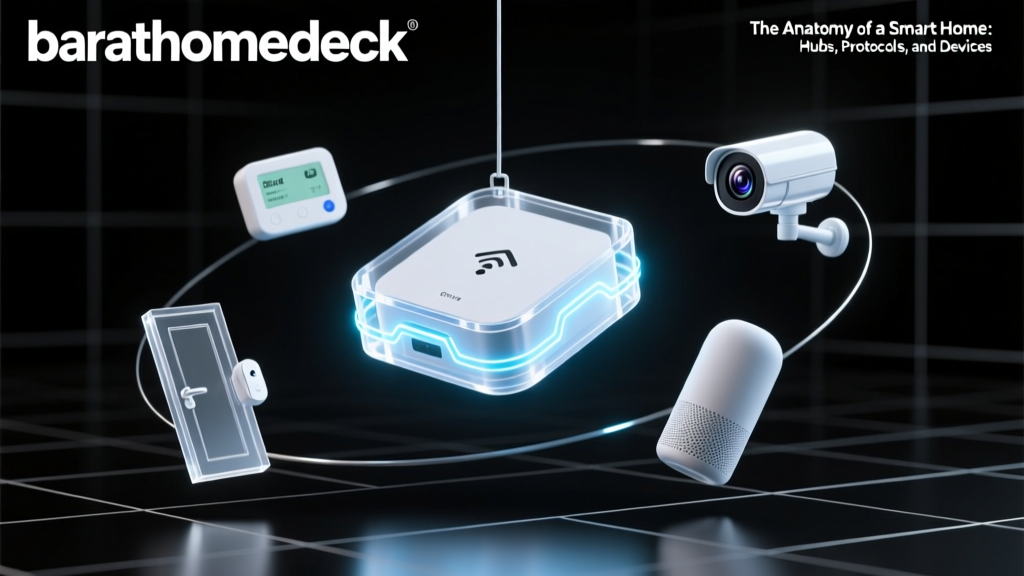
Most smart home apps operate using a layered architecture that includes three fundamental components:
- The User Interface (UI): This is what you interact with — buttons, sliders, dashboards, and voice commands. A well-designed UI makes controlling dozens of devices feel intuitive rather than overwhelming.
- The Cloud or Hub Layer: Commands from your app travel through either a cloud server or a local hub (or both) before reaching the target device. Cloud-based systems offer remote access from anywhere, while local hubs provide faster response times and continued functionality during internet outages.
- The Device Layer: Smart bulbs, locks, cameras, sensors, and appliances each contain small computing modules that receive and execute the commands relayed through the app.
Communication Protocols
Smart home apps don't speak directly to your devices in most cases. Instead, they rely on standardized communication protocols. The most common include:
- Wi-Fi: The most widespread protocol, offering high bandwidth but higher power consumption. Ideal for cameras, speakers, and always-powered devices.
- Zigbee & Z-Wave: Low-power mesh networking protocols that require a dedicated hub. Excellent for sensors, locks, and battery-powered devices.
- Bluetooth (BLE): Used for proximity-based control and initial device setup. Limited range but very low energy use.
- Thread & Matter: The newest standards designed to unify smart home ecosystems. Matter, in particular, promises cross-platform compatibility so devices work regardless of which app or voice assistant you prefer.
Understanding these protocols helps you make smarter purchasing decisions. A device that supports Matter, for example, will work with virtually any major smart home app, giving you flexibility if you ever decide to switch platforms. For more on choosing compatible devices, visit our smart home devices overview.
Top Smart Home App Platforms Compared
Not all smart home apps are created equal. The platform you choose will determine which devices you can use, how sophisticated your automations can be, and how well your ecosystem scales over time. Here's a detailed look at the leading platforms.
Google Home
Google Home (now part of the broader Google ecosystem) offers one of the most user-friendly smart home app experiences available. The app supports thousands of devices, integrates seamlessly with Google Assistant for voice control, and provides a clean, card-based interface that makes managing rooms and routines straightforward.
Strengths: Excellent voice assistant integration, broad device compatibility, intuitive automation builder, and robust multi-user household support.
Considerations: Google's data collection practices concern some privacy-focused users. The app also relies heavily on cloud processing, which means automations may fail during internet outages unless you have a compatible local hub.
Amazon Alexa
The Alexa app powers the enormous Echo ecosystem and supports one of the largest libraries of compatible smart home devices on the market. Alexa's routines feature allows you to chain together complex sequences of actions, and the app's "Hunches" feature can proactively adjust devices based on learned behavior patterns.
Strengths: Massive device ecosystem, powerful routines, strong third-party skill integration, and affordable entry-level hardware.
Considerations: The app interface can feel cluttered compared to competitors. Some advanced features require specific Echo hardware, and privacy concerns around always-listening devices persist among consumers.
Apple Home
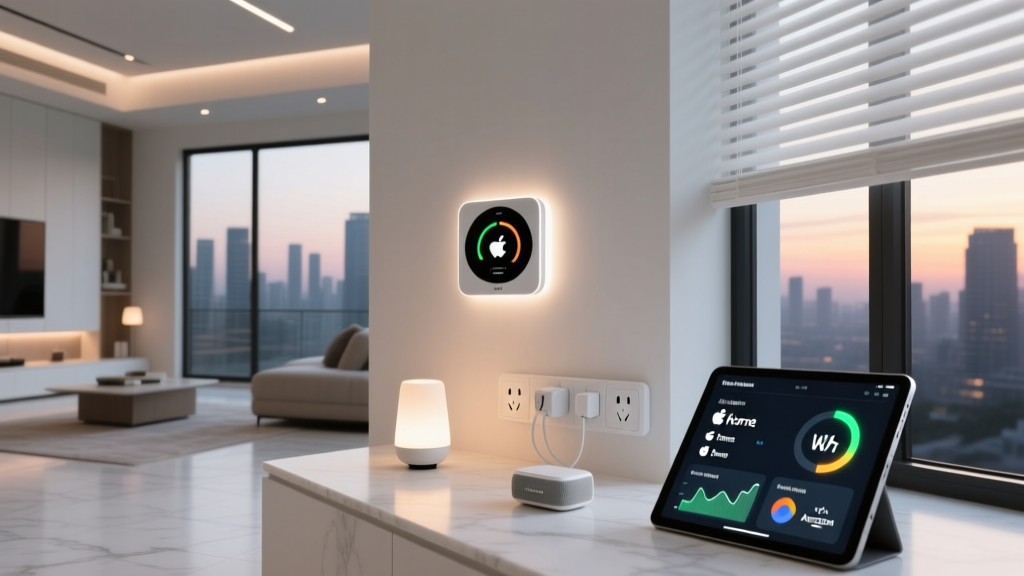
Apple's HomeKit ecosystem — controlled through the Apple Home app — prioritizes privacy, security, and a premium user experience. Every HomeKit-compatible device undergoes Apple's certification process, ensuring a baseline level of quality and interoperability. The app integrates deeply with iOS, iPadOS, macOS, and watchOS.
Strengths: Industry-leading privacy protections (end-to-end encryption for camera feeds), seamless Apple ecosystem integration, local processing via HomePod or Apple TV hubs, and a beautifully designed interface.
Considerations: Fewer compatible devices compared to Google or Amazon. HomeKit accessories often carry a price premium due to certification requirements. You'll need at least one Apple device to use the platform.
Samsung SmartThings
SmartThings occupies a unique position as a platform-agnostic hub system. While Samsung manufactures the hardware, the SmartThings app works with devices from hundreds of manufacturers across Zigbee, Z-Wave, Wi-Fi, and Matter protocols. The SmartThings Hub acts as a local brain, processing automations even when your internet connection drops.
Strengths: Broadest protocol support, local automation processing, strong community of custom integration developers, and excellent for advanced users who want granular control.
Considerations: The learning curve is steeper than plug-and-play alternatives. The app interface has improved significantly but can still feel complex for beginners.
Home Assistant
For the technically inclined, Home Assistant represents the gold standard in smart home control. This open-source platform runs locally on your own hardware (a Raspberry Pi, mini PC, or dedicated server) and supports integrations with virtually every smart device ever manufactured.
Strengths: Complete data privacy (everything runs locally), unmatched device compatibility, infinitely customizable dashboards and automations, and no subscription fees or cloud dependency.
Considerations: Requires technical knowledge to set up and maintain. There's no official "app store" — integrations are community-maintained. Not ideal for users who want a plug-and-play experience.
Setting Up Your Smart Home App for Success
Choosing the right platform is only the beginning. How you configure your smart home app from day one will determine whether your connected home feels like a seamless upgrade or a frustrating puzzle. Follow these foundational steps to build a system that scales gracefully.
Step 1: Establish a Strong Network Foundation
Before adding a single smart device, ensure your home network can handle the load. A typical smart home with 20-30 connected devices requires a router capable of managing that many simultaneous connections. Consider these network best practices:
- Create a dedicated IoT network: Most modern routers support guest networks or VLANs. Isolating your smart home devices on a separate network protects your computers and phones from potential vulnerabilities in IoT firmware.
- Invest in mesh Wi-Fi: Smart devices in garages, basements, and outdoor areas need reliable connectivity. A mesh Wi-Fi system eliminates dead zones that could cause devices to drop offline.
- Use Ethernet where possible: Smart hubs, bridges, and stationary devices like smart TVs perform more reliably on wired connections, freeing up Wi-Fi bandwidth for mobile devices and sensors.
Step 2: Organize Devices by Room & Function
One of the most common mistakes new smart home users make is adding devices haphazardly without a logical organizational structure. Take time to configure rooms, zones, and groups within your smart home app:
- Rooms: Assign every device to its physical location (Kitchen, Living Room, Master Bedroom). This enables voice commands like "turn off the kitchen lights" and makes the app dashboard intuitive.
- Zones: Group related rooms into zones (Upstairs, Downstairs, Outdoor) for broader commands like "turn off all downstairs lights."
- Groups: Create functional groups that span multiple rooms — for example, all security cameras or all smart plugs connected to holiday decorations.
Step 3: Build Meaningful Automations
Automations are where smart home apps truly shine. Rather than manually controlling individual devices, you create rules that trigger actions based on conditions. The most effective automations follow the "when this, then that" framework:
- Time-based triggers: "At sunset, turn on exterior lights and set living room lights to 50% warm white."
- Sensor-based triggers: "When the front door opens after 10 PM, turn on the hallway light and send a notification."
- Presence-based triggers: "When the last person leaves home, set thermostat to eco mode, lock all doors, and arm the security system."
- State-based triggers: "When the washing machine finishes (detected via smart plug power drop), send a notification to all phones."
Start with three to five simple automations that address genuine daily friction points. Resist the urge to automate everything at once — overly complex automation chains are difficult to troubleshoot and often create more problems than they solve. Our smart home automation guide walks through dozens of proven routines for every room in your house.
Step 4: Configure Voice Control Thoughtfully
Voice assistants integrated into smart home apps offer hands-free convenience, but poor configuration leads to frustration. Follow these tips:
- Give devices clear, unique names. "Bedroom lamp" and "bedroom light" are too similar and will confuse voice recognition.
- Create voice shortcuts for complex routines. Instead of reciting multiple commands, say "movie time" to dim lights, close blinds, and start your streaming device.
- Set up voice match or PIN requirements for sensitive actions like unlocking doors or disarming security systems.
Smart Home App Security & Privacy: Protecting Your Connected Home
Every device connected to your smart home app represents a potential entry point for malicious actors. Smart home security isn't optional — it's essential. According to research published by the Cybersecurity & Infrastructure Security Agency (CISA), IoT devices are frequently targeted because they often ship with default passwords and infrequent firmware updates.
Essential Security Practices
- Change default passwords immediately: Every smart device ships with a default admin password that's publicly documented. Change these before connecting devices to your network.
- Enable two-factor authentication (2FA): Every major smart home app platform supports 2FA. This adds a critical layer of protection — even if someone obtains your password, they can't access your app without the second verification factor.
- Keep firmware updated: Enable automatic updates wherever possible. Manufacturers regularly patch security vulnerabilities, and outdated firmware is the most common attack vector for smart home devices.
- Review app permissions regularly: Smart home apps often request access to your location, camera, microphone, and contacts. Audit these permissions quarterly and revoke anything that isn't necessary for core functionality.
- Use strong, unique passwords: Never reuse passwords across your smart home app and other services. A breach at an unrelated website could expose your entire home automation system if credentials are shared.
Understanding Data Collection
Smart home apps collect significant amounts of data about your daily routines, occupancy patterns, and device usage. Understanding what data is collected and how it's used should inform your platform choice:
- Cloud-dependent platforms (Google, Amazon) process voice commands and automation logic on remote servers. This enables powerful features but means your data traverses the internet and is stored on third-party infrastructure.
- Local-first platforms (Apple HomeKit with a HomePod hub, Home Assistant, SmartThings with local processing) keep most data within your home network. Commands are processed locally, reducing latency and exposure.
- Hybrid approaches offer local processing for routine automations with cloud fallback for remote access and advanced features like voice recognition.
The Electronic Frontier Foundation (EFF) maintains ongoing research into smart home privacy practices and offers detailed evaluations of how major platforms handle user data. Their work is an invaluable resource for privacy-conscious consumers building a connected home.
As the data above illustrates, while most users change default passwords, far fewer enable two-factor authentication or segment their networks — leaving significant gaps in their smart home security posture. Taking these additional steps places you well ahead of the average connected home in terms of protection.
Troubleshooting Common Smart Home App Issues
Even the most carefully configured smart home will encounter issues from time to time. Understanding common problems and their solutions saves hours of frustration and prevents unnecessary device replacements.
Device Goes Offline or Becomes Unresponsive
This is the single most common smart home app complaint. When a device shows as "offline" or fails to respond to commands:
- Check your network first. Restart your router and verify that other devices on the same network segment are functioning. Most "offline" issues are network-related, not device-related.
- Power cycle the device. Unplug it (or remove batteries) for 30 seconds, then restore power. This clears temporary firmware glitches that accumulate over time.
- Check signal strength. If the device is far from your router or hub, consider adding a Wi-Fi extender, mesh node, or Zigbee/Z-Wave repeater to improve connectivity.
- Remove and re-add the device. As a last resort, delete the device from your smart home app and re-pair it. This resolves corrupted configuration states that power cycling alone cannot fix.
Automations Fail to Trigger
When automations stop working, the cause is usually one of the following:
- Condition conflicts: Two automations may be fighting each other — one turns a light on while another turns it off. Review all automations that affect the same device.
- Hub connectivity: If your automations rely on a local hub, ensure it's powered on and connected to your network. A rebooted router may not automatically reconnect the hub.
- Geofencing issues: Location-based automations require your phone's location services to be active and the smart home app to have "always allow" location permission. Battery-saving modes often restrict background location access, breaking presence-based triggers.
- Firmware mismatches: After a device firmware update, the device's internal state may not match what the app expects. Re-syncing or re-pairing usually resolves this.
Voice Commands Aren't Recognized
Voice control failures typically stem from naming conflicts or microphone issues:
- Ensure device names are distinct and phonetically different. "Fan" and "van" may sound identical to a voice assistant in a noisy room.
- Check that the smart speaker or display you're addressing is connected to the same smart home app account as your devices.
- Review the voice assistant's command history (available in most apps) to see what it actually heard versus what you said.
App Crashes or Performs Slowly
If your smart home app is sluggish or unstable:
- Clear the app cache through your phone's settings. Cached data can become corrupted over time, especially after app updates.
- Reduce dashboard complexity. Dashboards displaying dozens of device tiles, live camera feeds, and real-time graphs consume significant memory. Simplify your primary dashboard and create secondary dashboards for detailed monitoring.
- Update both the app and your phone's operating system. Compatibility issues between outdated OS versions and current app releases are a frequent source of instability.
For more help resolving specific device issues, our smart home troubleshooting resource covers platform-specific solutions in greater detail.
Frequently Asked Questions About Smart Home Apps
Can I use multiple smart home apps together?
Yes, and many experienced smart home users do exactly this. For example, you might use Apple Home for daily control and voice commands while running Home Assistant in the background for advanced automations that Apple's platform doesn't support natively. The key is ensuring that devices are compatible with each platform you want to use. The Matter standard has made multi-platform setups significantly easier, as Matter-certified devices can be controlled by multiple apps simultaneously without conflicts. However, be aware that some automations may conflict if two platforms try to control the same device with contradictory rules.
Do smart home apps work without an internet connection?
It depends on the platform and how your system is configured. Cloud-dependent platforms like Google Home and Amazon Alexa require an active internet connection for most functions, including voice commands and automations. However, platforms with local processing capabilities — such as Apple HomeKit (with a HomePod or Apple TV hub), Samsung SmartThings (with a SmartThings Hub), and Home Assistant — can continue to run automations and respond to local controls even during internet outages. If reliability during outages is important to you, prioritize platforms that support local execution and invest in the necessary hub hardware.
Are smart home apps free to use?
The apps themselves are typically free to download and use. Google Home, Amazon Alexa, Apple Home, and SmartThings apps carry no subscription fees for core functionality. However, some advanced features — particularly those related to security cameras and cloud video storage — may require monthly subscriptions. For example, Google Nest Aware, Amazon Ring Protect, and Arlo Secure all offer premium tiers that unlock features like continuous video recording, intelligent alerts, and extended cloud storage. Home Assistant is entirely free and open-source, though you'll need to provide your own hardware to run it on.
How many devices can a smart home app support?
Most major smart home app platforms can theoretically support hundreds of devices, but practical limits depend on your network infrastructure and hub capacity. A typical home Wi-Fi router handles 20-40 connected devices comfortably. Beyond that, you'll likely need a mesh Wi-Fi system or dedicated IoT hub to maintain reliability. Zigbee and Z-Wave networks can each support up to 65,000+ nodes in theory, though most hubs cap out between 100-250 devices for performance reasons. If you're planning a large-scale installation with dozens of sensors, lights, and switches, consult our smart home setup guide for network planning advice.
What is the most secure smart home app platform?
Apple HomeKit is widely regarded as the most privacy-focused mainstream smart home platform. Apple enforces strict data handling requirements on accessory manufacturers, uses end-to-end encryption for all HomeKit communication (including camera streams), and processes most automations locally on your HomePod or Apple TV hub. Home Assistant offers comparable — or even superior — privacy since all data remains on hardware you own and control, with no cloud dependency whatsoever. However, Home Assistant requires technical expertise to configure securely. If you prioritize privacy but want a simpler experience, Apple Home is the strongest choice. For maximum control over your data with a willingness to invest time in setup, Home Assistant is unmatched.
Building a smart home that truly enhances your daily life starts with choosing the right app platform and configuring it thoughtfully. Whether you prioritize ease of use, device compatibility, privacy, or advanced customization, there's a smart home app ecosystem that fits your needs. Start small, automate deliberately, secure your network, and expand gradually — your connected home will grow smarter and more intuitive with every thoughtful addition.